JavaScript Not Working with Embed

The embed isn't working with the JavaScript.
I've already read these articles (and none of them apply, plus, I don't see the code injection section or where to validate the account, which should be validated):
- https://support.brizy.io/hc/en-us/community/posts/360074960532-Brizy-Embed-Not-working
- https://support.brizy.io/hc/en-us/community/posts/360077091031-Embed-not-working
- https://support.brizy.io/hc/en-us/community/posts/360076502912--The-embed-function-does-not-work-
- https://support.brizy.io/hc/en-us/community/posts/360073369792-Embed-element-not-working-despite-trying-from-different-sources
I know the code works because there's a working example in CodePen: https://codepen.io/elemusma/pen/VwPLjeb
And one in this website (between header and first gallery): https://wordpress-547768-1763025.cloudwaysapps.com/
I've added the exact same code to this page using the embed element and it's not working: https://kileym8.sg-host.com/homepage-option-2/
The same exact code works perfectly on the other website and in CodePen so it has something to do with Brizy.
Any help is greatly appreciated!
-

Hi Aaron,
We checked your account inf***om and we found that it is validated. Therefore, you should have access to the embed element and Code Injection section.
Also, we checked the JS code you send us and we found that it is working fine which confirms that JS is working in the Brizy Cloud embed element.
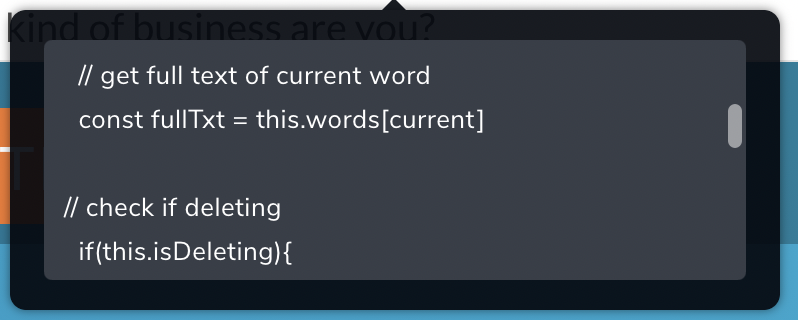
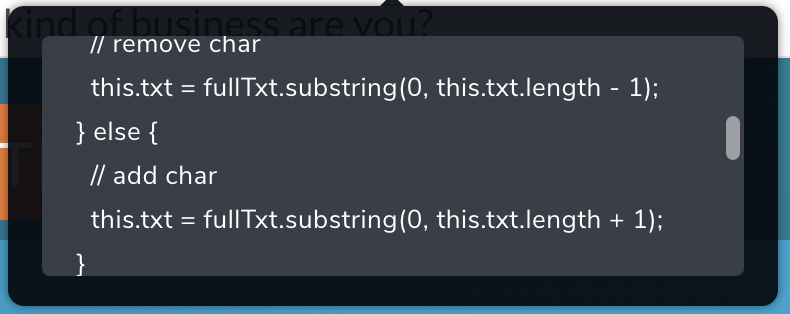
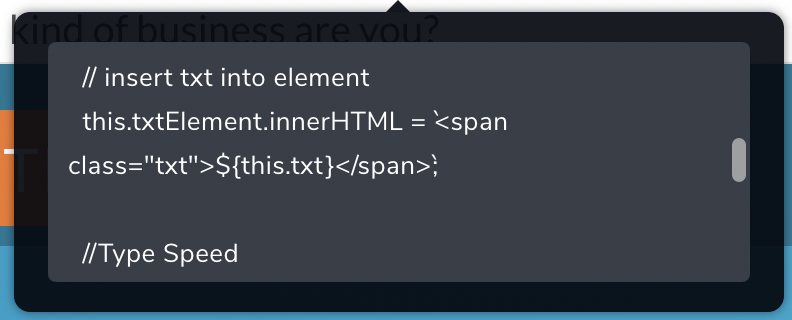
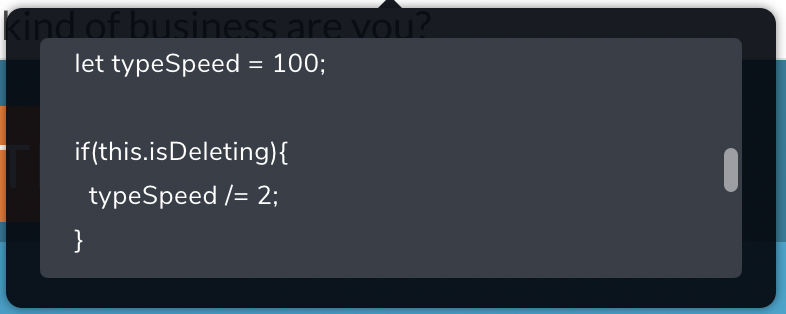
Could you send us the code you use inside the Embed element? Did you add the JS code inside the <script></script> tags?
Thanks!
Best regards,
Sandra0 -
I did add the JS code inside <script></script>
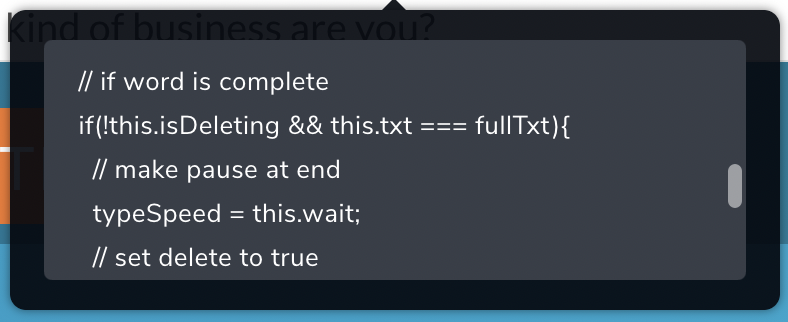
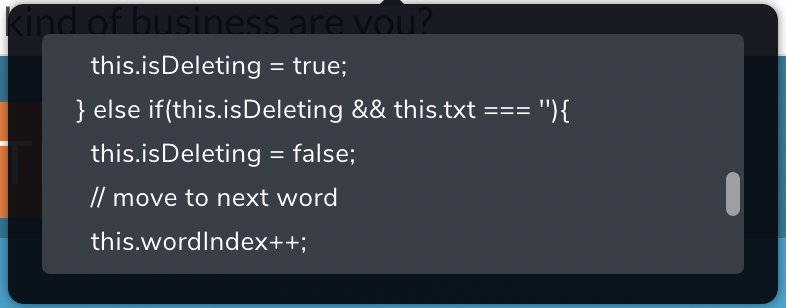
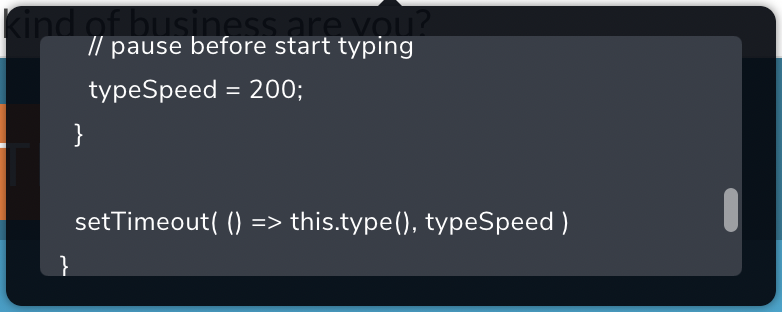
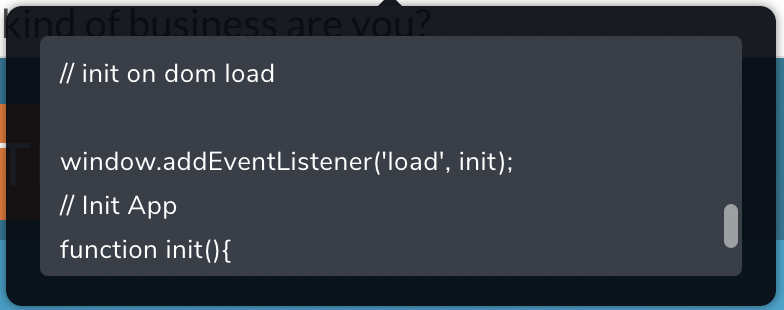
Here's a video walkthrough of how the code is inside the Embed element: https://www.loom.com/share/09410cc2e9ea4a2f97984c9e785dd774
Attached will be screenshots (since the embed window can't be made bigger) of the whole code.
Please let me know if there's anything else and how this can be resolved.
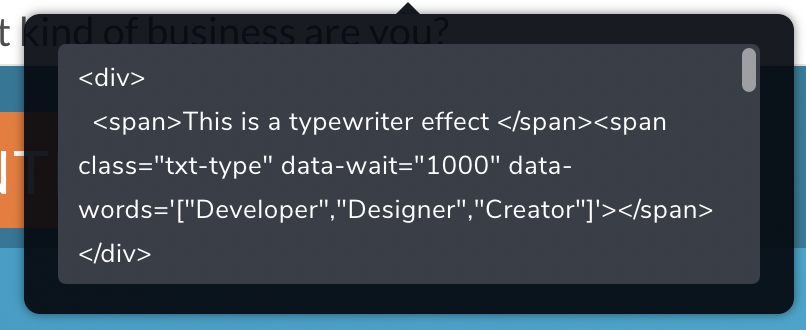
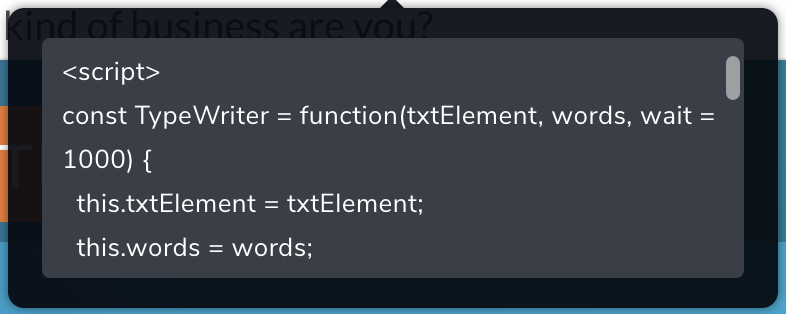
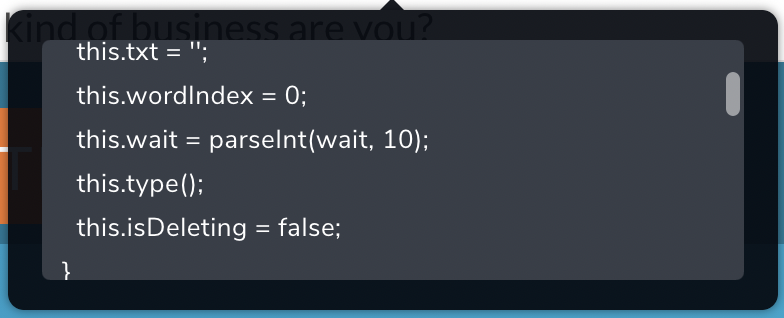
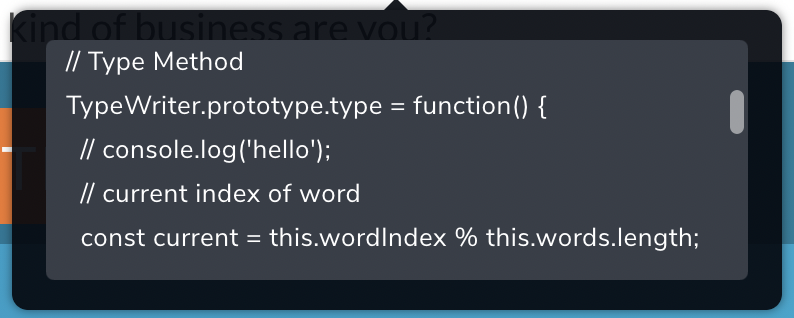
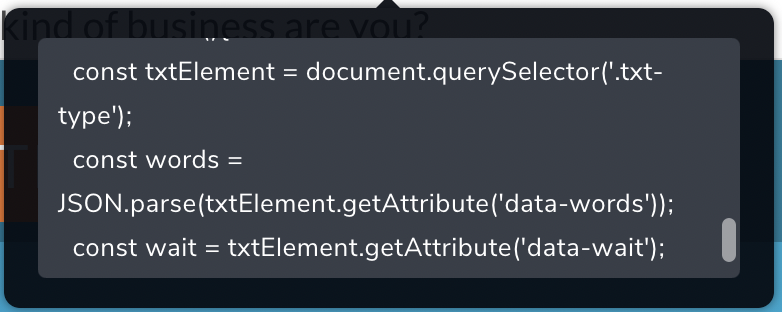
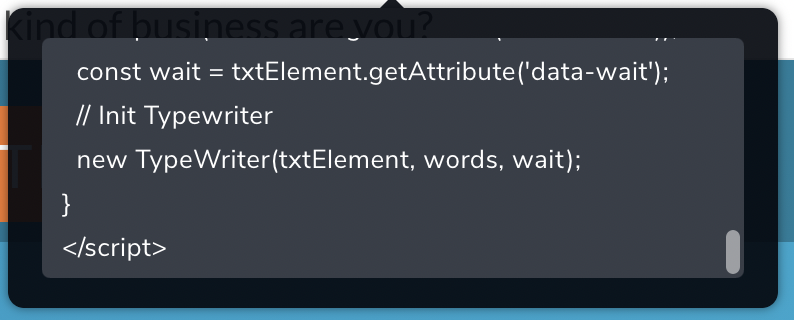 0
0 -
Hi,
I tested this code in the embed element from Brizy Cloud and all worked fine. See here. Yes, it isn't working in the editor mode but in the preview mode, all is working fine.
If you want to add the typing effect in WordPress, I can suggest you a plugin that I found and it is working fine. It is the "Typing effect" plugin. See here.
Best regards,
Sandra0 -
I see, do you know why it's working on your website but not mine? If I made you a user on my website, can you do the same thing you did on yours?
I already installed the plugin and it's working fine, but I'm just curious as to why it worked on your website and not mine. But thanks for suggesting the plugin.
0 -
Hi,
We checked this a bit deeper this issue and we found that it happens only in the WordPress Brizy editor. In the Brizy Cloud, all is working fine. We already informed our developers regarding this inconvenience and they will investigate it. When we will receive a notification from them we will inform you too. I'm sorry for this inconvenience!
Best regards,
Sandra0
Please sign in to leave a comment.
Comments
5 comments