error "This page needs a refresh. You've probably updated the page in a different tab or browser"

I asked my hosting provider for help with this and they told me "Just to inform you, ModSecurity cannot be disabled on shared hosting." I don't know how to solve it. I can't work on my website..
-

Hi Ellora,
We're sorry to hear you're having this issue with Brizy.
Please provide us with temporary access to your WP Admin page so we can take a look. Please add us as an Admin user to your WordPress Dashboard and send the following details to communitysupport@brizy.io.
Community Post link: https://support.brizy.io/hc/en-us/community/posts/25478945886738
WordPress Admin URL:
Username:
Password:Additionally, we will also need temporary access to FTP/cPanel:
FTP / cPanel host address:
Username:
Password:Best regards,
Ariel H.0 -
Hi, thanks that info was sent.
0 -
Hi Ellora,
Thank you for your cooperation.
After troubleshooting, it seems that GoDaddy’s firewall is preventing requests when I try to add or update content on the page. This is likely causing the issue with saving edits.
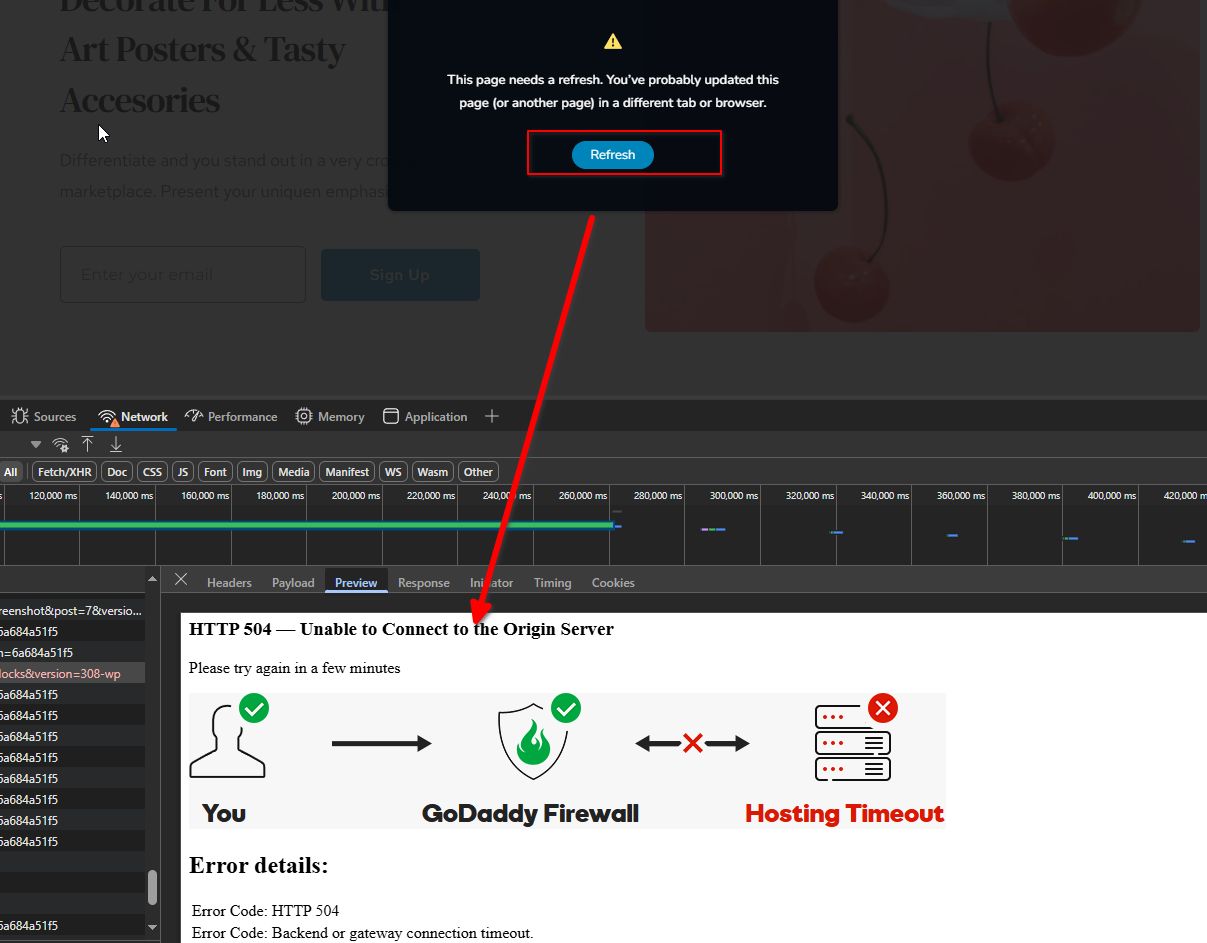
Could you check with GoDaddy to see if they can whitelist these requests? Specifically, ensuring that requests to admin-ajax.php and wp-json are not being blocked should help resolve the issue.
Please try this and let me know how it goes.
Best regards,
Ariel H.0 -
I tried giving them this info but they haven't been helpful. Any other recommendations?
0 -

Hello Ellora,
Kindly temporarily disable the firewall following the procedure at https://www.godaddy.com/en-in/help/allow-or-block-website-access-27422 and check if it helps to save updates to your project. This will help confirm if the firewall has been blocking Brizy editing.
If you invite us as a delegate to access you GoDaddy account, following the procedure at https://www.godaddy.com/en-in/help/invite-a-delegate-to-access-my-godaddy-account-12376, we can also interact with GoDaddy support and persuade them to remove blocks on Brizy editing.
0 -
Hi I responded to an email with this same info. What credentials should I give to give you access to GoDaddy as a delegate?
0 -
Hi Ellora,
Thank you for the update.Please use the email address communitysupport@brizy.io.
Let me know if you need any further information.
Best regards,
Ariel H.0 -
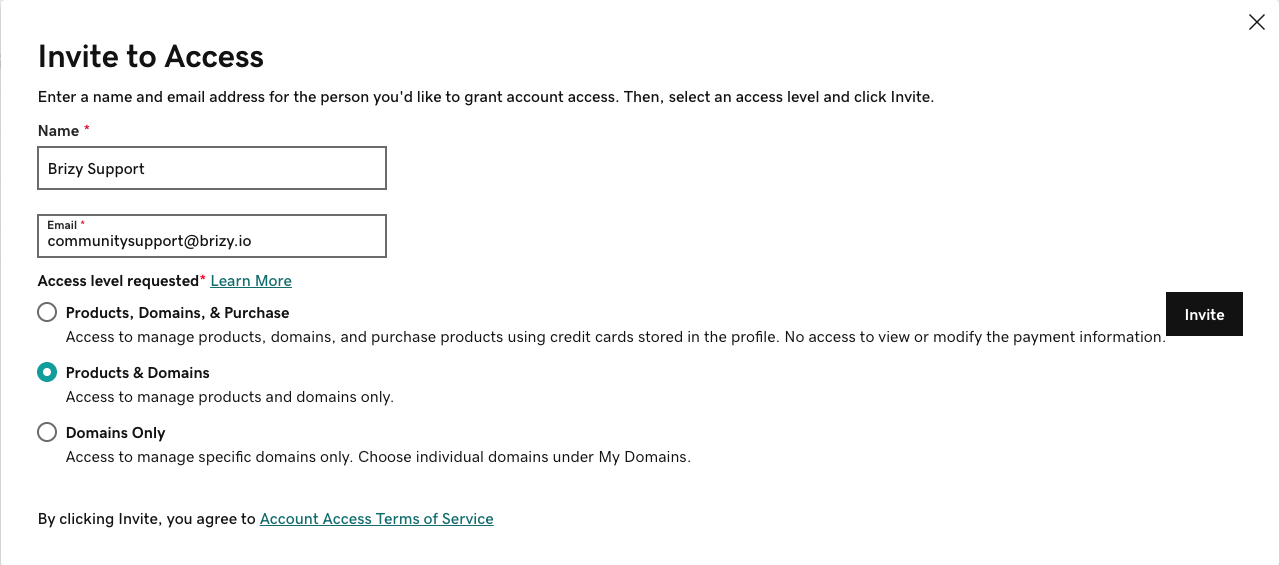
Hi I responded on email but I'll do it here too: How much access do you need? These are the options.
 0
0 -
Hi Ellora, thank you for the update. Products and Domains will do. Thank you!
0 -
Hi Ellora,
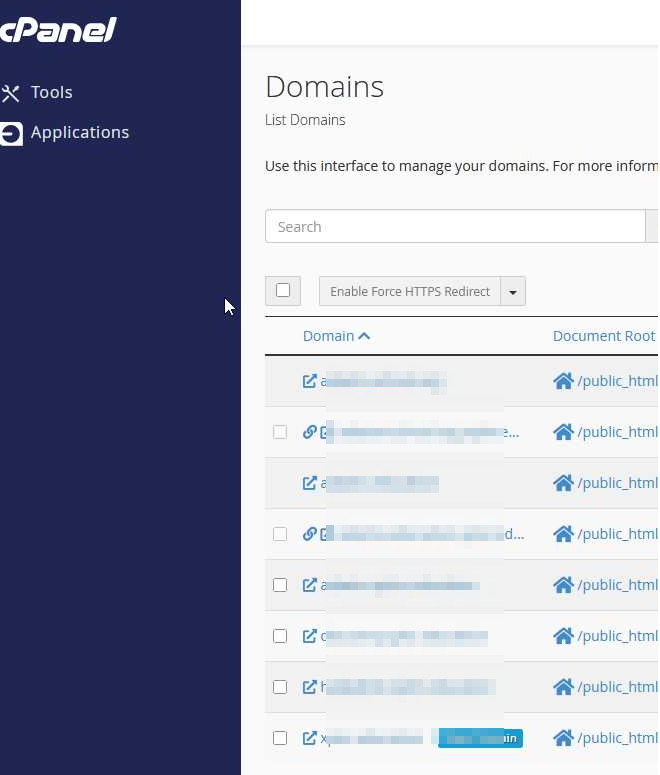
Thank you for your cooperation. We received the invite to access your hosting console; however, the domain name for peakperformancecare doesn’t appear in the list of domains under this account. Could you please double-check? It’s possible that you have multiple accounts and may have shared access to the wrong one.
Looking forward to your response.
Best regards,
Ariel H.0 -
I responded by email but I'm not sure how to help. It's in there somewhere: peakperformancecare.com
0 -
Hi Ellora,
Thank you for the update. I’ve checked, and unfortunately, peakperformancecare.com isn’t listed under this account. Could you please double-check and confirm?
Best regards,
Ariel H.0 -
None of those are our domains. Are you looking at the right account?
0 -
Hi Ellora,
Thank you for the update, and apologies for the confusion. It looks like we were accessing a different cPanel account. While we did have access to your GoDaddy dashboard, it seems their chat support is currently handled by an AI bot, so we had no success there.
The error message "This page needs a refresh" in Brizy is usually caused by ModSecurity or another firewall blocking or interrupting large or complex admin-ajax requests.
We've found this issue to be quite common on websites hosted with GoDaddy. Unfortunately, GoDaddy doesn't offer an option in their hosting panel or cPanel to disable or modify ModSecurity.
To resolve this, we recommend reaching out directly to GoDaddy support ask them to escalate the issue to their Level 2 support team and requesting that they lift or adjust the security rules that are interfering with Brizy. In many cases, they can whitelist specific rules or apply a workaround for your domain.
Alternatively, you might consider migrating your site to a hosting provider that allows you to manage ModSecurity settings directly. You can then secure your site using plugins like Wordfence, which is compatible with most WordPress setups.
Best regards,
Ariel H.0 -
Ok thank you
0 -
Here is what their level 3 senior help said:
What I do however see is a substantial number of 502 errors on attempts to edit your site e.g.
98.97.25.186 - - [14/Apr/2025:19:56:38 -0400] "POST /wp-admin/admin-ajax.php?hash=44e65c7d57&action=brizy-update-global-blocks&version=308-wp HTTP/3.0" 502 22606 "https://peakperformancecare.com/wp-admin/post.php?action=in-front-editor&post=93291" "Mozilla/5.0 (Macintosh; Intel Mac OS X 10_15_7) AppleWebKit/537.36 (KHTML, like Gecko) Chrome/135.0.0.0 Safari/537.36" "PROXYBLOCKID:" "CACHES:-" "CIP: 98.97.25.186" "UPSTREAM_ADDR: 173.201.189.178:443" "SNI: peakperformancecare.com" "HOST-HEADER: peakperformancecare.com" "h3" "TLSv1.3/TLS_AES_256_GCM_SHA384" "GEO: US" "rewrite_time=0.00000" "access_time=4.50000" "lua_total_time=4.50000" "upstream_status=504"
This is happening because the request to edit your site is taking longer to process by your server than the firewall timeout allows. This results in a closed connection and appears to likely be the cause of this issue you are having.
Ideally you will want to have your developer look into why those requests are taking so long, often this will be database optimization related.
0 -
Hi Ellora,
Thank you for the update.
While Brizy may contribute to the load, the main issue appears to be how the server is handling those requests. A modern WordPress site should typically be able to process standard AJAX calls like this without hitting a timeout.
We’ve already made the recommended adjustments in your hosting control panel, but it seems some limitations on the server itself are still preventing Brizy from working properly.
To help confirm this, we’d like to request your permission to duplicate the site and run it on our testing server. This will allow us to compare performance and determine if the bottleneck is indeed related to the hosting environment.
In the meantime, please have a look at this similar case on our support forum:
https://support.brizy.io/hc/en-us/community/posts/26175809783570
In that case, a few server setting tweaks resolved the issue.Looking forward to your approval.
Best regards,
Ariel H.0 -
Ok, this won't affect the live site, correct? Do I need to do anything? If the answers are no and no, please proceed.0
-
Hi Ellora,
Making a backup won't affect your live site. We’ll simply create a copy of it on a separate testing server. You don't need to do anything on your end.
Best regards,
Ariel H.0 -
Hi Ellora,
Thank you for waiting.
We have duplicated your site on a test server: https://brizywp.online/peak/
Please try to replicate the issue on this test site. If the issue doesn't occur, you can share the test site credentials with your hosting provider. This will allow them to check and compare, helping confirm that the issues you reported are not present on our server. From there, they can either adjust their server settings or, if needed, you may consider moving your site to a different hosting provider.
You can log in to the test site using this link: https://hide.fyi/U0HH0E6V
Please note: the link will expire in 12 hours. If it does, you can reset the password using your email address (info@peak*********ecare.com) here: https://brizywp.online/peak/wp-login.php?action=lostpassword
The username is Administrator.Best regards,
Ariel H.0 -
The link (https://brizywp.online/peak/) produces only an empty white page
I tried logging in to edit the site but it was already self destructed and the reset password link didn't send me an email.
Now what? Please email us for faster communication.
0 -
Hi Ellora,
Thank you for the update. The website clone was intentionally set to development mode, which is why you're seeing a white page. It was also set to expire after a certain period for security reasons.
I've created a new access link HERE.
Please let us know if you're able to access the site using this new link. You may also copy the token from the URL and share it with your hosting provider if they need to compare or investigate further.
We're here to help, so feel free to reach out if you need any assistance.
Best regards,
Ariel H.0 -
Thank you I was able to access it and the edits I tried worked without a problem! What does this mean and where do we go from here?
Thanks!
0 -
Hi Ellora,
Thanks for the update.
This usually indicates that your hosting provider has certain restrictions in place that are affecting Brizy’s ability to load or save content. In most cases, it's due to firewall settings or mod_security blocking access to important WordPress files like admin-ajax.php, which Brizy relies on to function properly.
You can ask your host to review and adjust any security rules (such as mod_security) that might be interfering with Brizy.
Feel free to share the access token from your cloned site so they can compare and confirm that Brizy works as expected there.
If your current host is unable to assist, you may want to consider switching to a provider with fewer restrictions.
Best regards,
Ariel H.0 -
Ok I've checked with them and their web security support for some reason told me I need to check with hosting support, who said "checked with the team the firewall is completely disabled and no way it is influencing the connection"
So now I don't know what to do. If we had to changing hosting providers because of this issue, who would you recommend? (and would that fix the issue?)
0 -
Hi Ellora,
Thank you for the update, and I completely understand how frustrating this has been.
Since you've tested it in the test environment I set up and confirmed that Brizy works there, it does suggest the issue is likely related to the current hosting setup.
If you're considering switching hosts, you can find a list of our recommended hosting partners here: https://www.brizy.io/hosting-partners
If you have any further questions, please let us know.
Best regards,
Ariel H.0 -
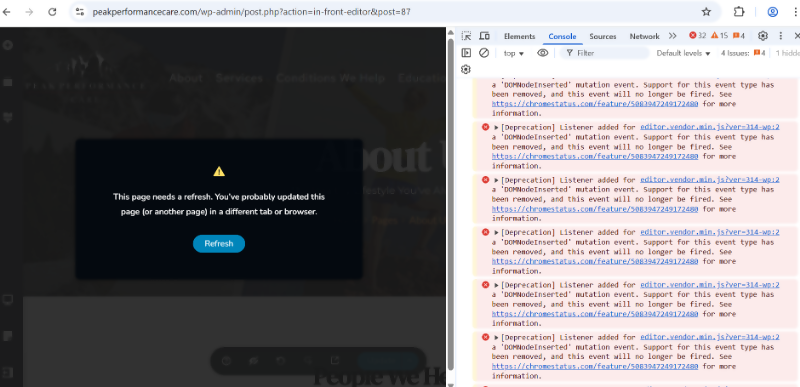
Working with GoDaddy support, they sent me this. I don't know what it is but they think there is a version issue with the plugin.
 0
0 -
They also said: We can see it is not related to plugin conflict or mod security
0 -
Hi Ellora,
I understand that you’ve been going back and forth between us and GoDaddy support, and I sincerely apologize for any frustration this has caused.
To clarify, the deprecated warnings on the live site indicate that certain functions or scripts being used are outdated and may not be fully compatible with the current server configuration. However, these errors do not appear on the staging site I set up for you, where you’ve been able to edit pages without issue. This suggests that the problem is tied specifically to the live site’s hosting environment.
Since the staging site is functioning properly, there’s not much we can do on our end to fix this. The next step would be for GoDaddy’s Level 2 techs to investigate further and adjust the server settings as needed. Once they’ve addressed the issue, we can review it again if needed.
Please let me know if there’s anything else I can do to assist along the way.
Best regards,
Ariel H.0 -
Thank you, I'm not sure they can help much so I'm looking into other hosts.
Any idea why this problem only started recently (within 6mo)? We've used your plugin for a while and been hosted by GoDaddy for a while too.
Thanks
0
Please sign in to leave a comment.
Comments
33 comments