Failed to upload file

The images are not showing in the template and I am having issues when I want to make changes. I am also having the same issue with the regular image block. I would like this issue resolved as soon as possible.
We are not using a CDN.
-
Official comment

Hello Yuriko
I am Basharat from the Brizy support team.
Thank you for contacting us.
We sincerely apologize for the inconvenience you experienced. I have created a private ticket for you and our team will get back to you shortly.
Should you have any further questions, please feel free to reach out.
Best regards, Basharat
Brizy support team. -

Same issue on one of my pages. The Console reads:
"Failed to load resource: the server responded with a status of 400 (Bad Request)"
0 -

Hi
I also have the same issue. Please let me know if you have a solution.0 -

Hi Daniel and Kasumi,
Thank you for reaching out to us.
We're sorry to hear you're having this issue with Brizy. Could you please replicate this issue with all plugins except Brizy and Brizy Pro disabled?
Please also ensure that you have these versions of Brizy and Brizy Pro installed on your website:

If the issue continues, this is something we need to inspect from your WP Admin page. Please add us as an Admin user to your WordPress Dashboard and send the following details to: communitysupport@brizy.io
Community Post link: https://support.brizy.io/hc/en-us/community/posts/21435055476626
WordPress Admin URL:
Username:
Password:Please make a full backup of your site as a precaution.
Best regards,
Ariel H.0 -
Still continue the problem.
I can't add you as an Admin user because of our company policy, but can send you admin console errors.
When I open a single page with brizy

When I try to upload a image
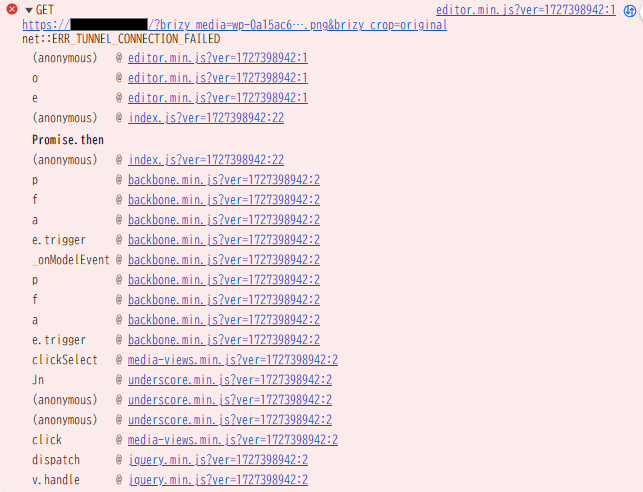 0
0 -
Hi Kasumi,
Thank you for the update.
To resolve the issue, please ask your hosting provider to update the following settings on your server:
- max_execution_time: 300
- max_input_vars: 300
- memory_limit: 512M (or higher)
- post_max_size: 128M
- upload_max_filesize: 32MIf you have access to cPanel, you can make these changes yourself by going to "Select PHP Version" and then to "Options." You'll find these settings there and can modify them.
After making the changes, please return to your page and see if you can still replicate the issue. Let me know how it goes.
Best regards,
Ariel H.0 -
Updated like below and restarted server, cleared cash and then logged in admin.
max_execution_time = 30 → 300
max_input_vars = 1000 unchanged
memory_limit = 512M unchanged
post_max_size = 400M unchanged
upload_max_filesize = 400M unchangedBut it still doesn't work.The error is same before.
0 -
Hi Kasumi,
My apologies for the inconvenience.
Could you please try rolling back to previous versions of Brizy to see if that resolves the issue. Please make sure to take a full backup of your website first, then download the following versions:
- Brizy 2.5.2: https://jmp.sh/2bXHLvAZ
- Brizy Pro 2.5.1: https://jmp.sh/s29vW87tTo roll back, follow these steps:
1. Deactivate and delete Brizy Pro.
2. Deactivate and delete Brizy.
3. In your WordPress Dashboard, go to Plugins → Add New → Upload Plugin, and upload Brizy 2.5.2.
4. Repeat the same for Brizy Pro 2.5.1.If the menu element doesn't work, try making a minor change to the global header (e.g., increase padding by 1 pixel). Then, hit the update button to save your changes and preview your site to see if this fixes the issue. You can revert your changes if necessary and hit update again. This should also apply to blocks with broken layouts after the update.
Best regards,
Ariel H.0 -
Hi Ariel
Thank you so much for your effort. Now brizy works well.
0 -

Hello, I'm having the exact same issue but for me rolling back did not resolve it.
Rolling back only made the "failed to upload" message disappear, now when I select an image from media it just does not show it.
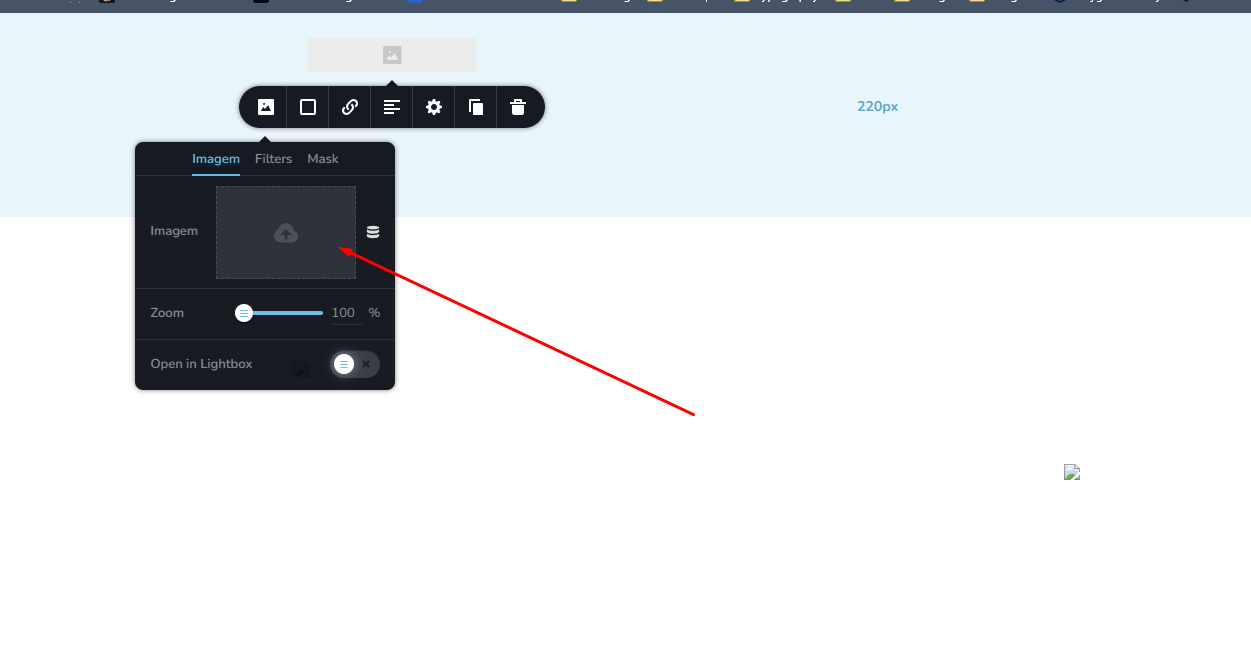 0
0 -
Hi,
Please send your site's credentials to communitysupport@brizy.io so we can inspect your site. Please include reference number 21435055476626 in the Subject line.
Best regards,
Ariel H.0 -
Hi Matheus,
Thank you for your cooperation.
We tried to access this website but it's throwing the following error:
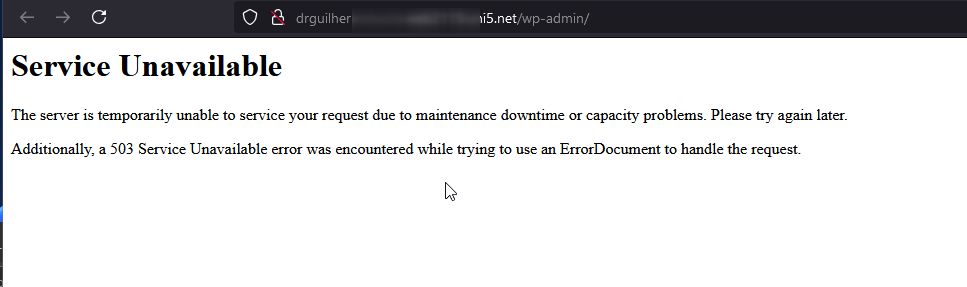
Could you please check this again and let us know when you have fixed the issue?
Best regards,
Ariel H.0 -
Hello, I have fixed the issue, could you check it again?
0 -
Hi Matheus,
Unfortunately, we're still unable to access your WP Admin page.
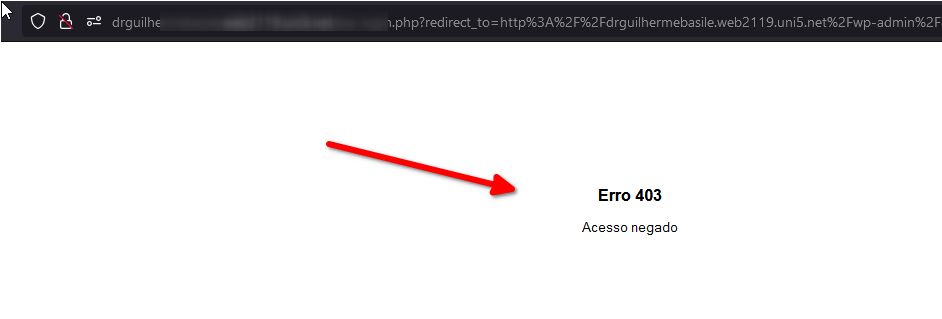
Could you please whitelist this IP address from your firewall?136.158.11.132
Best regards,
Ariel H.0 -
Hello,
Sorry, there was a country restriction rule, can you check it again?
0 -
Hi Matheus,
Thank you for the update. Unfortunately, I'm still receiving the same error. Could you consider temporarily disabling this restriction until we have inspected your site?
Best regards,
Ariel H.1 -

Somehow my own support thread got deleted? Therefore I am writing here again:
I have the same problem with a clients website which is not "on air" yet. I want to rebuild her website with brizy, and use the existing pictures in the mediathek, however within brizy it keeps saying "failed to upload image"...
I am able to upload photos or logos into the mediathek, the problem is that brizy will not place these pictures into the page!0 -
Hi Leslie,
Please reply on this support thread: https://support.brizy.io/hc/en-us/community/posts/22665292583058
0 -
Hi Ariel, that is not the case I meant. I have TWO different problems with two different websites. The other Thread is almost solved, I guess (www.kue********.de looks correct now with header and footer, thank you so much).
Here I have a problem to paste/place Photos from the mediathek into a brizy page. It states "failed to upload file" .... however the files are in the mediathek available and have been working in elementor so far.
What I tried so far and did not help:
1. I deactivated all other plugins, did not solve the problem
2. Changed the "WP hello theme" to "twenty twenty one"
3. Roll back from Brizy Pro 2.6 to 2.5.6
No matter what, I cannot build this site due to this error. What can we do to fix it?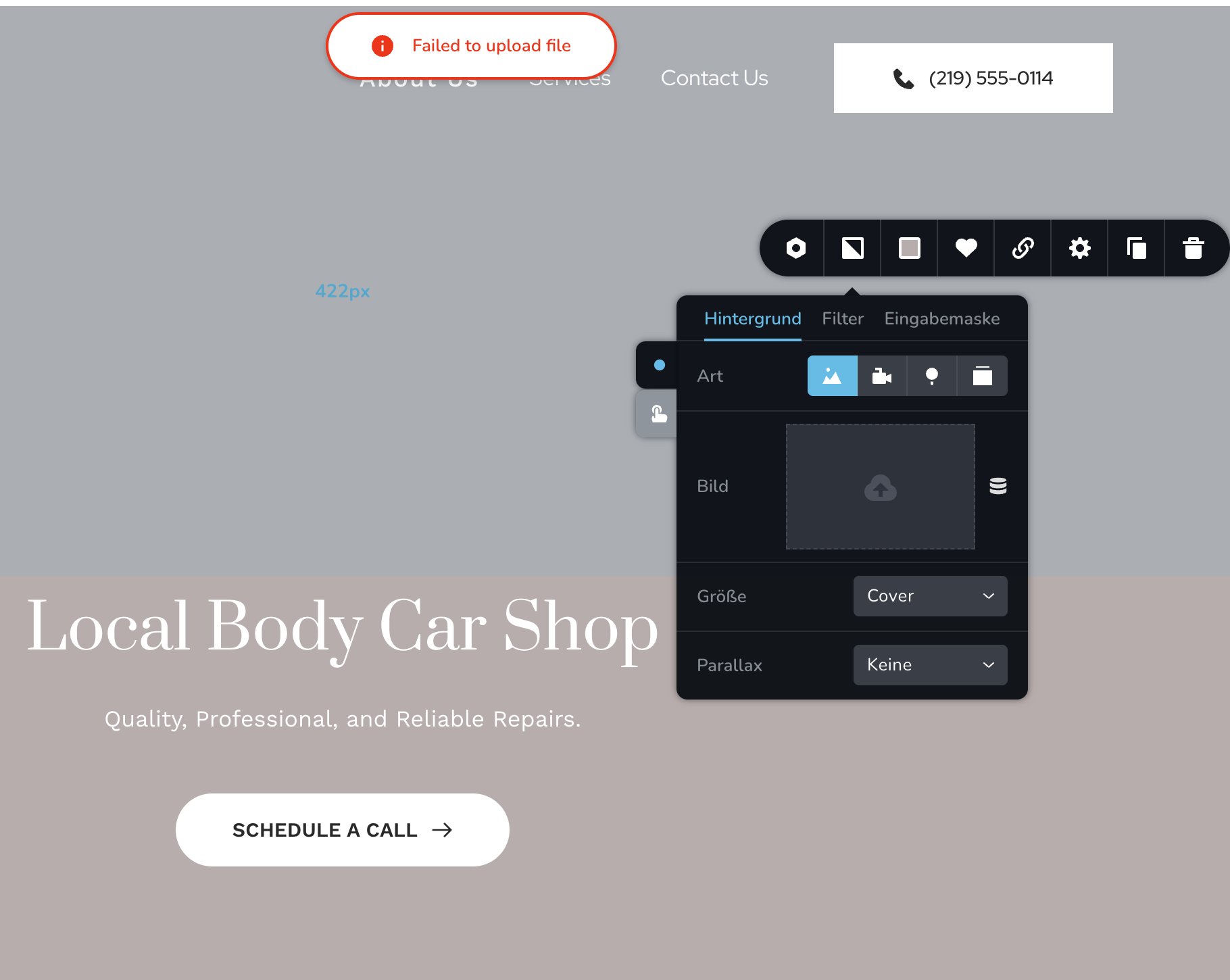 0
0 -
Hi Leslie,
Could you please share the login details for this website so we can take a closer look?
0 -
Here it goes:
[ credentials removed ]
0 -
Hi Leslie,
Thank you for your cooperation.
Uploading directly in the Media Library also fails, if it fails here, it will also fail uploads in Brizy.
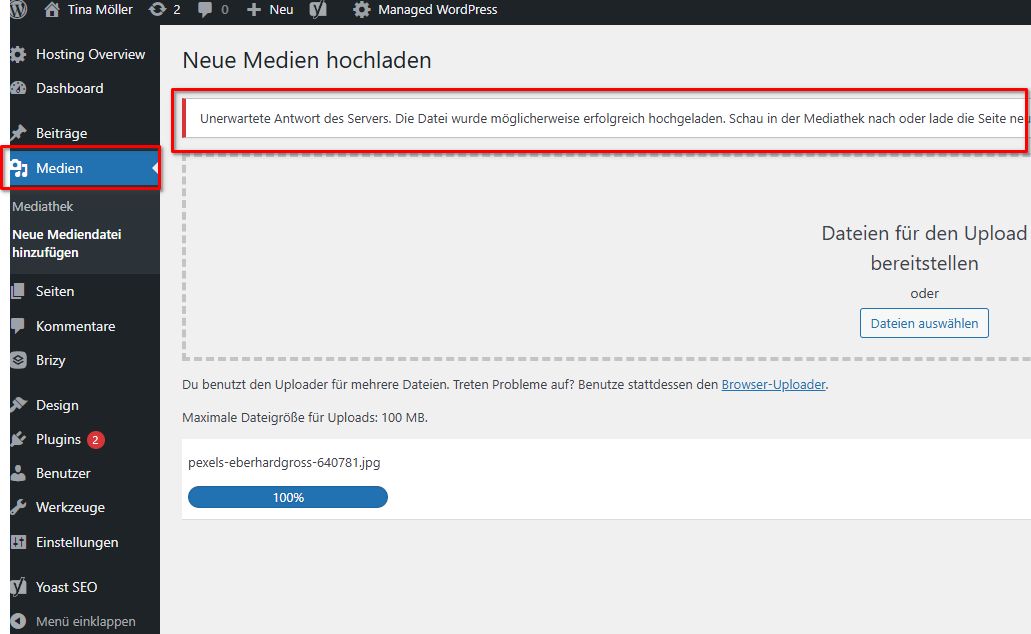
Your server settings show that the upload limit is sufficient. It seems the issue may be related to file permissions on your server.

I recommend reaching out to your hosting provider to have them resolve this for you.
Please also update your Home and Site URL to use HTTPS, instead of HTTP.
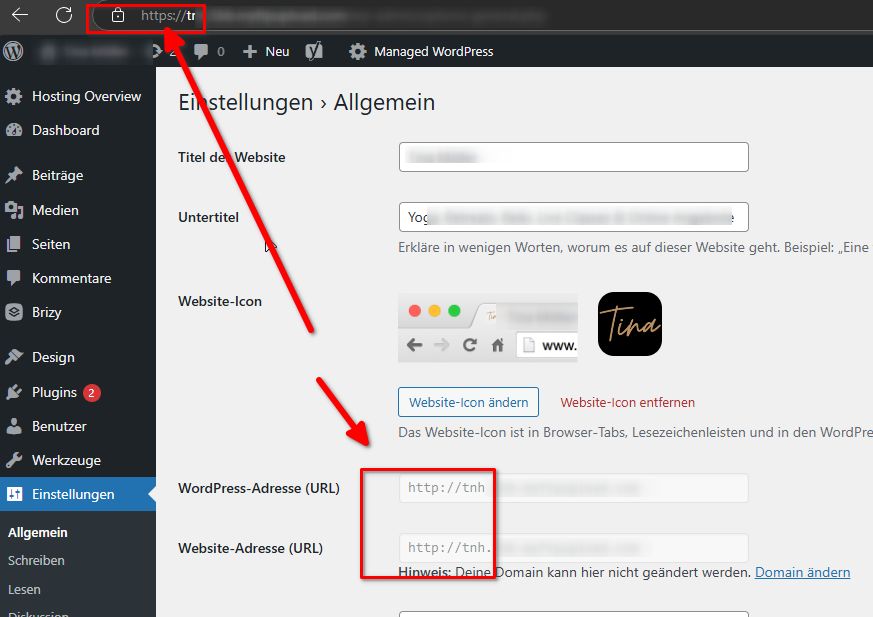
Please try this and let me know if this helps.
Best regards,
Ariel H.0 -
Hi Ariel, thank you for a deeper look into it. So far I could upload into the mediathek successfully though slow. We will check with the provider.
0 -
Hi Ariel,
it is still not possible to upload photos into Brizy Page. We have reached out to the provider, forwarding your last answer with all the pictures and details to them and some things got fixed, but there is one question from them.
This is done:
1. File permissions are reset to the default values.
2. Update on https://
This question gave us the provider: They want us to specify to which settings they should increase the limit (PHP)... Could you tell me what will work best to hopefully fix the issue?
Thank you, Leslie0 -
Hi Leslie,
Thank you for the update.
Is your website hosted on GoDaddy's Managed WordPress hosting? If so, we've recently received similar reports from other users experiencing issues uploading images with this hosting setup. It seems to be related to a conflict with their CDN, which unfortunately cannot be disabled.
Our developers are already investigating the issue. In the meantime, if you'd like access to older versions where this problem didn't occur, I can send them to you and assist with the installation until a fix is available.
Best regards,
Ariel H.0 -
Hi Ariel,
The Provider is HOST EUROPE. You still have the credentials. Could you please fix it for the meantime? Thank you.
What do I need to tell the client to tell the Hosteurope to do as a PHP Setting?Regards and thanks, Leslie
0 -
Hi Leslie,
Could you please ask them to temporarily disable the CDN and let us know once it’s done? We can then check your website again.
Kind regards,
Ariel H.0 -
OK, I will post, when the did it.
0 -
Hi Ariel, the CDN is now disabled. Now I can place photos into the site. Yeah! Is this a setting which should be keept this way or is it a compromised temporarily situation? I have also seen WordPress and Brizy are both still the newest versions. Are there any other settings we need to adjust or change before moving the website to this new provider?
Thank you for helping!
Leslie0 -
Hi Leslie,
I’m glad you’re now able to upload images to the site. Temporarily disabling the CDN can help while making changes, but it’s not something you need to leave disabled permanently. A CDN improves your website’s speed by caching content globally, so it’s definitely not a threat. You can enable it again once you’ve finished updating your site. If you need to make further changes in the future, you can always disable and re-enable it as needed.
I recommend checking with your hosting provider to see where you can manage the CDN settings in their hosting panel. They should be able to guide you on how to adjust or enable it.
If you have any further questions, feel free to reply.
Best regards,
Ariel H.0
Please sign in to leave a comment.
Comments
37 comments