Blocks being duplicated/reordered randomly on front end

I've noticed several issues surrounding blocks of late with recent brizy updates, but they are getting a little out of hand now and really show up my own business website.
At first I noticed there was conflicts with Wordfence, so I turned the firewall to learning, made changes, and on again and all was fine. Now this method no longer works, and I'm worried about further plugin conflicts.
The main issue is either - when there is only one block on the back end in the builder, there are two on the front end, and one invariably doesn't work as it should (eg a form). Or, the blocks are completely out of order on the front end, despite being correct on the back end. I can't reorder them as they are not out of order...
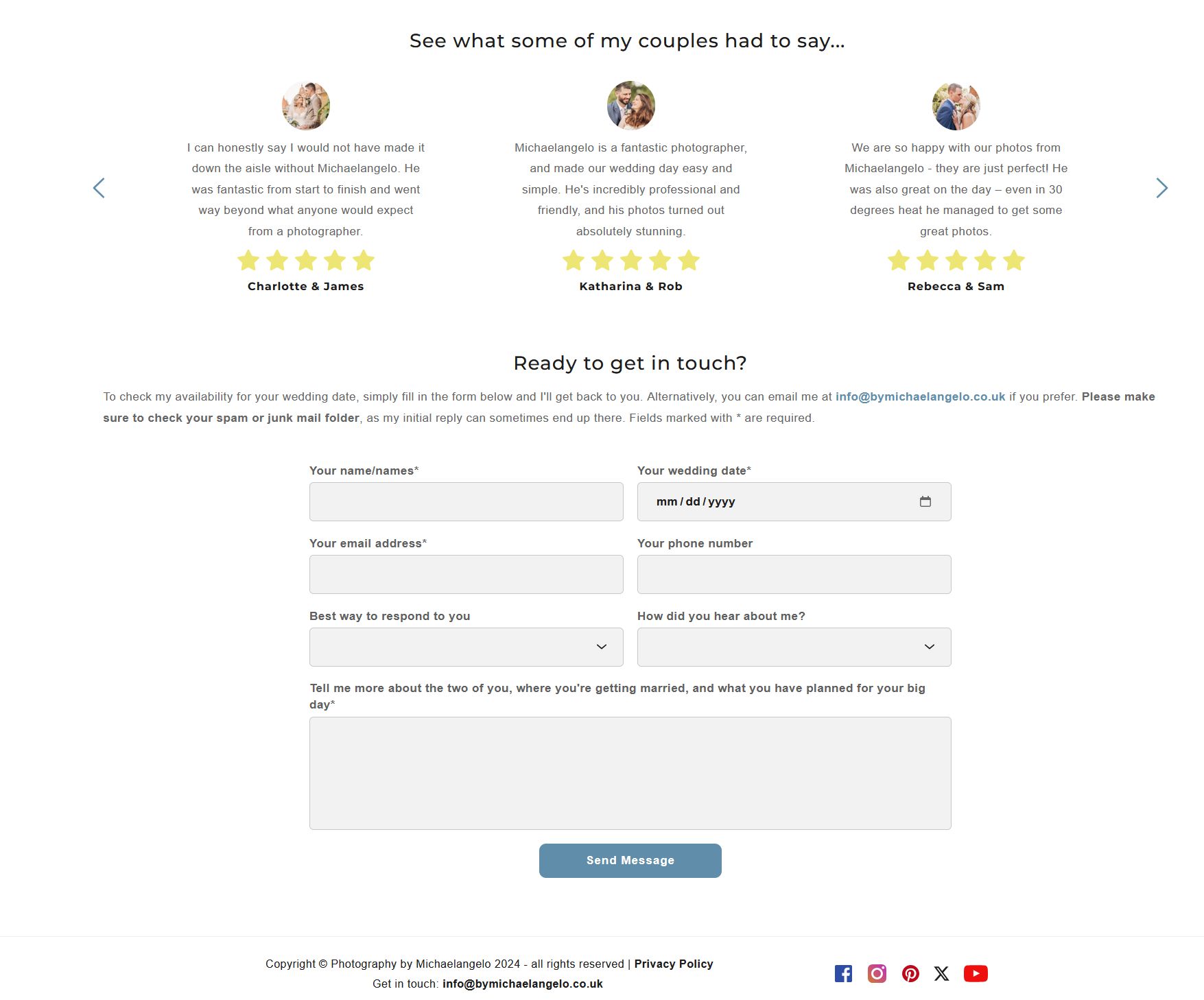
Examples of this are https://bymichaelangelo.co.uk/wedding-photography where there are two forms at the bottom, and only one showing (a global block) on the back end.
Or https://bymichaelangelo.co.uk/rochester-wedding-photography where the block order should match the first url, but they are all over the place, and again with two forms instead of one...
Currently using brizy 2.5.3 and brizy pro 2.5.1
As a temporary workaround, if I can use some legacy updates that were more stable, that would be most appreciated!
-

Hi Michaelangelo,
Thank you for reaching out to us.
Could you please try the approach we did on this support thread: https://support.brizy.io/hc/en-us/community/posts/21313260325906
The idea is to create a temporary page or a dynamic template, which will allow you access to the hidden global blocks. From there, you can delete all the display conditions.
If this didn't work for you, please provide us temporary access to your WP Admin page so we can inspect your site. Kindly add us as an Admin user to your WordPress Dashboard and send the following details to: communitysupport@brizy.io.
Community Post link: https://support.brizy.io/hc/en-us/community/posts/21325467961490
WordPress Admin URL:
Username:
Password:Please make a full backup of your site as a precaution.
If you prefer to use the previous versions, you can also download them here - https://tinyurl.com/5x3n9xfw
Best regards,
Ariel H.0 -
Apologies for the late response Ariel, I've been away on holiday.
I've tried your suggestions, as well as some ideas of my own, and even previous versions of the plugins to no avail, so have sent an email with the requested details to look into.
Many thanks!
0 -
Hi Michaelangelo,
Thank you for your cooperation.
We have now fixed the issue on this page:
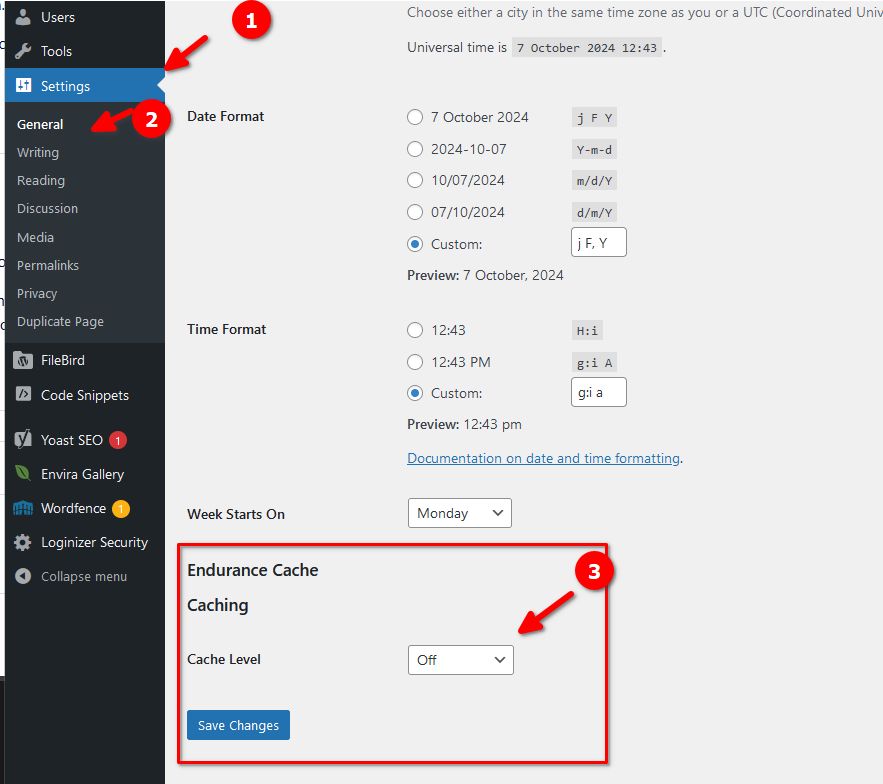
The issue appears to be connected to Endurance Cache, which we've now disabled. Please enable it back in a few days and see if you could still replicate the issue.
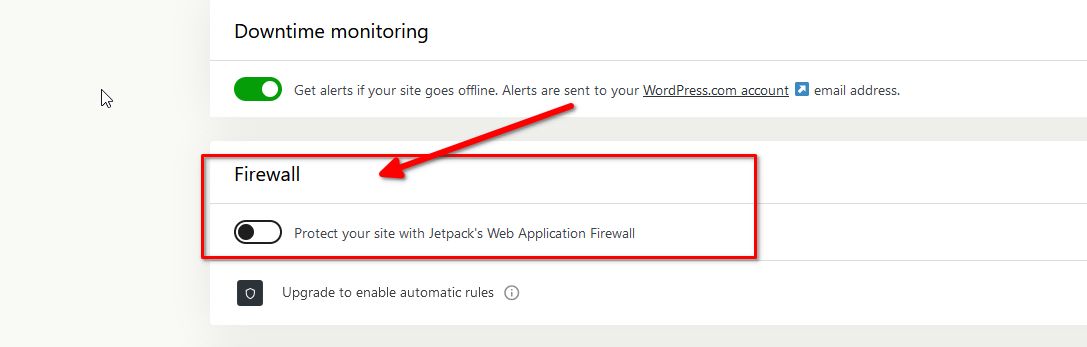
We also temporarily disabled Jetpack Firewall, as it is not allowing updates to the page and triggers an error when saving changes to a page. You may consider temporarily disabling this option while working on your page and turn it back on after you have published your changes.
If you have any further questions, please let us know.
Best regards,
Ariel H.0 -
Brilliant, thank you so much for your help, and the quick resolution Ariel!
I'll bear your suggestions in mind, although when I logged in myself the endurance cache seems to be set back at advanced, yes it's working as it should without the duplicate blocks - but will monitor and see if this affects things going forward.
Thanks again.
0
Please sign in to leave a comment.
Comments
4 comments