Live page - Translated Text

I am working for this website forschungszulagenrechner.de/
When I test the website and look at the live page, click on one of the following section, on the table the buttons "Mehr lesen" get translated to English(see the first and second images), instead of staying in German:
-
Thema: Forschungszulage
-
Thema: Auftragsforschung
-
Thema: FuE
All the other subpages are working properly, except the https://forschungszulagenrechner.de/ratgeber/.
I tried different things and it didn't help, that's why I would like to ask you all for help and suggestions for a direct solution.
For a quick reply I would be glad.
Thanks in Advance,
Best regards,
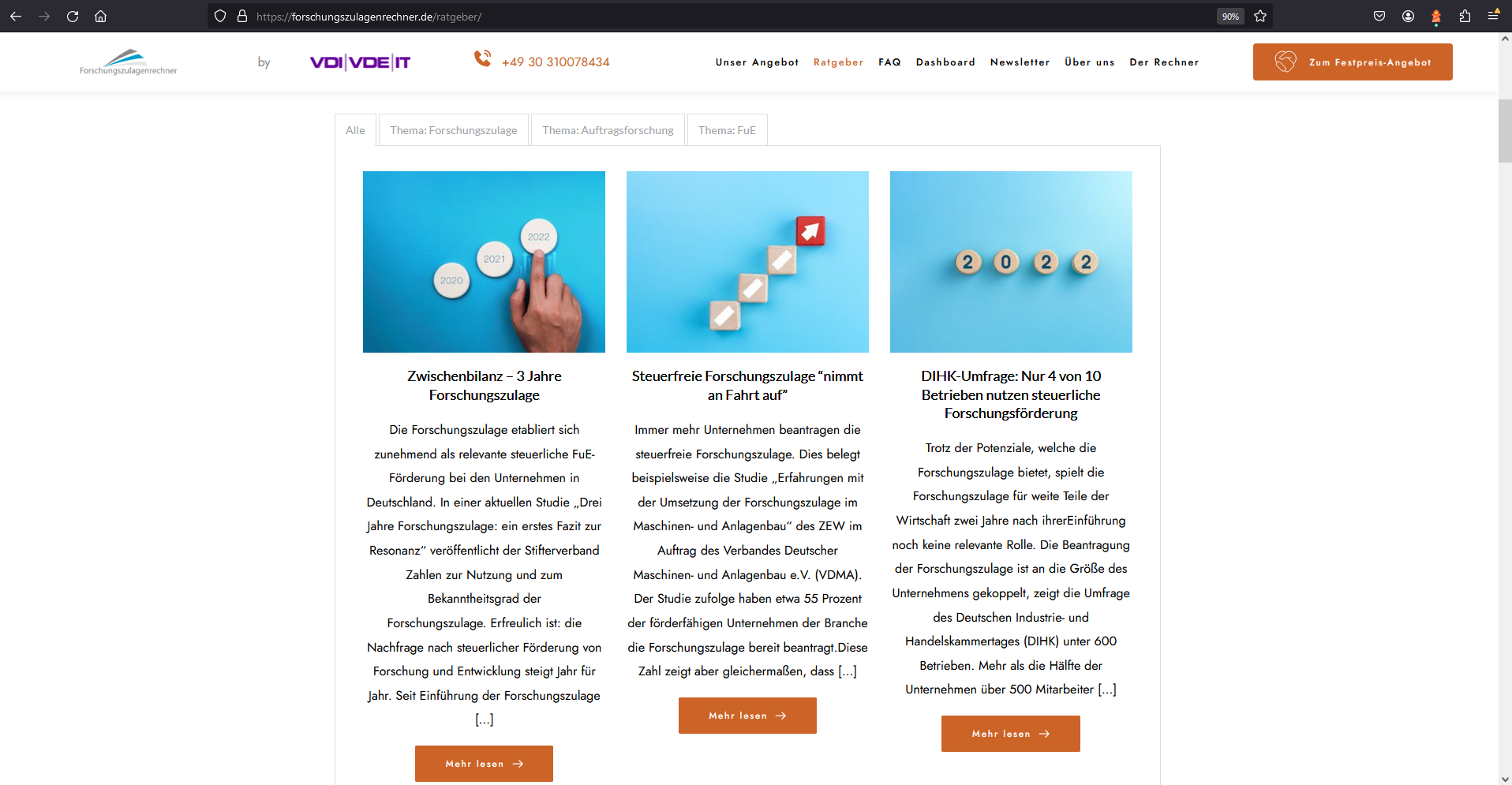
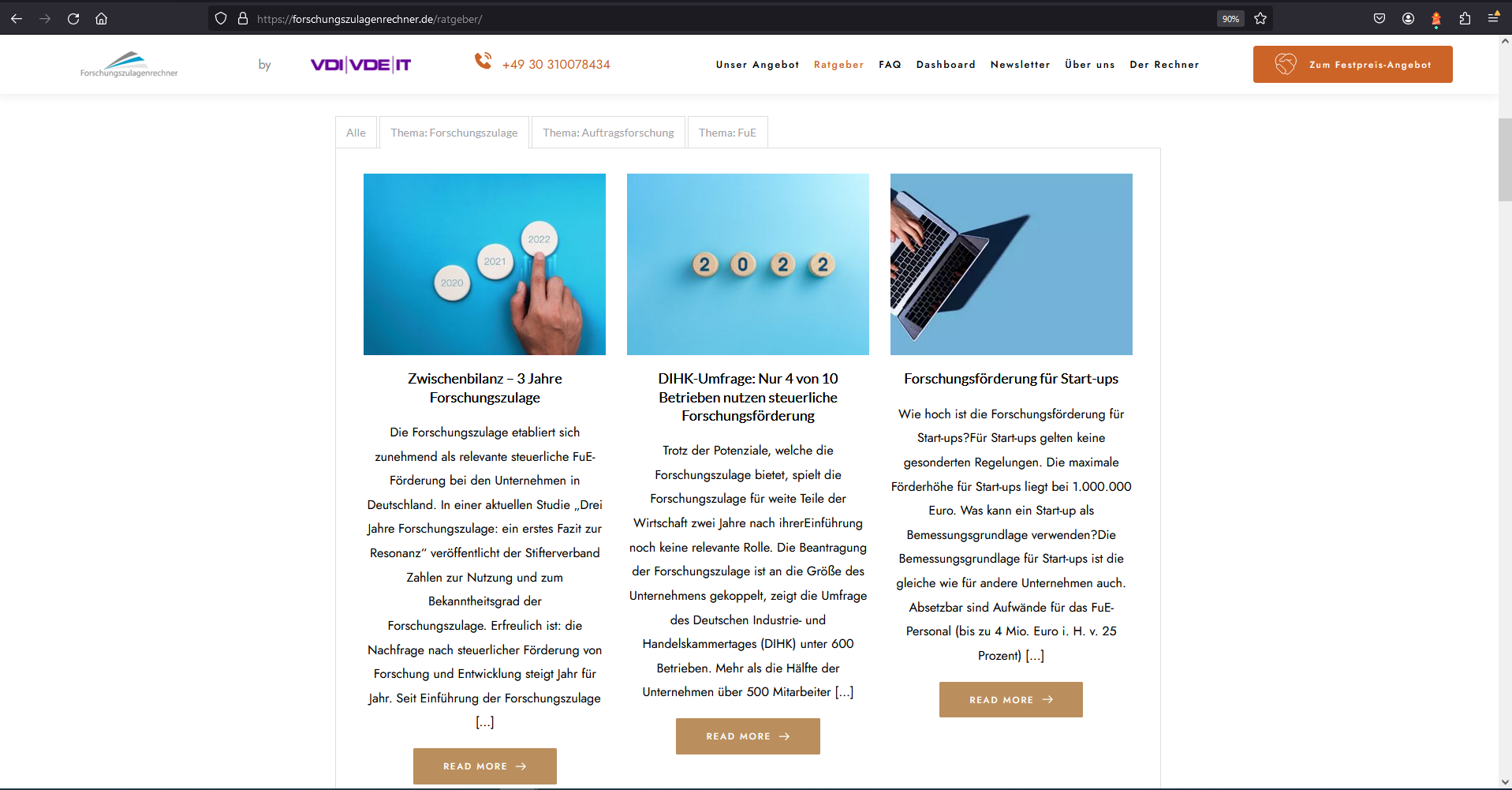
-

Hi Ulrike,
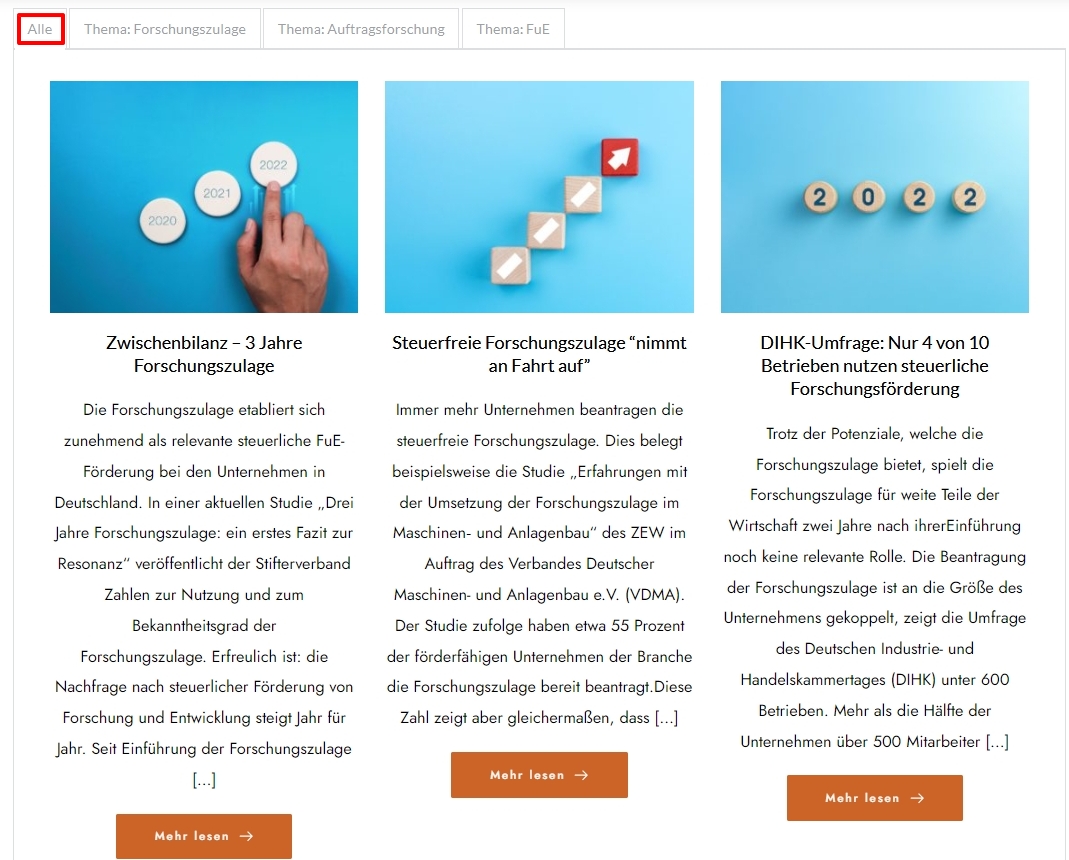
When selecting the 'Alle' tab, I see that the buttons says "Mehr lesen" and not 'Read More'. This indicates that the Posts element buttons can display "Mehr lesen".
Are you saying that under the tabs Thema: Forschungszulage, Thema: Auftragsforschung and Thema: FuEIn, you have edited "Read More" buttons to "Mehr lesen" but it continues to show "Read More" in the frontend? Can you kindly share a screenshot of the editor view of the Thema: Forschungszulage tab?
 0
0 -
Dear George,
It is the same under the tabs "Thema: Forschungszulage, Thema: Auftragsforschung and Thema: FuEIn", which means it shows me "read more". I am not saying that I have edited it from "Read More" to "Mehr lesen". I am telling you that before it was for every button under every tab "Mehr lesen", not "Read more". It is bug which caused by brizy and not by me. I want you to solve this bug and I don't want to change manuelly by hand every kind of button to "Mehr lesen", because the same bug can occur again.
To be honest this bug occured in the past and by the advice of one of your collegues I have deactivated Hummingbird and this way it was resolved. But now this doesn't help anymore.
Kind regards!0 -

Hi Ulrike,
Thank you for the update.
To further investigate this issue, we would like to access your WP Admin dashboard directly. Could you please add us as an Admin user to your WordPress Dashboard? Once you've done that, please send the following details to communitysupport@brizy.io.
Community Post link: https://support.brizy.io/hc/en-us/community/posts/17630970225042
WordPress Admin URL:
Username:
Password:Please make a full backup of your site as a precaution.
Best regards,
Ariel H.0 -
Dear Ariel,
Unfortunately we cannot give you access to our WordPress account due to privacy reasons. However I can send you the draft of the "Ratgeber" page. Could this also help you to further investigate this issue?
Best regards!0 -
Hi Ulrike,
Thank you for the update.
I'll work on setting up a testing environment to replicate the issue and get back to you as soon as possible.
Best regards,
Ariel H.0 -
Hi Ulrike,
Can you provide us with additional information about your website and how the translation was done? I wasn't certain about the setup of your site, so I created a similar page here ( https://sitebuilder1.online/espanol/ ), and the buttons are correctly translated in all tabs.
Best regards,
Ariel H.0 -
Dear Ariel,
I think that there is some clarity issues between us. In the beginning some years ago when we created the page, we just changed the text(from "Read Me" to "mehr lesen") in the box and its color. But nowadays due to a bug from birzy everything was converted to the original situation(same color and texts in the box).I have then deactivated the Hummingbird Plugin and the Tab "alle" was fixed but other tabs " Thema: Forschungszulage, Thema: Auftragsforschung, Thema: FuE" were still affected by this bug.
We are not using any translation tool or something like that. And I hope that my explanation can help you to solve this bug!
Kind regards,
Ulrike0 -
Hi Ulrike,
Thank you for the update.
Is it possible for you to set up a staging environment that we can access? This will help us investigate the issue and understand why it's happening. I completely understand and respect your concerns regarding site privacy, so please feel free to remove any sensitive pages from the staging environment.
I am looking forward to your response.
Best regards,
Ariel H.0 -
Dear Ariel,
Can I send you draft of the mentioned page? I think this could help you to reproduce the issue.
In the past we had a very similar issue and as you see on the following link, you were able to help us to fix the bug: https://support.brizy.io/hc/en-us/community/posts/14321607371281-Encoding-error-on-the-Block-men%C3%BC
Kind Regards,
Ulrike0 -
Hi Ulrike,
Thank you for the update. We have recently released a new update for both Brizy and Brizy Pro. Could you please check if this update will address the issue?
If not, please save this page as a layout by following the instructions provided in the link below. After saving, please send us the compressed file so that we can replicate the issue - https://youtu.be/pvvzFW_QNKY
I am looking forward to your response.
Best regards,
Ariel H.0 -
Hi Ulrike,
Thank you for the update.
We're still looking into this issue. In the meantime, you can try copying the posts element from the first tab and pasting it into the second tab. Make sure to update the filters according to your requirements. This is demonstrated on this screencast: https://youtu.be/2XPWX-5cnio
I will get back to you as soon as I have an update.
Best regards,
Ariel H.0
Please sign in to leave a comment.
Comments
11 comments