Brizy page editor blank screen

Whenever my Brizy Pro is active, the editor shows only a blank/white screen. Whenever I deactivate the Brizy Pro, I've got all the elements to show up, but all the Pro elements will not be available. I've tried Chrome, Firefox, and Edge, all with the same results. I've deactivated all plugins except Brizy and Brizy Pro. I have also tried changing WP themes with no go. Every time Brizy Pro is active, it gives me a blank screen on the backend, but everything is fine on the frontend. Please see the screenshot for reference.

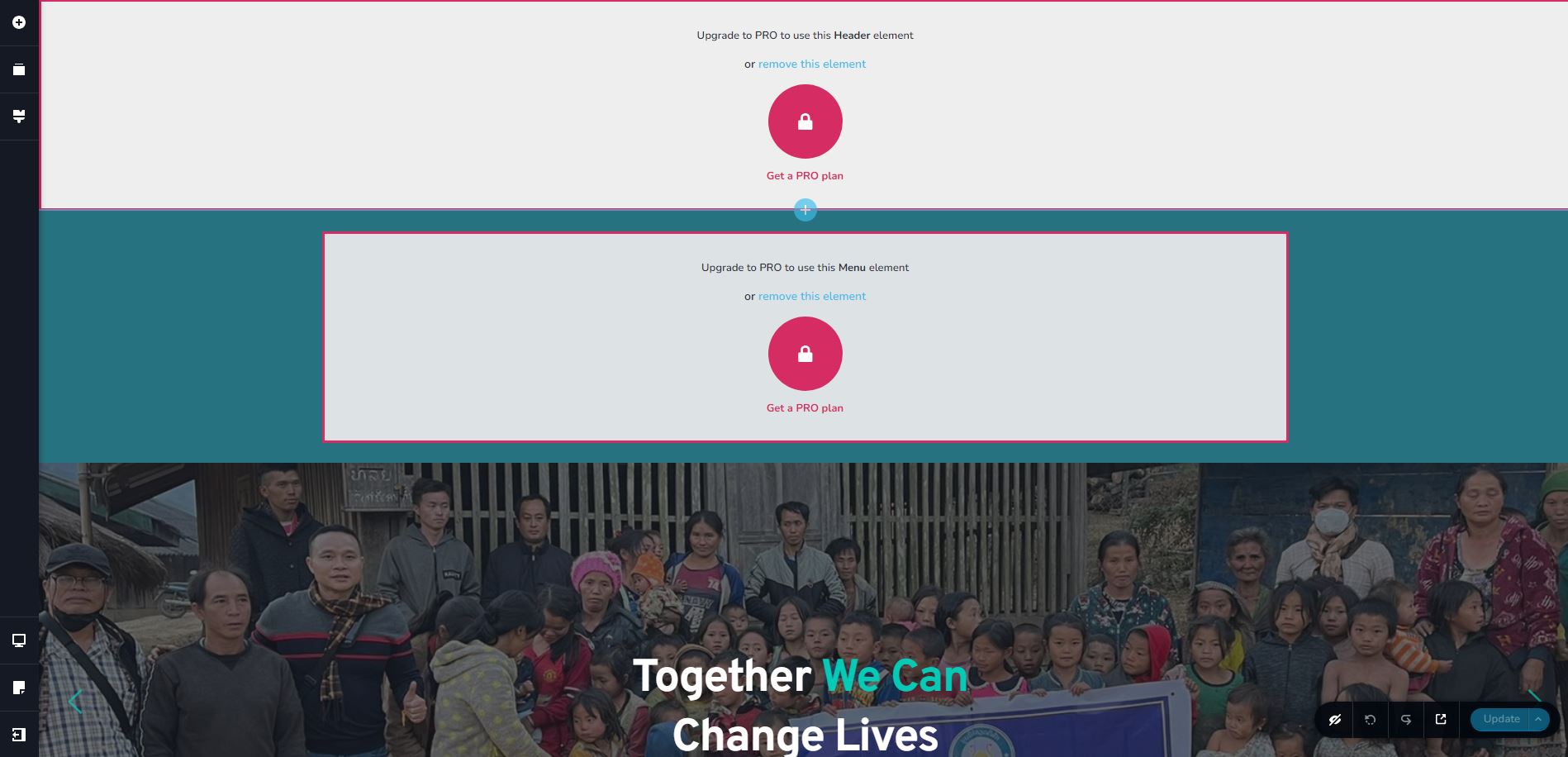
-

Hi June,
Thank you for reaching out to us.
If you're experiencing this issue, it could be due to having mismatched versions of Brizy and Brizy Pro. Please make sure that you are using the latest versions of both.

Otherwise, please ensure that you have activated your license following the steps on this link: https://support.brizy.io/hc/en-us/articles/360019679472-How-to-install-Brizy-PRO-and-activate-your-PRO-license
Please check this on your end and let me know how it goes.
Best regards,
Ariel H.0 -
Hi Ariel.
Thank you for your response.
I have the latest version for both but I am still having the same problem. I tried reinstalling both plugins but no go.
Please note that I have other websites but Brizy editor is working just fine with them.
 0
0 -
Hi June,
Thank you for keeping in touch.
This is something we need to inspect from your WP Admin page. Please add us as an Admin user to your WordPress Dashboard and send the following details to: communitysupport@brizy.io
Community Post link: https://support.brizy.io/hc/en-us/community/posts/16211048048786
WordPress Admin URL:
Username:
Password:Please make a full backup of your site as a precaution.
Best regards,
Ariel H.0 -
Hi Ariel,
I did everything as requested.
0 -
Hi June,
Thank you for your cooperation.
Creating new pages appear to be working so I assume that you have embedded some custom script somewhere in the footer area which is causing the issue. To further troubleshoot this issue, I downloaded one of the affected pages into my local test environment to isolate the issue. This is demonstrated on this screencast: https://youtu.be/n6sluH4rcnM
The problem is that you won't be able to access the block containing the problematic script. So, the only way to fix it is to find that block and remove it. To do this, you'll need to first disable Brizy Pro, then return to the layout and start deleting the blocks from the bottom, one by one. After each deletion, re-enable Brizy Pro and continue this process until the layout loads correctly.
The issue seems to originate from one of the footer blocks, like I showed in the above screencast. Sadly, you'll need to rebuild this block, making sure to avoid using the previously embedded custom script, to prevent this issue from recurring.
Please try this and tell me how it goes.
Kind regards,
Ariel H.0 -
Hi Ariel.
Thanks for the resolution. Indeed the issue came from the embedded custom script in the footer block.
Appreciate all the help.
0 -

I've got the same issue. It's just a a script showing the Copyright year (Copyright 2024).
There are similiar Posts:
https://support.brizy.io/hc/en-us/community/posts/15294447509393
https://support.brizy.io/hc/en-us/community/posts/15486892190737-Javascript-document-write-breaks-site-in-BrizyThe posts suggests to delete the block. But why if it worked before? It's clearly a bug in Brizy.
If it is a Saved Block, it's possible to download the block as zip file, modify the json file and delete the section/div out of it.
In my case it won't work because it's not possible to download Global Blocks.
Please help me to fix this issue.
Issue fixed:
Follow the instructions of the linked post below and download Brizy Free 2.4.15 and Brizy Pro 2.4.14. You can in-place install/downgrade the plugins.
https://support.brizy.io/hc/en-us/community/posts/13608480887441/comments/13706790119953
https://downloads.wordpress.org/plugin/brizy.2.4.15.zipDelete the Custom Embbed Script or change it to the Script mentioned here:
https://support.brizy.io/hc/en-us/community/posts/13608480887441/comments/137038693143210
Please sign in to leave a comment.
Comments
7 comments