Loading "Avalon" layout, but photos don't import

I am trying to load the "Avalon" layout, but the photos do not come with it, only page. It is difficult to know if this is the layout I need without seeing the page (Home) in full-screen with photos. I don't understand why no photos included.
Jeff
-

Hi Jeff,
Thank you for contacting us.
Please ensure that you have PHP v8.0 or higher.
Also, make sure that you already have the most recent versions of Brizy and Brizy Pro installed.If this made no difference, also try raising the PHP memory limit to 256M or higher for the best results.
https://blog.hubspot.com/website/wordpress-php-memory-limitPlease try this and let me know how it goes.
Best regards,
Ariel H.0 -
Ariel –
Yes, I have PHP 8.1.9 and set to 256 MB. Running latest Astra Pro (4.1.5). Latest Brizy and Pro updated a few days ago.
I have disabled all VPN, security software (Wordfence) and Cloudflare.
It looks like the photos/graphics (even icons) are not able to connect to the server because clicking on the Reorder Blocks icon, it shows all the imported Layout blocks are blank, only showing a spinning wheel.
I don't know what else to try.
Jeff
0 -
Hi Jeff,
Thank you for the update. I'm sorry that you're having a hard time with this issue.
Could you please try to revert to an earlier version of Brizy and Brizy Pro and see if this makes any difference?
You can download the old versions from this support thread:
https://support.brizy.io/hc/en-us/community/posts/16093815148689-Please try this and let me know how it goes.
Best regards,
Ariel H.0 -
Nope. I loaded the earlier versions and same thing. See attached screen shot.
By the way, doesn't work in Chrome or Safari. MacOS Monterey 12.6.6
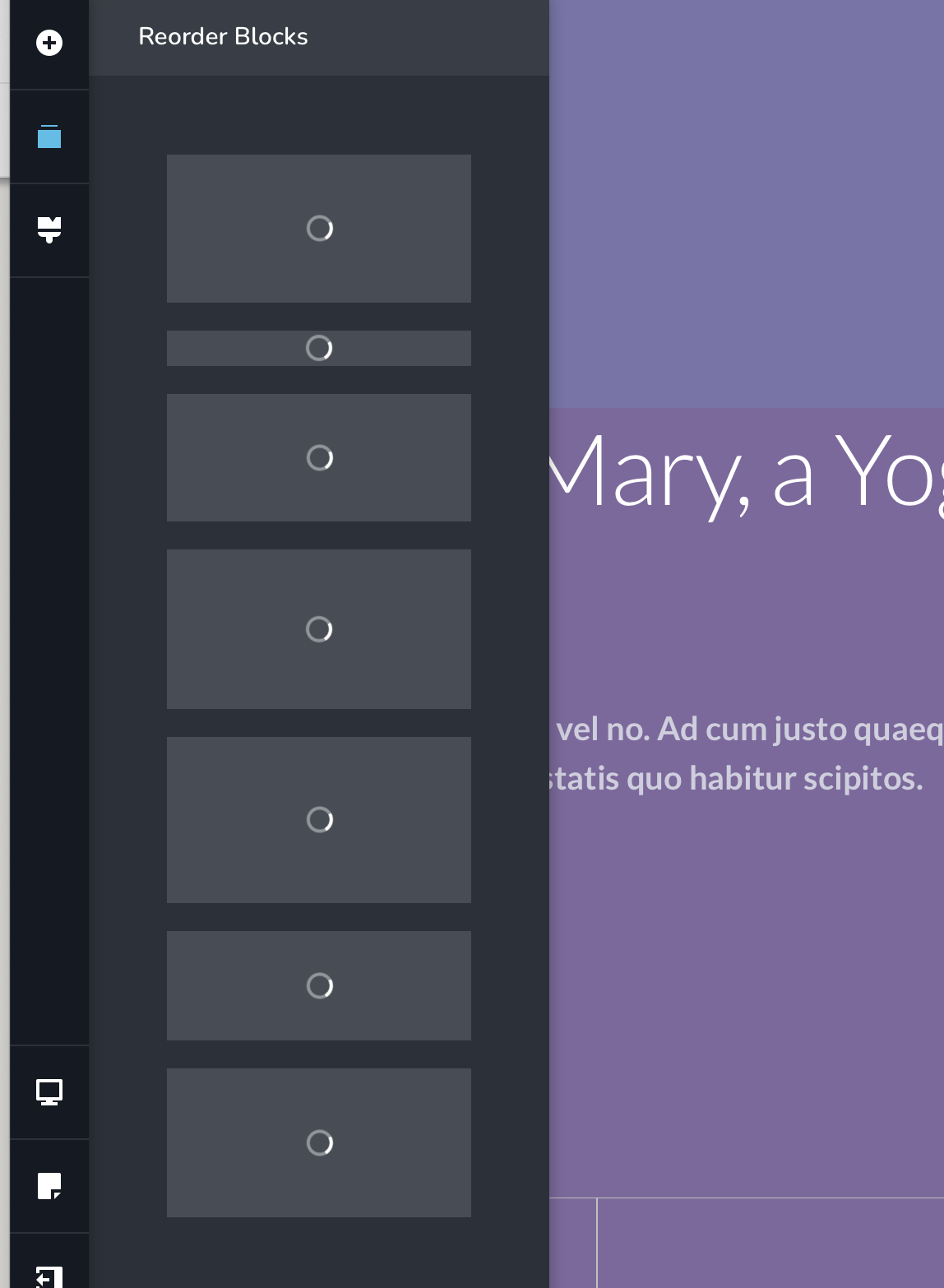 0
0 -

Hi Jeff,
To offer further help, we need access to your WordPress Dashboard. Please add me as a user to your WordPress Dashboard and send the following details to our email: communitysupport@brizy.io
- Community Post link: https://support.brizy.io/hc/en-us/community/posts/15858151302033
- WordPress Admin URL:
- Username
- Password
Please let us know here when you send us the email.
0
Please sign in to leave a comment.
Comments
5 comments