Missing Gear & Settings

Hi. I'm using Chrome with the lates Brizy Pro 2.4.10
I want to edit the Menu, Update Favicon, etc but I can't seem to find the "Gear" icon nor "Settings" icon. you can refer to my image below. I tried to click on the available buttons, but still can't find any. This is a new site. Currently I have only Brizy & Brizy Pro plugin.
Thanks.

-

Hi,
Thank you for contacting us.
This is the sidebar from Brizy Wordpress. The sidebar from your screenshot looks exactly like the sidebar from my screenshot.
This is the sidebar from Brizy Cloud. Perhaps you are looking for the sidebar from Brizy Cloud?
Please let me know if you have any other questions.
Best regards, Nelea.
0 -
Thanks Nelea. Yah, mistaken it for cloud version while I was trying to search for help.
If so, where can I set my menu, favicon, mail settings for Wordpress plugin version?=> Updates. Managed to find menu & favicon option after I install additional theme plugin. The Wordpress default theme does not have this option.
0 -
Updates => Found the settings. It's at the submit button and not at the menu area.
For the mail settings, I follow this guide: Email Notification via WordPress – Brizy Help Center
but I don't see any App Integration button. This is what I see: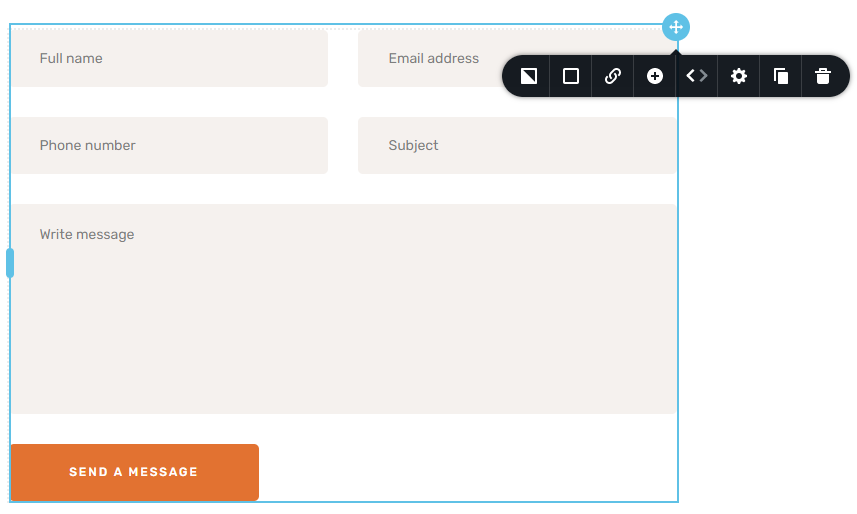 0
0 -
HI,
Here is the App Integration button. Also, please see this video : https://jumpshare.com/v/XDsa1Clr1QsCfT4CbEQS
Best regards, Nelea.
0 -
Hi Nelea. Yah found it as updated in my queries. But the guide, i think showing the old version. It's not at the button area. Anyway thanks for the updates.
Oh, one more thing, after I update and safe, my website always shows page not working. But if I login as admin, the page will show. Is this my hosting issue, Wordpress or Brizy?
Sometimes after few minutes the website will appear, but now after 1hour it's still not showing.0 -
Updates: My hosting side just did some testing and also creating a temp site and it's working at their end.
So most probably the site, my3life.tech, which is still down, got to do with the plugin. As such can help?0 -

Hi Brian,
When checking your site https://my3life.tech/, I see this. https://jmp.sh/eXrx1B3
The page seems to load fine.
0 -
Yes. I notice it's just up too. But since 8hours ago, it has been down for 7hours. Any idea what happen? My last update about an hour ago, it's still down.
0 -
During the page not found period, if I login as admin, then i can see the page. If I logout, it shows page not found again.
1 -
Hi George it's happening again.
This site can’t be reached
But when login to wp-admin, it works. Once logged out, site cannot be reached again.0 -
Hi Brian,
If you have enabled the 20i CDN in your hosting account, please disable it and check
0 -
Yes! It Works! Is there any permanent fix for this? As I will be using the 20i CDN and even if I'm disabled it, it shows:
Please note: this is a temporary measure for debugging or development purposes, it is not possible to permanently disable this plugin as it is part of the hosting platform.And also curious why "my3life.tech" not working but "my3life.tech/wp-admin" works? Both also running in the same domain.
0 -
Hi Brian,
The website might not be loading in preview due to a 20i CDN problem. Perhaps you should ask them about this?
0
Please sign in to leave a comment.
Comments
13 comments