BRIZY form, via SMTP form not working

Client has Godaddy emails (office 365). Tried sending first through Wordpress, but that doesn't work, only gmail works. Next I tried SMTP, then with the plugin WP SMTP, and it's still not sending out email, let alone notifications. I get leads, but not emails. I've been talking to Godaddy to resolve. Wondering if there is an answer in here.
-

Hi David,
GoDaddy does not support PHP Mail which is the default email sending option of WordPress. You should be able to send out email notifications through WP Mail SMTP plugin. In the plugin, choose the 'Other SMTP' option (see the first image attached) Use the Office 365 SMTP server to send out the form data. In the plugin, please use these settings.
- SMTP Host: smtp.office365.com
- Encryption: TLS
- SMTP Port: 587
- Authentication: Enable Authentication Username: Office 365 email, Password: Email Password
The default email sending option in WordPress will be replaced with the SMTP server you have just setup. Then please select the 'WordPress' option in Brizy form to send out form data (see the second image attached)

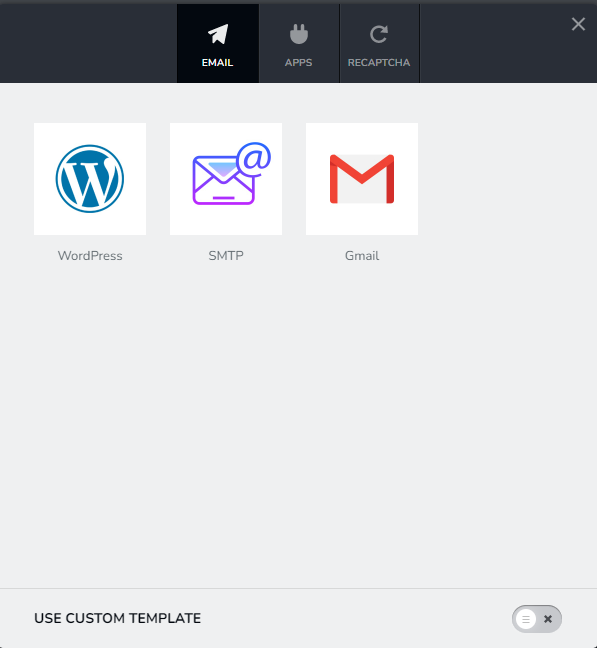 0
0 -
Hi David,
One another point. You cannot uncheck an Email Notification option with Brizy forms. To select an alternate Email Notification option, you need to
- Duplicate the form by clicking on the right hand side top corner and then on the 'Duplicate' icon.
- Select an alternate Email Notification option in the duplicated form and configure it
- Delete the original form.
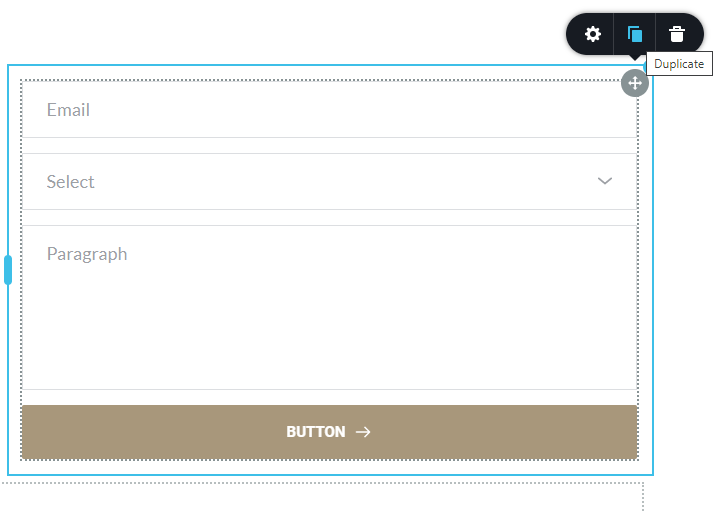 0
0 -

I followed these steps except I used the GoDaddy listed settings for a managed WordPress site:
Host: relay-hosting.secureserver.net
Encryption: none
Port: 25
SMTP Authentication: none
Auto TLS: offThe test email comes through from the WP Mail SMTP plugin but when I submit the Brizy form (configured to Wordpress) no email comes through.
0 -
Hi Jennifer,
We will need access to your WordPress Dashboard to troubleshoot this issue for you. If you need help with this, please add me as a user to your WordPress Dashboard and send the following details to our email: communitysupport@brizy.io
- Community Post link: https://support.brizy.io/hc/en-us/community/posts/7253567041681/
- WordPress Admin URL:
- Username
- Password
Please let us know here when you send us the email.
0 -
I sent the email but I figured it out before you replied. I used the settings I sent in the WP Mail SMTP plugin and then the Office settings in the Brizy form builder using the SMTP option.
WP Mail SMTP:
Host: relay-hosting.secureserver.net
Encryption: none
Port: 25
SMTP Authentication: none
Auto TLS: offBrizy Form Builder (SMTP Option):
- SMTP Host: smtp.office365.com
- Encryption: TLS
- SMTP Port: 587
- Authentication: Enable Authentication Username: Office 365 email, Password: Email Password
0
Please sign in to leave a comment.
Comments
5 comments