brizy hangs edit mode in chrome on chromebook

Have tested 2 separate brizy cloud accounts on 2 separate networks with same result. Both accounts when entering edit project hang (spinning wheels). Using an HP Chromebook with Chrome browser Version 76.0.3809.136 (Official Build) (64-bit),
Brizy Support: any known issues with using chromebook (chromium OS) with Chrome browser?
Possible Chrome browser settings which need to be modified which may be preventing Brizy Cloud from loading? Thx!
-

Hi Ken,
There was one another user who complained about issues with Chromebook when editing Brizy pages. We could not conclude on the discussion and hence not sure if there is a compatibility issue with Chromebook.
Since Chromebook uses the Google Chrome browser, we expect it to work well with Brizy Cloud. A similar issue can happen due to other reasons as well. Can you please answer these questions so that we can eliminate these reasons?
- If you access Brizy Cloud Dashboard from a regular laptop/ desktop, is your experience the same or different?
- Are you accessing internet from a shared Local Area Network or a shared WiFi?
- If you use an alternate Internet Service Provider, do you still have this issue?
- Do you know if your Chromebook is accessing Internet through a proxy server?
0 -
Hi KC
Thanks for your reply. That other user is me. Unfortunately, our last thread did not resolve the issue. That is why I have requested direct support in this post. I did not see any way to contact them directly. Do appreciate your help, but issue has become critical.
The answers to your above q's are as follows:
1. I am able to use Brizy Cloud just fine using my windows 11/Chrome PC.
2. Not shared, private wifi network.
3. Yes, same issue on both Frontier Fiber and Comcast.
4 No Proxy
That's again for your kind support, but at this point I need resolution.
Could you be kind enough to offer your insight into how to best reach Brizy Support staff?
Thanks KC!
Kenago
0 -
Hi Ken,
I need to do a TeamViewer session to attempt to troubleshoot this. Please install Teamviewer on your Chomebook. During the session, you can share your Teamviewer ID and Password for me to gain access to your Chromebook.
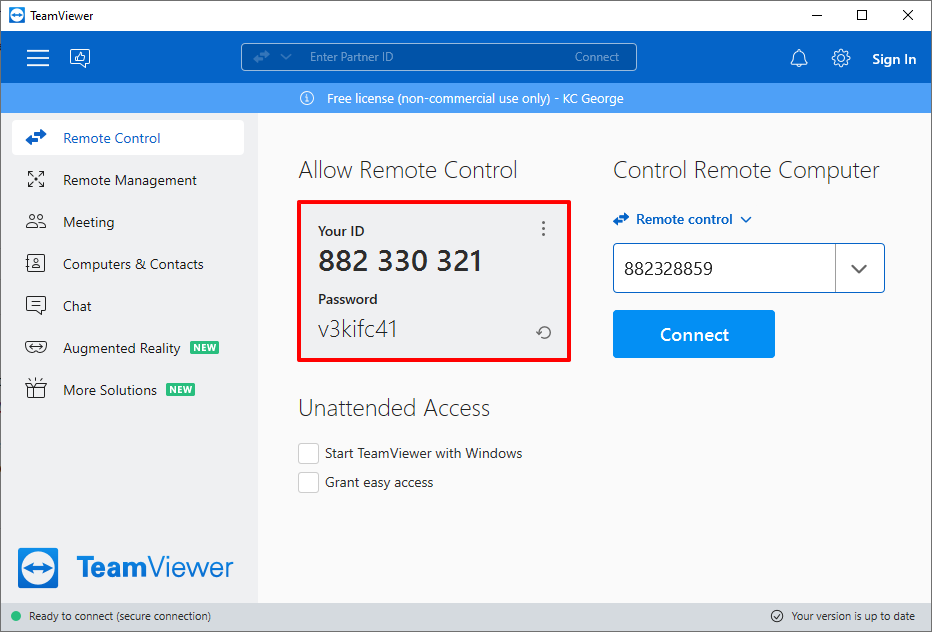
Please send me an email at kc.george@brizy.io to fix an appointment for this session. Please paste this link in your email so that I have reference to this conversation. https://support.brizy.io/hc/en-us/community/posts/6023096439825-brizy-hangs-edit-mode-in-chrome-on-chromebook
0 -
My apologies KC, but I notice your email domain is brizy.io. Are you a member of the company support staff? I did not realize this earlier if you are. Please confirm before I schedule a session.
Thanks!
0 -
Hi Ken,
Yes; I am part of the Brizy Support Team.
0
Please sign in to leave a comment.
Comments
5 comments