Exporting pages to new multisite

Hello,
Is it possible to export pages to another installation? Or is this on the roadmap?
-

Hi,
Thank you for contacting us.
At the moment it is not possible to export only a page, you can export the whole project. If the project is in Brizy WordPress you should save the page, sync it in the Cloud, and then export them. In Brizy Cloud you can export a project through the HTML option, please see this article.
Best regards, Nelea.
0 -
Hi,
I have found some accompanying video to show where the function should be. But it's not showing is this function also usable for multisite installations?
0 -
Hi,
You can use a migration plugin to migrate the entire site in WordPress. For example All in One Migration plugin: https://wordpress.org/plugins/all-in-one-wp-migration/ .
Best regards, Nelea.
0 -
Hi,
I am not sure I have accurately formulated my question. I would like to export the brizy pages from a website in a multsite network to a different website in a different multisite network. Is the sync to cloud function able to do this or does the sync to cloud function not work in a multisite environment because I dont see the option to sync to the cloud.
Thanks in advance.
0 -
Hi,
Could you please explain, do you need to export a project from Brizy WordPress or from Brizy Cloud? Like I said if you need to export a project from Brizy Worpress you should use the All in One Migration plugin. If you need to export the project from Brizy Cloud you should use the HTML or Sync option. You can also sync the page from Brizy WP to Brizy Cloud with the Sync option, then you can export the project from Cloud.
Best regards, Nelea.
0 -
Hi,
I'll try to explain step by step. To further explain our use case.
1. We need to export WP Brizy from multisite A
2. We need to import WP Brizy in multisite B
You explained the use of the sync function in your first response. I don't see that function. My question is can I use that function? Do I need to update, can it be used in a multisite environment?
I am trying to find out why I can't use that function. Thanks for your continued support!
0 -
Hi,
In Brizy WP you can use the Sync option, and Sync all the blocks/layouts to Brizy Cloud then you can export your project in multisite. To Sync your project from WP to Cloud you need to follow all these steps:
1. Save the entire page. See here.
2. After this, the saved page (layout) you would be able to see here.
3. After this, press on the sync. The saved layouts, as well as saved blocks, will be synced to the Cloud.
For more details about this option, you can find it here.
Then from Brizy Cloud, you can sync the page to another site.
Hope this will help.
Best regards, Nelea.
0 -
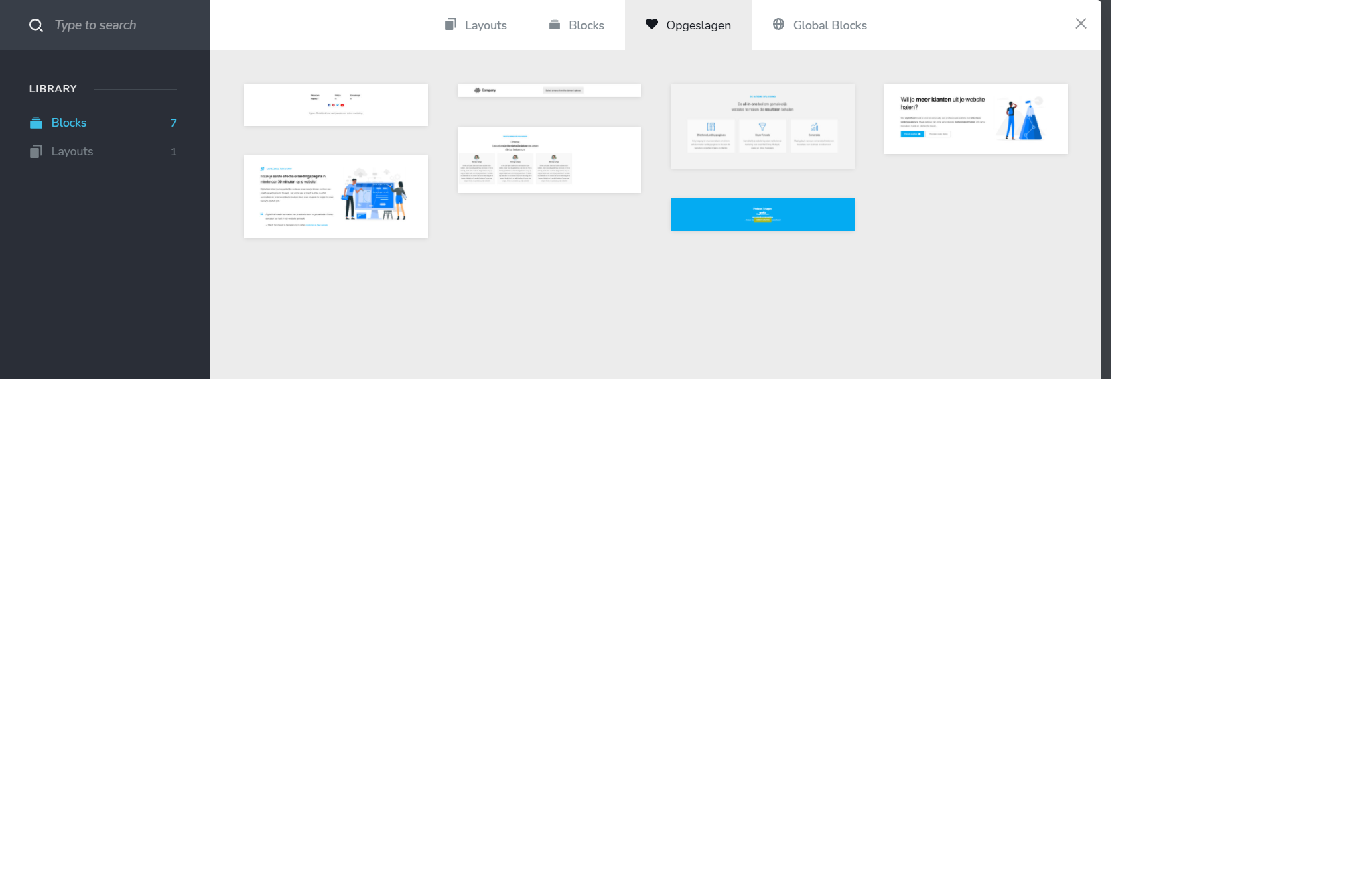
I understand all of this. What I don't understand is why I don't see the function to sync in brizy
 0
0 -
Hi,
Could you please check if you have activated the White Label option in Brizy WordPress? If yes, please deactivate it, after that we should have the Sync button.
Best regards, Nelea.
0 -
tested and fixed.
0 -
Great to know that all is working fine on your site now.
Have a nice day!
0
Please sign in to leave a comment.
Comments
11 comments