Server sync > too many redirects

Hi guys
My website with a single page was working fine. However I added a page and it did not show so I resolved to delete all files and re-upload in order to hopefully retrigger sync.
Upon reupload, both Chrome and Safari show too many redirects.
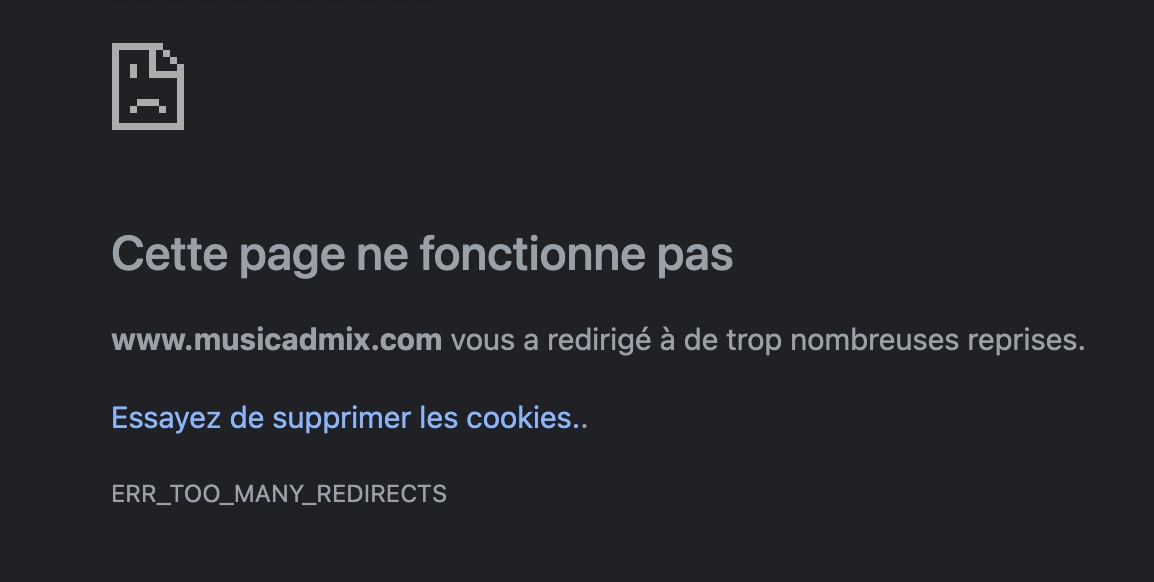
I have followed strictly the steps outlined in https://support.brizy.io/hc/en-us/articles/360027008491-Server-Sync (and my previous setup worked fine)
- I have upgraded PHP to 8.0 and restarted my server. No change.
- Switched back to PHP 7.4.21. No change.
- I have re-uploaded all files after downloading them from Brizy again, several times. No change.
- I have confirmed that htaccess is correctly setup. No change.
I have checked several support questions related to this problem. Nothing solves it.
I have tried emptying my cache and cookies, also I tried using a private browser.
Finally I deleted the directory on my server and created a new one then re-uploaded all the files after downloading a new copy and editing the htaccess properly. Upload was made using transmit on macos which is reliable.
My site is down. What to do?
-
So I had to copy the page as a layout, create another site, add the layout and save. Then publish. It worked. Now I have of course to rebuild the mails in the form, menus etc. It's a pain in the neck.
0 -

Hi Pavel,
I'm glad you solved this. Server Sync also involves your server so I'm not sure we could have helped you much and that was probably something related to the .htaaccess file. However, if you encounter this problem again and have not made any file changes, please let us know.
0 -
Hi Alex
This problem was not related to the htaccess, or only indirectly. (By the way, there was an answer about the htaccess problem by David Hurley in the following support thread, what do you think of his solution ? He rewrote the htaccess in such a way that redirects don't conflict with hosting) If you think that's a valid solution perhaps it should be incorporated into Brizy's guidelines instead of the current one.
About my problem : the initial problem was that there was no update of the system, even after deleting the var/cache directories.
Looking at how I published the site is probably the reason of the problem.
Initially I started publishing by using the first option "Hosted by US : Custom Domain " and adapted by DNS etc. It was working fine but for various reasons I decided to change to "Self-Hosted :Server Sync". I changed the DNS. But it seems that Brizy keeps a memory of the previous choice. Everything worked fine when I had only one page, but when I added another page, the update was not done.
At some point in the background I saw an error message reporting that the Zip file had not been downloaded to the server.
Using the "export HTML files" option gave me also an empty page, stating "This page is not yet created. Please start designing your page by clicking the button below". But of course editing on Brizy's server was fine so I knew that my pages were there. Somehow, the connection between the files on my server (or the HTML files generation function) was lost. I suspect that's because in Brizy's code, there was still something pointing to "hosted by us-custom domain" instead of everything pointing to "self-hosted-server sync".
In my opinion, there should be a way to delete previous choices and start anew when publishing. At the moment it's unclear because one can switch from 5 options, all named with buttons named differently :
- Choose
- Connect
- Download
- Download now
It would make more sense, in terms of usability, to use radio buttons or similar. The user can only select one of the 4 main options : Custom Domain / Subdomain / 3rd-party Free Hosting / Server Sync.
When choosing one of those options, if a previous option was chosen, then it would reset the settings in Brizy. The user can be notified with a warning "Warning : this will delete the previous settings. Are you sure? Yes/no". For example, if I have set Custom Domain and I switch to Server Sync, I receive the alert, then the system is reset and all previous info is deleted including domain name etc. I can also receive an additional alert "make sure you have restored your DNS settings to the previous state".
Then, after the option is chosen, we get an additional screen presenting the options : input domain, choose brizy subdomain, connect to 3rd party via Git, or download scripts.
That would probably get rid of the problem I met.
While I'm in suggestion mode, I would also suggest in the UI when editing a site, a button "force update". Then by reloading the website in a private browser tab or after resetting the cookies, the user would be sure that the website is updated. At the moment it can take a very long time and it's frustrating.
Thanks0 -
Hi,
thank you for the detailed message. I will add your suggestions to the list and discuss them with the team. We will also try to follow the path described by you and see if we encounter the same problems.
0
Please sign in to leave a comment.
Comments
4 comments