Brizy Lightbox Issue

Dear support,
I have enabled lightbox for my image gallery and i am facing issue with the images when enlarged in lightbox. Images appear and work perfect fine in large size monitors and appear on the screen as expected. However, when viewed in some laptops and mobile screens, the image does not appear on the screen as expected. I have to scroll down everytime to view the image as the image is aligning to the center of the webpage, making me to scroll down to view the image. At first, it threw me off making me think that nothing has opened and it is some sort of a bug
Please refer to the image below. The image starts all the way at the bottom for which i had to scroll down. Users may even think that nothing opened as its hard to make out that the image has opened but they need to scroll. The arrows on either side also do not appear.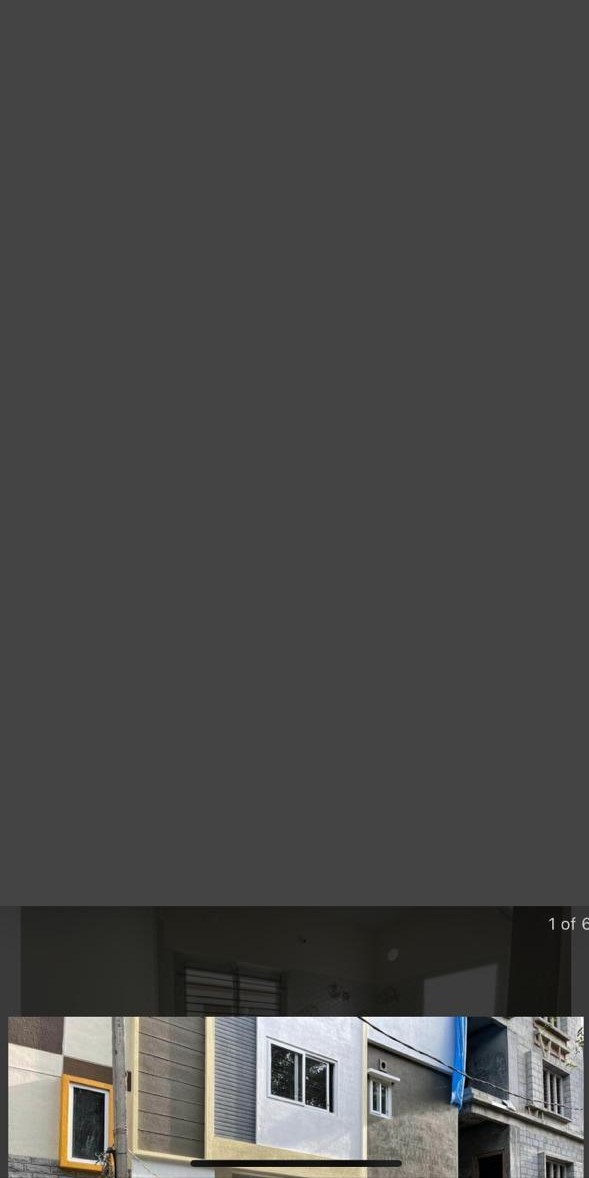
This is mostly happening in mobile and laptops.
-

Hi,
Sorry for late reply.
Are you using Brizy WordPress plugin or Brizy Cloud?
Best regards,
Denis.0 -
I am using the Brizy and Brizy Pro wordpress plugin on my website. Please visit the link https://puccahouse.com/btm41-2/.
It works fine on desktop, but not in laptops and mobile devices.
It is the same issue as the other post mentioned below.
All the 3 points.
0 -

Hello Yogesh,
Thank you for your message and sorry for the late reply!
Regarding the issue that you encounter, first of all, the link of the site that you send us might be incorrect because it does not open up. Second of all, what I'd suggest you to do is to go to your project and in the left corner you can choose the way to view your site (mobile/desktop/Tablet). There you can try to adjust the setting and make everything work as it should . Pease see this so you know what I am talking about: https://jmp.sh/2Lbqg8N
Hope this helps! If no, please let us know and if you have any other questions or problems, feel free to ask!
Thank you for the understanding and patience!
Have a nice day and best regards,
Doina
0 -
I resolved this issue by adjusting the height of the block in the settings tab.
If anyone is facing the issue of images not loading properly in lightbox., try this fix.
Go to settings, the height by default is set to AUTO. Change the height of the block to custom and bring the height all the way down to 20px. So the height of the block is the lowest and this way the image opens as expected in the lightbox.
0 -
Hello Yogesh,
Thank you very much for your message!
Regarding what you said, thanks for sharing this to us and to the community as well! I am sure this will help someone. We appreciate when our customers share how they solved their issues with us! As well, if you have any questions or encounter some problems, please feel free to ask! We will be happy to help!
Have a nice day and kind regards,
Doina
0
Please sign in to leave a comment.
Comments
5 comments