Server Sync

I am trying to publish a site using server sync. I follow all the instructions in the documentation, but I still not able to have it working. If I follow as instructed the site it is publish and live, but in a subfolder (see image)
Now, I am trying to publish the site in another folder (not root folder), a folder with the same hierarchy as the root folder. but for a second domain within the same hosting or cpanel
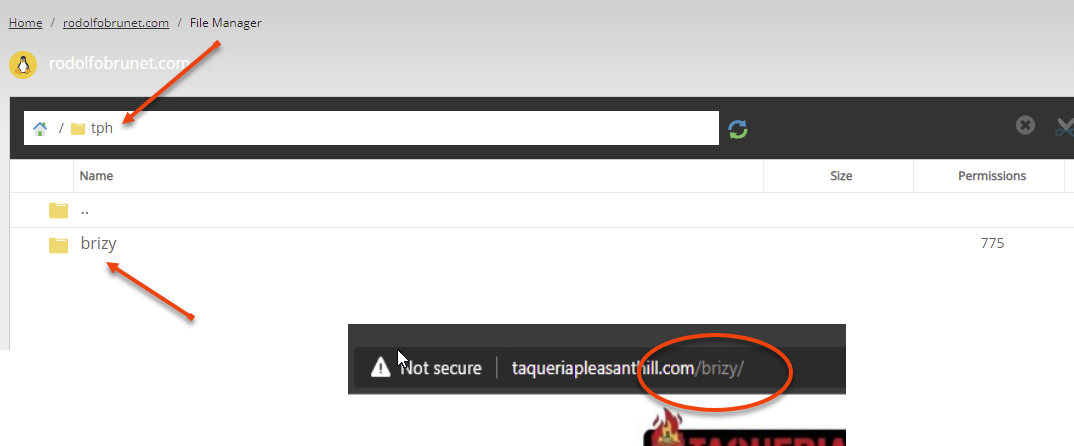
As you see the site shows and updates on the domain.com/brizy. But I want ti to be shown in the domain address.
I tried moving all files to the secondary domain, root but when I try to see the site I get an error
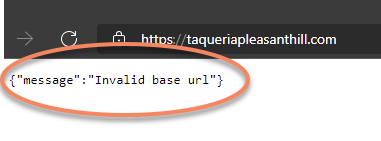
I am at a lost... can Anyone help??
Thank you!!
-

Hi,
Could you please delete the brizy folder with all its files and sub-folders? After this try to re-upload the site in the root. If you encounter a problem, please let us know and we will investigate this.
Best regards,
Sandra0 -
Hey Sandra
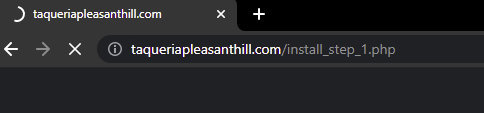
I did what you asked, but the site still not loading. The image below shows what now the browser shows and reloads every few minutes.
 0
0 -
Hi Rodolfo,
Just now, I tried to open your site and all seems to work and display fine. See here. Could you please delete the browser cache and check it again?
Best regards,
Sandra0 -
Hey Sandra
I reply to the email but I am not sure if you received my response.
The only reason the site is working is because I connected it directly to brizy cloud. Client couldn't wait.
0 -
Hi,
Could you please give us more details about how did you connect the site directly to Brizy Cloud? I accessed this URL https://www.taqueriapleasanthill.com/ and it doesn't seem to be the Brizy Cloud one. I re-opened it just now and it seems to work. See here.
Best regards,
Sandra0 -
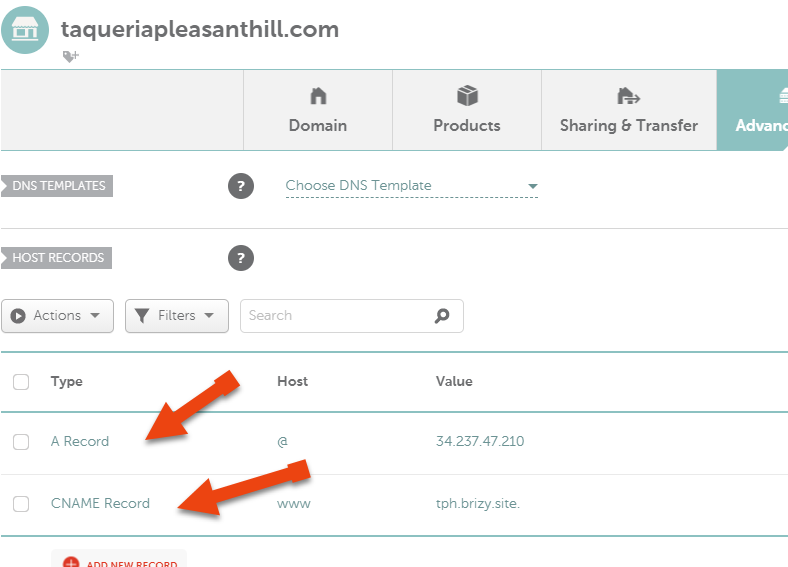
To connect it I use followed the instructions provided.
 0
0 -
Thank you for all these details. Ok, I understand, you published it with the Custom Domain method but you don't want to publish it on Brizy hosting, you want to publish the site on your own hosting, right?
In this case, could you please delete the A and Cname records that point to the Brizy hosting and site and try to publish again the site using the Server Sync method? For this, please follow the instruction from this article https://support.brizy.io/hc/en-us/articles/360027008491-Server-Sync.0 -
Hey Sandra.
I do want to use server sync, but I this moment my client wants the site live, so I will leave it as is.
I will be working on a different post to figure how to finally set up server sync, and maybe after that I will have this site switch.
0 -
Hi,
Ok, thank you for updating us about this issue. If you will have a question or problem, let us know and we will be happy to help you!
Best regards,
Sandra0 -
Hey Sandra The only reason why it works is because I set up the domain directly with brizy cloud, I use one of the 3 hosted domains my account has. Server since it not working, I set up two other sites with it and the site doesn't load. 0 -

Hi,
Thank you for your message and for your details.
At the moment, we have informed our team about this inconvenience and they will investigate this aspect deeper.
Best regards,
Nelea.
0
Please sign in to leave a comment.
Comments
11 comments