Mistake with click image from frontend

Good morning,
When I’m on the front end, I click on the image to change it, but the loading icon just keeps spinning indefinitely.
The images were uploaded via the site’s media library.
What can I do?
-

Hello Inkout,
We’d be happy to take a closer look at your WordPress setup to help identify the cause of the above issue and find an appropriate solution. Could you please create a separate WordPress user account for our support team and email the access details to communitysupport@brizy.io?
Please include the following information:
- Support forum reference: https://support.brizy.io/hc/en-us/community/posts/40151792902546
- WordPress Admin URL:
- Username:
- Password:
Important: Please include a link to this support thread in your email so we can locate your case quickly. Once you’ve sent the email, kindly let us know here so we can follow up and continue investigating.
Thank you for your cooperation. We appreciate the opportunity to help you resolve this issue and will do our best to assist you.
0 -
Hello,
This is the page:
https://esthelogue.com/?page_id=78943&preview=true
When i click on the image for change it, it oesn't works :(0 -
Hello Inkout,
I was able to add an image to the above page where you previously had the image placeholder, but I wasn’t able to reproduce the issue on my end.
To help us narrow down the cause, could you please try signing in to your WordPress Admin dashboard using a different browser and check whether the issue still occurs?
This will help us determine whether the issue might be related to your current browser or its settings. Please let us know what you find, and we’ll be happy to guide you through the next steps.
0 -
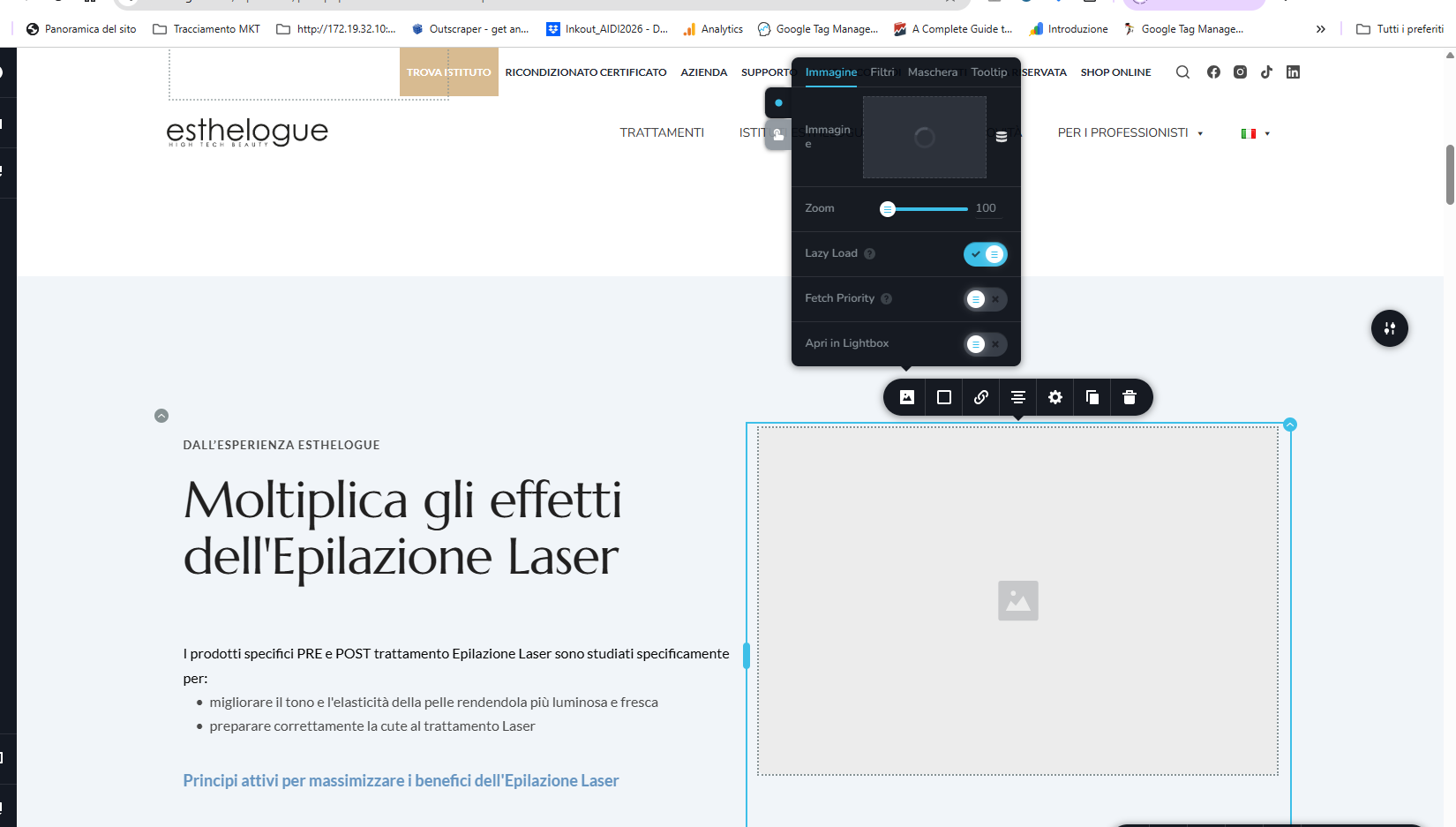
Hi, I’ve tried both Firefox and Chrome and I’m having the same problem. When I click on the icon to select the image, the wheel just keeps spinning :(
 0
0 -
Hello Inkout,
Could you please try one more quick test to help us narrow down the cause of the issue? Open a new Incognito window in Google Chrome, sign in to your WordPress Admin dashboard, and check whether the issue persists.
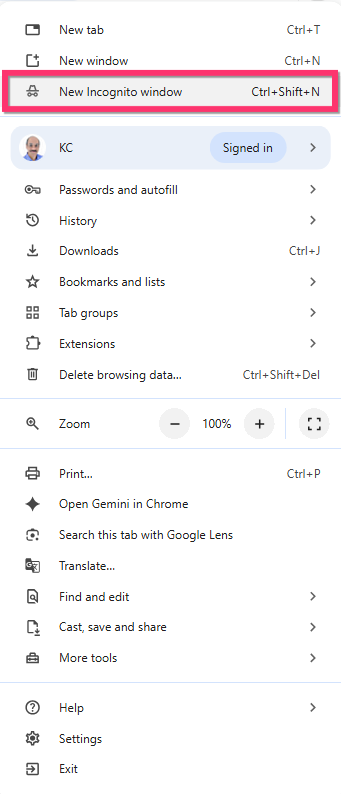
This will help us determine whether the issue might be related to your browser’s cache, cookies, or extensions. Please let us know the outcome, and we’ll be happy to guide you through the next steps.
Thank you for your cooperation.
0 -
Hi,
I’ve opened the window in incognito mode and I’m still having the same problem. I’d already tried it in incognito mode.I’ve also cleared the hosting cache.
I’m at my wits’ end. Does it work for you?
0 -
Hello Inkout,
Yes; it works for me. I followed the workflow at https://jmp.sh/share/cs74n47xlgRCg9LFG2hb
0 -
Hello, thx for response.
Can you try with block without image?
What's your browser? Mac or Win?
Do you want to share my monitor's record?0 -
hi,
the link is following:
https://www.swisstransfer.com/dl/01a18264-0784-710a-a477-b85c51bf2c7c0 -
Hello Inkout,
I was also able to add an image to a column that previously had no image, and everything worked as expected during my test. You can see the steps I followed in this screen recording: Watch the screen recording. For reference, I performed this test using Google Chrome on a Windows laptop.
To help us narrow down what might be causing the issue on your end, could you please let us know whether you have any antivirus or anti-malware software running on your computer? In some cases, security software can interfere with browser operations, including file uploads.
0
Please sign in to leave a comment.
Comments
10 comments