Urgent: Brizy AI Website Import/Installation Fails on WordPress

My Brizy AI website generation is now working correctly, but the website import and installation process still fails.
I have also contacted my hosting provider, to investigate whether the issue is coming from their side. They checked their security systems and confirmed that there is no evidence of firewall blocks. They have also increased my PHP configuration limits and advised me to contact the plugin developer if the problem persists.
Unfortunately, the import and installation issue remains unresolved.
Could you please investigate why the Brizy AI website import process is failing and provide a solution as soon as possible?
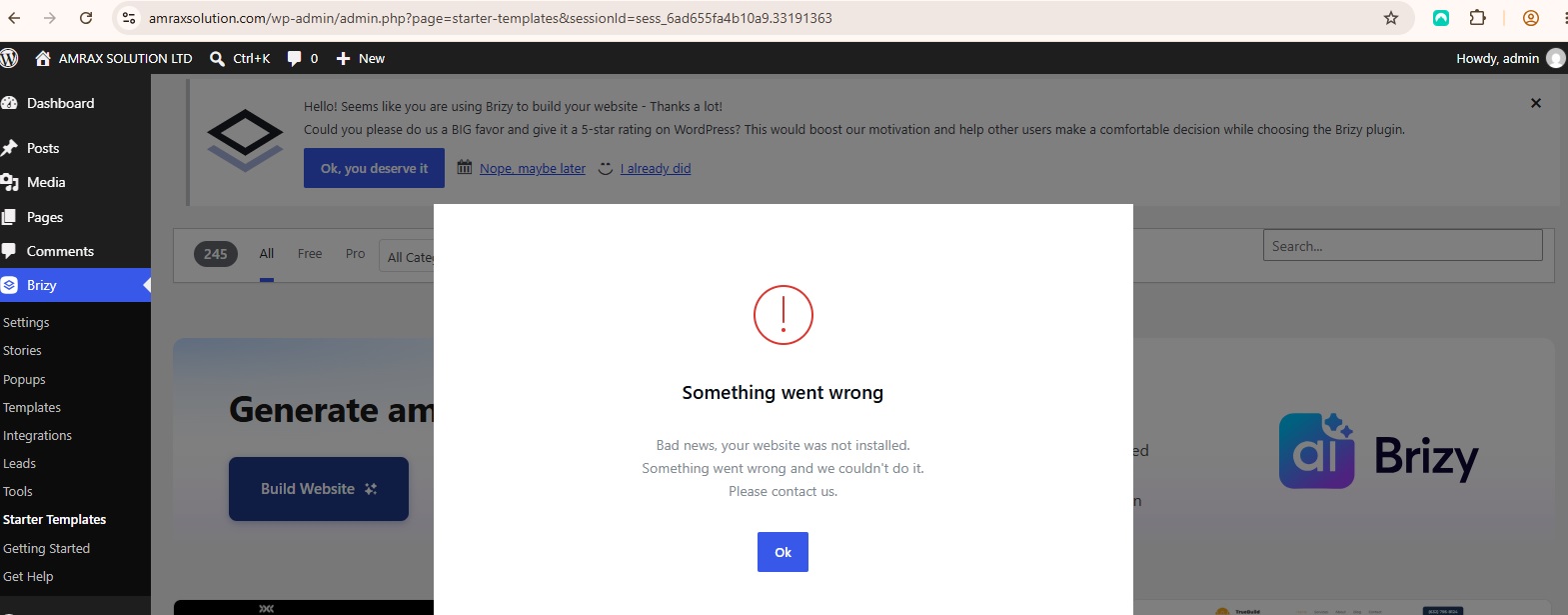 Please let me know if you require any error messages, screenshots, or logs to identify and resolve the problem.
Thank you for your assistance. I look forward to your response.
Kind regards,
-

Hello Praduman,
I tested the AI website import workflow on my end by generating an AI website and importing its design into a page in my WordPress project. The import completed successfully, which suggests that the workflow is functioning as expected in my environment. You can see the steps I followed in this recording: My AI Import.
To help us identify why the import isn’t working in your environment, we’d like to investigate the issue directly in your WordPress dashboard. Could you please create a temporary WordPress administrator account for our support team and email the following details to communitysupport@brizy.io?
- Support Forum Reference: https://support.brizy.io/hc/en-us/community/posts/39957351097874
- WordPress Admin URL:
- Username:
- Password:
Important: Please include a link to this support thread in your email so we can locate your request and associate it with the correct support case. Once you’ve sent the email, please let us know by replying to this thread. We’ll then investigate your project more closely and work toward identifying the cause of the issue.
Thank you for your cooperation. We appreciate your patience while we work to resolve this.
0 -
Hi,
I have emailed the requested temporary WordPress administrator access to communitysupport@brizy.io, including the support forum reference. Please check your inbox and proceed with the investigation.
Thank you.
0 -
Hello Praduman,
Thank you for sharing the access credentials. However, we’re currently unable to access your website at amraxsolution.com. The browser displays a DNS_PROBE_FINISHED_NXDOMAIN error, as shown in the attached screenshot.
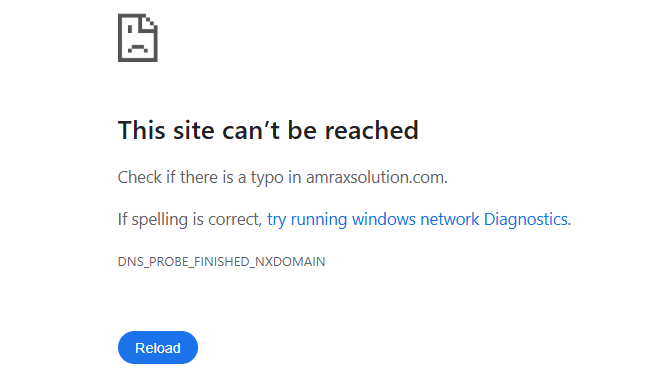
Could you please confirm whether the domain’s nameservers or DNS settings have been updated recently? If so, DNS propagation may still be in progress, which could explain why the domain is currently inaccessible. Once the domain is resolving correctly, we’ll be able to access your website and continue investigating the issue.
0 -
Dear Brizy Support Team,
Yes, my domain and hosting were recently set up, and DNS settings may have been updated during the initial configuration. I have now checked the DNS records, and my website, https://amraxsolution.com, is opening successfully.
Kindly try accessing it again and proceed with the investigation.
Kind regards,
0 -
Dear Brizy Support Team,
My website, https://amraxsolution.com, is opening successfully from my side.
I am also working on four domains and have encountered the same issue on all of them: I cannot import my Brizy AI website designs into WordPress.
Could you please investigate this issue and help me resolve it?
Kind regards,
0 -
Hello Praduman,
Your website is now accessible, and I was able to successfully generate a website using AI and import the design into your WordPress project. You can view the imported design on your homepage here: https://amraxsolution.com/
Since the import process is working on my end, could you please try importing the AI design using a different computer, browser, or internet service provider? This will help us determine whether the issue is related to your current browser or network environment.
Please let us know the outcome so we can narrow down the cause and assist you further.
0 -
Brizy AI Full Website Import Failure in WordPress
The Brizy AI website generation and import process is working partially. I can successfully import an individual page, such as the homepage, into WordPress. However, when I try to import the complete website with all pages, the process fails and displays the error message: “Website import failed.”
Furthermore, the link you previously provided contains only one page, rather than the complete website.
Could you please investigate this issue on your end and verify whether you can successfully import the complete AI-generated website, including all pages, into WordPress? If you are able to complete the full import successfully, please let me know so I can understand what is causing the problem on my end.
I would appreciate your assistance in identifying the root cause and providing a solution, as importing only the homepage does not meet my requirements.
Thank you for your time and support.
Kind regards,
0 -
Hello Praduman,
The issue may be related to your server’s ModSecurity directives or PHP configuration.
To help identify the root cause and find a suitable solution, we’re creating a private support ticket for you. You can securely share your website access credentials through that ticket, allowing our team to investigate the issue more closely and work with you to determine the best way forward.
Kindly look for an email from support@brizy.io in your Inbox. We’ll do our best to help you resolve this as smoothly as possible through the ticket.
0 -
Hello KC George,
Thank you for your response and for arranging the private support ticket. I have received the support team's email and created a temporary WordPress administrator account for your team to investigate the issue.
I will share the login credentials through the private support ticket as requested.
Thank you for your assistance. I look forward to resolving this issue.
Best regards,
0
Please sign in to leave a comment.
Comments
9 comments