Unable to save changes after editing in Brizy

Hi team,
I have searched every forum, cleared my cache, and disabled all plugins besides brizy and brizy pro. No matter what I do, I'm unable to save my changes. I get the following error
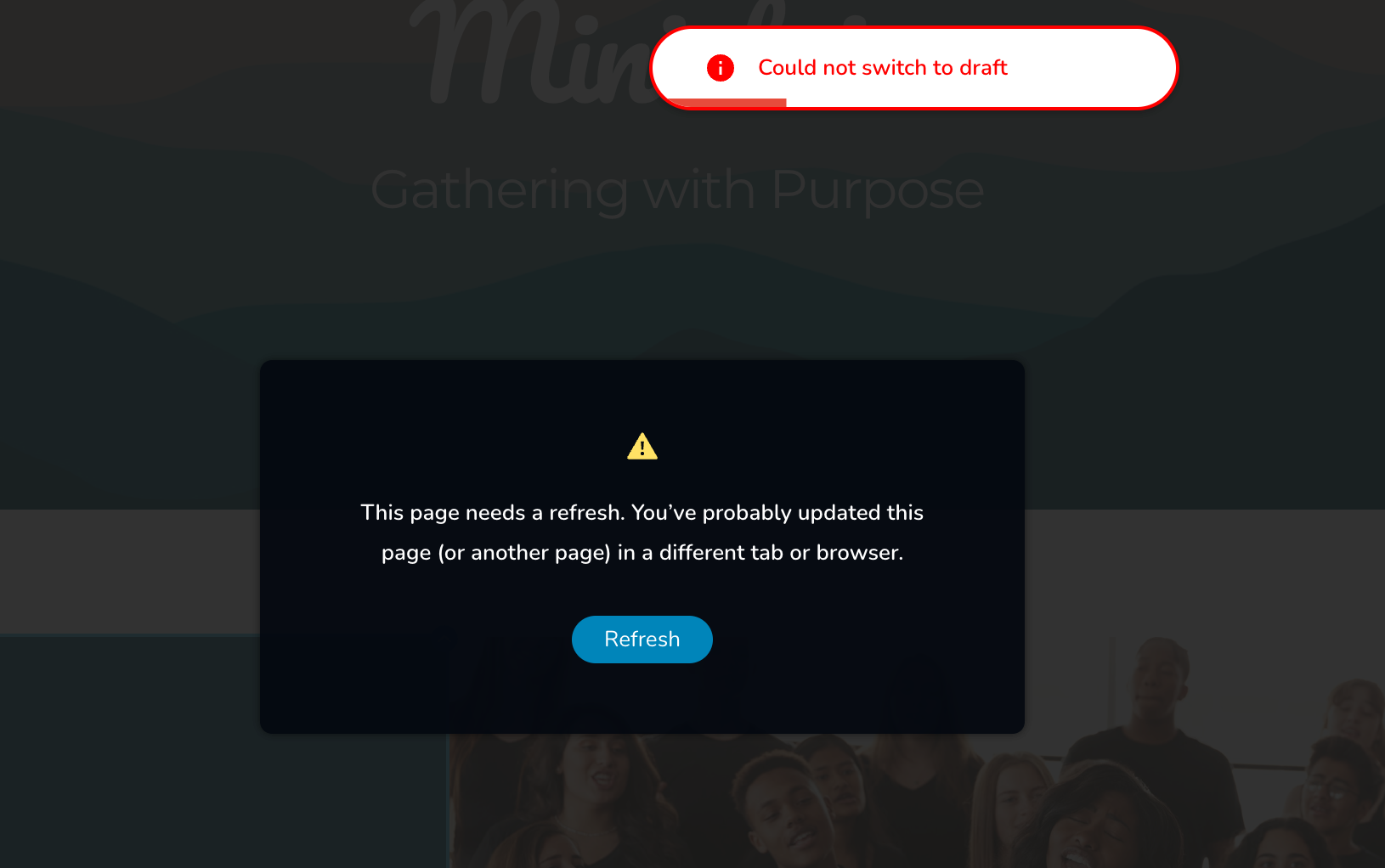
-

Hello Ashley,
Please follow the troubleshooting steps outlined in this article and check if they resolve the issue:Troubleshooting Guide.
If the issue persists, we’ll need to inspect your WordPress Admin Dashboard to investigate further. Please add us as an Administrator user in your WordPress Dashboard and send the following details to communitysupport@brizy.io:
- Support Forum Referece: https://support.brizy.io/hc/en-us/community/posts/39242787929618
- WordPress Admin URL:
- Username:
- Password:
Important: Please include a link to this support thread in your email. This allows us to locate your support ticket and continue the investigation. Once you’ve sent the email, please let us know here in this thread so we can proceed with the investigation.
0 -

Interesting I just ran in the same issue. 10 minutes prior i was able to save pages with brizy, but then suddenly I get the above error for any brizy page on different devices - so its not a local issue.
0 -
Two hours later I can save brizy pages again! I have no clue why. I didn't change anything on my provider's environment. However I tried some of the mentioned things within the wp instance, like clearing cache, deactivating all plugins, changing theme and so forth.
But none of this had an immediate effect on saving brizy pages. It just wasn't possible.
But then 2-3 hours later, without any more changes on my side, I was able to save brizy pages again.
This is very odd to me...
0 -
Hello Thorsten,
It’s possible that one of the corrective actions you performed on your WordPress instance, such as changing the theme, helped resolve the issue.
0 -
Two weeks later I ran into the same issue again. This time nothing (changing theme, cleaning DB and cache) helps. I am unable to save any page from different devices.
What can I do? This is frustrating!
0 -
Hello Thorsten,
We are happy to inspect your WordPress Admin Dashboard to investigate this issue. Please add us as an Administrator user in your WordPress Dashboard and send the following details to communitysupport@brizy.io:
- Support Forum Referece: https://support.brizy.io/hc/en-us/community/posts/39242787929618
- WordPress Admin URL:
- Username:
- Password:
Important: Please include a link to this support thread in your email. This allows us to locate your support ticket and continue the investigation. Once you’ve sent the email, please let us know here in this thread so we can proceed with the investigation.
0 -

Hi Thorsten,
While trying to access your website, we encountered the following error:
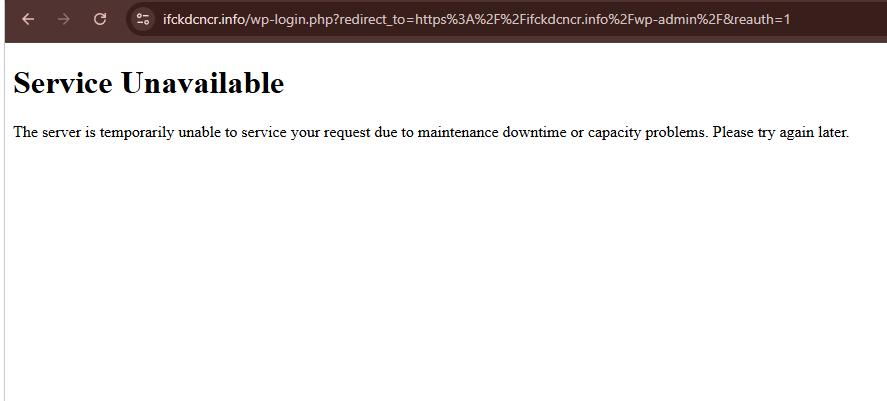
This may be related to the issue you're experiencing when trying to save your Brizy pages. However, we can't confirm the exact cause at this point. It would be worth checking with your hosting provider to see if there are any temporary server issues or resource limitations that might be affecting your website.Once the website is accessible again, we can continue investigating the issue with saving your Brizy pages.
Best regards
Ariel H.0 -
This is strange as I can access that admin without issues!
0 -
Hi Thorsten,
We were able to access the login page after removing the extra URL parameters. However, after clicking the Login button, the browser downloads the wp-login.php file instead of proceeding to the WordPress dashboard.
This is demonstrated on this screencast - https://youtu.be/1Vr_3zFIpTA
This can happen when the server isn't processing PHP files correctly and is instead serving them as downloadable files. The issue may be related to the server's PHP configuration or how PHP is handled by the hosting environment.
For reference, you can check this article:
https://theguidex.com/insights/wordpress-download-file-instead-of-opening-in-browserCould you please contact your hosting provider and ask them to investigate why wp-login.php is being downloaded instead of executed? They should be able to check the server's PHP configuration and related settings.
Best regards,
Ariel H.0 -
But why can I access the admin interface without any issues? Any ideas?
0 -
Hi Thorsten,
It's possible that the issue is related to caching or a firewall rule on the server. Your hosting provider should be able to check this on their end.
Could you please share the screencast with them and ask them to investigate? This may help them identify what is causing the issue.
Best regards,
Ariel H.0 -
Hi Thorsten,
We were able to access your WordPress admin page using a VPN.
Upon checking, the saving issue appears to be related to Error 413 (Request Entity Too Large). This error occurs when the server rejects a request because it exceeds the allowed size limit or a restriction imposed by its security configuration.
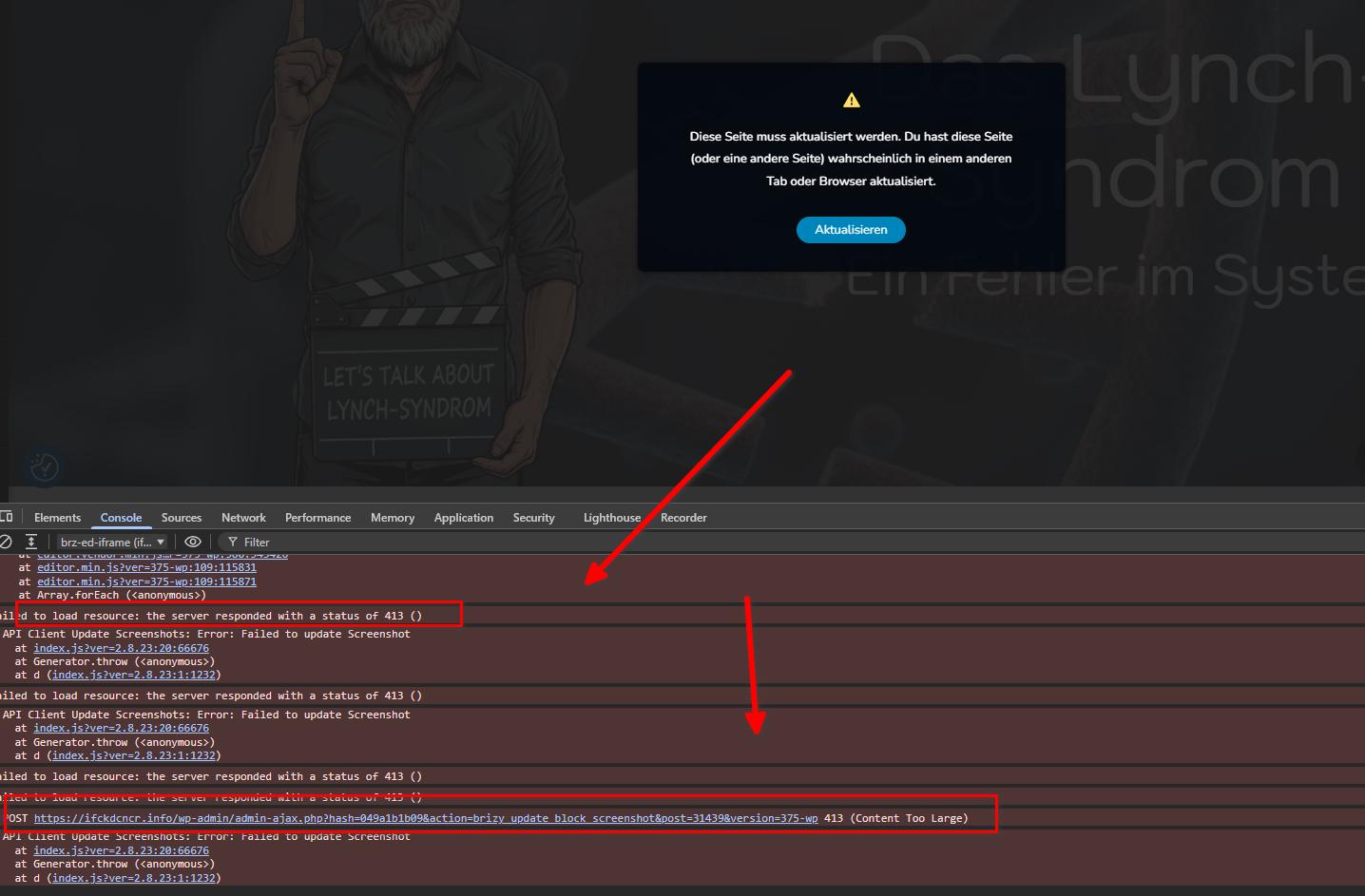
We noticed that smaller pages can be saved successfully, while the issue occurs with larger pages. This suggests that the amount of data being sent when saving a page may be exceeding the server's request limit.
Please refer to the following article for more information:
https://support.brizy.io/hc/en-us/articles/22590197512210As suggested in the article, please ask your hosting provider to check the ModSecurity configuration and, if appropriate, add or adjust the following directives:
SecRequestBodyLimit 4194304 # Limit request bodies to 4 MB
SecRequestBodyNoFilesLimit 2097152 # Limit non-file request bodies to 2 MBThey should also check whether any other server limits or firewall rules are blocking the requests and adjust the configuration as needed.
Please let us know once they've checked this so we can test the saving process again.
Best regards,
Ariel H.0 -
I will contact my provider tomorrow. I'll keep you updated
0 -
You mentioned you were able to save smaller pages. I can't event save a new empty page.
Can you please let me know which page exactly you were able to save?
0 -
Hi Thorsten,
Please take a look at this page: https://ifckdcncr.info/brizy-51613/
If you’re still unsure whether the issue is server-related, I’ve imported your homepage to this staging website: https://staging.brizywp.site/case9618/
You can log in using the same credentials you provided to us. Feel free to try updating the homepage, creating additional pages, and checking whether you can reproduce the issue on the staging site.
Alternatively, if you have access to another hosting account, you can set up a separate staging site there and test whether the same issue occurs.0 -
I can update a page on your staging website.
However I can't update the site on my environment you referred to:
https://ifckdcncr.info/brizy-51613/What is the reason you can update it, but I can't?
Besides of these questions, I will contact my service provider today.
0 -
Hi Thorsten,
It took us several attempts to save the page successfully on your environment. We also encountered a similar error when trying to upload plugins through the WordPress Plugins area.
This suggests that the issue is related to a server restriction or security configuration rather than Brizy itself.
You can also share the staging environment credentials with them so they can compare both environments.
0 -
I talked to my service provider (Strato). It seems this issue is known at Strato and they are looking for a solution. Seems I am not the only user having this issue. Let's see and wait.
0 -
Seems my provider fixed the issue. I am able to save pages again. I hope this is permanent now.
Thanks for your help!
0
Please sign in to leave a comment.
Comments
19 comments