Website global header is rendering lower on all pages. Please help me fix

Website global header is rendering lower on all pages on our WP build. Please help me fix it. The website is https://grennanconstruction.com/. All plugins are up-to-date

-

Hello Cari,
Global Blocks on a Brizy website can automatically shift their position when certain block arrangements are used. This can happen when:
- A regular block is placed above the Global Header.
- A regular block is placed below the Global Footer.
To prevent Global Blocks from unexpectedly changing their position, we recommend following this structure as a best practice:
- Keep one or more Global Blocks at the top and bottom of a page.
- Keep all blocks between the top and bottom Global Blocks as regular.
For example:
- If your Header is the first block and your Footer is the last block, make both the Header and Footer Global Blocks. All blocks between them can be regular blocks.
- If you have blocks above the Global Header or below the Global Footer, those blocks should also be configured as Global Blocks.
If the block shown below is currently a regular block, please set it to a Global Block and then check whether this prevents Global Blocks from automatically changing their positions.
 0
0 -
That block with the "Get Low Monthly Payments" is a global block.
 0
0 -
Unfortunately, there are global blocks in between the header and footer on just about every page. I turned off the global settings for the in-between blocks on the homepage to see if that would help, but I would rather not have to go into each page and turn off the global setting on each block that is set to that.
0 -

Hi Cari,
Could you please provide temporary access to your WordPress Admin so we can inspect the global blocks on your site?
Kindly send the following details to communitysupport@brizy.io:
- Community https://support.brizy.io/hc/en-us/community/posts/39066707835666
- WordPress Admin URL:
- Username:
- Password:
Could you also send a few more screenshots showing the issue? These will help us better understand what’s happening.
We’ll review it as soon as we receive the access.
Best regards,
Ariel H.0 -
Hi Cari,
Thank you for providing the credentials. We were able to receive them, but it looks like two-factor authentication is also enabled, which is preventing us from accessing the site.
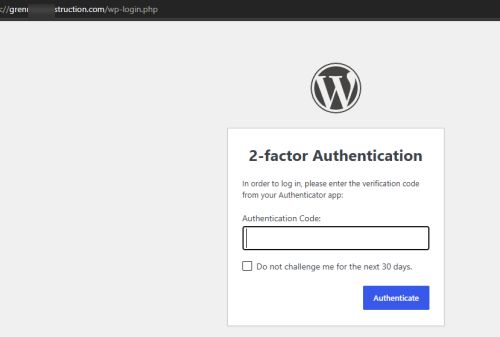
Could you please temporarily disable 2FA so we can log in and investigate the issue you reported? Once we’ve finished troubleshooting, you can re-enable it right away.
Looking forward to your update.
0
Please sign in to leave a comment.
Comments
5 comments