Brizy AI Website Installation Error – Domain Licence/Activation Assistance

Dear Brizy Support Team,
I am currently trying to generate and install an AI website using Brizy for my domain:
https://deltasoftwaresolutionslimited.co.uk
However, when I attempt to generate/install the website, I receive the following error message:
“Something went wrong
Bad news, your website was not installed. Something went wrong and we couldn't do it. Please contact us.”
Could you please advise me on how I can resolve this issue?
I would also like to clarify the licensing requirements. If a separate licence key is required for each individual domain, please confirm this and let me know whether I should generate a new licence key specifically for this domain. Alternatively, if my existing Brizy licence can be used for multiple domains, please confirm how I should activate or connect this domain correctly.
The domain and hosting are already set up, and WordPress has been installed on the domain. I am specifically trying to use the Brizy AI website generation feature.
Could you please check whether the installation error could be related to the licence activation, domain connection, WordPress configuration, hosting configuration, or Brizy AI service?
I would appreciate it if you could provide me with the exact steps required to resolve the issue and successfully generate and install the AI website.
Thank you for your assistance. I look forward to your response.
Kind regards,
Syed Mohd Ali Rizvi
Delta Software Solutions
https://deltasoftwaresolutionslimited.co.uk
-

Hi Syed,
Thank you for reaching out.
Could you please provide temporary administrator access to your WordPress dashboard so we can take a closer look at the issue?
Kindly send the following details to communitysupport@brizy.io:
Community post link: https://support.brizy.io/hc/en-us/community/posts/39010727950226
WordPress Admin URL:
Username:
Password:We’ll be glad to assist as soon as we have access.
Best regards,
Ariel H.0 -
Hi Syed,
Thank you for your cooperation.
The issue appears to be related to your server’s resource limits, as the console is reporting a 500 error.
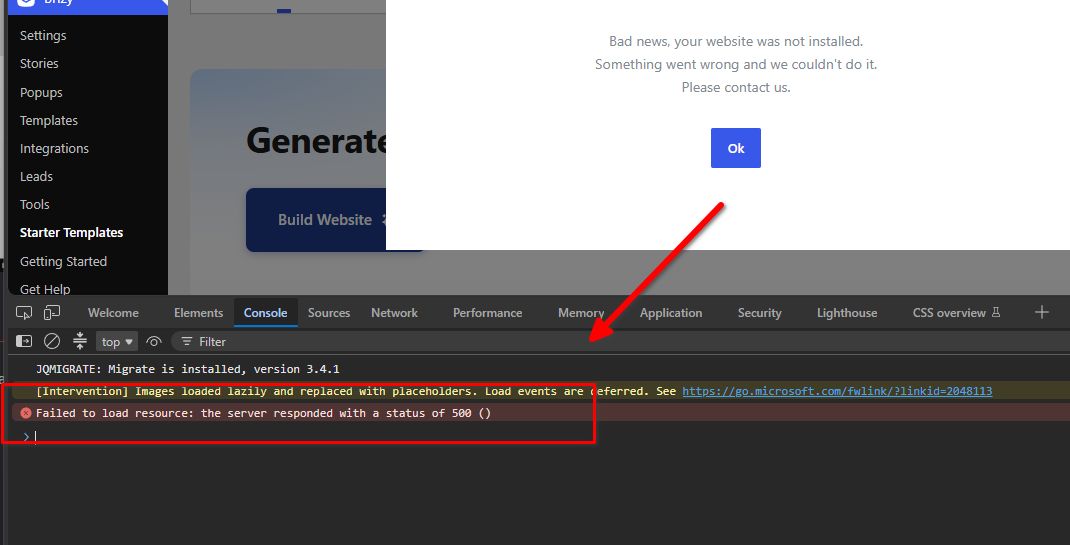
To help resolve this, please update the following PHP settings:
- PHP memory limit: Increase from 256M to 512M.
- Max input variables: Increase from 1000 to 8000.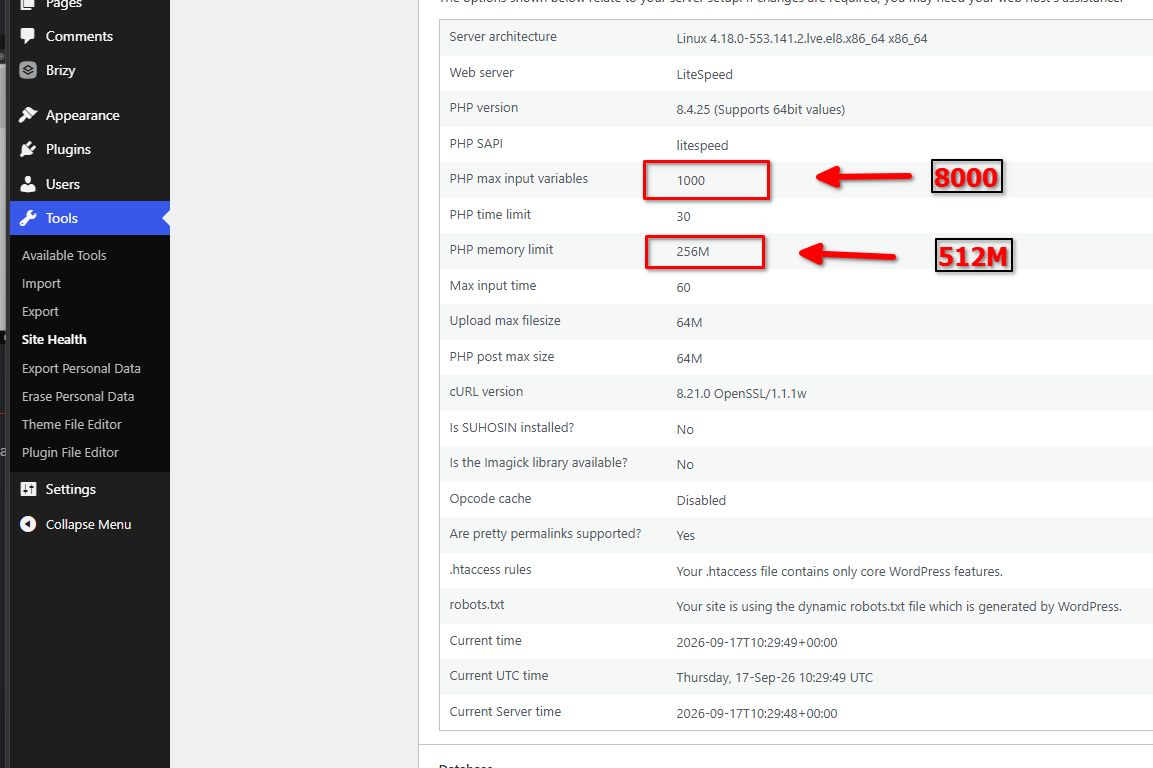
You can find these settings under cPanel > Select PHP Version. For guidance, please refer to https://chemicloud.com/kb/article/how-to-increase-the-php-memory-limit-in-cpanel/
If you’re unable to make these changes or need assistance, please contact your web hosting provider.
Best regards,
Ariel H.0
Please sign in to leave a comment.
Comments
2 comments