Unable to install any starter templates

Fresh wordpress 7.1 (completely blank) on AWS Lightsail instance.
Brizy & Activated Brizy Pro 2.8.12 (also tried 2.8.11)
Prior to activating pro, I was getting this error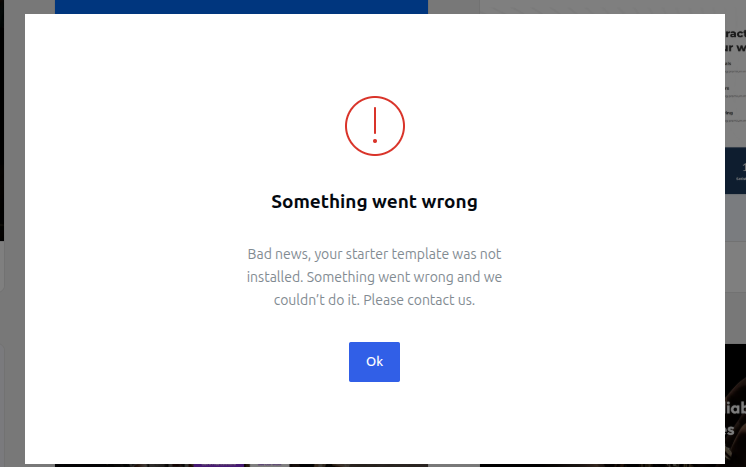
When attempting to install (clean or "keeping content' despite having none, both options give same error).
The debug log shows:
PHP Fatal error: Uncaught Error: Class "BrizyPro_Admin_Membership_Membership" not found in /var/www/html/wp-content/plugins/brizy/import/cleaner.php:62\nStack trace:\n#0 /var/www/html/wp-content/plugins/brizy/import/cleaner.php(46): Brizy_Import_Cleaner->getPostTypes()\n#1 /var/www/html/wp-content/plugins/brizy/import/import.php(31): Brizy_Import_Cleaner->clean()\n#2 /var/www/html/wp-content/plugins/brizy/import/main.php(121): Brizy_Import_Import->import()\n#3 /var/www/html/wp-includes/class-wp-hook.php(353): Brizy_Import_Main->ajaxImportDemo()\n#4 /var/www/html/wp-includes/class-wp-hook.php(377): WP_Hook->apply_filters()\n#5 /var/www/html/wp-includes/plugin.php(523): WP_Hook->do_action()\n#6 /var/www/html/wp-admin/admin-ajax.php(192): do_action()\n#7 {main}\n thrown in /var/www/html/wp-content/plugins/brizy/import/cleaner.php on line 62, referer: https://XXXXXXXXX/wp-admin/admin.php?page=starter-templates
I figured this would be resolved by upgrading to the pro license, since I intended to do so anyway.
I also saw a beta version recommended here, this also gives the same error.
I have since installed the upgraded license and have gone pro. The error persists.
I would like to be able to use Brizy, especially for the starter template aspects I am now paying for.
-

Hi Christopher,
Thank you for contacting us.
Could you please provide temporary administrator access to your WordPress dashboard so we can take a closer look at the issue?
Kindly send the following details to communitysupport@brizy.io:
- Community post link: https://support.brizy.io/hc/en-us/community/posts/38736025877650
- WordPress Admin URL:
- Username:
- Password:
We’ll be glad to assist as soon as we have access.
Best regards,
Ariel H.0 -

Whatever the problem is, it just happened to me as well on a brand new install.
1 -

Hello Novak,
We apologize for the inconvenience. We’ve identified the issue with the design templates, and a fix is included in Brizy 2.8.23-beta. You can download the updated version here: https://jmp.sh/share/APOZmHFJSiNj5Rnw176y. Kindly install this version and check if the starter template issue gets resolved.
The fix will also be included in the next official Brizy release in the WordPress repository. You’ll receive an update notification in your WordPress dashboard as soon as that version is available. In the meantime, you can safely continue using Brizy 2.8.23-beta, so you don’t have to wait for the official release to resolve the issue.
0 -
@Kc George I tried the beta 2.8.23 as an "update" install, as well as removing Brizy altogether and installing the beta as the base version and the problem persists.
For now, we've got a few days into building from scratch & using the AI tool alongside, and are making good progress.0
Please sign in to leave a comment.
Comments
4 comments