Cannot select images from Media Library / "File upload cancelled" error

Hi Brizy Support Team,
I am using Brizy Pro on WordPress, but suddenly since yesterday, I am facing a critical issue where I cannot select or complete adding any images from the WordPress Media Library within the Brizy editor. The "Select" button in the bottom right corner of the media library pop-up is greyed out and unclickable.
Also, when I try to upload a new image or interact with image elements, a red bar error appears at the top saying: "File upload cancelled".
I have already tried the following troubleshooting steps, but none of them resolved the issue:
1. Checked and matched both WordPress Address (URL) and Site Address (URL) to "https://".
2. Activated "Really Simple Security" and enabled .htaccess 301 redirect to enforce HTTPS completely.
3. Tested in Google Chrome Incognito mode and even tried using completely different browsers.
4. Deactivated all image optimization and caching plugins (including Converter for Media, EWWW Image Optimizer, Autoptimize, WP Super Cache).
5. Confirmed that my server-side WAF (Web Application Firewall) is completely turned off.
Since I am running a live business site, this bug is causing serious damage to my operations. It seems like old HTTP links or database mixed content constraints within Brizy are causing this JavaScript block.
Could you please investigate this immediately and help me fix this issue safely without losing my page data?
Thank you.
-

Hi Eiko,
Thank you for reaching out.
Could you please check if you have any custom or embedded code added to your website, particularly in the header, footer, or within your Brizy pages? If so, please temporarily disable/remove it and check if the issue persists.
If the issue continues, please also temporarily switch to a default WordPress theme and check if this makes any difference.
If the issue still occurs, please temporarily disable all third-party plugins, leaving only Brizy and Brizy Pro active, and provide us with temporary WordPress Administrator access so we can investigate further.
Kindly send the following details to communitysupport@brizy.io:
- Community https://support.brizy.io/hc/en-us/community/posts/38553469528338
- WordPress Admin URL:
- Username:
- Password:
We’ll review it as soon as we receive the access.
Best regards,
Ariel H.0 -
Hi Eiko,
We’re currently unable to access your WordPress admin dashboard because the login page is returning a 403 Forbidden error. A security layer is blocking our access to the login page.
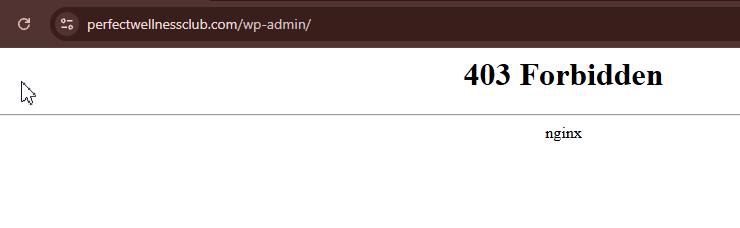
Could you please temporarily disable any firewall or security plugins on the website and let us know once this is done, so we can try it again.
Looking forward to your update.
Best regards,
Ariel H.0 -
Hi Eiko,
Thank you for your cooperation.
We’re still unable to log in to your website, as we continue to receive a 403 Forbidden error when attempting to access it.
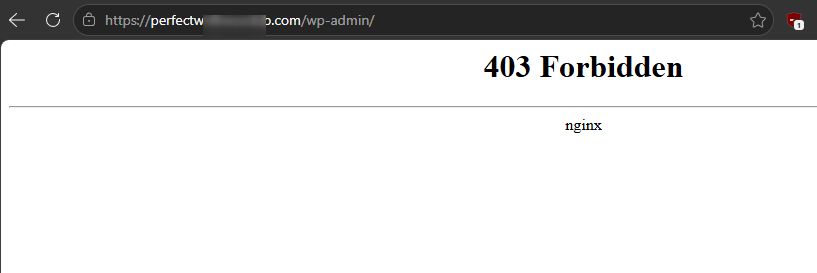
Best regards,
Ariel H.0 -
Hi Eiko,
Thank you for your cooperation.
Unfortunately, we’re still unable to access your website. We continue to receive a 403 Forbidden error when trying to log in, as shown in this screencast:
0 -
Hi Eiko,
Thank you for your patience.
We’re unable to replicate the issue on our end, as demonstrated in this screencast: https://youtu.be/FAYGInQl9Tg
We were also able to successfully upload images on this page: https://perfectwellnessclub.com/test/
It’s possible that disabling the firewall helped resolve the issue. Please try again and let us know if the problem continues.
Best regards,
Ariel H.0 -
Hi Eiko,
I’ve identified the cause of the issue. It appears to be a conflict with the "Flying Scripts: Delay JavaScript to Improve Site Speed & Performance" plugin.
When the plugin is disabled, the issue no longer occurs. I’ve left it disabled for now so you can test it on your side as well.
For the meantime, please keep the plugin disabled while working on or editing your pages. Once you’ve finished making and publishing your changes, you can re-enable the plugin to maintain its performance optimization.
Best regards,
Ariel H.0
Please sign in to leave a comment.
Comments
6 comments