My cloud site is being blocked, it's worked fine forever

My cloud pro site is being blocked: TheTwistedGrin.com It's always worked fine. Nothing has changed. It seems to work on some devices... something to do with the SSL... please look into it ASAP.
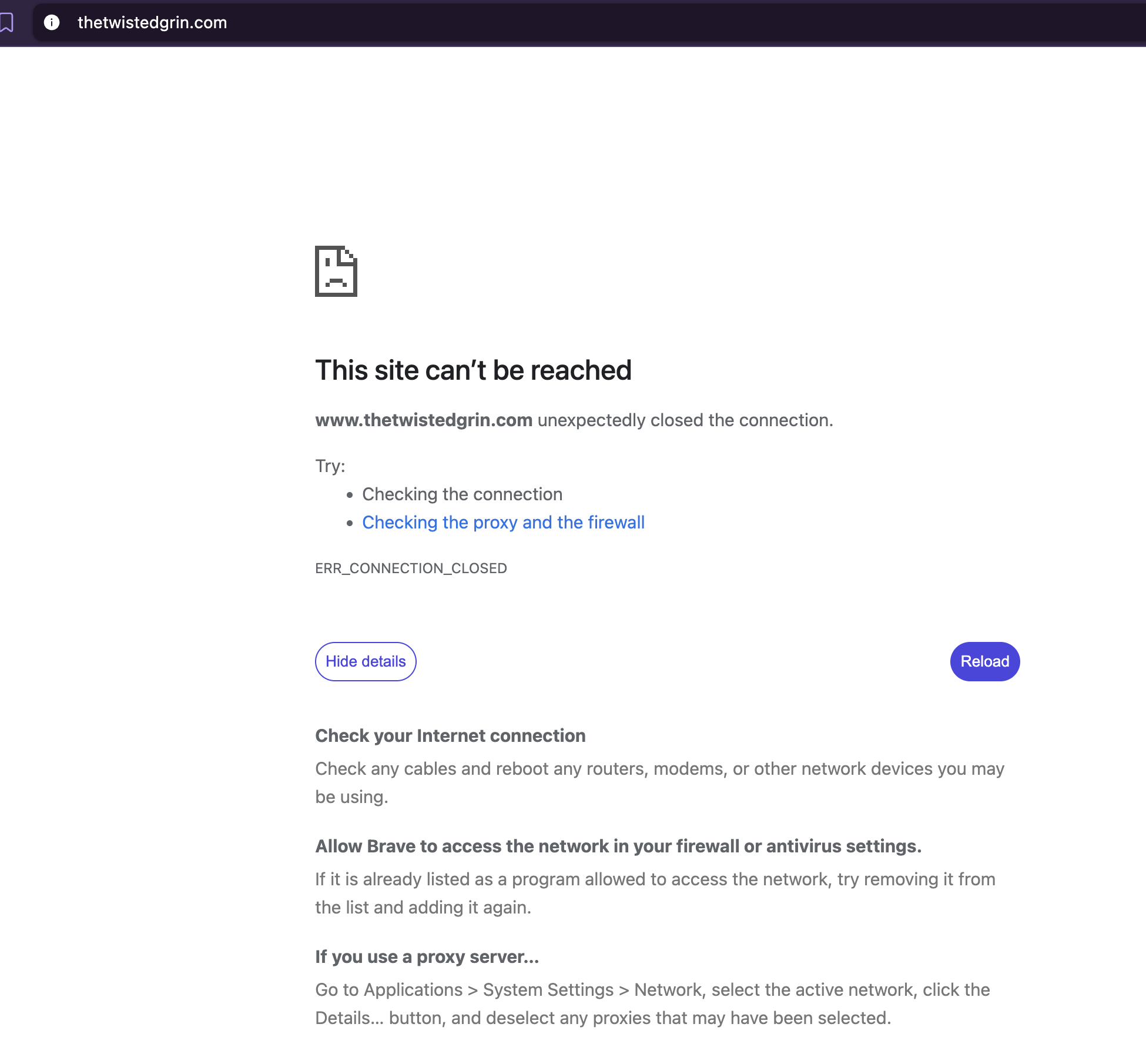
This site can’t be reached
thetwistedgrin.com unexpectedly closed the connection.
Try:
- Checking the connection
- Checking the proxy and the firewall
-
I just did it... we'll see...
 0
-
This did not fix it... not as of right now... and I believe it's been propagated by now...
0 -

Hello Daniel,
My ISP was previously blocking access to your website, but I'm now able to access it successfully. I'd like to understand whether changing the PurposeCloud subdomain has also improved accessibility from other locations. Could you please check whether the website is now accessible from some of the locations where it was previously unavailable? For example, if the website was inaccessible from 10 different locations before the change, are fewer locations experiencing the issue now?
It's also worth noting that other websites hosted on the PurposeCloud platform don't appear to be experiencing the same issue. It is unlikely that the
purposecloud.onlinedomain itself is being blocked.We appreciate your help with these checks. The results will give us a clearer picture of what's happening and help us decide how best to proceed with the investigation.
0 -
This did not work
0 -
 0
-
Hello Daniel,
Thank you for confirming once again that the suggested approach did not resolve the issue. However, could you please help us with one additional check?
I was unable to access your website a few days ago, but after you changed the
purposecloud.onlinesubdomain, I can now access it successfully. Could you please check whether the website has become accessible from more locations where it was previously unavailable? For example, if the website couldn't be accessed from 10 different locations before the change, are fewer locations experiencing the issue now?This information would help us determine whether changing the subdomain has improved accessibility, even partially, or whether the issue remains unchanged across all locations. We appreciate your patience and cooperation as we continue investigating this.
0 -
On my Mac on my home WiFi, it's blocked. When I turn on my VPN on my Mac, I can access it. On my phone it's the opposite. I can access it with the VPN off, but when I turn it on, I cannot. I can also access it on my phone using LTE instead of WiFi, but when I turn on the VPN, I cannot. Something is obviously wrong. There has to be a way to fix this.
 0
-
Hello Daniel,
Based on the evidence gathered so far, we suspect that the issue may be related to your Internet Service Provider (ISP) blocking access to the specific domain in certain locations. There are two possible ways this type of blocking can manifest:
- The browser cannot reach the website: The browser may return errors like :The site can't be reached", "Address not found" etc.
-
The ISP redirects your connection to its own server: In other cases, when you try to access a blocked website, your ISP may redirect your connection to one of its own servers instead of allowing it to reach the original website. The ISP's server may then display a block notification page using an SSL certificate issued for the ISP's domain rather than your website's domain. Since the certificate does not match the website you are trying to visit, your browser detects this discrepancy and displays a security warning, such as "Connection is not encrypted" or "Connection is not secure."
So far, our investigation has not revealed any issues with Brizy Cloud's hosting infrastructure that could explain these errors. This also explains why we have been unable to identify a fix on our end. The available evidence increasingly points towards a network-level issue outside our hosting environment.
PurposeCloud builder offers a feature called Server Sync, which allows you to host your website with an external hosting provider of your choice while continuing to design and edit it using the PurposeCloud editor. You can learn more about this option here: Server Sync. Would you like to explore this publishing option and see if it helps resolve the issue?
0 -
I guess so. This is beyond frustrating.
0
Please sign in to leave a comment.
Comments
39 comments