My cloud site is being blocked, it's worked fine forever

My cloud pro site is being blocked: TheTwistedGrin.com It's always worked fine. Nothing has changed. It seems to work on some devices... something to do with the SSL... please look into it ASAP.
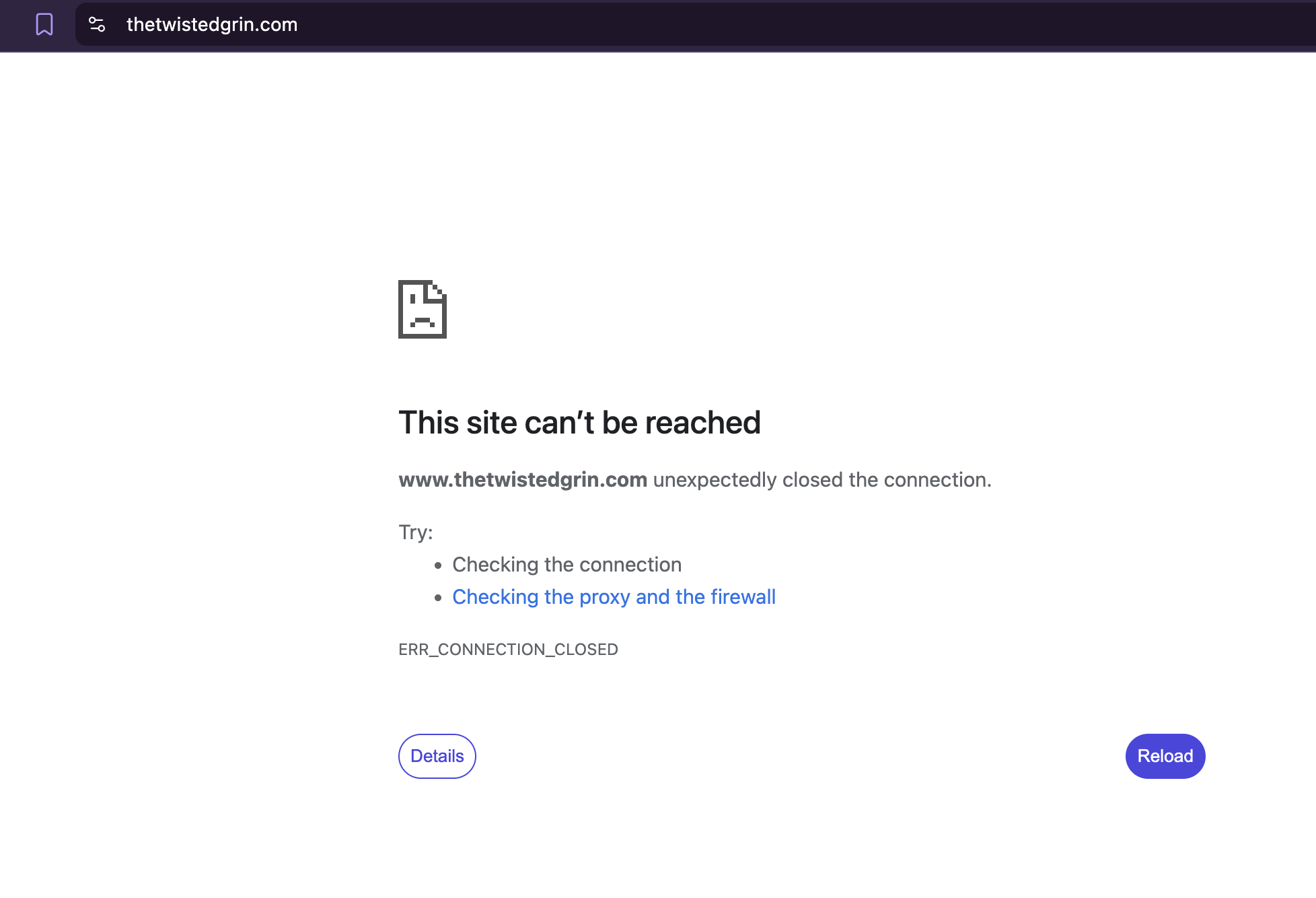
This site can’t be reached
thetwistedgrin.com unexpectedly closed the connection.
Try:
- Checking the connection
- Checking the proxy and the firewall
-
The settings appear to be correct
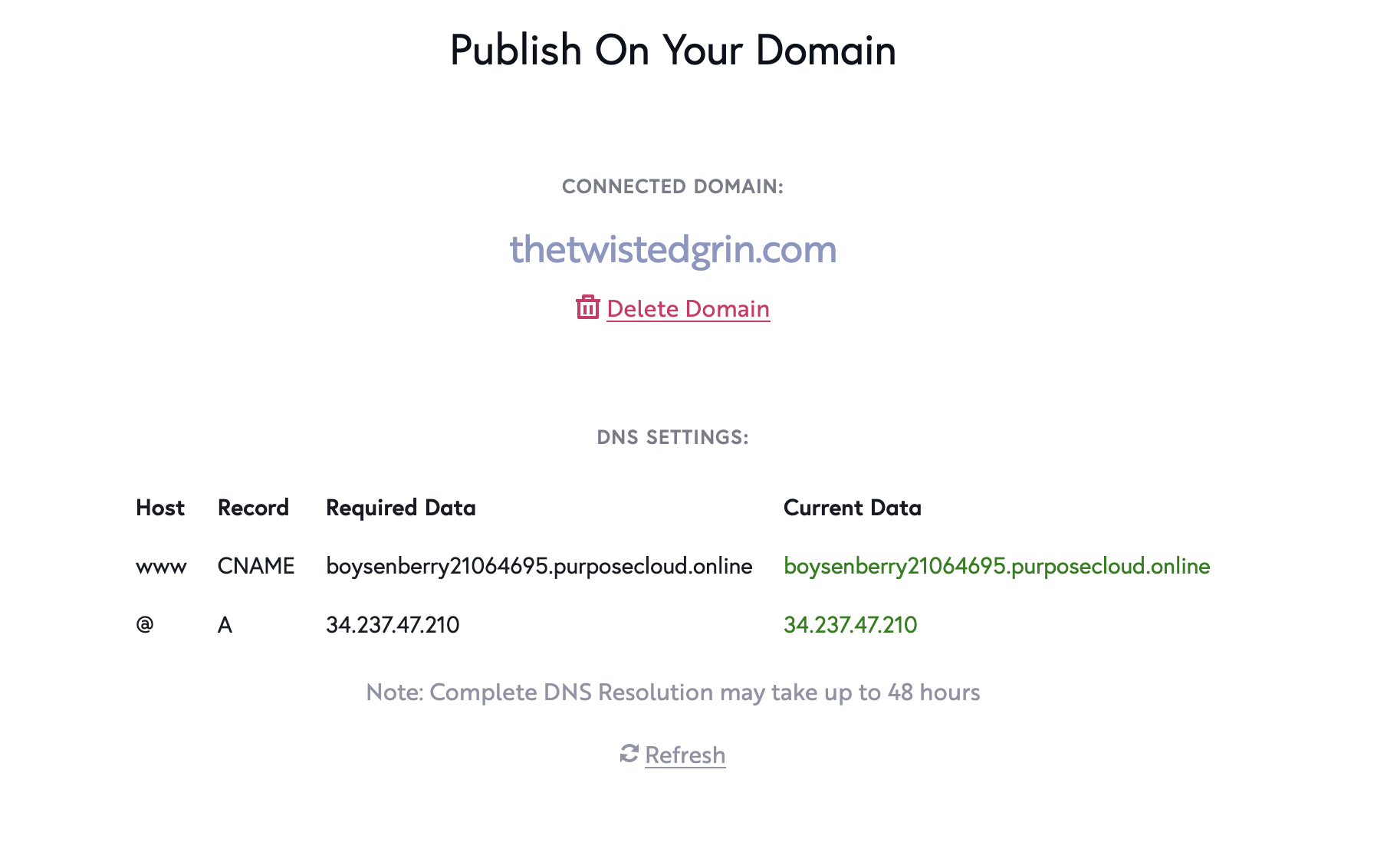 0
0 -
with a vpn it's also blocked for a different reason
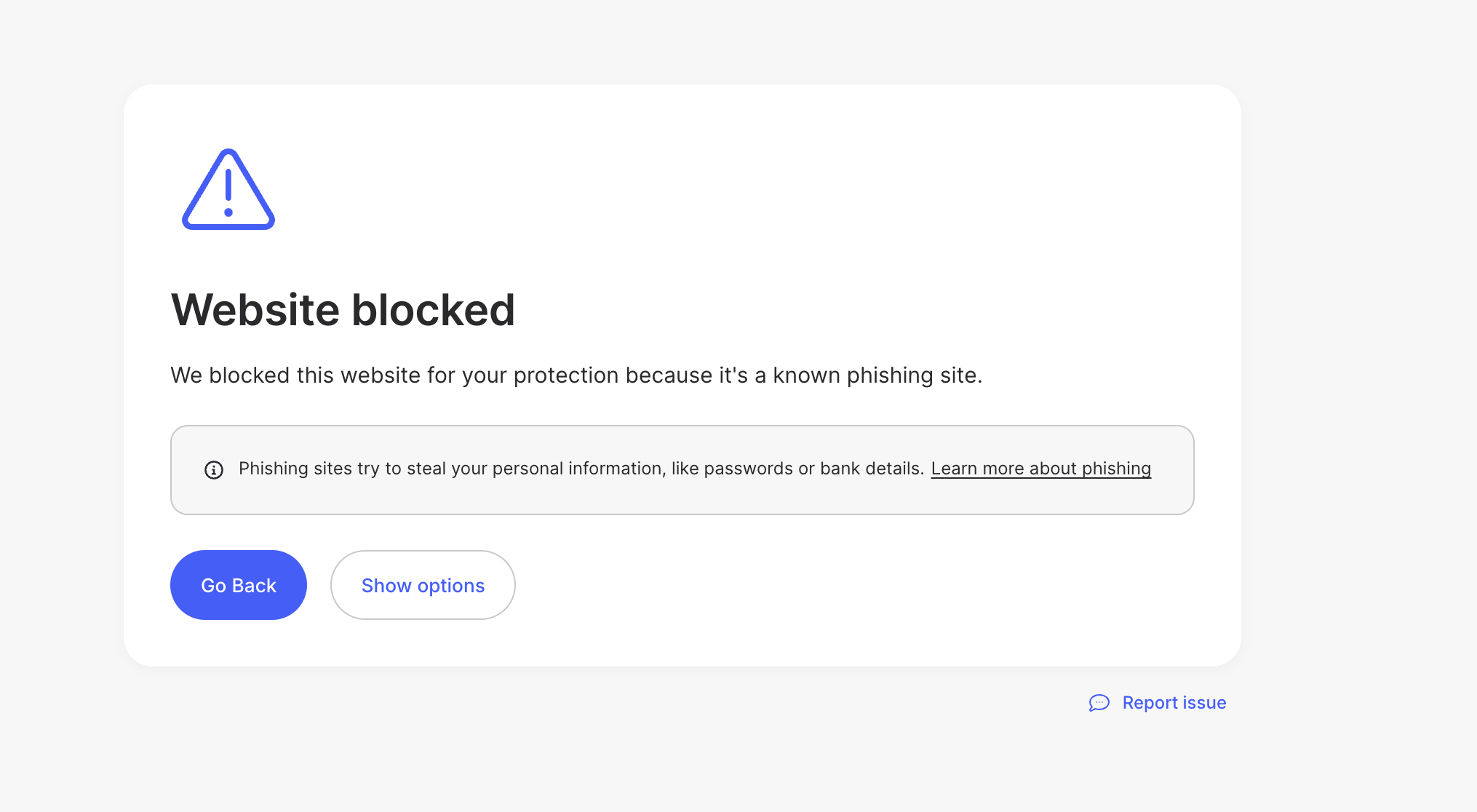 0
0 -
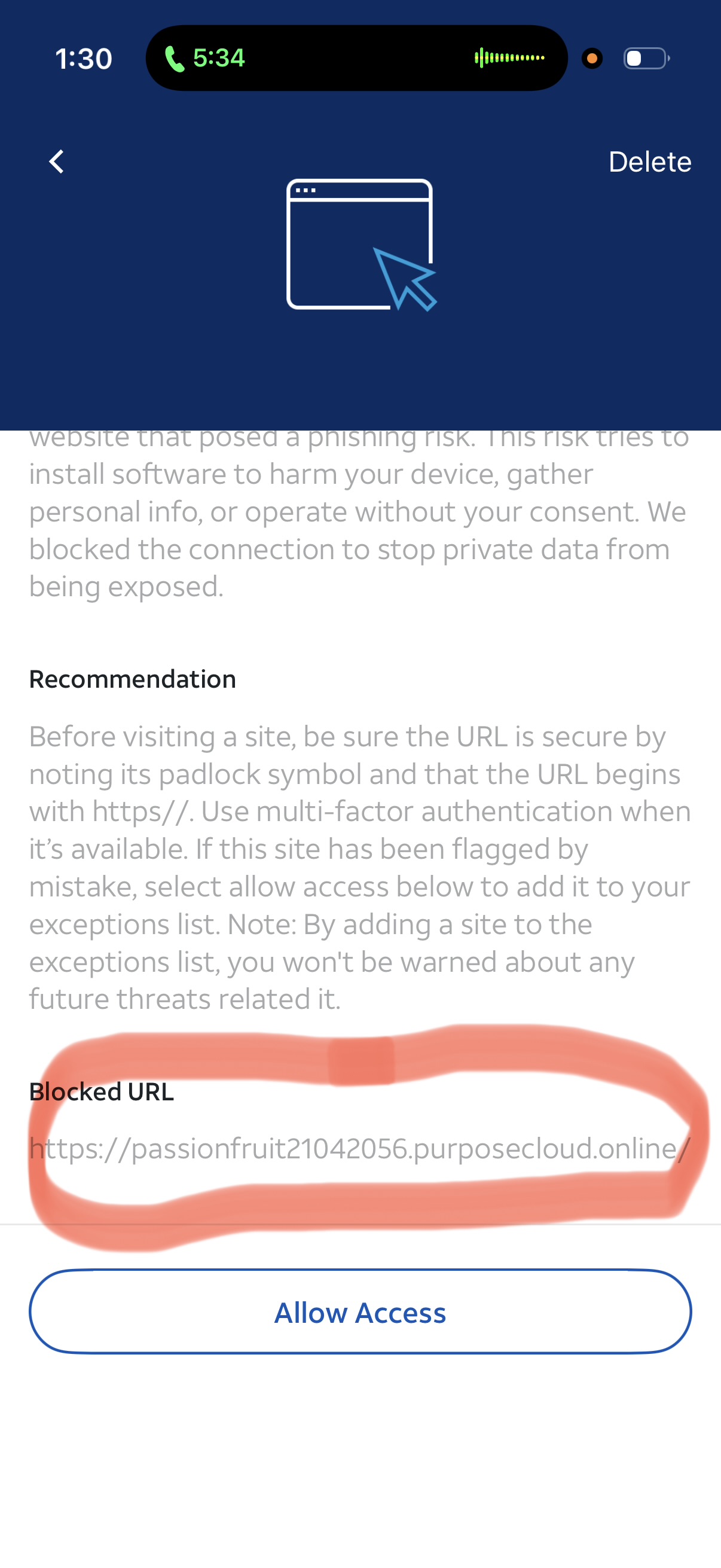
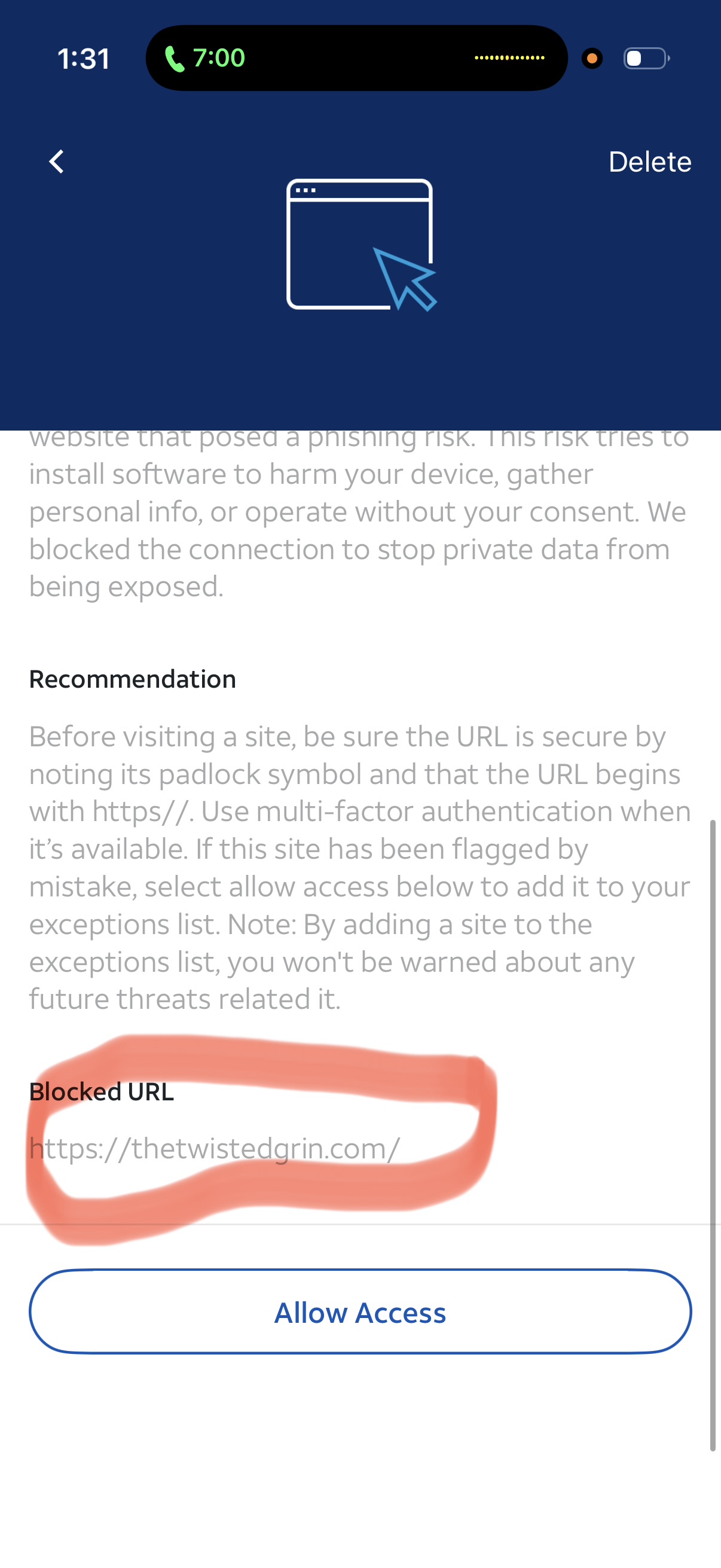
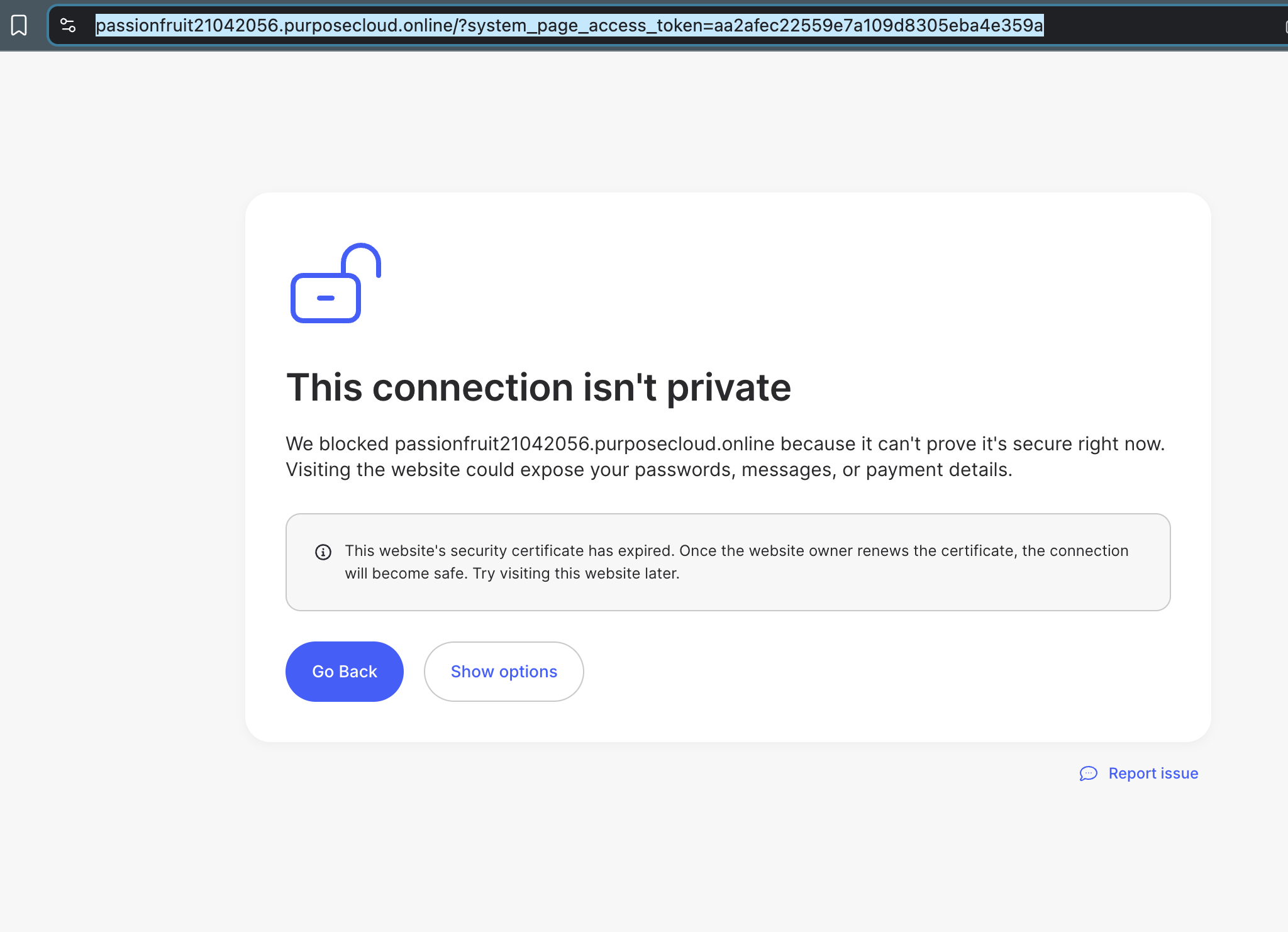
You can see it's blocking the main domain and the brizy cloud specific one...
 0
0 -
it's saying here is the security cert expired... but that's handled by you
 0
0 -
please help. if you need me to provide more please let me know,
0 -

Hi Daniel,
Could you please try it again after clearing your browser cache? You may also try using another browser to see if the issue persists.
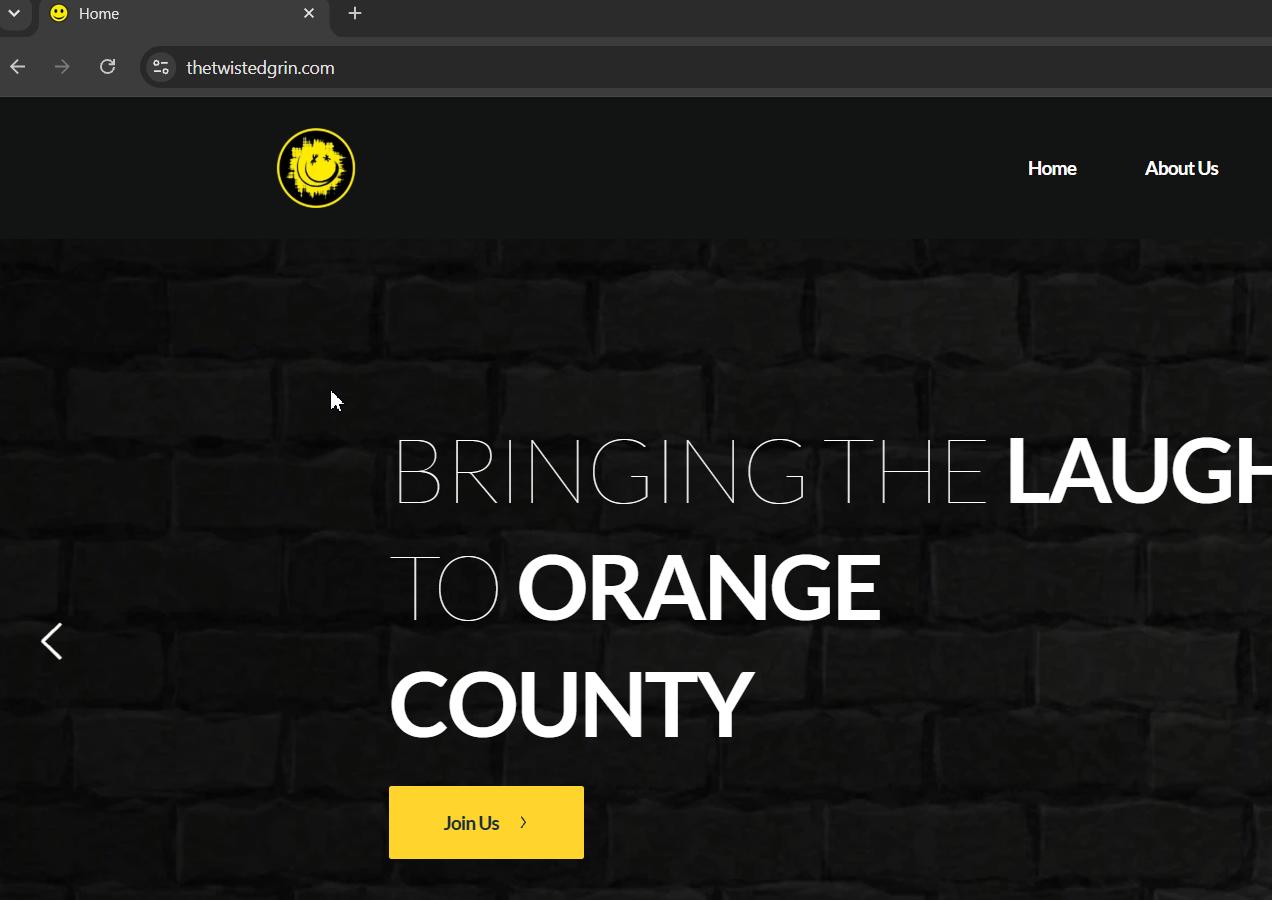
Please let us know how it goes.
Best regards,
Ariel H.0 -
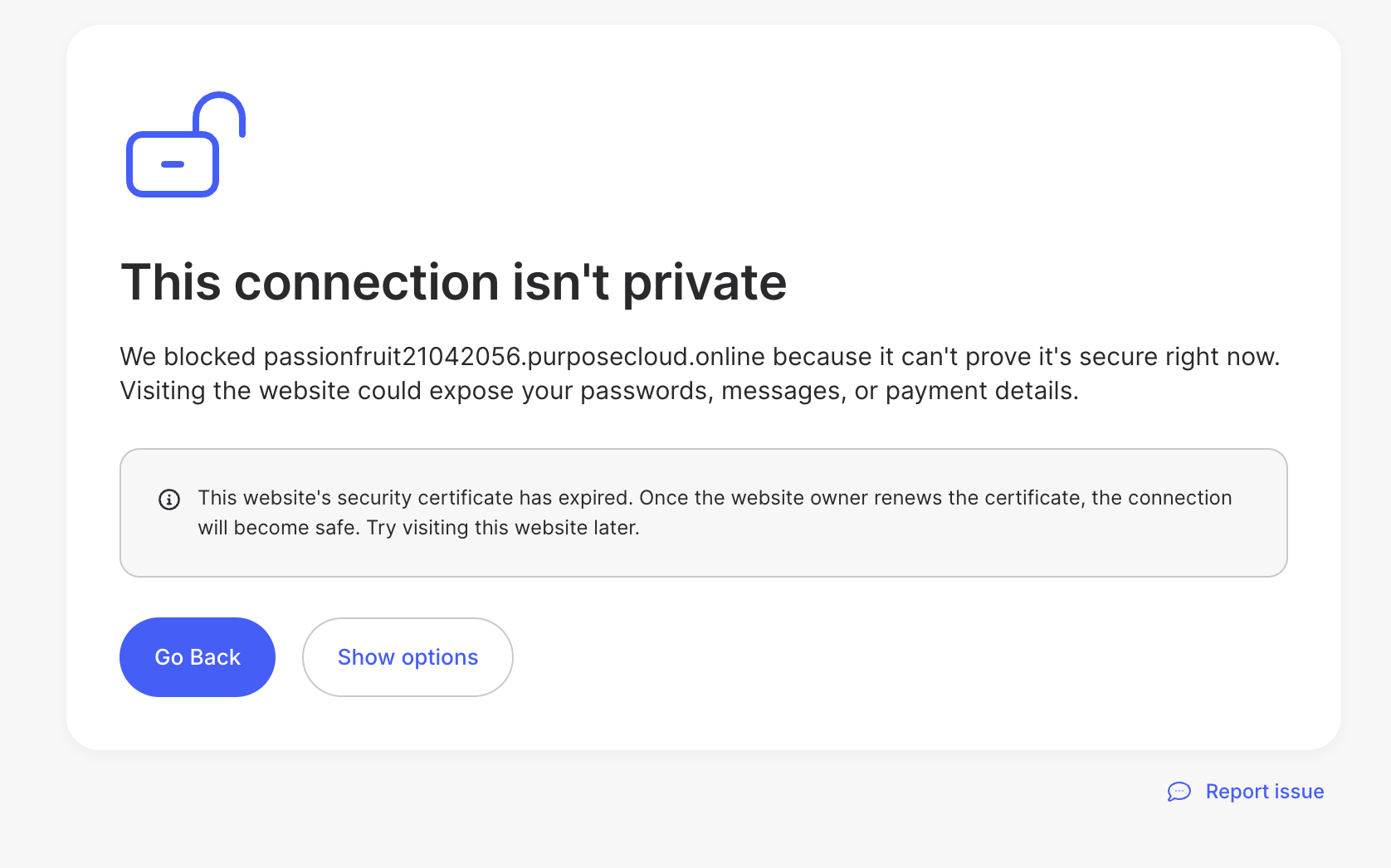
It's not the browser. It's something to do with the URL or IP. It's tested on various browsers and devices. It's being blocked by some VPNs and ISPs due to an unsecure warning. For example, it loads on my iphone on my work wifi network with no VPN, but will not load with the VPN. It will not load at all on my home wifi network, VPN on or off, but it loads using my LTE instead of wifi with no VPN, but will not load with VPN. The screenshot shows it's being blocked my my home wifi network. I think it's related to the SSL or security config. You can see it's blocking thetwistedgrin.com and the purposecloud.online URLs. You can see here the VPN message mentions the certification expiration is the issue.
 0
0 -
Hi Daniel,
Thank you for the update.I’ve created a private support ticket for this issue so we can investigate it further.
One of my colleagues will be looking into the issue and will get back to you with an update as soon as possible.
Best regards,
Ariel H.0 -
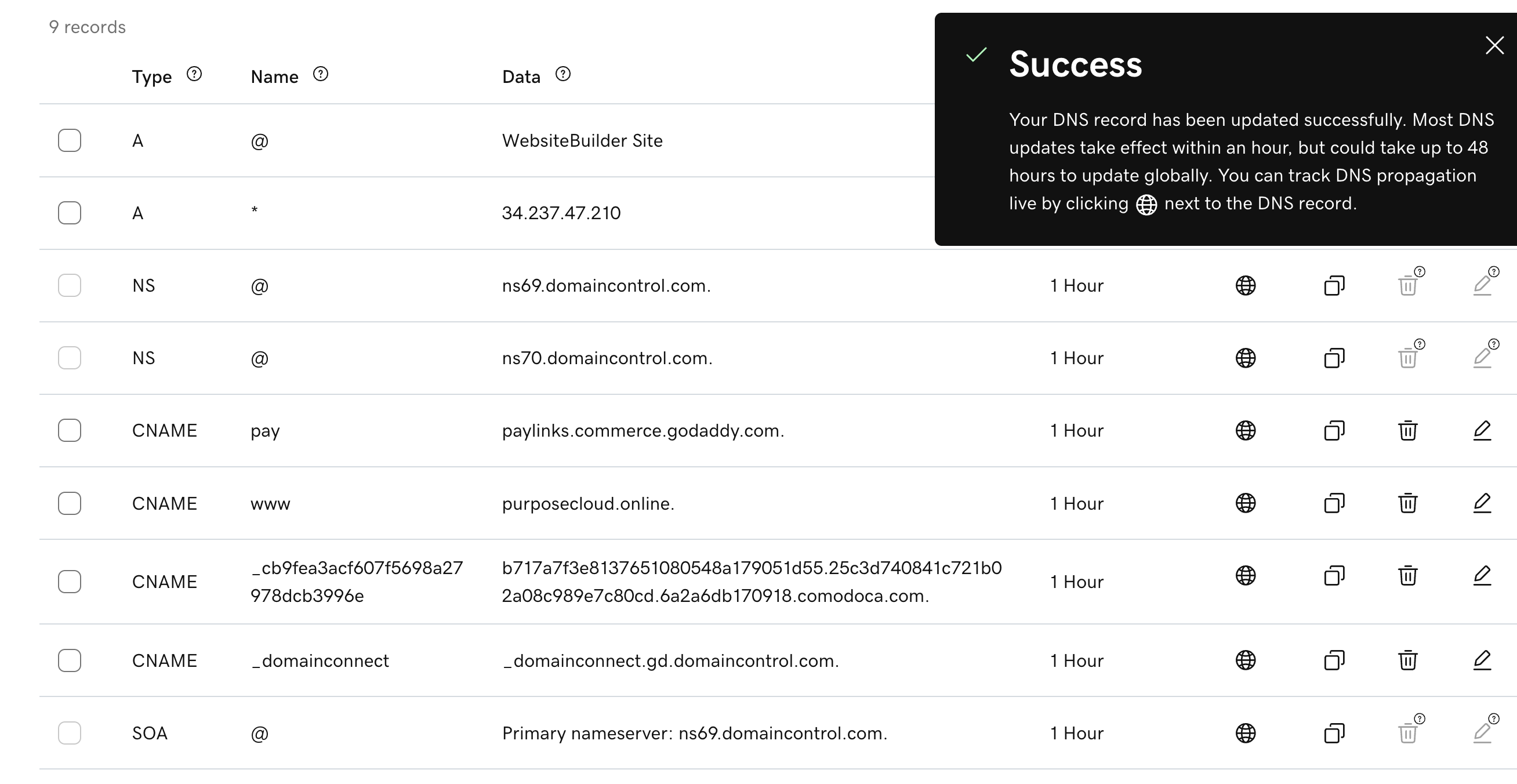
I received email about DNS Changes for Brizy Cloud White Label ... I've made the updates...
 0
0 -
As of now, the issue remains after updating the CNAME... please advise..
0 -

Hello Daniel,
We will now generate an SSL certificate for you and Denis will inform you once it is done.
0 -
How long is this going to take? Still no word from Denis... please advise. thank you.
0 -
Hello Daniel,
Denis has confirmed that the SSL certificate for your preview domain has been generated, and that you were notified. Please check the inbox at support@.................stries.com.
0 -
Hello,
The issue is still happening. I've sent screenshots to Denis. As I've told him, it's only happening to one of my sites that is hosted on the same white label cloud account. It's something to do with the domain and the SSL. I can get you the login to the registrar if it's on that end. Or could it be a corrupted website or something? I gotta get this fixed. It's been a while.
thetwistedgrin.com (it's blocked when VPN is on, but the others [cuvoice.com, woodardindustries.com, denniswoodardmusic.com] are not)0 -
this is what I get when VPN is on... and it's not limited to one device and one VPN... independent devices and VPNs are getting this... there has to be a config issue somewhere...
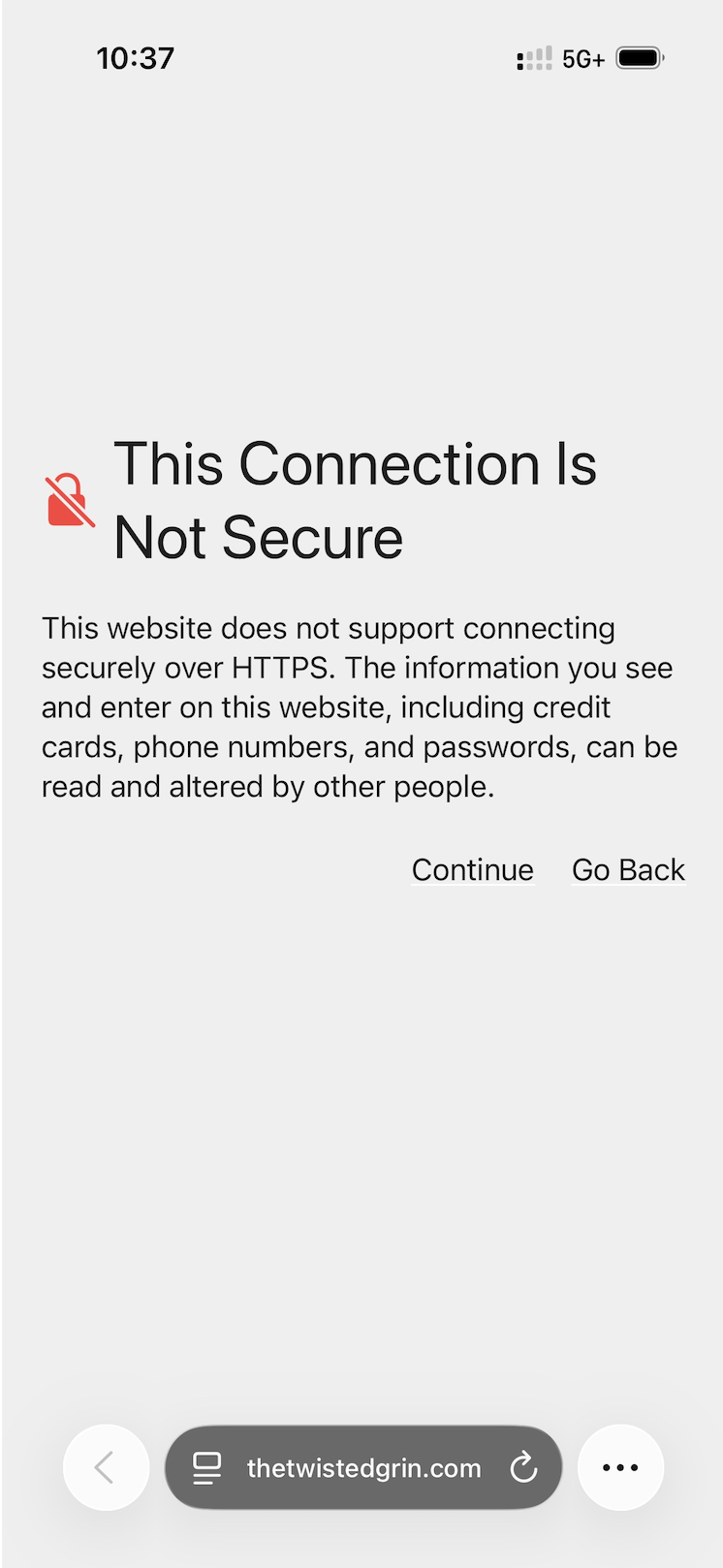 0
0 -
Hello Daniel,
I tested https://www.thetwistedgrin.com/ using Proton VPN and can access your website successfully from my end.
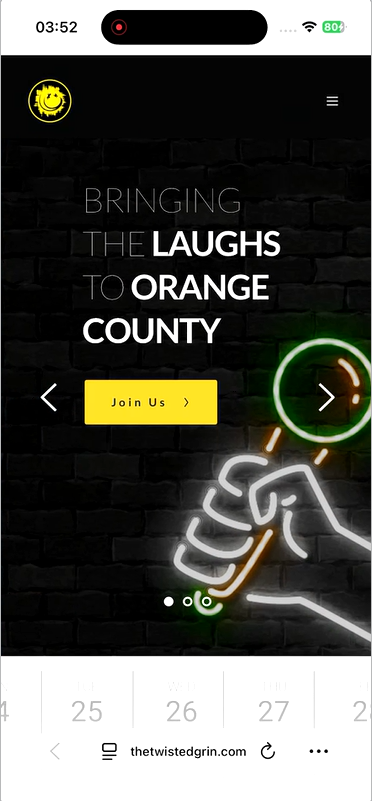
Could you please try the following tests? These steps will help us determine whether the issue is related to your VPN connection, network routing, DNS, or Safari settings.
- Change Your VPN Server Location: Disconnect from your current VPN node and select a different city or country. This changes your outbound IP address and routes your request through a different DNS path, bypassing IP-based blocks.
- Switch the VPN Protocol: In your VPN app settings, switch the connection protocol. If it is set to WireGuard, try switching to OpenVPN (TCP), which handles packet fragmentation and strict network restrictions much better.
- Flush Your DNS Cache: Toggle your device's Airplane Mode on and off for 10 seconds while the VPN is active. This clears the local DNS cache and forces Safari to request fresh routing paths.
- Turn off "Advanced Tracking and Fingerprinting Protection": In Safari, go to Settings > Privacy and temporarily disable this feature. Sometimes Apple's native tracking restrictions conflict with the VPN's proxy headers on smaller, independent websites.
0 -
Nord VPN, in the USA. I changed locations from California to other states, same result. I did the other things too. It’s not just Safari, it’s blocked in Chrome too. And it’s not just me. Others are independent devices are getting the same thing… On Chrome it is saying “thetwistedgrin.com’s server IP address could not be found” and "ERR_NAME_NOT_RESOLVED” when VPN is on… it does work on some VPNs/devices, but not on others...
0 -
Hello Daniel,
While an SSL audit of your website using SSL Labs gives your certificates an A+ rating, the report also identifies some potential security weaknesses that are relevant to the connection issue.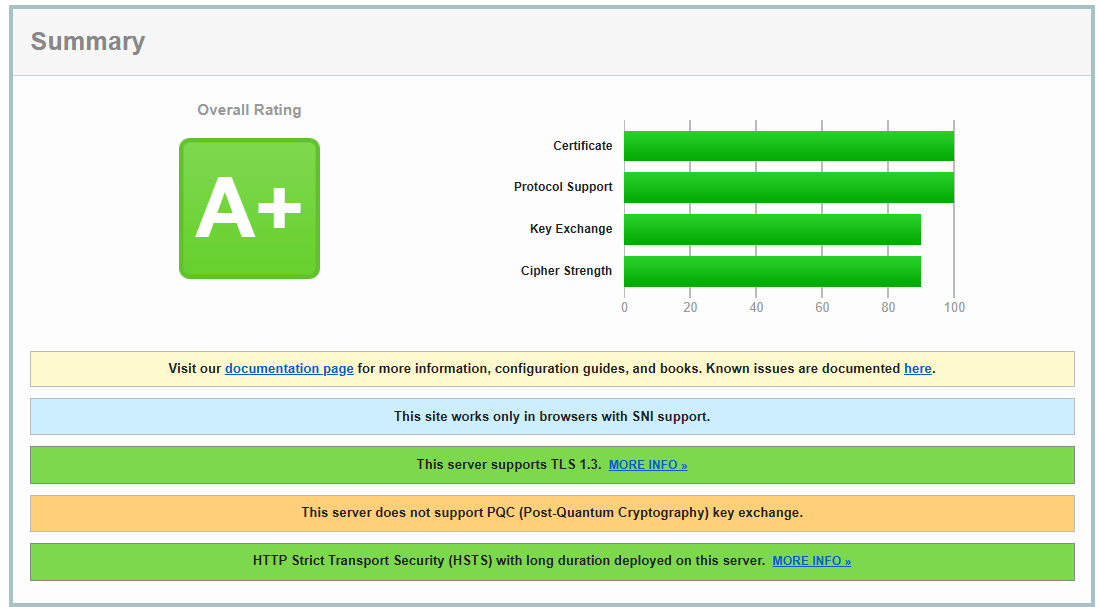
In particular, the weak cipher suites and protocol mismatches are very likely contributing to the website not loading correctly when connecting through NordVPN. Some VPN clients, including NordVPN, may reject weak or deprecated cipher suites for security reasons. If the VPN or the browswer cannot find a cipher suite supported by the server, the TLS handshake can fail, resulting in the connection failure you are experiencing.We are aware of this issue and are actively working on a solution. However, because resolving it requires changes to our infrastructure, we expect the fix to be implemented around October or November, 2026. We understand this is not an ideal timeframe, but we wanted to be transparent about the expected timeline while our team works toward a permanent solution.
0 -
Hello, I'm suffering through this issue still... I'm looking for an update. I'm going to have to move the site... what's strange is this issue is only on this one website... I have a few others and they're fine... are you sure something else is causing this? Would copying the site and deleting the current one and then setting up the DNS fresh possibly fix it? I don't want to do that if it's pointless, but 20% of my visitors get the error and can's see the site even though it's setup properly...
0 -
Hello Daniel,
We’re sorry to hear that you’re continuing to experience issues with https://www.thetwistedgrin.com/. We understand how frustrating it can be when a problem persists without a clear explanation.
Diagnosing this issue has been challenging because it occurs only about 20% of the time, and we haven’t been able to reproduce it on our end. Without consistently reproducing the problem, we cannot confidently identify its root cause and are currently relying on possible causes rather than a confirmed diagnosis.
As a potential workaround, we recommend testing the Server Sync publishing option. It allows you to host your website on an external hosting server while continuing to design and manage it through Brizy Cloud. You can learn more about how to set it up in our guide: How to use Server Sync
To determine whether this approach resolves the issue, kindly consider the following steps:
- Duplicate your existing project using the "Duplicate" option available on the project thumbnail.
- Publish the duplicated project using Server Sync.
- Monitor the website to see whether the issue persists.
0 -
Hello Daniel,
Another area worth investigating is your domain’s DNS propagation. Your domain, thetwistedgrin.com, resolves correctly in most locations worldwide, but some locations are still reporting inconsistent results. This could be a contributing factor to the intermittent accessibility issues you’re experiencing, although further investigation is needed to confirm whether it is the underlying cause.
You can review the DNS propagation results using these tools:
We recommend contacting your domain registrar, Bluehost, to review your DNS configuration and investigate why the domain may not be resolving consistently across all locations. Resolving any DNS inconsistencies could help narrow down the cause of the issue and bring you closer to a solution.
0 -
This is what Bluehost said
Dear Customer, Thank you for contacting bluehost.com. We are committed to creating the best experience for you.
Find the requested transcript below. (All timestamps are in Coordinated Universal Time (UTC). Due to the limitations on the size of emails, any images shared during the chat are excluded from the transcript provided.)
Your case id is: I-27069362
Transcript Date:10/12/2026
[17:35:03] Virtual Assistant: Welcome to *Bluehost*! By continuing you agree to our [privacy policy](https://newfold.com/privacy-center)
[17:35:05] Virtual Assistant: May I please have your first and last name to provide to your agent?
[17:35:12] Customer: Daniel Woodard
[17:35:14] Virtual Assistant: Would you like a copy of this chat transcript once your conversation with an agent is complete?
[17:35:25] Customer: Yes
[17:35:25] Virtual Assistant: Please enter email address that you want this transcript to be sent. If you don't want this transcript then type pass.
[17:35:38] Customer: support@woo
[17:35:38] Virtual Assistant: You entered support@wood Is that correct?
[17:35:44] Customer: Yes
[17:35:45] Virtual Assistant: Let me get you to someone who can help. Please note, once our agent has completed assisting you, we'd also like to invite you to complete a brief survey on your experience today.
[17:36:12] Agent: Hi, Daniel. I'm Dixit and I'm excited to work with you and How are you doing today?
[17:37:34] Agent: To stay connected throughout our conversation, please enable sound on your device. Let's get started.
[17:37:37] Agent: How may I assist you today ?
[17:37:40] Customer: Ok. I've having issues with one of the domains I have with you. It's getting blocked by some browsers and networks. My other hosting company has said the below: Hello Daniel, Another area worth investigating is your domain’s DNS propagation. Your domain, thetwistedgrin.com, resolves correctly in most locations worldwide, but some locations are still reporting inconsistent results. This could be a contributing factor to the intermittent accessibility issues you’re experiencing, although further investigation is needed to confirm whether it is the underlying cause. You can review the DNS propagation results using these tools:NSLookup.io – DNS Propagation Check WhatsMyDNS – A Record Lookup We recommend contacting your domain registrar, Bluehost, to review your DNS configuration and investigate why the domain may not be resolving consistently across all locations. Resolving any DNS inconsistencies could help narrow down the cause of the issue and bring you closer to a solution.
[17:38:07] Customer: thetwistedgrin.com is the domain
[17:40:59] Agent: Thank you for the information.
[17:41:05] Agent: I ll definitely assist you with the domain DNS issue, I can understand how important it is. Let me check this right away and assist you.
[17:41:30] Agent: Please help me with the Support/Security PIN number to pull up the account details.
[17:42:17] Agent: thetwistedgrin.com domain is pionting to 34.237.47.210 IP
[17:42:28] Agent: May I know with which provider you are hosting this domain ?
[17:42:54] Customer: It's Brizy
[17:46:51] Agent: Thank you for authenticating the account.
[17:46:59] Agent: Please be on hold while I check.
[17:47:14] Customer: ok
[17:48:11] Agent: Thank you for being on hold. Thanks for your time and patience.
[17:48:42] Agent: I've checked the thetwistedgrin.com domain and see that it resolves correctly in all the locations.
[17:48:47] Agent: You can check in this link https://dnschecker.org/#A/thetwistedgrin.com
[17:48:55] Agent: Also in the DNS page https://www.bluehost.com/my-account/domain-center-update/details?domain=thetwistedgrin.com&tab=dns
[17:49:11] Agent: I see an A record * pointing to 66.81.203.198 IP
[17:49:33] Agent: 66.81.203.198 is our default IP which you can remove.
[17:50:46] Customer: so you don't see any issues on the registrar side? I will remove that IP, but does having it there cause a problem?
[17:51:56] Customer: I just deleted your default IP...
[17:52:24] Agent: Yes i've checked and everthing looks good on our end.
[17:52:29] Agent: There is no DNS issue.
[17:52:42] Customer: ok. thank you.
[17:54:54] Agent: You are most welcome
[17:55:15] Agent: To recap, you have contacted us today regarding a DNS issue. I've checked, and there is no issue from our end. Please let me know if there is anything else I can help you with.
[17:56:07] Customer: all good for now
[17:56:59] Agent: My pleasure. I'm glad I was able to assist you. I hope I have answered all your questions. If you could spare just a minute to take a survey and rate the interaction at the end of this chat it would really help me.(5 = Best) Thank you for choosing us, we appreciate your business.
[17:57:04] Virtual Assistant: Please rate your experience by answering a few short questions.
[17:57:05] Virtual Assistant: My representative was knowledgeable. Please rate 1-5; *5 being the best*.
[18:02:06] Virtual Assistant: Sorry, I didn't receive any input from you. My representative was knowledgeable. Please rate 1-5; *5 being the best*.
[18:07:06] Virtual Assistant: I have not heard from you in a while, so I am closing this chat, please come back if you need my help again. Thank you.
Kind Regards,
Customer Support0 -
Hello Daniel,
Bluehost support agent Dixit identified an A record that was pointing your domain to the IP address 66.81.203.198 instead of the correct Brizy Cloud IP address, 34.237.47.210. It’s possible that this incorrect DNS record caused your domain to resolve to the wrong IP address in some locations, potentially contributing to the SSL warnings reported by approximately 20% of your visitors.
Now that the incorrect A record has been removed, we recommend monitoring your website over the next ten days to see whether the issue recurs. During this period, please keep track of any SSL warnings reported by your visitors, paying particular attention to whether the issue continues to affect the 20% of your users. This will help us determine whether removing the incorrect DNS record has resolved the problem or whether further investigation is needed. Your observations over the coming days will help us establish whether the issue has been fully resolved.
0 -
That was not why. After it was deleted the problem remains. It's worse now actually. I need it fixed. Do you have any creative ideas to try?
0 -
 0
0 -
Hello Daniel,
We’ve now been able to successfully reproduce the SSL issue affecting https://thetwistedgrin.com/, which is an important step toward identifying the underlying cause.
We’ve escalated the issue to our development team for further investigation. We’ll keep you updated as soon as we have any significant findings or progress to share.
Thank you for your patience and understanding while we investigate this further.
0 -
Hello Daniel,
I visited https://thetwistedgrin.com/ and saw the the SSL error. Then I clicked the “Not secure” notification in the browser’s address bar and selected “Certificate Details” to examine the SSL certificate being presented when accessing your website.
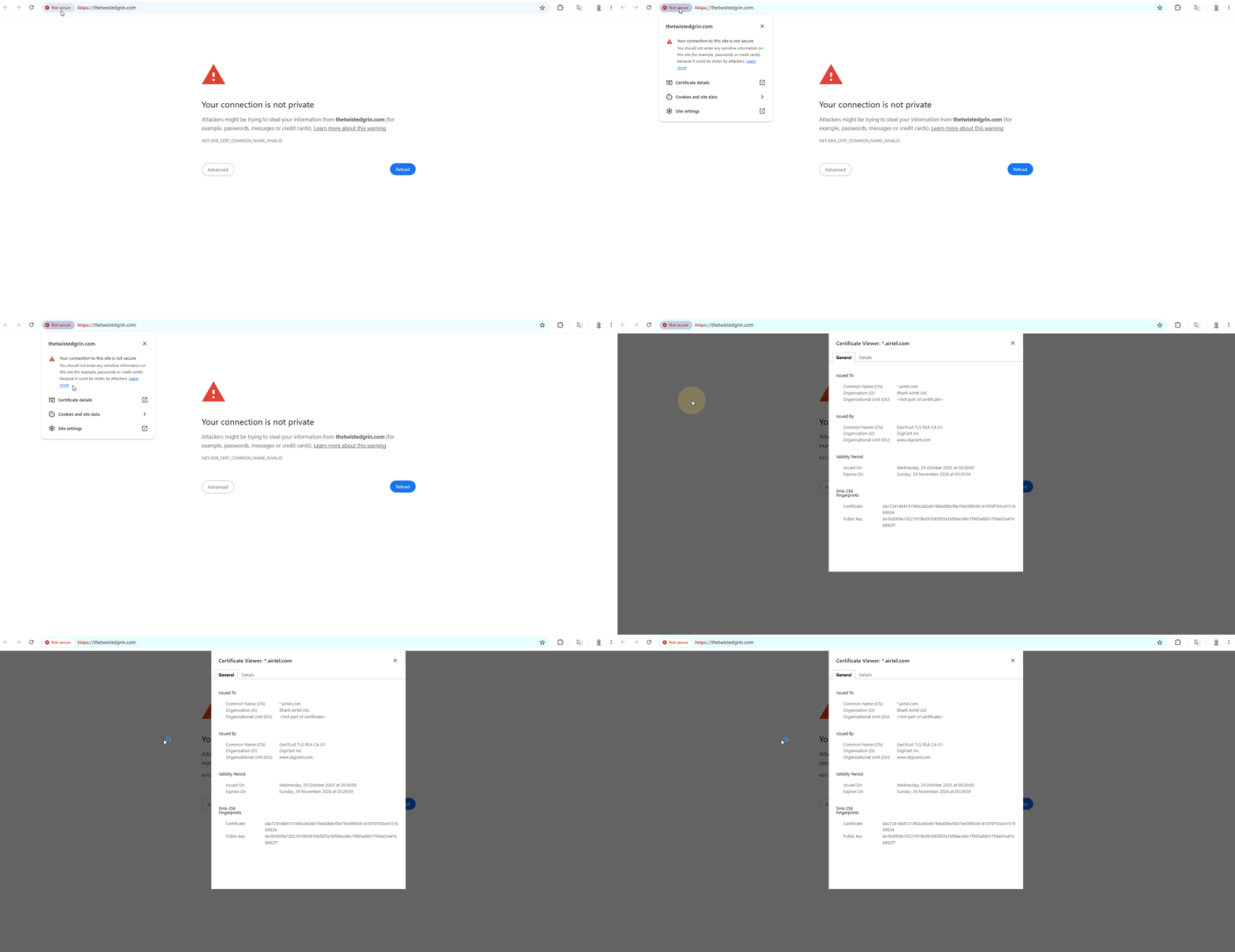
The certificate information revealed something unexpected. Instead of seeing an SSL certificate associated with your website’s domain, I found a certificate issued for a domain associated with my internet service provider, Airtel, by DigiCert (www.digicert.com).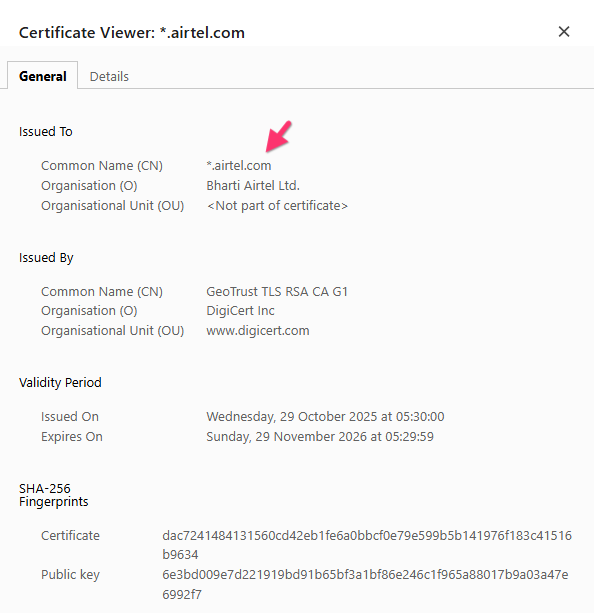
This mismatch between your website’s domain and the domain listed on the certificate may explain why the browser is displaying the SSL security warning.
Could you please perform the same check when you encounter the SSL error on your end? Simply click the browser’s security warning in the address bar, open the certificate details, and check which domain the certificate was issued for.
Please share a screenshot of the certificate details or let us know which domain is listed. This information will help us determine whether the same issue occurs on your end and guide us toward the next steps in our investigation.
Thank you for your cooperation. We appreciate your help in getting to the bottom of this issue.
0
Please sign in to leave a comment.
Comments
27 comments