having an issue with adding headder and footer

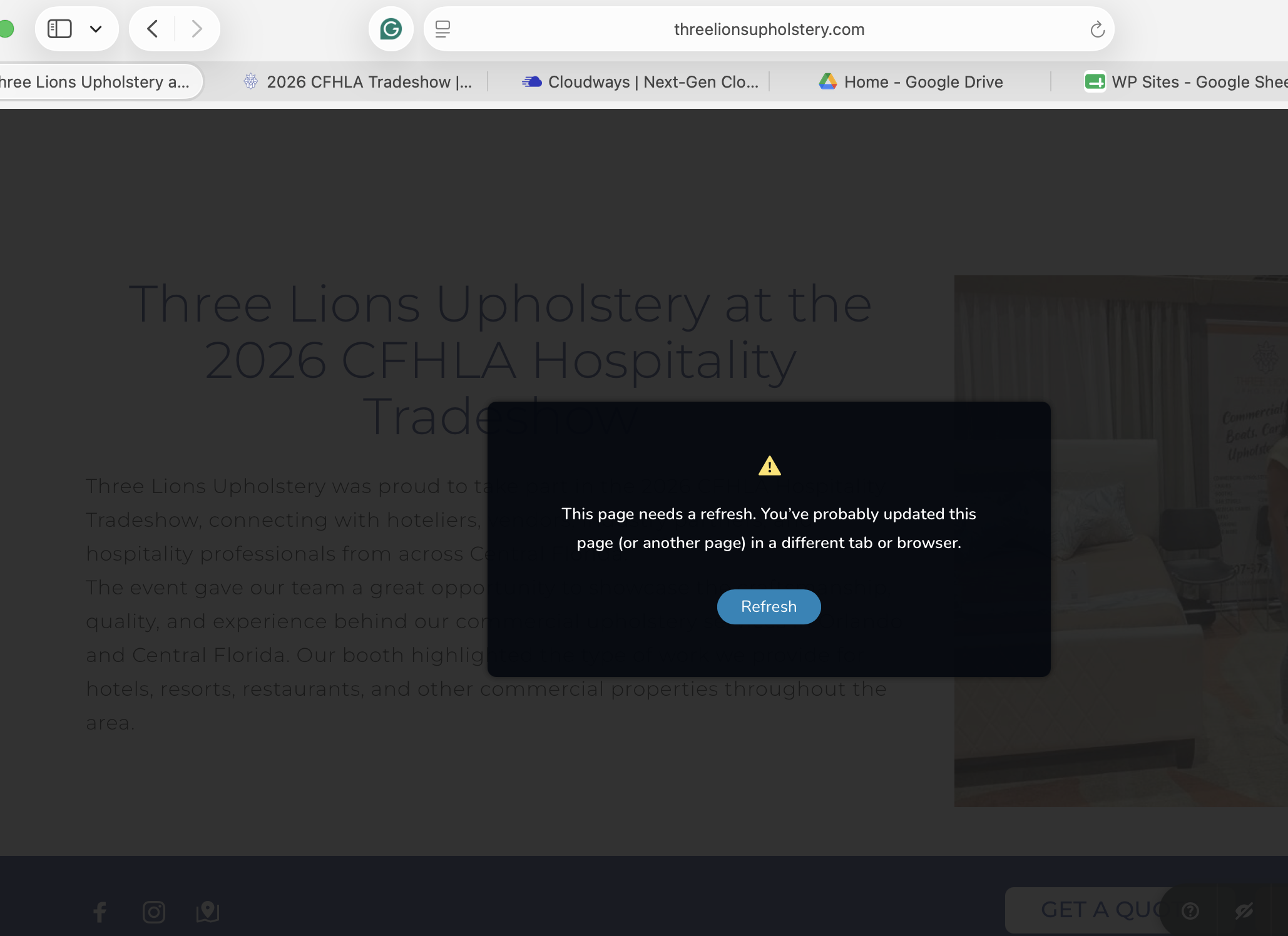
I am adding a post to the website, and I was able to do that. I can edit and save the body of it, no problem. however when it comes to adding headder and a footer i can add it, but it is not saving it; it is giving me an error (see the image). I only have one window open. I talked to hosting company. They did some checks, and all seems to be great on that end. I deactivated plugins, and that didn't work. I reinstalled Brizy Pro, and that didn't help either.
-

Hi Tatsiana,
Could you please provide temporary administrator access to your WordPress dashboard so we can take a closer look at the issue?
Kindly send the following details to communitysupport@brizy.io:
Community post link: https://support.brizy.io/hc/en-us/community/posts/38084928431250
WordPress Admin URL:
Username:
Password:We’ll be glad to assist as soon as we have access.
Best regards,
Ariel H.0 -
Hi Tatsiana,
Upon checking, Brizy is receiving an HTTP 403 response when sending an AJAX request while editing or saving the page. This usually indicates that a server-level security rule is blocking the request to:
/wp-admin/admin-ajax.php
Please contact your hosting provider and ask them to check the server/WAF security logs for the failed request. If they confirm that a security rule is blocking the Brizy AJAX request, please ask them to identify and whitelist the specific rule for your application.
You can send them the following message:
We are receiving an HTTP 403 response when Brizy sends an AJAX request while editing or saving a page. Could you please check the server/WAF security logs and confirm whether a security rule is blocking requests to /wp-admin/admin-ajax.php? If so, please identify the specific rule and whitelist it for this application.
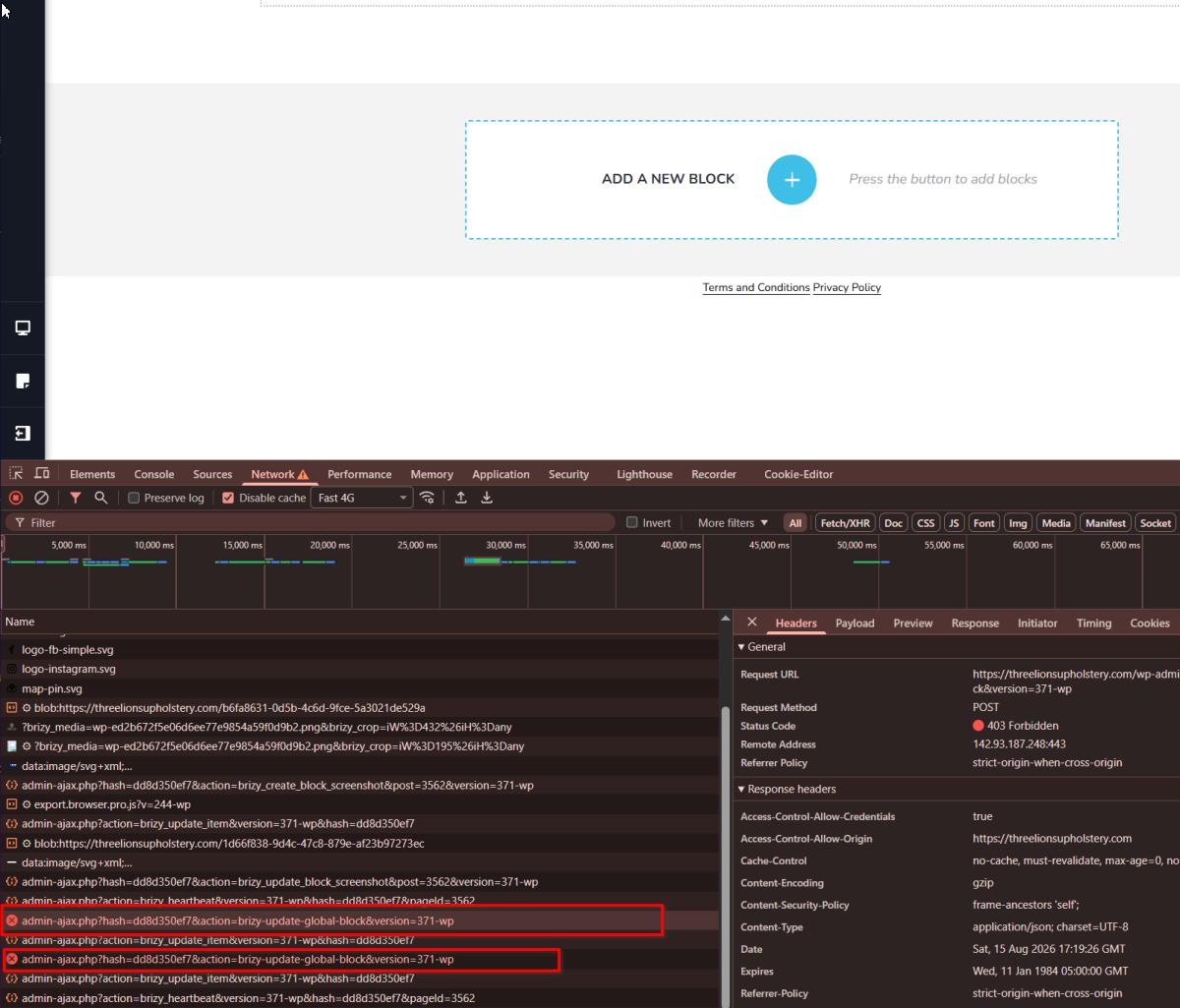
Once the hosting provider has made the necessary adjustment, please try editing and saving the page again and let us know if the issue continues.
Best regards,
Ariel H.0 -
Can you share if there is any IP range for Brizy that we can whitelist for testing?
That’s what they said0 -
Hi Tatsiana,
Please provide your hosting provider with your server’s IP address:
142.93.187.248
Alternatively, you can forward them the screenshot from our previous email, as it shows both the server IP address and the errors.
Best regards,
Ariel H.0 -
I have gave them this info and they are saying this"
Danish Hussain (Cloudways Ticketing System)
Aug 22, 2026, 4:54 AM GMT+5
Hi Tatsiana,
Thank you for confirming. We performed the following tests on the cloned application:
- All plugins were disabled, with only Brizy and Brizy Pro enabled.
- The theme was switched to Twenty Twenty-One.
- No blockage was found in the firewall logs.
- No relevant rules were found in the
.htaccessfile or NGINX/Apache virtual host configuration. - No CDN firewall is configured on the clone.
Based on our testing, we recommend sharing these findings with Brizy Support so they can investigate the 403 response for /wp-admin/admin-ajax.php and the brizy-update-global-blocks request.
Once you receive their findings, please share the details with us so we can review them further and assist you accordingly."0 -
Hi Tatsiana,
Thank you for sharing the response from Cloudways and the results of their testing.
To further investigate the issue, could you please provide us with temporary access to your hosting control panel?
This will allow us to review the server configuration and the affected application more closely from our end.
You can send the temporary hosting credentials securely to communitysupport@brizy.io.
Once we receive access, we will continue investigating the issue.
Best regards,
Ariel H.0 -
I have sent the invitation to the cloned website so my client's site doesn't go down
0 -
Hi Tatsiana,
Thank you for your patience.
We were able to access your hosting console; however, the available access does not include the Web Application Firewall settings.
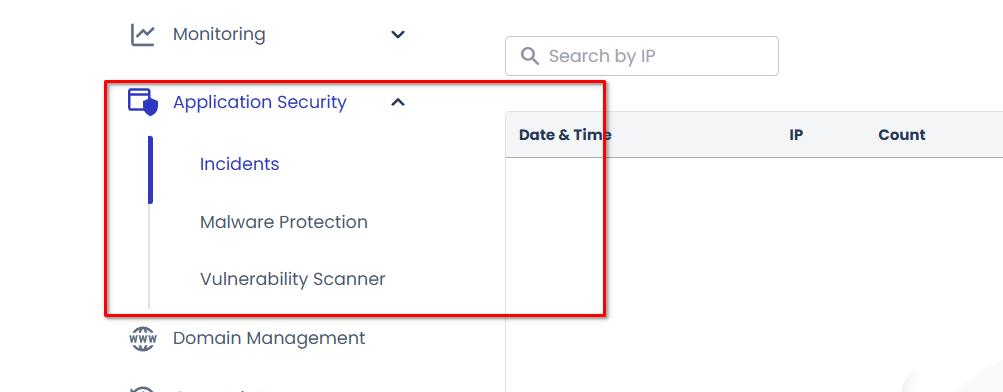
The 403 Forbidden error means that the server is receiving Brizy’s request to save the global header or footer but is refusing to process it. In this case, the request to the WordPress admin-ajax.php endpoint is most likely being blocked by a server-level security rule or Web Application Firewall.
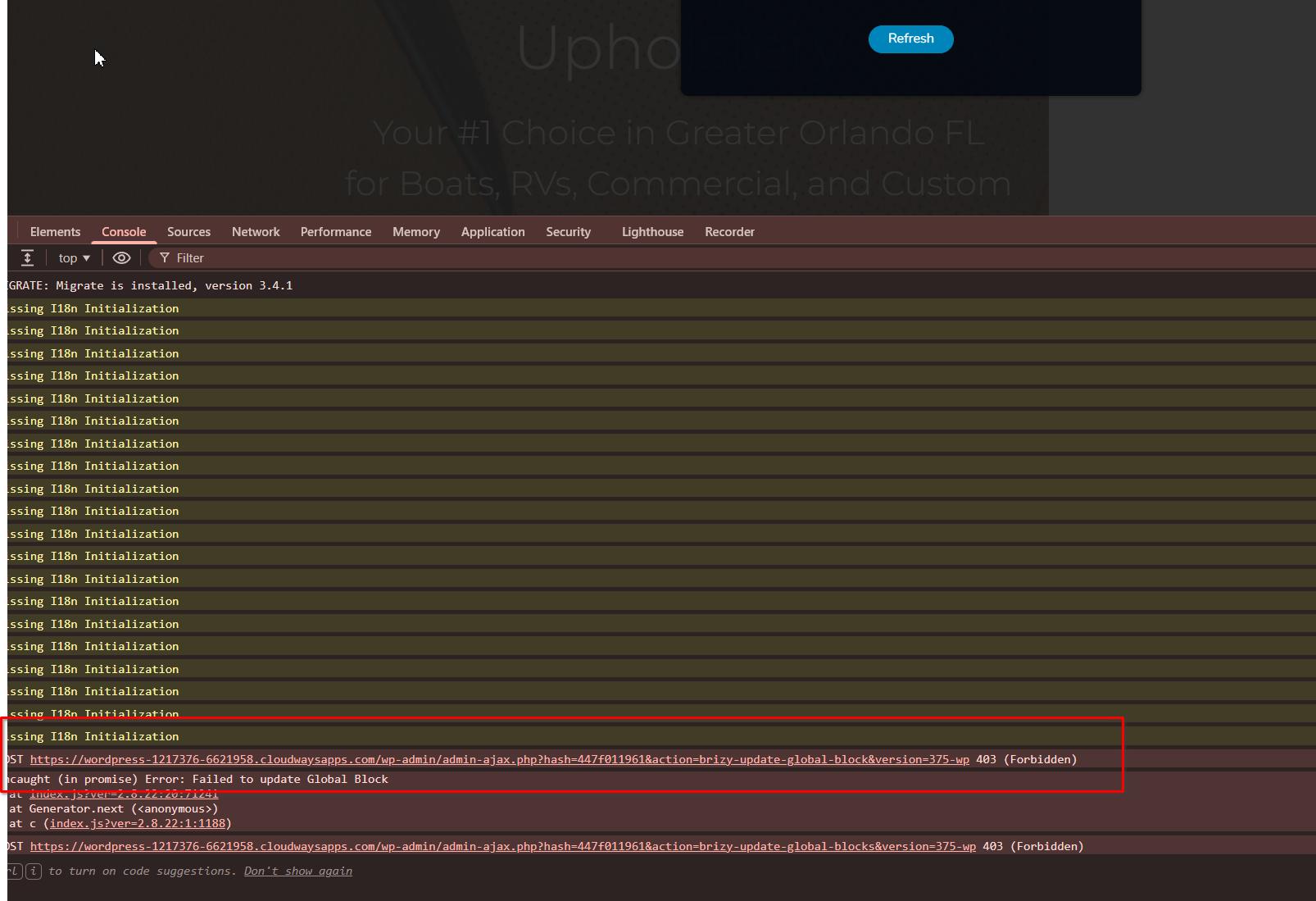
As this is a server-side issue, please ask Cloudways Support to escalate the case to their Tier 2 support team. They have direct access to the server and can review the firewall and security logs, identify the rule blocking Brizy’s request, and adjust or whitelist it accordingly.
Please share the screenshot with them and mention that the POST request used by Brizy to update a global block is returning a 403 Forbidden response.
Best regards,
Ariel H.0 -
Hi Tatsiana,
Just a quick update on the issue you reported. After looking into it further, we found an underlying cause that wasn’t apparent during our initial investigation.
I’ve now applied a fix to your website and confirmed that the issue has been resolved. We’ve also seen a few similar cases since then, which helped us identify the common cause. We’ve explained the issue and solution in more detail in this support thread: https://support.brizy.io/hc/en-us/community/posts/38563280677778
I apologize that we weren’t able to identify this during our initial troubleshooting, but I’m glad we were able to get to the root cause and properly resolve it for you.
Best regards,
Ariel H.0
Please sign in to leave a comment.
Comments
9 comments