Site broken after latest update...

Hi Brizy Support Team,
We are experiencing broken layouts across internal pages on engageart.org immediately following the latest Brizy update.
Troubleshooting Already Attempted:
-
Flushed all server and plugin caches.
-
Deactivated and reactivated both Brizy and Brizy Pro plugins.
-
Attempted to manually update/resave the affected pages.
Technical Diagnostics:
The internal pages are failing to render styles because the following CSS assets are completely missing from the server directory post-update:
-
wp-content/plugins/brizy-pro/public/editor-build/prod/css/preview-priority.pro.min.css -
wp-content/plugins/brizy-pro/public/editor-build/prod/css/preview.pro.min.css -
wp-content/plugins/brizy/public/editor-build/prod/css/preview.min.css
This behavior appears identical to the known issue reported here: Brizy Community Post.
Next Steps & Requests:
-
Is there an immediate patch or a specific file structure fix to restore these missing production assets?
-
If an official fix is not readily available, please provide a safe download link and instructions to rollback to the last stable version of both Brizy Free and Brizy Pro without losing layout data.
Thank you for your prompt assistance.
-

Hi,
Thank you for the detailed information.
Before making any changes, we recommend creating a full backup of your website so you have a restore point in case anything needs to be reverted. A plugin such as WPvivid Backup can be used for this or any backup plugin that you prefer to use.
Please also make sure you're using the latest versions of both Brizy and Brizy Pro.
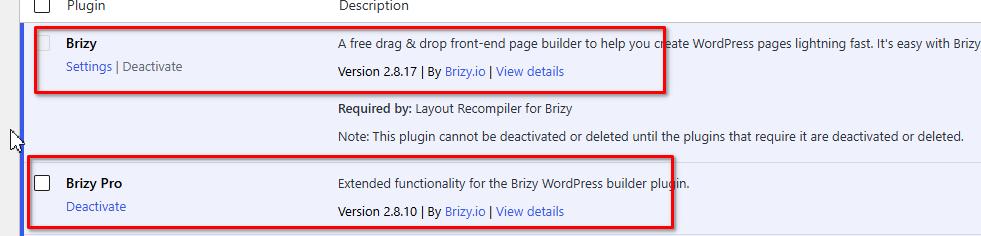
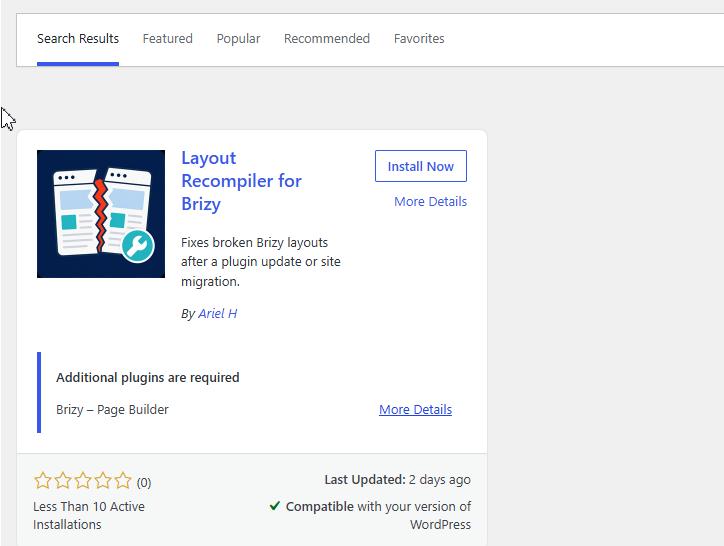
Once you've confirmed they're up to date, install the Layout Recompiler for Brizy plugin.
After installing it, go to Tools > Layout Recompiler, skip directly to Step 3, and click Start Recompilation.
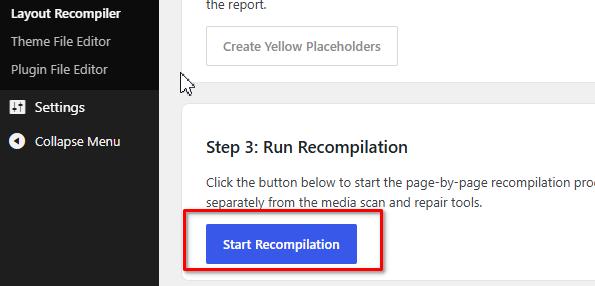 This will rebuild all Brizy layouts and CSS files, which often resolves missing stylesheet issues after an update. Once it's finished, please purge any cache plugins you're using, then check the front end of your site to see if the issue has been resolved.
We've previously used this plugin to successfully fix a similar issue. You can see it in action here: https://youtu.be/aOkBbAWAcWI.Please let us know the result after the recompilation. If the issue persists, we'll be happy to investigate further.
Kind regards,
Ariel H.0 -
Running the Recompiler seemed to fix the issues. Thanks.
0
Please sign in to leave a comment.
Comments
2 comments