NEW UPDATE BREAKS CSSS

prod/css/preview-priority.pro.min.css
Some css files missing in the prod and site is broken
Tried to reactivate brizy still same issue extracted the folder and realised Some files are at 0 kb but the ones that re in the console logs are totally missing.
Brizy Pro and Brizy 2.8.1
I have momentarilly used css from the previous stable version as I wait for a fix
-

Hello there
We apologize for the inconvenience. We will work on a fix for this error and will keep you informed here as we release a fix.
1 -

I have this same issue and my site is a horrendous mess. Clients are going to be looking at my website tomorrow. This is absolutely ridiculous. I need this resolved ASAP. I tried going back to 2.8.0 but that did not resolve the issue.
0 -

Hi Brandon,
Thank you for reaching out, and I apologize for the inconvenience.
This issue has already been escalated to our developers for further investigation. In the meantime, we recommend reverting to the previous stable versions available here:
https://supportpage-temp.brizy.site/If you need any help with this, please feel free to send your site credentials so we can also check the issue from our end. Kindly send the following details to communitysupport@brizy.io:
Community post link: https://support.brizy.io/hc/en-us/community/posts/33965336279058
WordPress Admin URL:
Username:
Password:We’ll be glad to assist as soon as we have access.
Best regards,
Ariel H.0 -
Hi brandon if you can currently read your console logs you will get to know the missing file.
You can then upload the missing file,
For my case i copied the exact files from the previous version and works fine as am waiting for the patch0 -
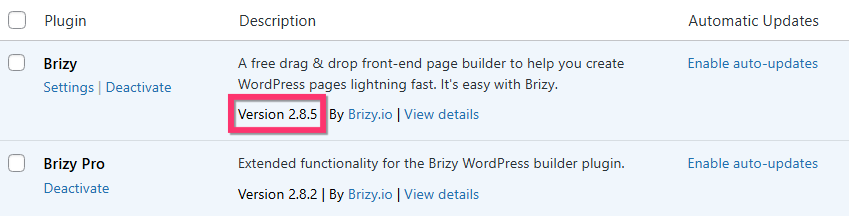
Kindly update to Brizy 2.8.5 and check if the issue gets resolves
 0
0 -

Same issue - site has been crap for a while and client had called. Even with latest 2.8.8 and 2.8.3 pro, it didn't fix itself!
I had to manually create this file from another installation. This is a serious mistake guys!
0 -
Hi Safal,
My apologies for the inconvenience this issue has caused. We’re actively working on a fix and will keep you updated as soon as we have any progress.
In the meantime, if you need any assistance with updating your website, please let us know.
Best regards,
Ariel H.0 -

same for me just updated and all broke
0 -
so i find a reason all pages that have a button with pop up form broke all pages if i revove this buttons all good.
so this pop up form set as global if i remove global all good0 -
Hello Vlad,
We apologize for the inconvnience. All problems resolved or do you need any support from us?
0 -

I had this same problem today (no styling loading on my Brizy site, and errors about missing preview.min.css and preview.pro.min.css). I was able to fix it by disabling "global" on my global blocks (header and footer) on each page, then re-globaling them. It's been fine since. I didn't have any popups on this site, so plain global blocks were enough to cause this.
1 -
Hi Katherine,
To help us investigate this issue, could you please provide temporary access to your WordPress admin dashboard? This will allow us to take a closer look at your setup and identify the cause of the issue.
Kindly send the following details to communitysupport@brizy.io:
Community Post: https://support.brizy.io/hc/en-us/community/posts/33965336279058
WordPress Admin URL:
Username:
Password:We’ll review it as soon as we receive the access.
Best regards,
Ariel H.0 -
Hi Katherine,
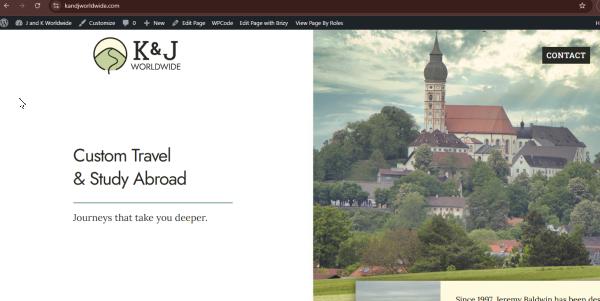
We inspected your website, but the issue no longer appears to be occurring. Were you able to resolve it on your end?
Best regards,
Ariel H.0 -
Hello Ariel! Yes, as both my message above and my email I sent said, "I was able to fix it by disabling "global" on my global blocks (header and footer) on each page, then re-globaling them. It's been fine since."
I thought you wanted to look at the configuration for your own investigation, which was why I sent the credentials anyway.
0 -
Hi Katherine,
Thank you for clarifying, and I apologize for overlooking that detail in your earlier message and email.
We also appreciate you providing the credentials for further investigation. Should the issue occur again, you can use the Layout Recompiler for Brizy plugin instead of manually resetting the global blocks:
https://wordpress.org/plugins/layout-recompiler-for-brizy/
Best regards,
Ariel H.0 -
Oh thank you! That seems really useful! :)
0
Please sign in to leave a comment.
Comments
16 comments