Post Ordering Dynamic Content

Hi,
I have used Brizy and ACF to display events. See below:
https://www.thefarmernetwork.co.uk/news-and-events/events/
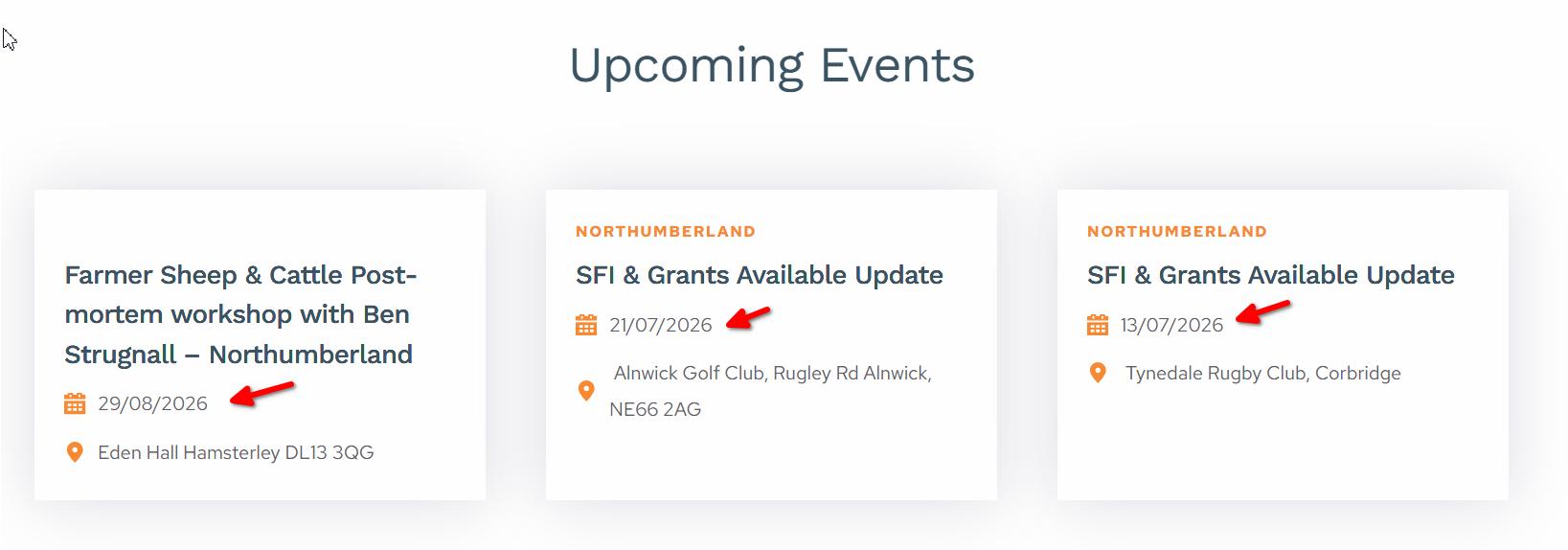
This is working other than the date order isn't showing as it should. In fact it still seems in order of when the posts were created rather than in order of the custom field date. Do you have any thoughts on what is happening please?
I am having the same issue on a second site so any advice would be greatly appreciated.
Thanks,
Eilidh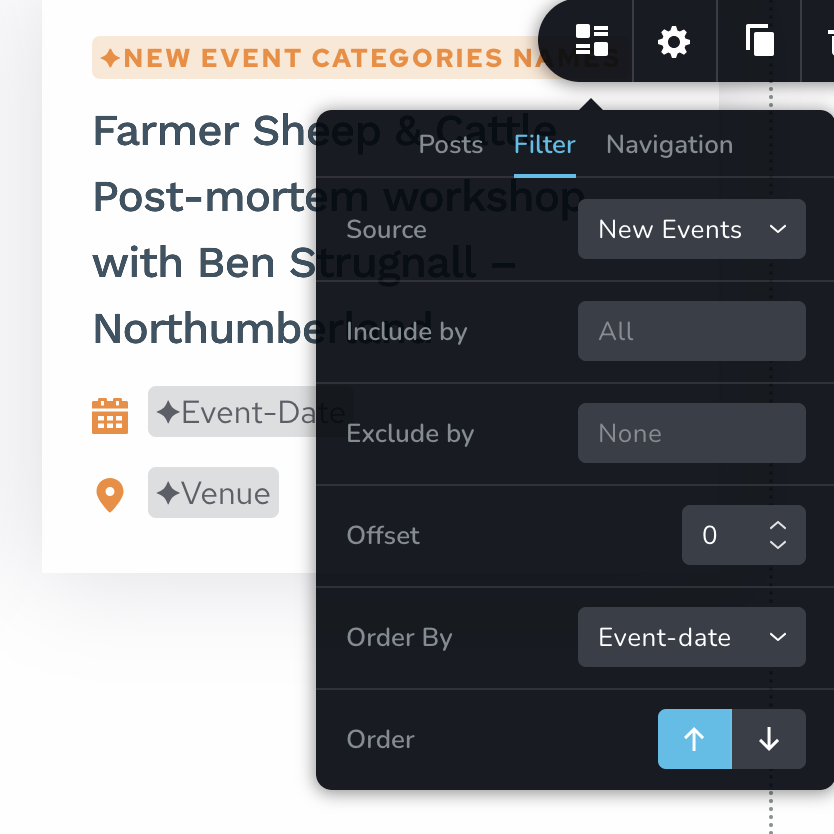
-

Hi Eilidh,
Thank you for reaching out.
I created a similar page on my end using ACF and Brizy, but I wasn't able to replicate the sorting issue.
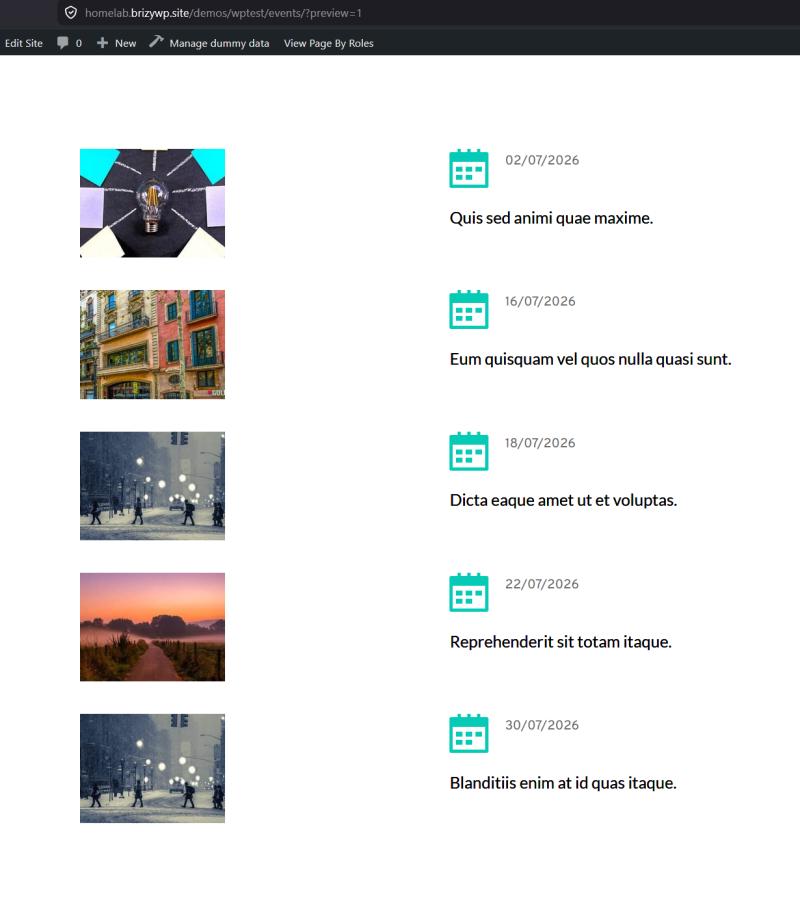
Could you please provide temporary access to your WordPress admin dashboard so we can investigate this directly on your website?
When sending the credentials, please email them to communitysupport@brizy.io and include the reference number 37024599503890 in the subject line so we can locate your request quickly.
Kind regards,
Ariel H.0 -
Hi Eilidh,
Thank you for your patience.
I checked the Events page on my end, and everything appears to be working properly. I even reversed the sort order, and the events updated as expected.
Could you please send us a screenshot of what you're seeing? That will help us compare it with what we're seeing on our end.
In the meantime, could you also try viewing the page in a different browser or an incognito/private browsing window to see if the issue persists? This will help us determine whether it's related to browser caching.
Kind regards,
Ariel H.0 -
Hi Ariel,
So frustratingly the event it was doing it with has now passed and has dropped off. However, it is still doing it with this site. if you scroll down the homepage.
This is happening on Firefox and Google Chrome.
Thanks,
Eilidh
0 -
Hi Eilidh,
Could you please try temporarily reversing the order of the posts, click Update, and then change the order back and click Update again? This may help refresh the query. After that, please purge any cache on your website.
Once you've completed these steps, please let me know so I can check the page from my end.
Kind regards,
Ariel H.0 -
Hi Ariel,
It's done something but is still not fully correct. e.g. 13th Aug comes before 12th Aug.
Thanks,
Eilidh
0 -
Hi Eilidh,
Thank you for the update.
Could you please send the credentials to communitysupport@brizy.io using the format we previously provided? This will help us quickly locate your request to begin investigating the issue.
Kind regards,
Ariel H.0 -
Hi Ariel,
Did you manage to take a look at this?
Thanks,
Darren0 -
Hi Darren,
The category title was displaying as "Category: Training" because Brizy was pulling WordPress’s complete archive title, which automatically includes the "Category:" prefix.
We first checked whether this could be adjusted through ACF or a WordPress filter, but the filter did not affect how Brizy generated the title. Because of this, we added a small JavaScript snippet that removes only the "Category:" text after the page loads.
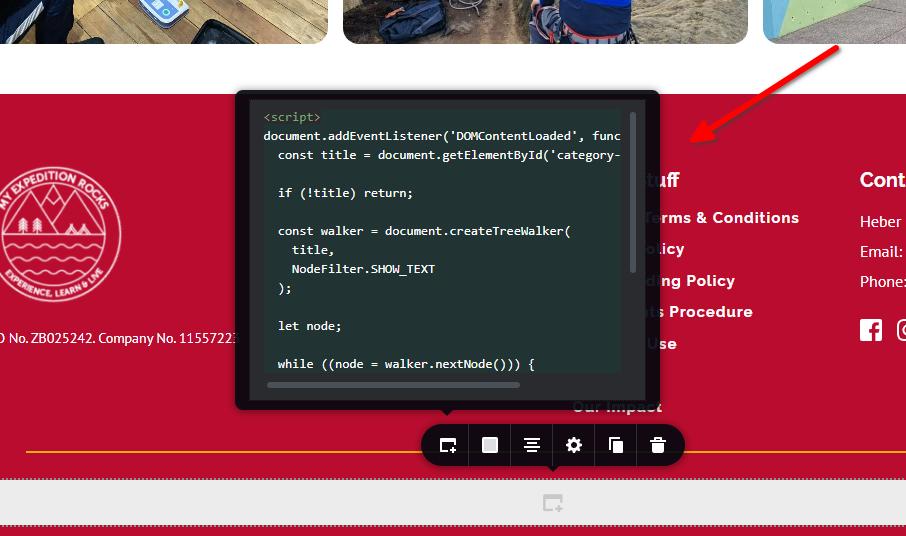
The script targets the title using the custom ID "category-title" and keeps the existing Brizy styling intact, including the font, size, and weight.

Kind regards,
Ariel H.0 -
That's fantastic. Thank you very much. Really appreciate it,
0 -
Hi Eilidh,
This is regarding the Events ACF post ordering issue.
Unfortunately, we don’t have any updates on the issue at the moment. In the meantime, I’ve added a temporary PHP code snippet that should resolve the problem and ensure the events are sorted by the Event Date.
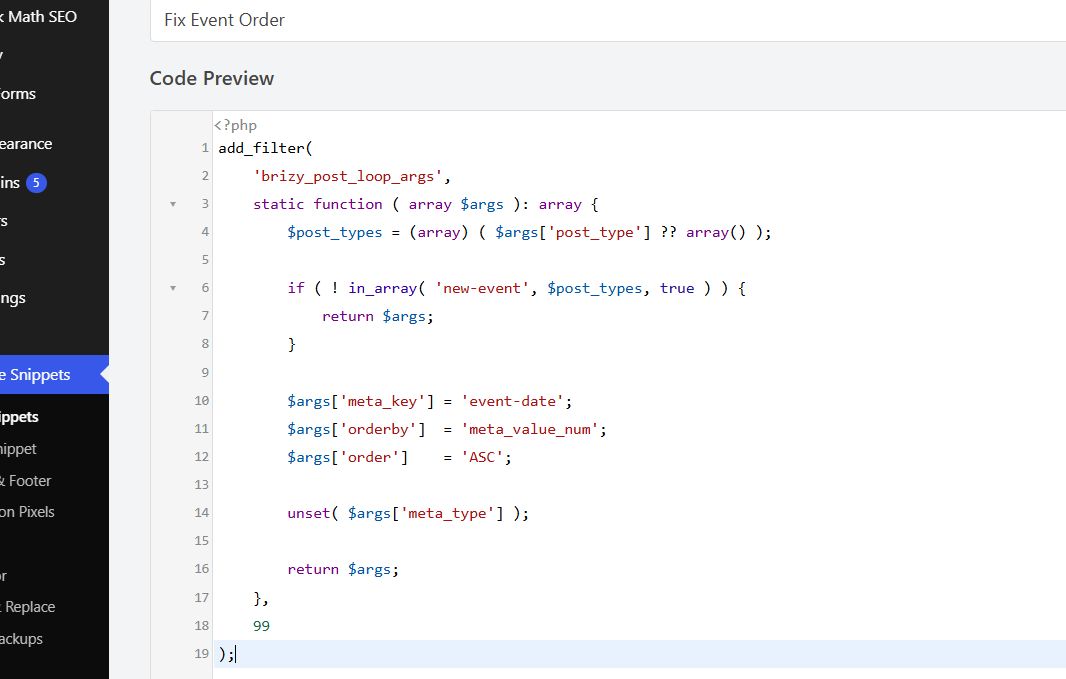
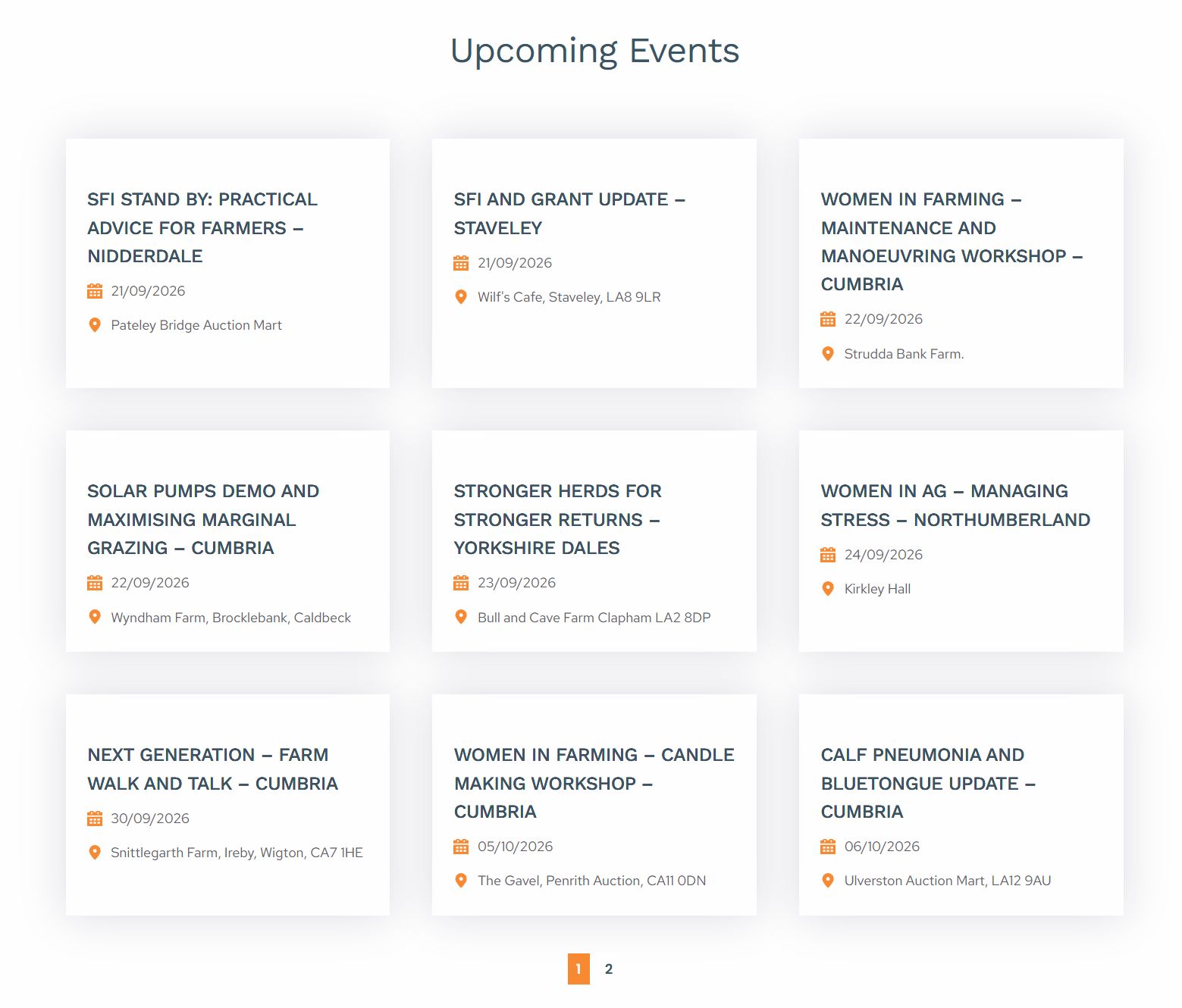
If you have other similar sites experiencing the same issue, you can use the same code snippet. Please make sure the ACF Field Name is set to "event-date". Alternatively, you can send us the site credentials, and we’ll be happy to add the code snippet for you.
Thank you for your patience and understanding.
0 -
Hi Ariel,
Thanks for this. It seems to have worked on this site. Although I can't get it to work on this one. In fact when I use the code all the events disappear from this page - https://www.fonfestival.org/archive/event-archive/
Do you have any thoughts?
Thanks,
Eilidh
0 -
Hi Eilidh,
I’d be glad to take a look at this one as well.
Could you please send over the site credentials? Please include the reference 37024599503890 in the subject line so we can easily identify your request.
Best regards,
Ariel H.0 -
Hi Eilidh,
The code snippet has now been added to the WPCode plugin on the site. You can check it there, and it should now be active.
Best regards,
Ariel H.0 -
Hi Ariel,
Thank you for this although it is still not showing the events in the correct order on this page - https://www.fonfestival.org/archive/event-archive/
Do you know why this is?
Thanks,
Eilidh
0 -
Hi Eilidh, we found that the Post Types Order plugin was causing a conflict. We’ve disabled it, and the sorting order now appears to be working.
0 -
Hi Ariel,
I'm afraid this is still not working - https://www.fonfestival.org/archive/event-archive/
Do you know why that is?
Thanks,
Eilidh
0 -
Hi Eilidh, please give me some time to look into this and figure out what’s causing the issue. I’ll get back to you as soon as I have more information. Thank you for your patience!
0 -
Hi Ariel,
Thanks for this, much appreciated.
Eilidh
0 -
Hi Eilidh,
Thank you for your patience.
The sorting snippet is working as intended. However, some older event records have incomplete dates in their Event Date custom field, the month and day are saved, but the year is missing. This prevents those events from being placed in their correct chronological order.
The snippet places events with complete dates first and those with missing years last. To resolve the remaining ordering issue, please select and save the correct full date, including the year, for each affected event.
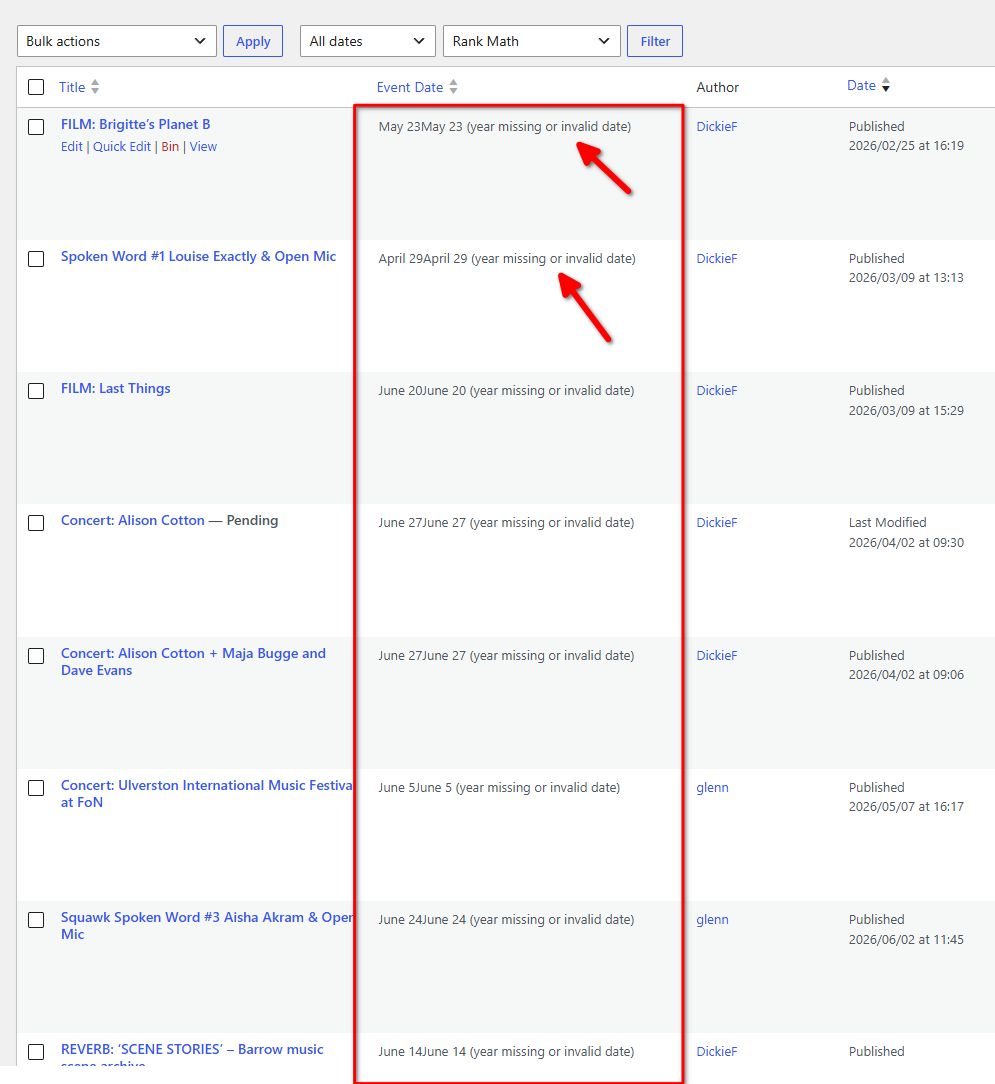
Kind regards,
Ariel H.0 -
Hi Ariel,
Thanks for this. Although when you go into the event itself an event date has been selected? See screenshot.
thanks,
Eilidh
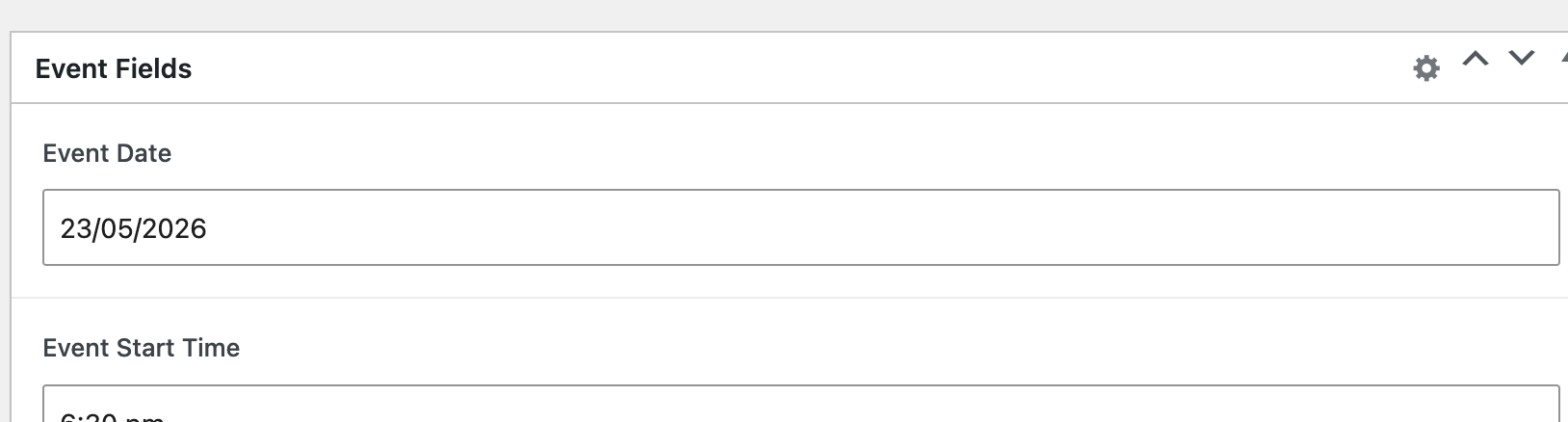 0
0 -
Hi Eilidh,
Thank you for the update.
Could you please click Update on the event, then return to the events list and check whether the Event Date column changes?
If it still shows the missing-year message, please manually select the correct year in the date picker, click Update again, and recheck the column.
Kind regards,
Ariel H.0 -
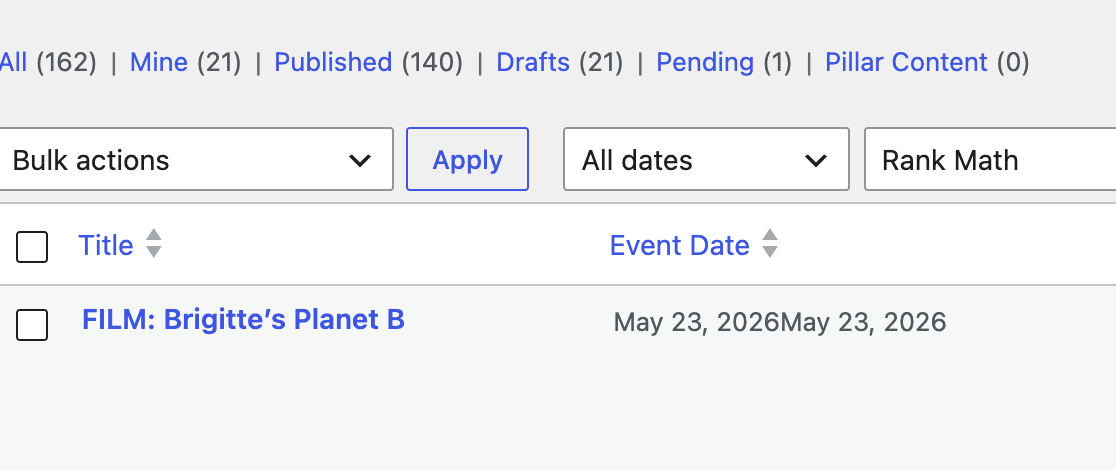
Hi Ariel,
This now shows as follows in the screenshot. Although it's now also brought it to the top of the list on the Archive page which is incorrect also....?
Thanks,
Eilidh
 0
0 -
Hi Eilidh,
The snippet puts events with complete dates first. As you correct more events, they will be sorted chronologically within that group. Events still missing years remain at the bottom.
Follow these steps for an affected event:
1. Open the event
2. In Event Date, reselect the correct day, month, and year.
3. Click Update.
4. Return to the events list and check the Event Date column. The missing-year warning should disappear.
5. Repeat for the remaining affected events.0 -
Hi Ariel,
This still doesn't seem quite right to me. In fact I'm concerned the snippet has broken the date field. I now can't tell what was this year and what was prior?
Plus the events that are showing first are ones without complete dates?
I really don't want to change any more dates manually in case I'm causing a further problem or accidentally setting them all to 2026. Has the missing complete date been the results of the snippet because it didn't show in the backend like this previously?
Thanks,
Eilidh
0 -
In fact looking at the Archive all events are showing as 2026 - www.fonfestival.org/archive/event-archive/bpage/7/ . This is not correct and a huge issue. This is a really important archive that extends over a decade.
0 -
Hi Eilidh,
I’m sorry for the confusion caused by the warning.
The "year missing or invalid date" message was added specifically as a troubleshooting aid to identify incomplete stored dates. It is a diagnostic label from our snippet.
In the database, we found published events whose "event_date" field contains only a month and day, such as "May 22," without a year. These incomplete values were present before we added the snippet.
Here’s how this affects the archive:
- ACF formats the incomplete dates and may display the current year, even though a year is not stored in that field.
- Brizy displays and sorts the supplied data, but reliable sorting requires complete dates.
- The snippet adds the troubleshooting warning, it does not modify the stored event dates.The issue appears to come from the stored date values. Could you please confirm whether the archive previously displayed the correct years and sorted the events correctly?
Kind regards,
Ariel H.0 -
Hi Ariel,
We're just working through adding in the year to all events and will have done by Monday.
Eilidh
0 -
Hi Ariel,
So we've done all you've asked and our still finding a problem. On the normal pages the posts are still not showing in the correct order (even though they were previously). I've used the title at the moment as that makes them vaguely correct in terms of date order but fundamentally the change you input is now not working:
In terms of the Archive page, whilst vaguely in some sort of order it is in fact not in a correct order at all:
https://www.fonfestival.org/archive/event-archive/
Can you help?
Thanks,
Eilidh
0 -
Hi Eilidh,
To investigate this further, could you please confirm which version of Brizy you were using when it was previously working? Also, do you have a previous backup of the website from when the posts were displaying in the correct order?
Looking forward to your update.
Kind regards,
Ariel H.0 -
Hi Ariel,
I'm afraid I can't recall what version it was on when you fist implemented the fix. Perhaps you have the information to cross reference?
In addition the Archive was never working so we conducted the admin task you asked us to work on so that the Archive would work as a result of your fix. This has taken a long time. We cannot restore a back up on that basis.
This whole thing has been the result of the ordering on dynamic content not working on the Brizy builder
Thanks,
Eilidh
0
Please sign in to leave a comment.
Comments
42 comments