Hosted domain

Hello,
I'm trying to have my brizy site point to a domain I own and to show as that domain when people go to it. Right now the domain is connected but when I put the domain into my browser, it comes up as a brizy.site URL.
how do I ensure that the url remains visible once someone cklicks through to the site?
D
-

Hello Dolphin,
Apart from adding the custom domain to your Brizy Cloud project, you must also configure your domain with two DNS entries that point to your Brizy Cloud website.
- A Record with the IP: 34.237.47.210
- CNAME record with owl55d284c7.brizy.site
You can see the required DNS records in the "Publish On Your Domain" screeen.
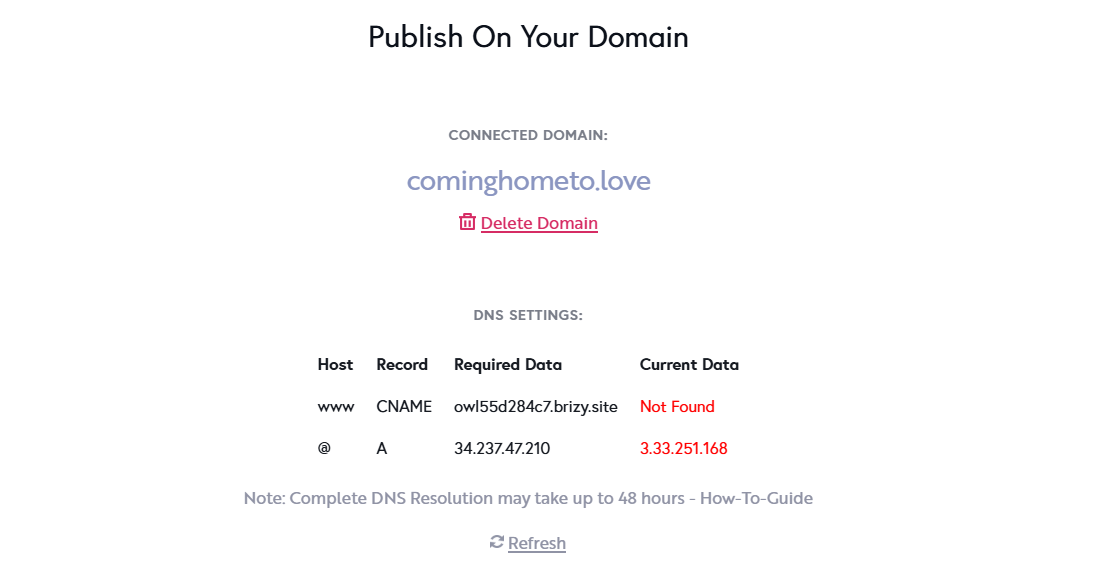
Kindly follow the procedure at https://support.brizy.io/hc/en-us/articles/360041764052-Add-A-Custom-Domain to add the required A Record and the CNAME Record to your domain name. If your domain is registered with Namecheap, you must add the followng DNS records.
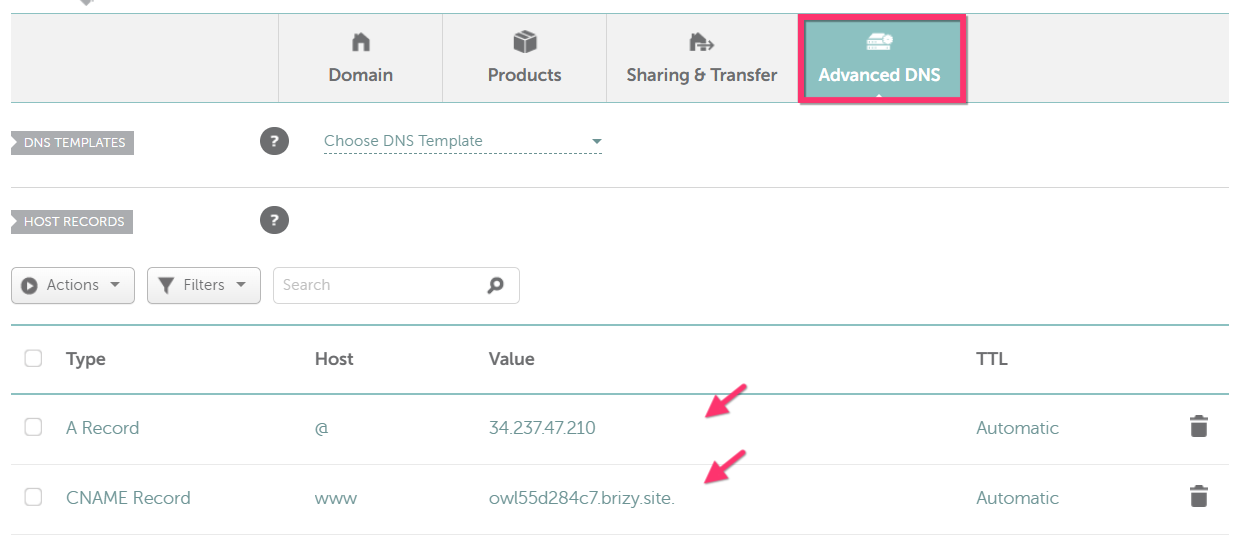
For the procedure to add the DNS records in Namecheap, kindly refer to these articles
0 -
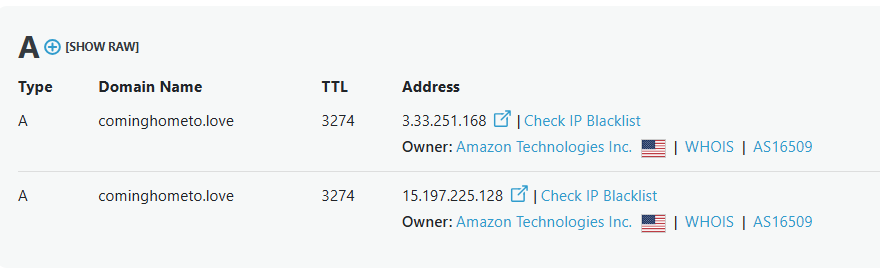
For domain resolution to work correctly, your domain must point exclusively to the Brizy Cloud server with IP 34.237.47.210 and no other external servers. Your domain should not have any additional A records pointing to external servers. Kindly delete A records with the IPs 3.33.251.168 and 15.197.225.128 pointing to external servers.
 0
0 -
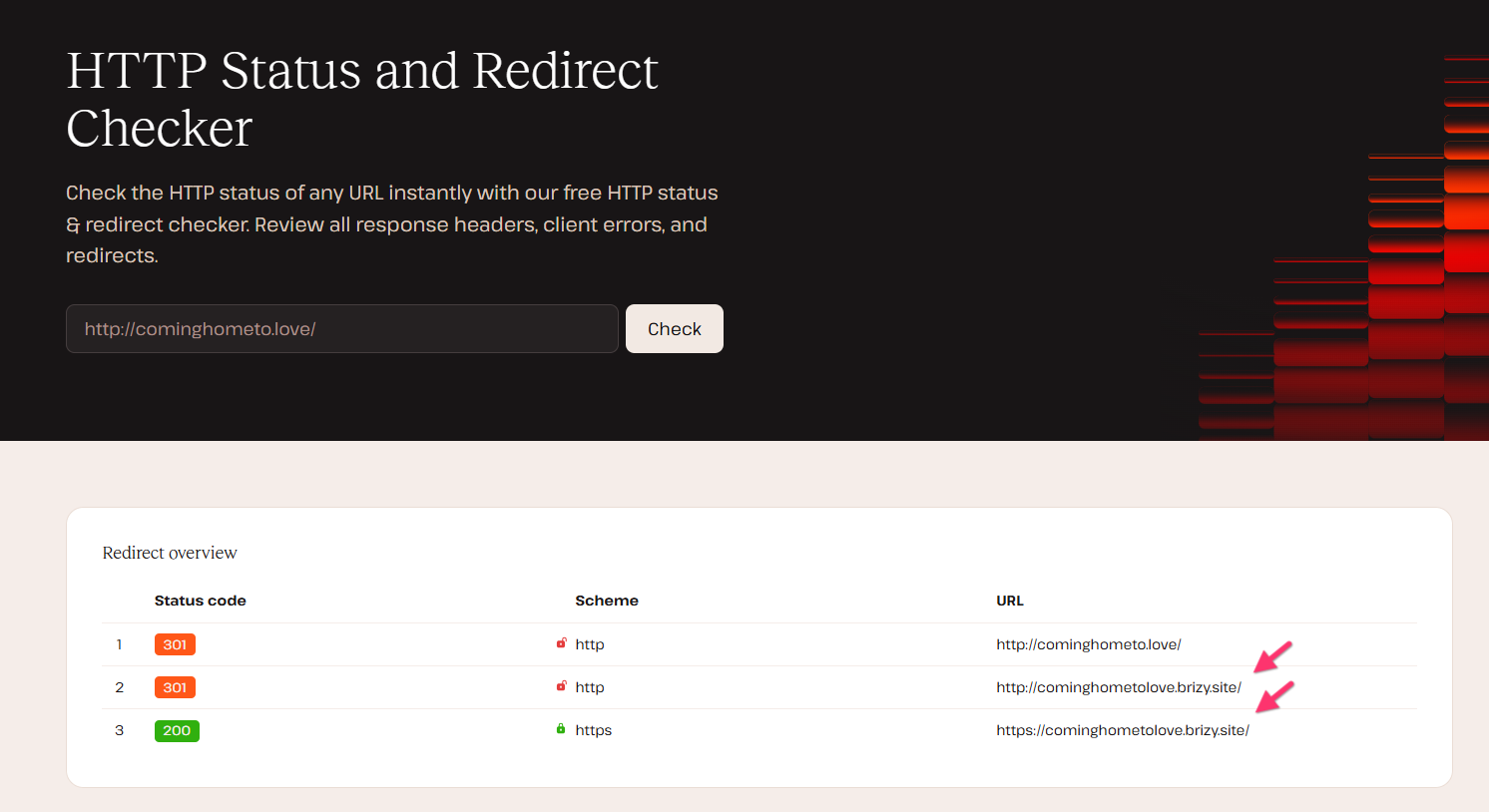
I also did a redirect test at https://kinsta.com/tools/redirect-checker/ for your domain and found that you have also added permanent redirects. This will redirect your domain to https://cominghometolove.brizy.site/. Kindly remove these redirects
 0
0
Please sign in to leave a comment.
Comments
3 comments