Dynamic form recipient

A client website which I have taken over from a freelancer has e.g. {{E-Mail}} as the recipient for the email instead of the real email address. A copy of the email needs to go to the person who filled out the form. This works in most cases, but not on every form. Although I assume {{E-Mail}} needs to match the label of the email form field, and I have ensured that this is the case, I cannot find any documentation on this. Please could you suggest a course of action? Many thanks.
Website: confiseriesteinmann.ch
-

Hello Mark,
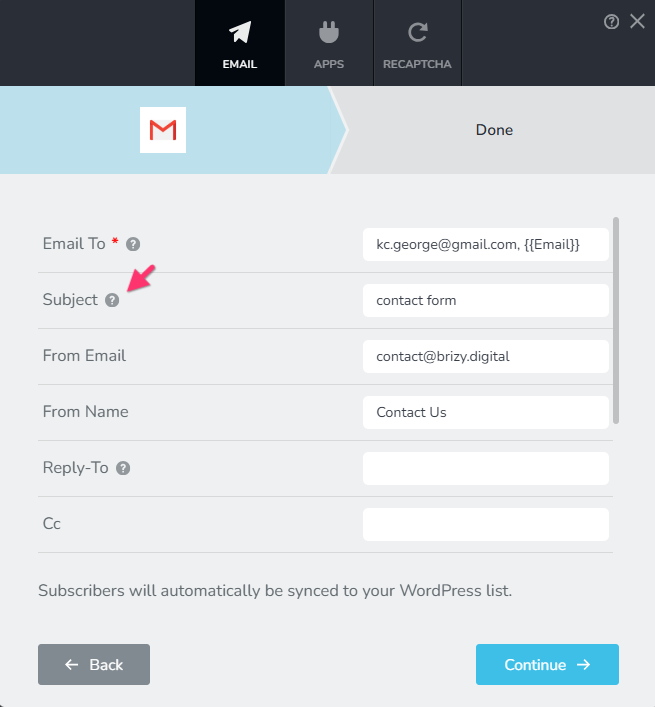
Shortcodes like {{E-Mail}} help you reuse form data in email notification settings. Shortcodes are generated dynamically based on the form field labels. To see a list of shortcodes available in your form, hover over the "?" icon next to the "Subject" and "Reply-To" fields.
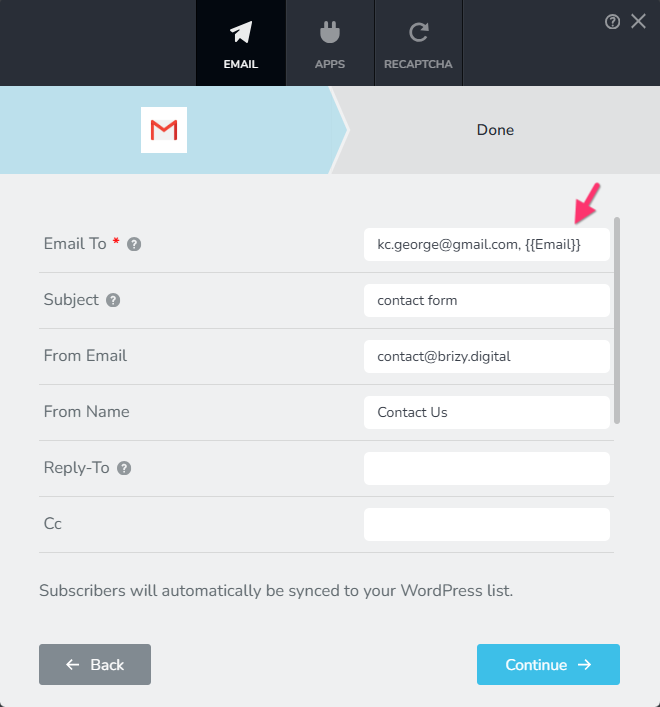
You can use the shortcodes in the "Email To" field to send a copy of the email notification to the person who filled out the form.
Kindly follow these best practices to increase the deliverability of email notifications
- Always fill out the "Subject" filed. Emails without a subject can be rejected by mail servers.
- Use the domain of your website in the "From Email": For example, the Contact form on the homepage of your website can have the "From Email": info@confiseriesteinmann.ch, form@confiseriesteinmann.ch or contact@confiseriesteinmann.ch
- Always fill out the "From Name" field: Do not leave the "From Name" field blank. Mail servers are likely to reject emails without a From Name.
After following the above guidelines, if you do not receive email notifications in your Inbox, kindly get back to us. We will take a look at your WordPress Dashboard to troubleshoot the issue.
0 -

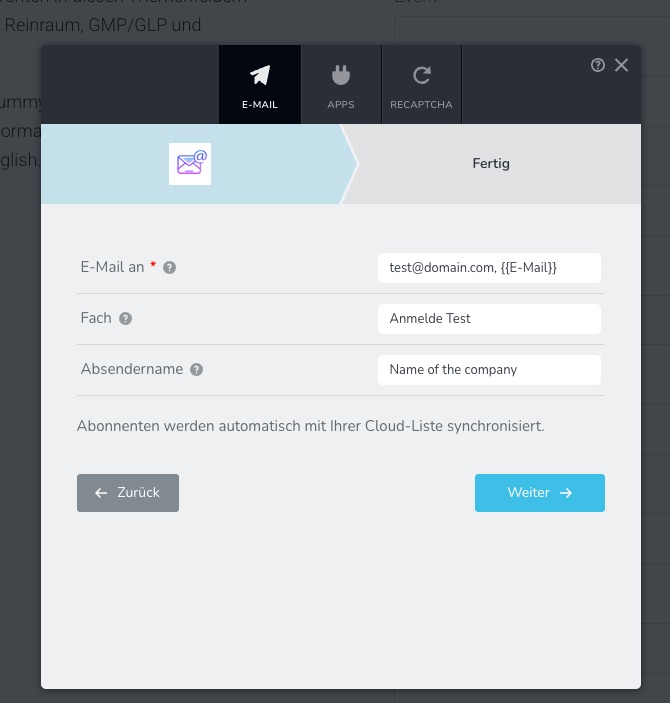
Hi, unfortunately, this isn't working in my form. I don't have that many drop-down menus either. Is it because this website was created a long time ago? I just reinserted the form.
 0
-

Hi Reto,
If you're working on a Brizy Cloud site, could you please provide the project name and workspace?
If you're working on a WordPress site, it appears that you might be using older versions of Brizy and Brizy Pro. Could you please provide us with admin access so we can inspect your website and safely update both plugins to the latest versions without disrupting your existing setup?
You can add us as an Admin user in your WordPress dashboard and send the login details to communitysupport@brizy.io using the following information:
Community post link: https://support.brizy.io/hc/en-us/community/posts/36492313043218
WordPress Admin URL:
Username:
Password:We'll also check the form to investigate why some fields are missing.
Best regards,
Ariel H.0 -
Hi Reto,
Thank you for providing the details. We've received them, and based on our initial investigation, it appears to be a general email delivery issue affecting the entire website rather than an issue with a specific form.
Could you please confirm if you're receiving email notifications from the other forms on your website?
We're still investigating the issue and will get back to you as soon as we have an update.
Thank you for your patience and cooperation!
0 -
Hi Reto,
Thank you for your patience.
Upon checking, shortcodes such as {{E-Mail}} are not supported in the Email To field in Brizy Cloud.
As a workaround, we recommend configuring SMTP and using the CC field to dynamically send a copy of the form notification to the email address entered by the visitor.
Here's how:
1. Configure your SMTP settings by following our SMTP setup guide: https://support.brizy.io/hc/en-us/articles/360043766792-Email-notification-via-SMTP.
2. Set your primary notification email in the Email To field.
3. In the CC field, insert the shortcode for your form's email field e.g., {{E-Mail}}.
4. Save your settings and submit a test form to verify that it works.
Also, please note that KC's screenshots show the Brizy WordPress form, which is why the available fields and settings look different from those in Brizy Cloud.
I hope this helps, If you have any further questions, please let us know.
Best regards,
Ariel H.0
Please sign in to leave a comment.
Comments
5 comments