Unable to login in wordpress post Brizy Cloud migration. Unable to get wordpress passwd reset.

Hello team,
We moved Hinjawadi.in to server sync mode. Successfully installed wordpress on hinjawadi.in and successfully synced the cloud to Hostgator hosted hinjawadi.in website.
Now after we see the pages all appearing correctly after sync, we tried to login to wordpress backend and it just doesn't work for 2 admin logins. Neither do passwd reset generate wordpress email.
So we are lost as to what can be the reason.
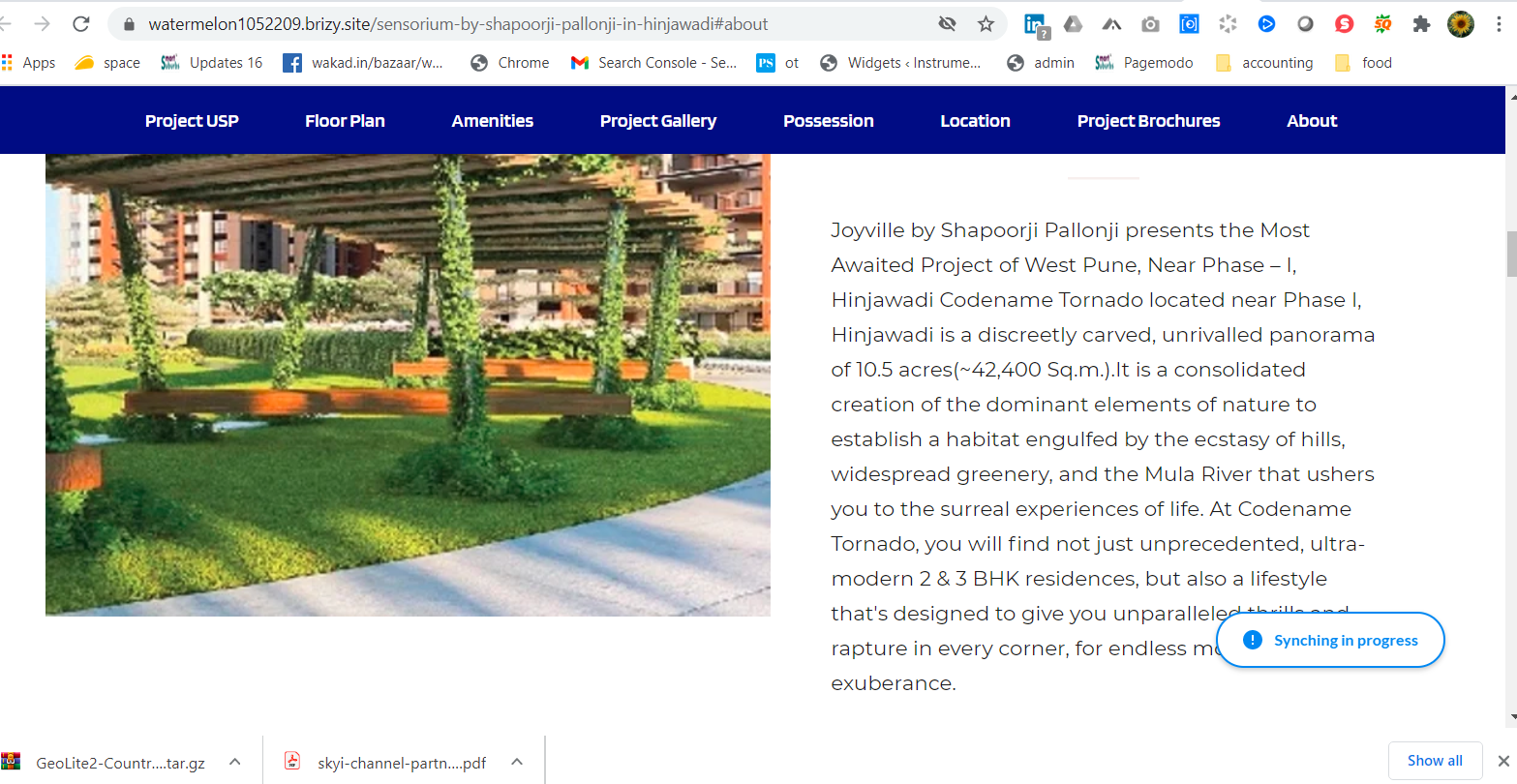
The attempt to do a small test on brizy cloud to see if the update button does the sync, is showing "synching in progress". It was a new layout added but the message is there for quite sometime.
Brizy project URL: https://watermelon1052209.brizy.site/
Appreciate your response.
thanks,
parag
-

Hi,
Unfortunately, if the problem you encounter is that you can't log-in WordPress site with the WordPress credentials, we can't help you because it is related to Brizy Cloud or Brizy plugins. It is related to the WordPress environment.
Could you please indicate on what page did you see the "Synching in Progress" message? I checked some pages but all seems to work fine. See here.
Thank you!
Best regards,
Sandra0 -
Hello Sandra,
Kindly visit below url: see the button on right bottom appearing... this stays for ages and then sometimes goes away.
https://watermelon1052209.brizy.site/sensorium-by-shapoorji-pallonji-in-hinjawadi#about
regards,
parag
0 -
Hi,
Thank you for the URL link. Just now I checked it and all seems to work fine now. See here. Could you please delete the browser cache and check it again?
Thanks!
Best regards,
Sandra0 -
Hello Sandra,The message goes after a very long time BUT the changes done are not synced to the website which is already pointed to my hostgator server.Also, I felt the documentation assumes that people will know to remove CNAME entries etc which I think is required as we move from brizy hosted server to self hosted.The two dns records done at domain for brizy hosted need to be deleted, correct? My entire migration worked as per your notes. The only challenge is after migration is over two issues we see:1) cannot login to wordpress, and2) any changes done to brizy site are not reflected even after update button step is done.So something is wrong. Would be greatly appreciated if someone looks at my server end via FTP access details I can share.Thanks,Parag0
-
Hi,
I'm sorry for the question but I want to concretise a little detail. Did you upload the zip folder from Nrozy Cloud to the WordPress site? Unfortunately but it isn't possible to publish the Brizy Cloud zip folder in the WordPress environment. If you want to migrate a project you created in the Brizy Cloud to the WordPress site, we recommend using the Block and Layout Sync function using your Brizy account. In this video, you can find more details about this and how you can do this.
Thanks!
Best regards,
Sandr0 -
Hello Sandra,
Let me bullet my steps taken to migrate which is not per your identified one:
1) took download of "Self Hosted" server sync zip file
2) unzipped in local computer folder.
3) carried the suggested changes to .htaccess and uploaded all files to root (ie public_html) folder of hinjawadi.in website via filezilla.
4) The triggered installation which took about 10-15mins and sync finished without errors.
Can i know what you mean by "we recommend using the Block and Layout sync function" ?
Will watch above recommended video.
thanks,
parag
0 -
Hi,
Unfortunately, we don't recommend unzip the Brizy Cloud files in the WordPress site. If you want to migrate the pages from Brizy Cloud to the WordPress site, we recommend using the Block and Layout sync function. In such a way, you connect the WordPress site with your Brizy Cloud account and sync all saved blocks and layouts from Cloud to WordPress. In the video, I shared with you can find all the details of this action. It is important to note that this will work only if on the WordPress site you have installed and activated the Brizy Free and Brizy Pro plugin.
To resume all is said in the tutorial, you have to:
1 - Go to the Brizy Cloud project you want to migrate and add in the Saved Layouts all pages https://jmp.sh/aXOK8fw;
2 - Go to Blocks and check if on the Saved -> Layouts are all pages https://jmp.sh/Ff5H5r3;
3 - Go to WP site and make sure that on the WordPress site you have installed and activated the Brizy Free and Brizy Pro plugin;
4 - Create a new page and edit it with Brizy;
5 - In a Brizy page from WP, go to Saved blocks and connect with the Brizy Cloud account;
6 - Click on "Sync now".Best regards,
Sandra0 -
Ok Sandra. Will follow your above steps. Kindly note that your knowledge base or support somewhere there is this detailed step by step guide which suggests the FTP model of migration. If that is wrong, then please bring it down. Many could be just following those steps. Frankly brizy i find is poor on documentation.
Thanks anyway.. for the steps above. We will try them by wednesday and update you again.
regards,
parag
0 -
Hi Parag,
Thank you for your reply and feedback. We will wait for an update regarding this.
Regarding the support - we plan to extend the Brizy documentation and we will add more articles but also, we would recommend following our Brizy YouTube channel. There we post video tutorials that more users said they are more useful because are visual.
Regarding the FTP model of migration - are you about Server Sync publishing method of the Cloud site or about Export HTML? For these methods, we have already articles in our documentation. You can check them.
Thanks!
Best regards,
Sandra0 -
Thanks Sandra. We made progress and now have achieved sync successfully with wordpress website.
The brizy cloud publish function has two blocks:
the left one for connecting domains to brizy.cloud and the right block for syncing to server. We took the server sync path.
I would strongly recommend marking the header of Syncing with Server as "for php/html website & not wordpress". Because we took the ftp sync path only to realise that it is not for FTP.
Thanks & Regards,
parag
0 -
Hi,
Great! Thank you for updating us regarding this inconvenience. Also, thanks for the suggestion, we will take it into consideration.
Best regards,
Sandra0
Please sign in to leave a comment.
Comments
11 comments