Can't show three product columns

Hello Im using the woocommerce product blocks, I have it set to 3 columns but it only shows once column.
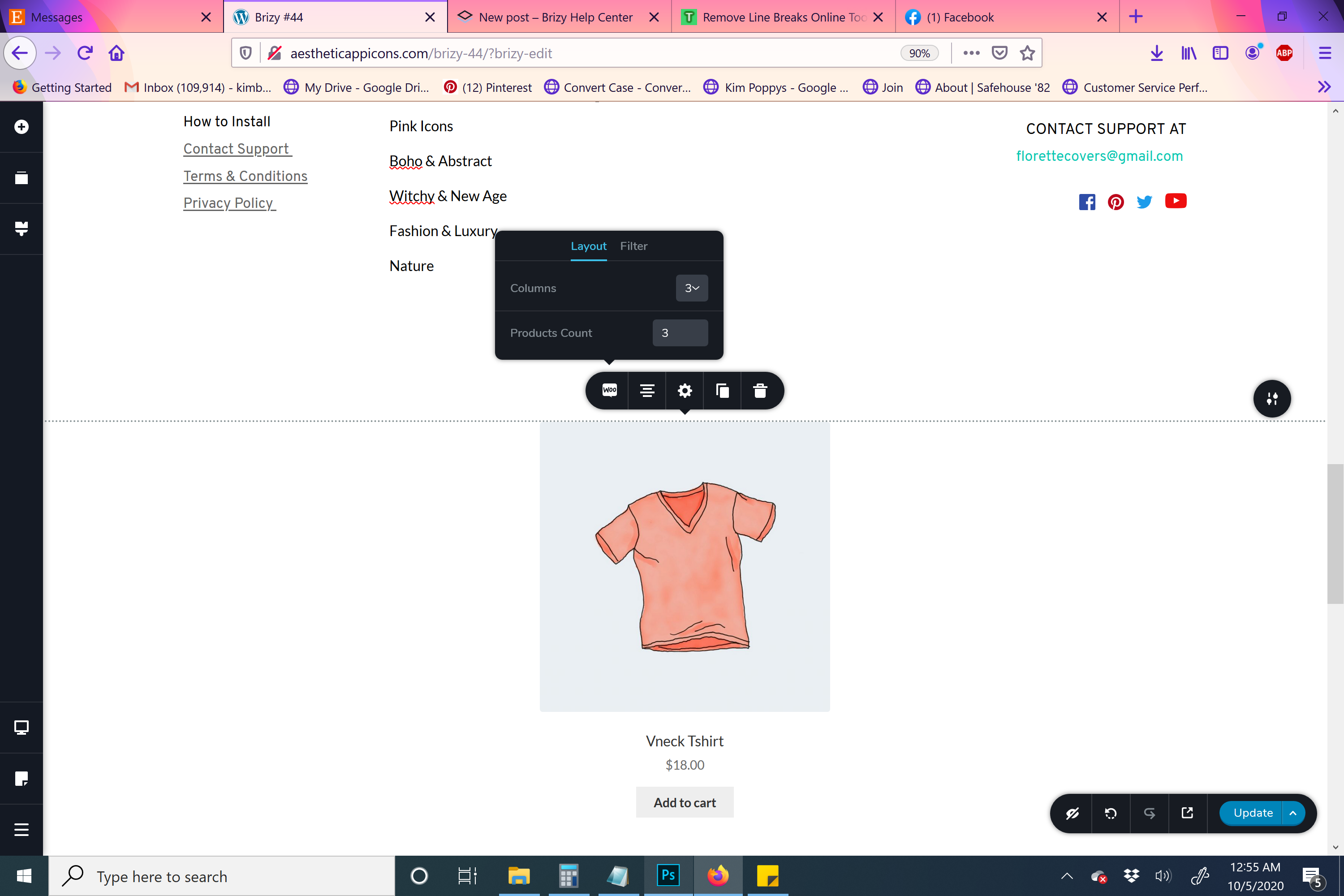
Why is it doing this and how do I fix it? You can see the site here: http://aestheticappicons.com/brizy-44/?preview_id=44&preview_nonce=a4d0663484&preview=true
-

Hi, Kim,
I investigated the URL you send us but I could find the WooCommerce Products element there. See here https://jmp.sh/FzAAvxB. I tried to reproduce the problem you mentioned but all seems to work fine. See here the screenshot from the editor and here from the preview. Could you please check if you selected a product category and if that category has more than 1 product?
Thanks!
Best regards,
Sandra0 -
Hi. I'm not a beginner by any means here, so I know when something isn't working correctly. I set up a test page to show you the problem, so hopefully you believe me this time:
http://aestheticappicons.com/test/
^3 products and they're showing up vertically, not as columns. Here is a screencap in case you still don't believe me.
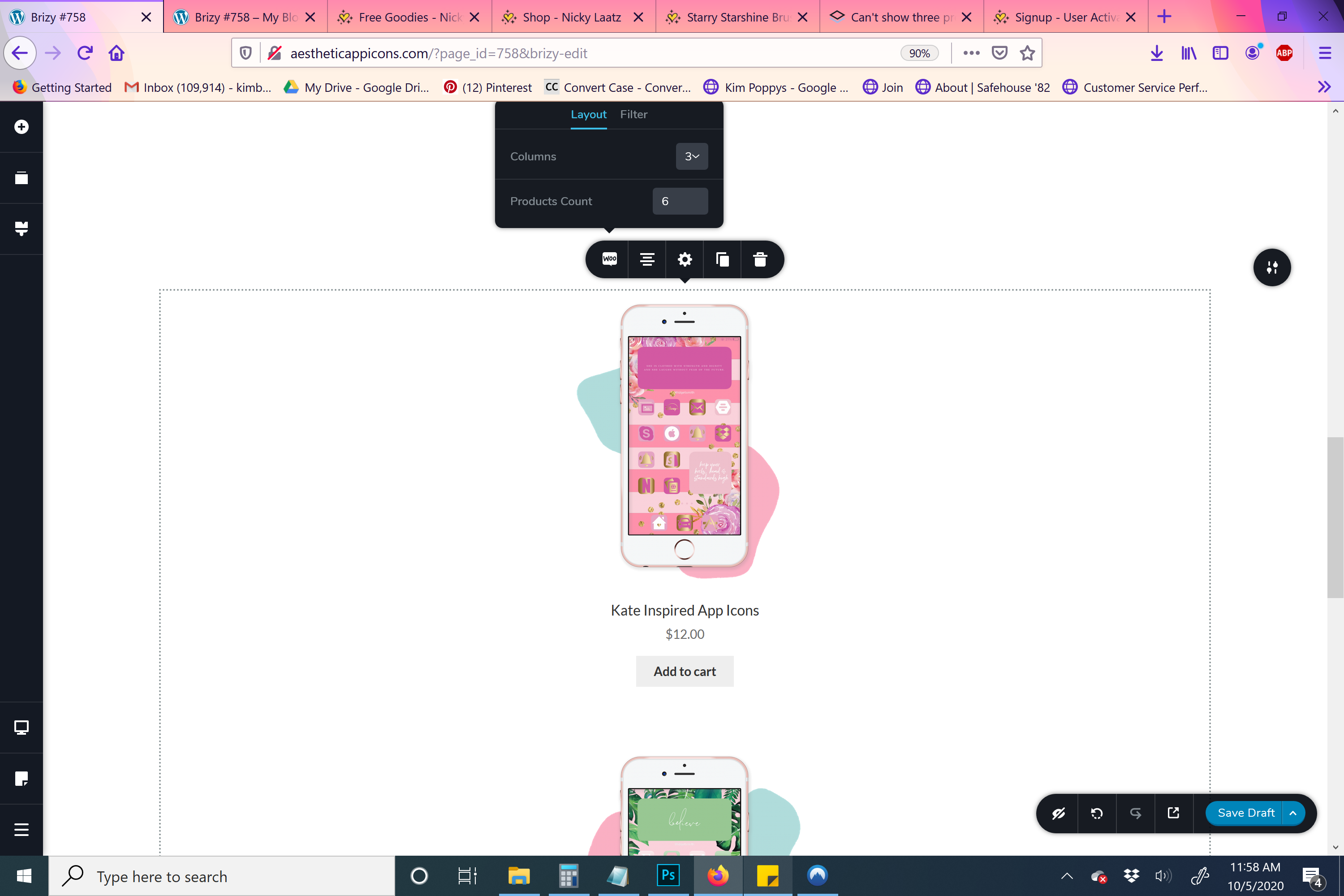
As you can see in the image above, the settings are set to 3 columns, yet only one column is appearing. You can see that there is more than one product showing up in the screencap.
Also, other people have had this problem and have asked about it on this forum, so I know you guys are aware of it:
Im trying to get this site up asap, and its an ecommerce store. So it's a HUGE issue if this function isn't working. So far Im not impressed with this product. I'd really appreciate some actionable help, thank you.
0 -
Also before you ask, yes Im using the latest version of wordpress, the latest version of woocommerce, the latest versions of both brizy an brizy pro.
0 -
Hi,
I'm not sure that this is a Brizy problem because when you are importing the WooCommerce products element in the Brizy page using the Woo Products element, these products are imported in a shortcode that can be displayed in Brizy page. I checked the test page you send us and there I found a Custom CSS that force single products from a list to have a 100% width. See here https://jumpshare.com/v/SFxZRdyy3pCLLR5PNIZM, as you can see when I deactivate this option all is starting display fine. There isn't a Brizy code, therefore, I can't say that there is Brizy force the single products from the list to display with 100% width. Could you please check in the WooCommerce settings or in the Site Custom CSS?
Also, can you please try to temporarily deactivate all external plugins and activate a WP default theme?Thanks!
Best regards,
Sandra0 -
Hi Sandra, what woocommerce settings should I check? And where do I find them? Where do I find the Site Custom CSS? More detailed information would help a lot. Please send detailed, step by step instructions on how to edit the CSS to fix this, thank you.
0 -
Nevermind, it doesnt look like I need your help any more. Since I couldnt get a straight answer from support, I had to pay someone out of pocket to fix this issue for me. I could have done it myself, if I had proper support and instructions from the get go.
Honestly Im annoyed and frustrated with this product (and the lack of support makes it worse). Now I find out I cant add my layout to any of my product pages. So the fix I paid for is now useless. And I have to enter every product in twice just to get it to retain the theme. Working with this product has be an absolute nightmare and Ill be sure to never build any of my client sites on it.
0 -
Hi, Kim,
I'm not sure that the problem you encounter with WooCommerce is caused by Brizy because as I said before in Brizy, it is imported the shortcode of the WooCommerce products. As you could see from the screenshots I send to you, I couldn't reproduce the problem you had.
"Now I find out I cant add my layout to any of my product pages." - at the moment isn't possible to create a Brizy template and set it to the WooCommerce products. We are working on the Dynamic Content for WooCommerce and already published the beta version of this feature. We don't recommend using this version of the production sites but I want to say that soon we will release it and then will be possible to customize and edit WooCommerce pages, products and categories with Brizy using Dynamic Content and Brizy template.
Thanks!
Best regards,
Sandra0
Please sign in to leave a comment.
Comments
7 comments