My custom domain is not working

Hello Brizy,
My new domain www.wireframe2web.com is not working. I get a 404 not found error.
I'm using Cloudflare for DNS and the domain was purchased thru namecheap.
I have another domain www.wireframetoweb.com with a permanent redirect to wireframe2web.com AND i'm pointing wireframetoweb to Brizy via DNS files. Could this be the issue?
Please see image below: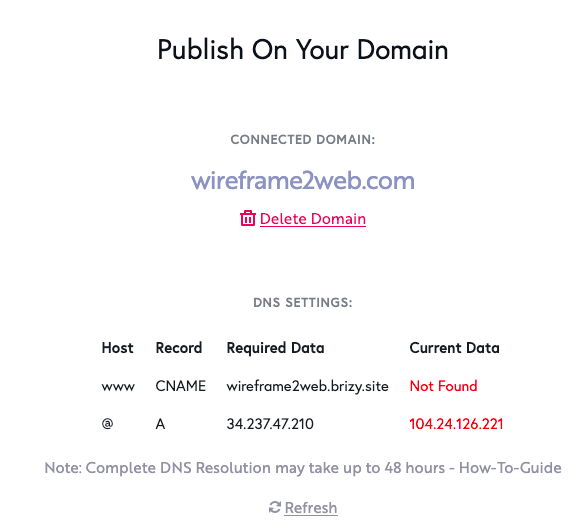
It has been like this for 1 week. There is only 1 A record and 1 CNAME for each domain
-

Hi,
I found that the A record isn't set-up correctly. Could you please check if you followed all the steps and suggestions from this article https://support.brizy.io/hc/en-us/articles/360041764052-Custom-domain-A-Record-Redirect-? Could you send us a screenshot with how you set the A record and Cname record in the Domain set-up?
Thanks!
Best regards,
Sandra0 -
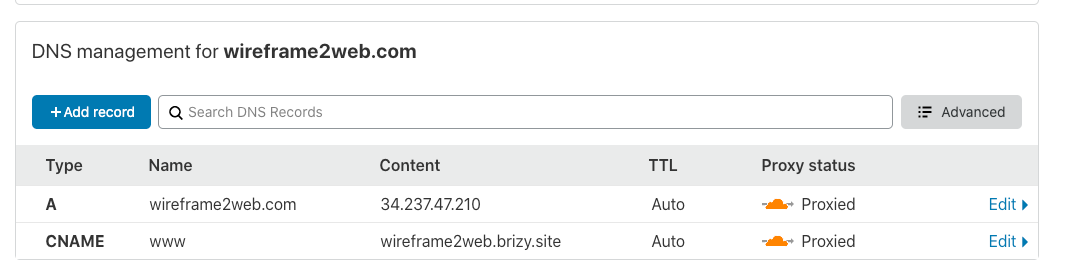
I've followed it exactly and cleared the cache.
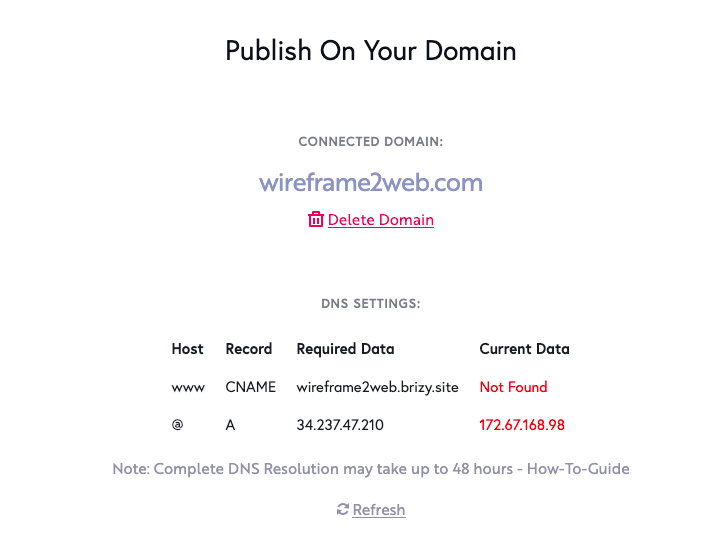 0
0 -
Hi,
Could you please deactivate the proxy and activate the "grey cloud"? Unfortunately, Brizy Cloud sites can't work on proxied sites.
Thanks!
Best regards,
Sandra0 -
Ah, I see.
I've just found several other issues with Cloudflare and Brizy Cloud:
https://support.brizy.io/hc/en-us/community/posts/360061574431-CloudFlare-CNAME-should-not-be-Proxied
https://support.brizy.io/hc/en-us/community/posts/360057819612-CloudFlare-is-acting-up-with-Brizy-Cloud-again
Could you please add a note to unproxy the CNAME record here: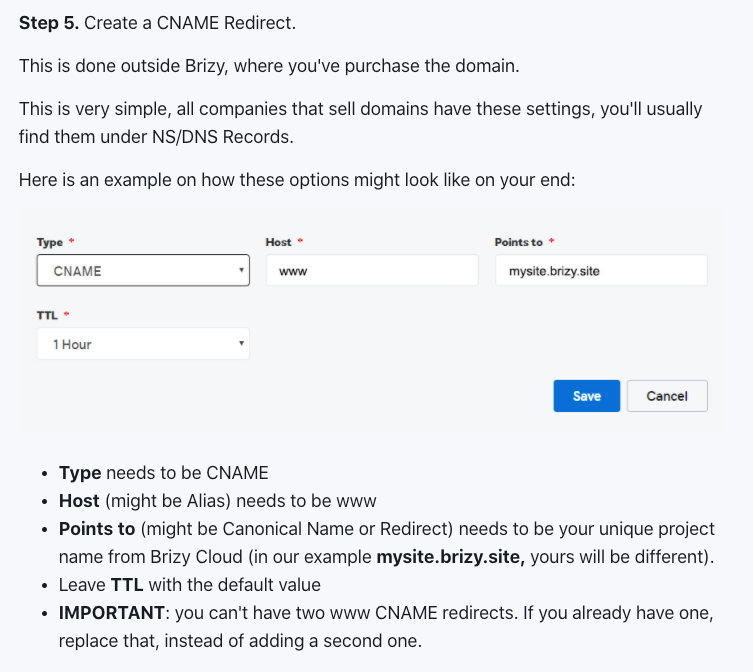
Because I followed the directions, it's just not mentioned.
0 -
In fact, shouldn't there be a Help Center article discussing Cloudflare, Brizy Cloud, and all record types?
0 -
Hi,
Thank you for your suggestion, we will take it into consideration. In our articles, we can't provide some details about other plugins, services etc., we can provide some details about how works Brizy with some plugins and services. Therefore, I suppose that it isn't necessary a separate article regarding publishing a site in Cloudflare because it is the same process but it is useful to add a special paragraph to inform users that at the moment Brizy Cloud sites can't work on proxied sites.
Thanks!
Best regards,
Sandra0
Please sign in to leave a comment.
Comments
6 comments