Something went wrong

I've made quite an important webpage a month ago.
Now I came back to edit it, but when I click Edit:

A major dissapointment.
I've experienced many lousy plugins but failure like this... You've left me with an epic problem which I need to allocate whole day to solve.
I used to be a fan but now I hate the plugin.
PS: Yes, I have updated both Wordpress and the plugin.
PSS: At least say some error code, "Something went wrong" is not useful at all!
-

Hi,
I created a private ticket on this request. You had to receive a notification regarding this on email. Could you send to us in that private message the WP credentials to this site?
Thanks!
Best regards,
Sandra0 -
Hi Sandra, thank you for your reply and your will to help.
This time, I had to find a workaround (and completely disable the Brizy webpage), because I've already linked particular URL to a big project.
Therefore, I'm afraid it's not possible to investigate this particular problem anymore.
But next time, I will prepare more time and credentials for it.
Thanks again and best wishes.0 -
Hi,
Thank you for informing us about this!
If we can help you with something else, let us know and we will be happy to help you!Best regards,
Sandra0 -

I encounter the same problem and also on an important page can you help
0 -
Hi, Marcya,
Do you have the latest updates of Brizy Free (2.0.7) and Brizy Pro (2.0.4)? Did you encounter it on a specific page or on all pages edited with Brizy?
Thanks!
Best regards,
Sandra0 -

Hi,
I have the same error when I try to edit any page.
Could you help me, please?
Thank you!

 0
0 -
Hi, Enrique,
Could you please check if you have the latest versions for Brizy Free (2.0.7) and Brizy Pro (2.0.4)? Do you find this problem on all pages or on some specific pages? On what pages did you encounter this problem?
Thanks!Best regards,
Sandra0 -
Hi, Sandra
I only have Brizy Free (2.0.7) and the error occurs on all pages.
Do I need to buy the pro version and have both versions installed?
Best regards,
0 -
No, it isn't necessary to buy the Brizy Pro to solve this problem. I created a private ticket on this request. You had to receive a notification regarding this on email. Could you send to us in that private message the WP credentials to this site?
Thanks!
Best regards,
Sandra0 -
Hello Sandra!
I sent it to you by private message (email).
Thank you!
0 -
Hi,
Thank you! We receive them. As soon as possible we will come back with an answer. Please let active the credentials.
Thanks!Best regards,
Sandra0 -

I am running multiple websites with Brizy and am having issues with one of them with this same problem. I need to update it ASAP. Can you please assist me? I can send you logins if you will email me.
0 -
Hi Amanda,
Could you please give us more details regarding this problem? When did you encounter it? What were your previous actions? Did you encounter it on all pages or on certain pages? What are these pages? Do you have the latest versions for Brizy Free 2.0.14 and Brizy Pro 2.0.7?
Thanks!
Best regards,
Sandra-1 -

I am having the same issue on one of 4 sites I manage using Brizy. I have the latest versions of both Pro and Free, and I'm getting the error on every page I try to edit.
0 -
Hi Ashley,
Thank you for reporting this!
I created a private ticket on this request. You had to receive a notification regarding this on email. Could you send to us in that private message the WP credentials to this site?Thanks!
Best regards,
Sandra0 -
Sandra,
I have the latest version of Brian free installed and it is happening on all pages on the site. I manage multiple sites with Brizy but am only having issues with one of them. Can I please provide login credentials?
Amanda
0 -

Hello Ladies,
Some details here:
There is a 403 Forbidden error in Ashley's dashboard. The type of error -
403 Forbidden. A potentially unsafe operation has been detected in your request to this site.
https://www.wordfence.com/help/blocking/troubleshooting/#:~:text=403%20Forbidden.,the%20request%20that%20was%20blocked.The fix must be provided by the hosting company.
Amanda - I will create an issue for you, in order to have the credentials in a private ticket, not in this public channel!
Regards, Natalia
0 -

Hello Sandra / Natalia, how are you?
We are facing the same problem - "Something went wrong".I just updated Brizy to 2.1.2 and this remains.
Can someone please help?
Thanks,
Henrique
0 -
Hi Henrique,
I created a private ticket on this request. You had to receive a notification regarding this on email. Could you send to us in that private message the WP credentials to this site?
Thanks!
Best regards,
Sandra0 -

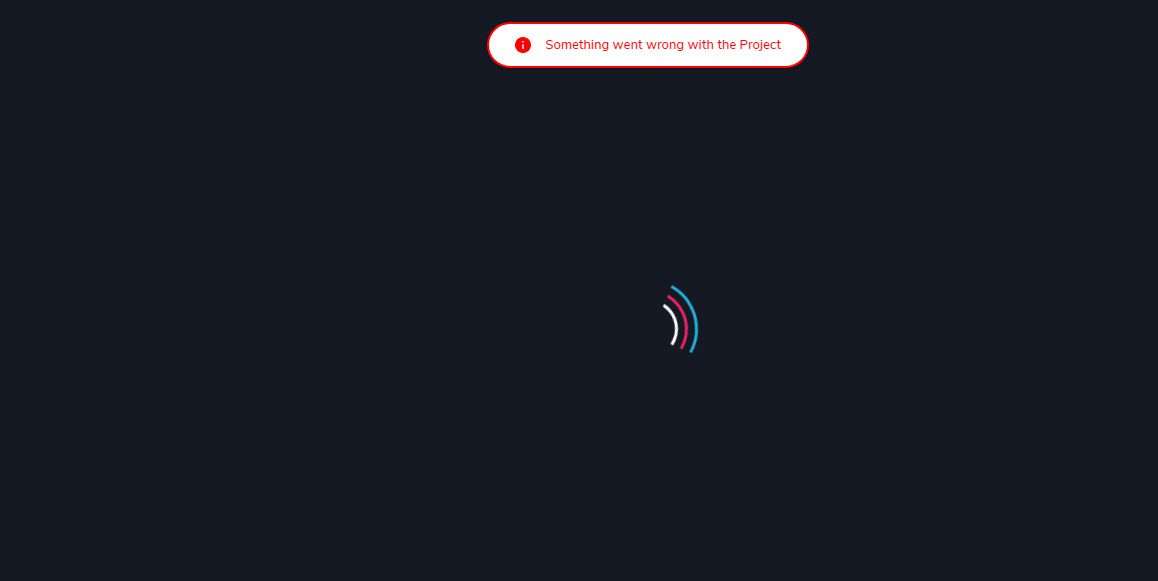
I have the same problem
 0
0 -
Hi Gerard,
I will create a private ticket for you too but could you please check if you have the latest versions of Brizy Free 2.1.5 and Brizy Pro 2.1.3? Did you receive this problem even if you have activated the latest versions of the plugins?
Thanks!
Best regards,
Sandra0 -
Hi Sandra
I have asigned another plug in for the project. I have no credential because I have no time to wait.
This is very bad when you have customers. Diifcult to trust the plugin. Sure I have the latest versions of both; free and paid.
I don't know if you have problems with the Cloud? may be I will use the cloud only.
0 -
Hi Gerard,
Ok, we can help you with but we also appreciate your decision. Till this moment we didn't encounter a similar problem on the Brizy Cloud, you can try using the Brizy Cloud.
Let us know if we can help you with something else.Best regards,
Sandra0 -

I have the same problem, updated version but still critical error in my screen, front end and back end. I really want to finish this project with brizy, i hope you can resolve the problem asap.
0 -
Hi Malika,
I created a private ticket on this request. You had to receive a notification regarding this on email. Could you send to us in that private message the WP credentials to this site?
Thanks!
Best regards,
Sandra0 -

Привет, скорбящий народ!
Похоже я нашёл причину, в чём ошибка.
Сам с ней столкнулся и обломался.
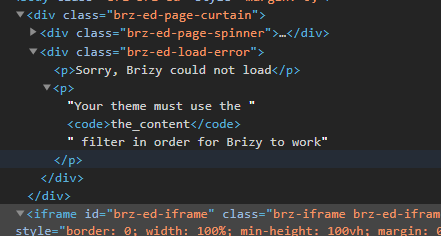
Я провёл небольшое исследование и понял, что ошибка появляется именно на windows сервере, а на Linux 3.10 сервере всё работает отлично. Не знаю, у кого как, но именно в этом я нашёл разницу. И да, браузер не имеет разницы какой.UPD: Еще в коде страницы с ошибкой заметил такое скрытое сообщение - "Your theme must use the the_content filter in order for Brizy to work" - что это значит, пытаюсь догадаться.
 0
0 -
Hi,
If you agree I will use the English language but if you prefer to speak with you in Russian, let us know and we will try using Google translate!
Thank you for your help and suggestion! It is very beautiful and pleasant to see how users help each other with suggestions and tips. Большое спасибо!
Regarding this problem "Your theme must use the the_content filter in order for Brizy to work" - in general, we found 2 cases when this error appear. The first is when you want to use the Page template "Default" for pages and the theme you are using doesn't have the "The content" filter and therefore and can't run the Brizy editor on that page. To solve this problem, you have to select the page template "Brizy template" https://jmp.sh/JjH3gTO. The second case is when you set in WooCommerce a page as Shop page and try to edit the Shop page directly from the pages. To solve this problem you have to deactivate the Brizy builder from the Shop page from Pages and create a Brizy template for Shop page.
Let us know if we can help you with something else.
Best regards,
Sandra1 -
Thanks Sandra for such a detailed answer. Option 1 did not help. You can clarify part 2. "The second case is when you set in WooCommerce a page as Shop page and try to edit the Shop page directly from the pages. To solve this problem you have to deactivate the Brizy builder from the Shop page from Pages and create a Brizy template for Shop page. " I did not quite understand what to switch where. Thanks.
0 -
Hi,
Firstly, could I ask you if you receive this problem when trying to edit the Shop page with Brizy? If so, the right way to make the shop page work on Brizy is:
1 - Set up un the WooCommerce settings what page do you want to set as Shop page https://jmp.sh/bdxiyGA;
2 - Go to Brizy -> Templates -> Add new and create a template https://jmp.sh/V7gT3G2;
3 - In the template add a suggestive name and most important add the right display condition. For the Shop page, you have to select the Product Archive and from here add the "Include -> Shop page". See here https://jmp.sh/mcF5TiR. Don't forget to click on "Add" and after this on the "Publish" to publish the template;
4 - Inside this template, you have to add the elements you want to display on the Shop page (header, footer, block with Archive element - we suggest adding this element because it will select all products from all category and will display on this page) https://jmp.sh/xMRRb1G.One important tip, on the Shop page from "Pages", you shouldn't have activated the Brizy editor. If for the Shop page you see this https://jmp.sh/b5qtE9p, please deactivate the editor for this page in such a way https://jmp.sh/9a5TgwQ.
Thanks!
Best regards,
Sandra1 -
Thank you very much, Sandra, for such a detailed instruction))) As soon as I did, as you wrote, almost the same error message appeared, but it was displayed differently.
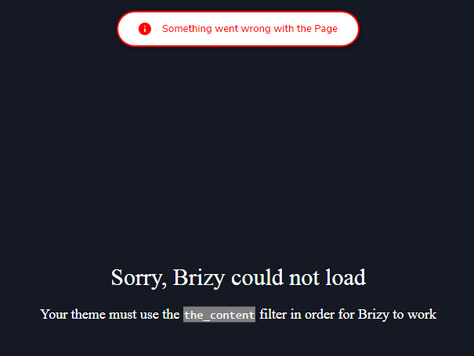
Still, I think the point is in the server parameters ( Brizy works on a Linux server, but not on a Windows server.Linux Server
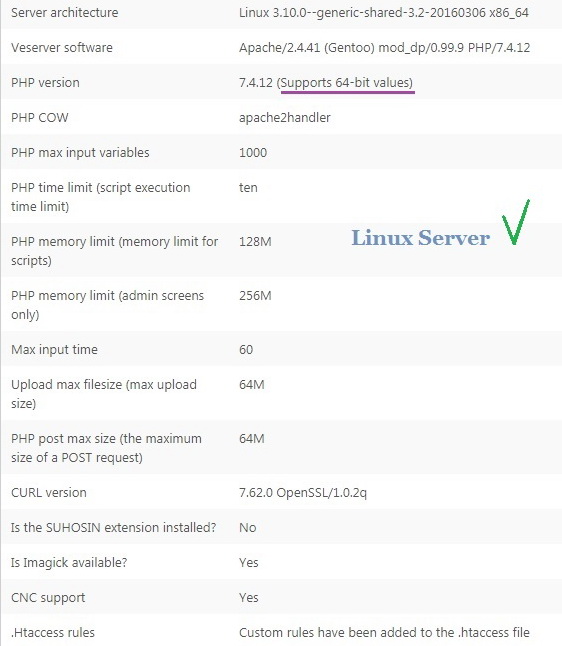
Windows Server
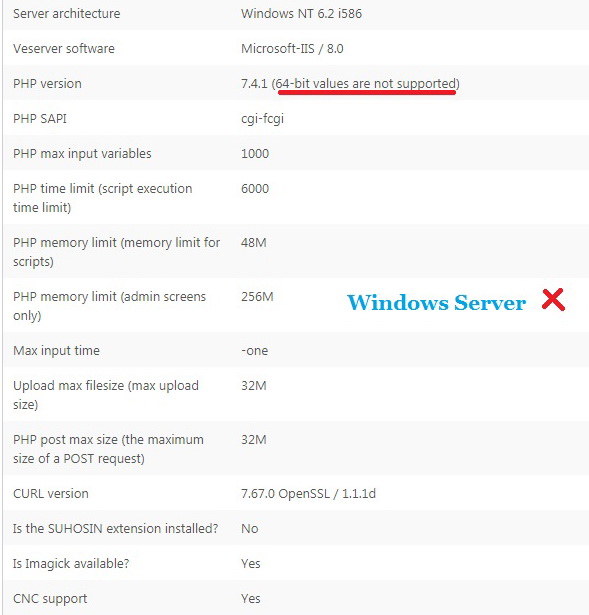
Maybe the development team will pay attention to this and make an update?
Thank you0
Please sign in to leave a comment.
Comments
42 comments