Important: Problem New Update Brizy

Hello,
I am on Wordpress version 5.4.
- Since your new Brizy update yesterday (Brizy Version 2.0.6 with Brizy Pro Version 2.0.3), the menu on our Hamburger mobile site does not work and the sub-fields of the menu on the computer are no longer displayed. This is a big problem because visitors to our site can no longer navigate our site properly!
- Also, the wordpress blocks in your "add elements" menu have all disappeared, only the "Side column" and "Short code" blocks remain. Where are the all other wordpress blocks we had on the old Brizy version?
-
Ok I found the problem, my license was deleted on my wordpress. But when I want to put my license key it's indicated :
"Sorry, you can’t use the Brizy Personal license in a multisite network."
Why?
My personal license is however for 3 sites.
So I don't understand...
0 -
I downloaded the last version Brizy Pro 2.0.4 and it's still not working... I can't add my license key and I have this alert :
"Sorry, you can’t use the Brizy Personal license in a multisite network."
😤
0 -

Hi,
I created a private ticket on this request. You had to receive a notification regarding this on email. Could you send to us in that private message the WP credentials to this site? Also, could you send us also the license in that private message?
Thanks!
Best regards,
Sandra0 -

I'm having the very same problem as well.
0 -
Hi, Leo,
First, I want to ask you if your WP installation isn't set up as a multisite network. I'm sorry to say but isn't possible to activate the Personal License into the Multisite network. For this, you should have the WaaS license. Here you can find some important things about WaaS license https://support.brizy.io/hc/en-us/articles/360029381411-Good-things-to-know-if-you-want-Brizy-Pro-on-your-multisite-network.
If you don't have the multisite network on your WP installation, please update manually the Brizy Pro to 2.0.4 version and after this try again to activate the license. In the 2.0.4 we fixed this problem with the licenses.Thanks!
Best regards,
Sandra0 -
Hello Sandra,
I filled out the form to get the WaaS key. We hope to get the key quickly so that our site can work as before.
0 -
Hi Sandra,
My problem is the elements missing, not activating the license.
It's not a multisite network.
I've updated the plugin version to latest and it still doesn't work. Currently using Brizy 2.0.7 and Brizy Pro 2.0.4.
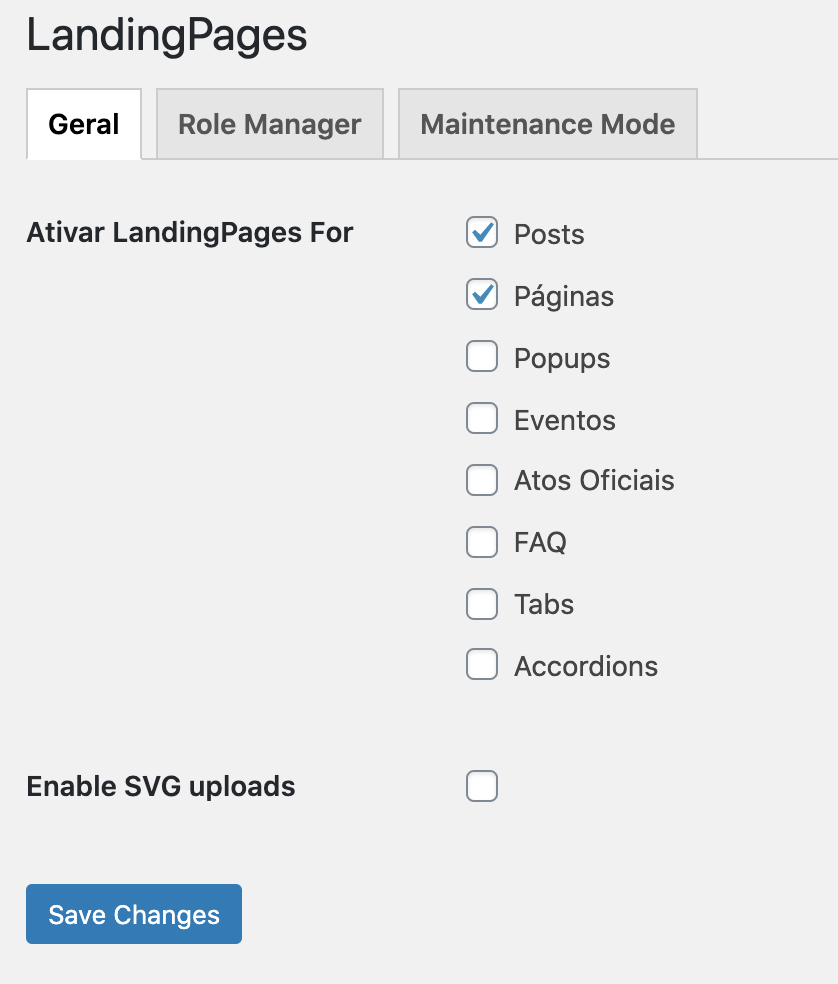
The license tab is missing and White Label is enabled (screenshot below). How can I delete my license to apply it again? And will this procedure fix my issue?
 0
0 -
Hi, Leo,
If you enabled the WhiteLabel, yes, you will not see the License options. To see it, you have to put these variables /?brizy_enable_wl=true at the end of your wp-admin link after you have logged in into your WordPress dashboard.
Your link should look something like this: http://yourdomain.com/wp-admin/?brizy_enable_wl=true
After you run the link above, you will be able to the License option in the Brizy.
Best regards,
Sandra0 -
Sandra,
I've tried enabling WL settings before posting here. Tried again and I still can't see the License Tab. But fortunately this shed light for the solution in my case.
To see License Tab again I had to Reset my White Label settings. Then I was able to see the tab and successfully activate my license key. It's not the ideal solution because when I reset my settings, my customer can figure out Brizy is installed. And if I had many sites using this setting, I'd have a hard time fixing that.
Please put that as a bug for your team to make sure it won't break again in future releases.
Thank you!
0 -
Hi,
Actually, if you activated the WhiteLabel, you should not see the License and WhiteLabel too. I tested this on my test site and all is working in such away. Just when I enable the Whitelabel, I could see the License and WhiteLabel tab. Do you have the latest update for Brizy Free (2.0.7) and Brizy Pro (2.0.4)? Could you check again? Also, you can check this article.
Best regards,
Sandra0 -
Sandra,
Everything was working fine before the 2.X update. My point is: If I had WL enabled before the update, I should never have to reset it to fix a licensing issue (which shouldn't exist in the first place).
It's a bug. I found the workaround, but I don't want to have to do it again in a next update.
0 -
Hi, Leo,
Unfortunately, we couldn't reproduce the problem you reported but we will investigate it and if you will find it again, please let us know about this.
Thanks!Best regards,
Sandra0
Please sign in to leave a comment.
Comments
12 comments