WP Blog Post Template - Missing Formatting

Hello,
I successfully created a Brizy blog post template. However, when the WordPress content is pulled into the template, some formatting is lost...For example, no bolded text (yes, I've tried to change the fonts and this does not work) and all colored links are lost.
Brizy does not let me add color for links in the blog post template (only for headers and paragraph text). This is an issue because no one can tell what is an in-text link...
Please tell me how to fix the formatting - especially with the links!! They need color so that people know what is a link and what is plain text!

Here is what the WordPress content looks like in the WP editor: 
This is what the content looks like when pulled into the Brizy blog post template:

Thank you in advance.
Cheers,
Ellyssa
-

Hi Ellysa,
Thank you for writing to us! Yes, we know about this problem and our developers are working to fix it. At the moment I can recommend you adding a Custom CSS code to solve this problem. Therefore, you have to open the Post Content options and go to Settings -> Advanced https://jumpshare.com/v/R9S6X6kWxVHCEgkaFoDT and in the Custom CSS you have to add this code:
element a {
color: #a83250 !important;
}element p strong {
font-weight: bold !important;
}Instead of #a83250 you have to add the hex code of the colour you want to place for links. In the editor mode, you will not see these modifications but in the preview, all will be displayed fine.
Thanks!
Best regards,
Sandra1 -

Hi Sandra,
Thanks! This helped a lot. The CSS fixed the issues I mentioned in the original post.
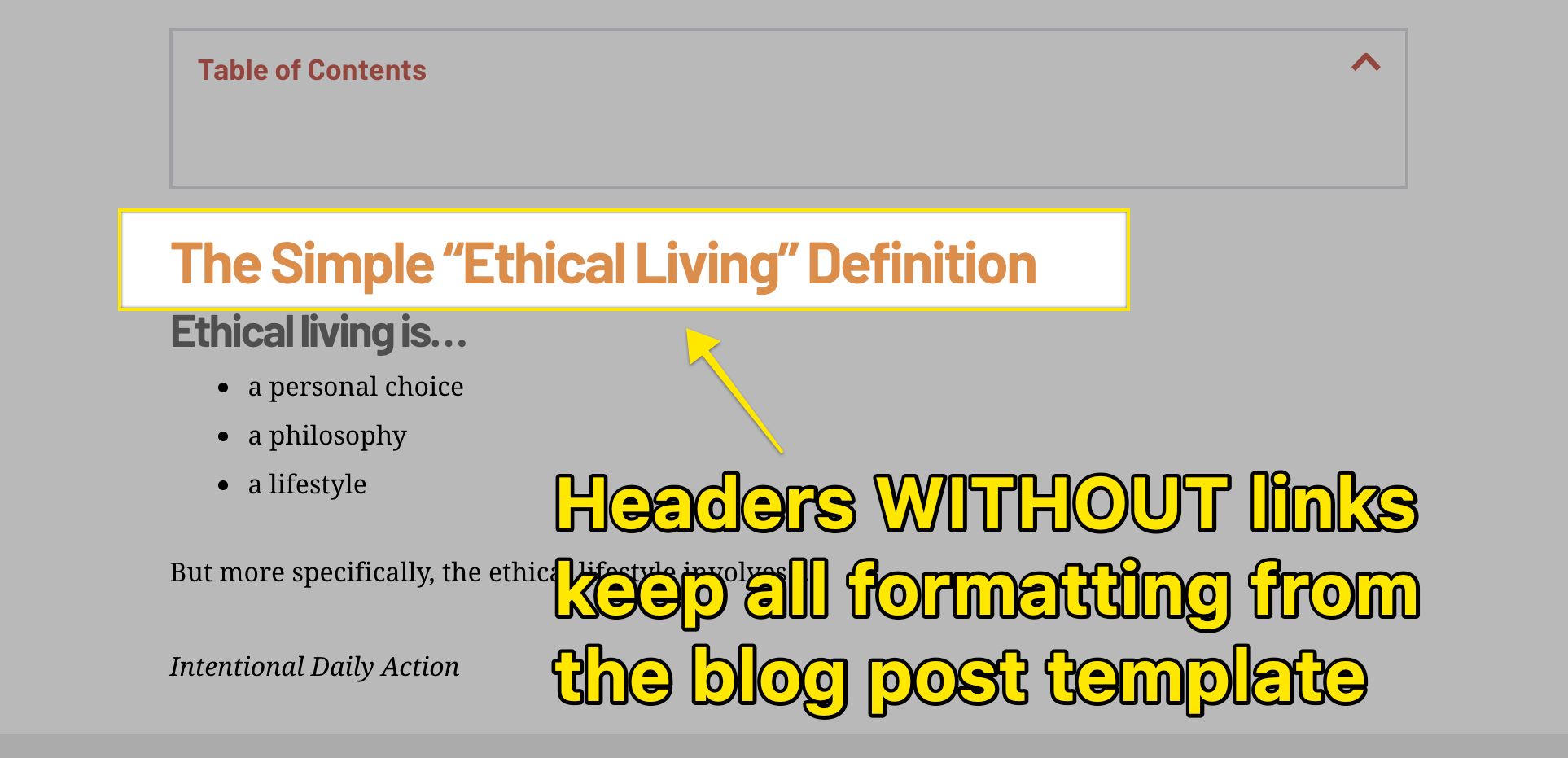
However, I noticed another slight issue with the blog post template...Whenever my headers (h1, h2, etc.) have links attached to them (any type of link - external and internal), the formatting is disabled and the headers turn into paragraph text.
Is there a way to fix this? Please let me know. Thanks again!
Here is an example:
 1
1 -
Hi Lisa,
From your screenshots, I notice that you have installed a Table of Contents plugin. We encounter a problem with such type of plugins and our developers already work on it to find a solution for this issue. I can't say on what update will be included the fix for this issue but I can ensure you that we try to fix it as soon as possible. For the moment, the solution is to deactivate this plugin.
Thanks!Best regards,
Sandra-1 -
Hi Sandra,
Thanks for responding. However, this issue persists with any external link attached to a header. This is NOT exclusive to using internal plug-ins like for table of contents, etc.
By using the Brizy blog post template, ANY header with a link attached to it will lose its formatting - unless you go into the Wordpress/Gutenberg editor to edit each individual header with HTML...
For anyone else following this post, I've found a temporary solution...
FOR BASIC LINKS:
- Go into the Wordpress editor for your post
- Click on your header
- Click on the icon with 3 dots
- Choose "edit with HTML"
- Add <a href="https://YOURWEBSITE.COM" target="_blank"><h2>YOUR HEADER</h2></a href>
- remove target="_blank" if you want your link to open in the same page
- Repeat for ALL headers with links in them (it's a pain, but it works and keeps all of the header formatting!)
FOR A DIY TABLE OF CONTENTS:
- Choose a section/header ID for your target (eg. section_header_1)
- Go into the Wordpress editor for your post
- Scroll to the target section/header
- Click on your header
- Click on the icon with 3 dots
- Choose "edit with HTML"
- Add <a id="YOU_ID_FROM_STEP_1"><h2>YOUR HEADER</h2></a>
- Now, go to where your table of contents is
- Add <a href="#YOU_ID_FROM_STEP_1">Click to jump to section 1</a href>
- Repeat for all headers that you want in your table of contents
Hope this helps with the development of Brizy and for the other bloggers who need a temp solution.
Cheers
0 -

Thanks for the temporary solutions Lisa T.
For me the CSS fix don't work simply because I'm not even using the Brizy editor, but the classic post editor. It's really annoying having the article correctly formatted in the backend but then the presentation on the frontend is lacking. Brizy still has some things to learn in what regards to blog posts, like adding a Table of Content module which is important for today's SEO ranking and adding more Blog website layouts and blocks to choose from! I'm considering changing to another theme just because of these problems.
0 -
Hi, Ahein,
Yes, we have this issue in our list and our developers are working to fix it. When we will have some updates regarding this issue, we will inform you too, here. I'm sorry for this inconvenience!
Let us know if we can help you with something else.
Best regards,
Sandra0 -

Also having these issue, all line breaks are removed on the front end, and bold text formatting is removed.
When can we expect a fix for this?
0 -

Hi Kent,
In 2-3 updates we should have this fix.
Apologizes, it takes more time than expected.
Regards, Natalia
0 -
There have been a couple updates since the last check in and I haven't seen a resolution for this. We have hundreds of sites affected by this, and its becoming a large issue.
Any update on when we can expect to see this resolved?
0 -
Hi, Kent,
I notice that you created also a new post on the same question. I already responded to you in that post. Could you please check it https://support.brizy.io/hc/en-us/community/posts/360073779312-All-Line-Breaks-removed-from-posts?
Thanks!
Best regards,
Sandra0 -

Sorry to piggyback on this. but I was wondering if there was an update yet on adding links color in the blogs or would it still be done via css? thanks a bunch.
0 -

Hi Edgar
Brizy does not have an option to set link color globally. We have made a request for it. Until this feature gets added, please use the CSS solution.
Please add this to Additional CSS
/*Add link color, underline and hover color to blog posts */

p a {
color: #3581e4 !important;
  text-decoration: underline;

}

p a:hover {
    color: #fe4800 !important;

}
0 -

After 5 Years this is still an issue. Just tried it with the latest Version of Brizy 2.6.9.
I have a Blogpost created in the Gutenberg editor, also tested the Classic Editor, but the Formatting doesn't translate over to Brizy.
I tried to enforce the b tag via CSS but it seems that Brizy strips away any formatting tags completely.
b, strong {
    font-weight: bold !important;
}
So i think the solution to this problem lies in changing how Brizy handels formatting.
Brizy might strip away Font definitions, that would conflict with the settings in Brizy, but should keep basic formatting like underline, bold, etc. in order have styling possibilities for blog texts
0 -
Hello Georg,
The bold italics and underline formatting added to the Gutenberg editor should be ideally retained in your blog post when adding a Brizy blog post template. Kindly have a look at a sample blog post at https://brizy.online/adipiscing-elit-duis-tristique-sollicitudin/ You can see different formatting in the blog post.
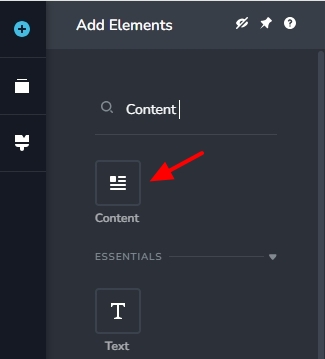
Are you using the Brizy "Content" element to display the blog post content when creating the Brizy blog post template?
 0
0
Please sign in to leave a comment.
Comments
14 comments