The contact forms are not working from the Blocks or Elements

The contact forms are not working on my sites, using your contact form.
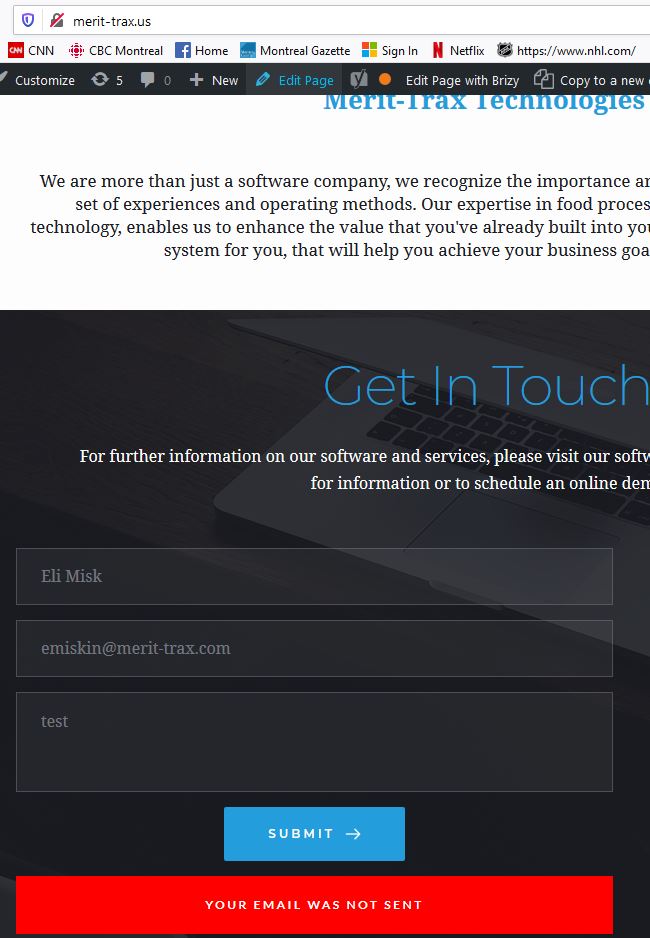
I was told by someone who visited my site that when they tried to send me a message through it, it didn't work. When I tried it, I get an error in red "Your email was not sent".
I have multiple sites and it isn't working on any of them, including one with the pathfinder theme. The contact forms are directly from the Brizzy blocks or the form element. All of them are using the latest version of Brizy Version 1.0.123, and the latest WordPress version 5.4. I searched online and saw posts from other Brizy users having the same problem. This is a very big issue, I need to be able to receive the emails from potential clients trying to contact me.
Also, just to let you know this is definitely an issue with your contact form pluggin and not my site itself because I tried adding different contact form pluggins, and they all worked, I received a test email using all of them.
-
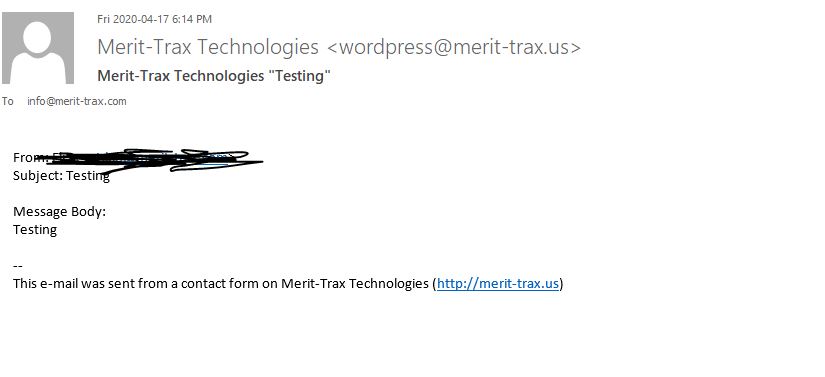
This first image is the email I received using a different contact form pluggin I added.
 0
0 -

I'm having even more fun. Mine says the email was sent, but nothing gets sent 👍🏼
0 -

Hi Eli,
May I know what sending method you set up? Do you use the WordPress send method, SMTP or Gmail: https://jmp.sh/JEkGgze ? Have you set up at least one?
@Darren Black - I noticed that you have created a separate post on this topic. I'll come back soon with a comment to you.
0 -
Hi, I think the separate post came from doing it from Themefuse first, but then I couldn't login through that platform to see my initial post so I doubled up on it here.
I'm using the WordPress Send method, it's the same method I used for the other pluggins I installed which worked, as you can see from the above image an the test send.
0 -
Please make sure you configured the contact form according to this video: https://youtu.be/ceRRayuv2uw?t=421 If you've added all the details there and the contact form still doesn't work, we'll have to take a look at the dashboard. For this, we will need the login details that you can send as a private request.
0 -
You do know that video only shows entering an email address into the plug email address field right? If you read my initial message I would have thought it to be obvious I had done that, it seems a bit of an asinine response to me.
I sent a private request.
0 -
Hi,
Please check your inbox. One of my colleagues sent you a message. There is a login problem and we cannot inspect the issue on your site.
0 -
I emailed her back a replay with the correct login
0 -
Hi,
please come back to the community with an update on the cause of the problem when it is fixed. I'm really curious about what went wrong.
0 -
Hi, it looks like somehow the settings I had in the contact forms got reset in some places. I notice that it's like that on multiple of my sites, so it seems the resolution is to go through and check the settings to make sure that they weren't reset.
Update from going to make the changes: it has to do with a Brizy update, it was when you added the new SMTP and Gmail options from the Email tab on the contact, it deselected and blanked the regular "Email"
The other reason it was more difficult for me to pinpoint is because I use multiple host providers, and it seems at the same time one of the hosting solutions (another one of my sites I was doing test sends from with the proper settings) was going through an issue. Thank you, issue resolved
1 -
Hey,
it seems that if you had double-checked the configurations after my "asinine response" you would have found the cause much faster :),
I'm not sure this was caused by the Brizy update because if it was, all users should have this problem. However, all that matters now is that your problem has been solved and now everything is going well.
Should you need anything else, don't hesitate to contact us.
0 -

I still have this issue and i'm not the only one. I would like someone to reach out to me directly as I have been waiting for assistance. I'm sure we can do a remote view or you can have access to my dashboard to trouble shoot the problem. What's important is that I get this fixed ASAP.
0 -
Hi Geroge,
I saw that you created a separate post for this issue Let's continue there. I know you want an answer as soon as possible but it was weekend and on weekends support is limited.
0 -
- In order to do Gmail for the contact forms, you must have 2-step verification and less secure app ON
- You then need to make sure it is connected on your host through SMTP
- Once that is all done, you must have an APP password and use this in place of your password for your GMAIL credentials on your contact form
it works fine for me now and goes straight to inbox from my contact form
Please follow the steps for GMAIL on the following link (this is for cloudways but should apply universally)
https://support.cloudways.com/configure-gmail-smtp/
hope this helps everyone!
0 -
thanks for sharing ;)
0
Please sign in to leave a comment.
Comments
15 comments