Project Created While Logged in But Stuck in Guest Account

I created a project "https://peach1378030.brizy.site/", and now when I go to edit the project it's gone. I've searched the community and it appears there seems to be something around it being created under a guest account.
After reviewing the various support requests, I feel that the Brizy team should really address this from a UX standpoint, as it appears to be happening to a lot of people. Ditch the guest account, make someone register... this can't be a good use of your developers time migrating projects when as your support person "Alex" has said, "there are other priorities for our developers".
The above is not our concern as paying customers. Every business has their priorities, but providing your customers with phenomenal support is the most important, otherwise, you won't be in business tomorrow with no customers.
Rant concluded... Now to the issue at hand, migrating the project to my paid account.
-

Hey Richard,
You are right there are some UX issues here that we need to address for sure. We had our plates full with various more important things, but it is clear that we need to look into it as we received a couple of issues regarding this and some improvements are needed here.
I've created an issue on our internal board, my colleagues will move the project to your account when they get back to work on Monday. Thanks for your patience.
0 -

Hi Richard.
Alex here. The support person mentioned in your post.
From what I know, quotation marks are for when you want to use someone else’s words in your writing. "there are other priorities for our developers" - are not my words. This is more of an interpretation of yours and probably referred to something else in the post you found.
I will really appreciate if you will be fully objective when trying to provide objective feedback. Thanks.
0 -
Thanks Dimi. That was a more appropriate response than your colleague.
And Alex, I paraphrased, but here are two instances when you’ve used the language.
“there are more things that are more urgent and important than this feature”
“Our devs are busy with much more priority things, like server sync, and we will not be able to restore your project now.”
I’d have you consider that since these are public responses you should really look at how you respond to your paying customers. You’re in the customer service industry, and all your customers are doing is looking for help to use your product.
A simple “no problem, we’ll look into the issue and get that resolved for you” will suffice in most cases.
0 -
Thank you, Richard, for the feedback. I will reconsider my answers.
"no problem, we’ll look into the issue and get that resolved for you" does not work in many cases because the problem isn't always in Brizy. I probably need to analyze how I explain this.
However, my phrases, taken out of context, seem more out of responsibility than they actually are. For fairness I will post those two discussions here:
https://support.brizy.io/hc/en-us/community/posts/360057600191-sites-projects-disappeared-
In both cases, I came up with a suggestion to solve the problem faster and in both cases they were resolved.
Wish you all the best and I hope your project will be restored as soon as possible so that you can continue building the site.
0 -
Hey Richard,
Thanks for your patience.
We've moved the project into a new sub account in your Brizy Cloud account
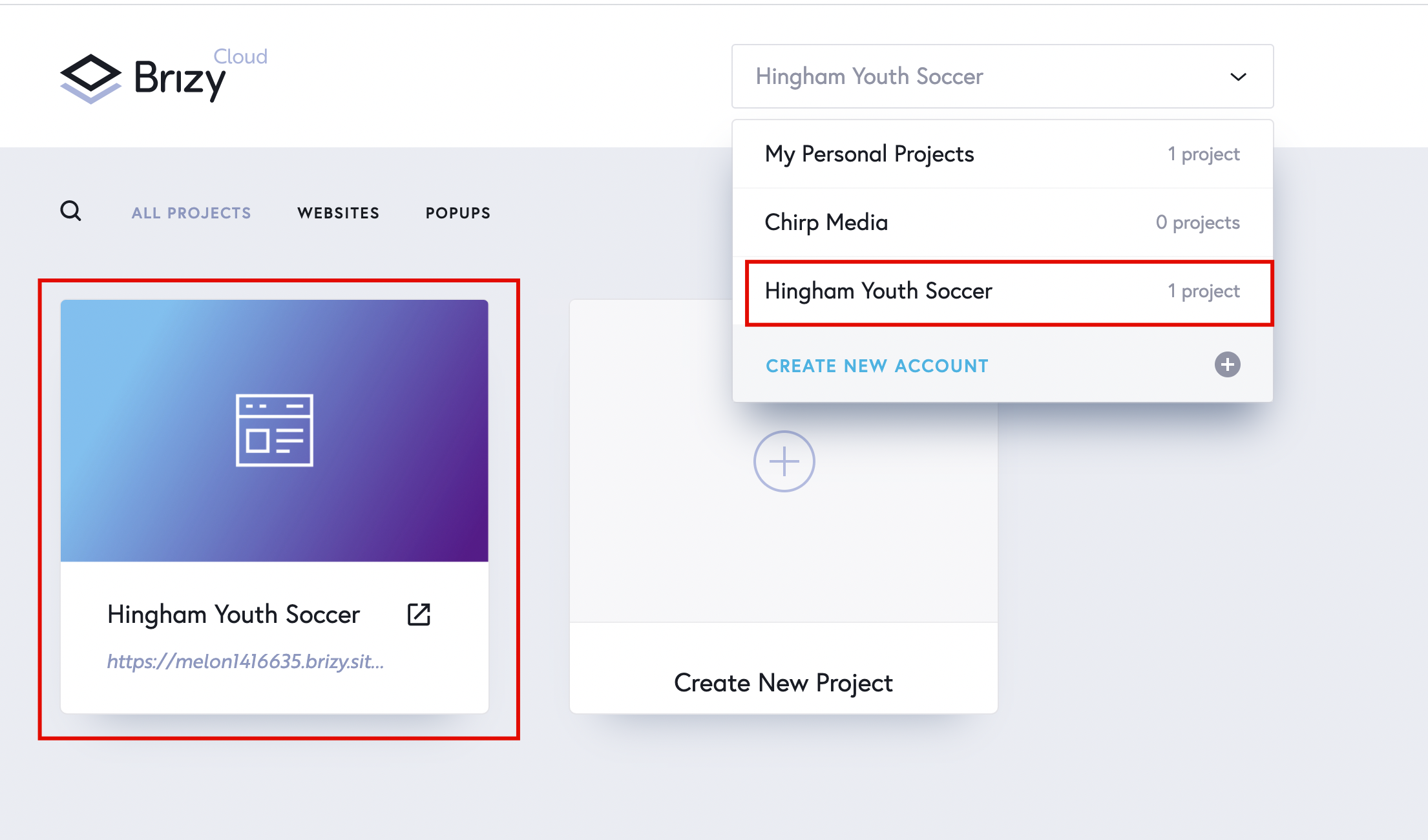
You can login and take it from there. Please note that although we've managed to move the project there, the styling: colours and fonts were lost in the process and you'll need to go through the page and set them up again. That is valid for the pages and the menu you had as well.
At leats you have the main page structure and you don't have to build it from scratch.
Not perfect but hope this helps.
0 -
A user was created for the guest account that has the project you've created, I'll create a ticket and send you the login credentials for that account, this will help you check out the styling for that page: fonts, colours and also see the pages you need to create for the menu.
Expect an email from us shortly.
0
Please sign in to leave a comment.
Comments
6 comments