Global Settings keep reverting to default from custom set palette and fonts

Hello!
We have set some custom colors and font settings in the Global Settings and these have now reverted to the original default settings a couple of times. Each time we have to manually go through and again set the colors and font settings individually as we are unaware of how to import / export only these settings.
Is there something we are missing here, and is there a way to make this process simpler?
Additionally, why would this be happening?
Custom settings we applied: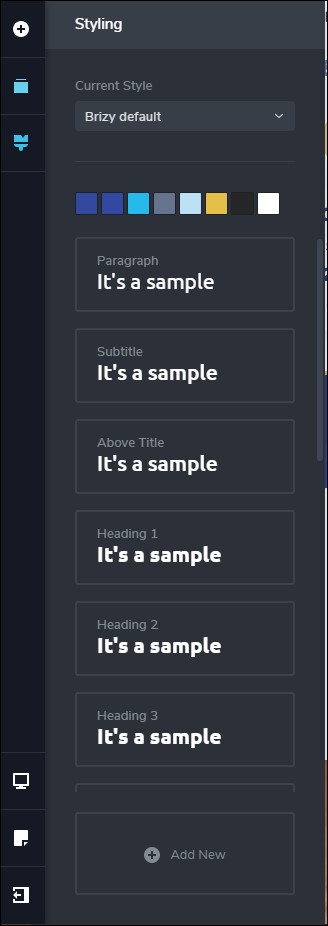
Reverted original settings: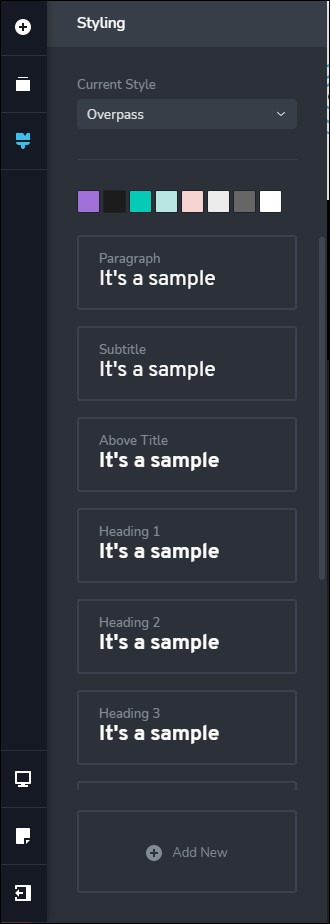
I know in the screen capture the "reverted" settings read as "Overpass" but this is simply because the last time we had to manually update this to get our palette back it was done on that style and not the "Brizy Default" - so this is not the issue.
The issue is that our color palette is gone.
Versions in use:
Brizy v2.2.17
Brizy Pro v2.2.11
It appears that the exact same thing happed to users B.j. Cbrtg (on 2020-06-23T11:01:37Z) and then Tiago Rosa De Paula (on 2021-02-19T14:00:48Z) in this support thread https://support.brizy.io/hc/en-us/community/posts/360069659411-Styling-lost-back-to-brizy-default-template - and at the end a "private ticket" was initiated.
Right now we are at an impass and need a solution.
Please advise.
-

Hi,
Thank you for all these details! We would like to check this problem from your dashboard. Could you please send us the WP credentials for this site?
I have created a private ticket for this request too. You had to receive a notification regarding this by email. Could you send us in that private message the WP credentials to this site?Thanks!
Best regards,
Sandra0
Please sign in to leave a comment.
Comments
1 comment