Post Content Formatting Issue

Hi there,
A student of mine pointed out an issue with the post content element whereby it creates this massive space between paragraphs despite only having one line break. Below is a screenshot of the issue. Using current versions of Brizy and Brizy Pro. 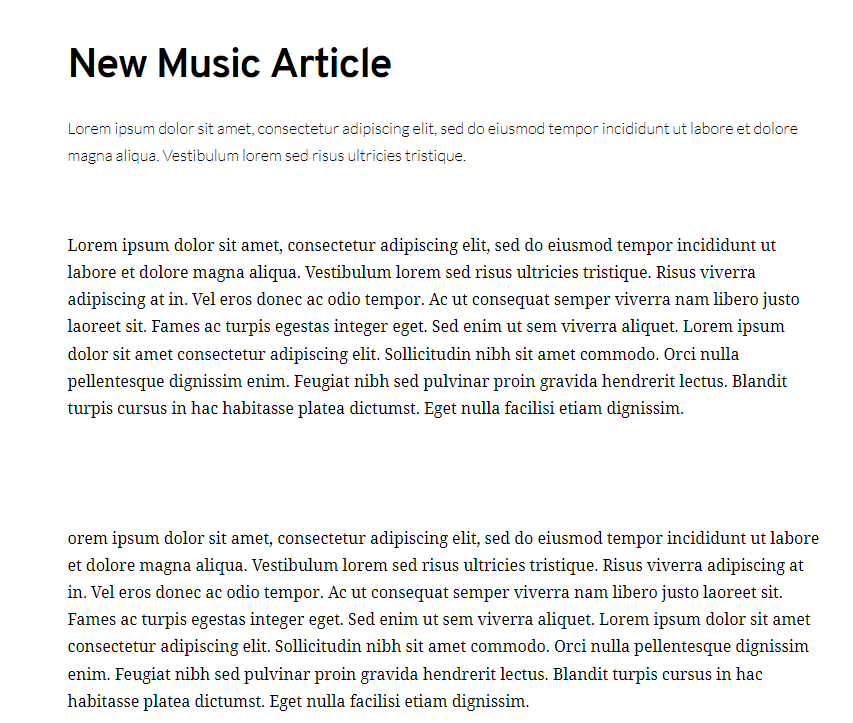
-

Hi,
"Using current versions of Brizy and Brizy Pro." - Please confirm we're talking about Free 2.2.9.1. and PRO 2.2.6.
Did you check this with a different theme? Does it look the same in the editor? Do you have the same problem if you disable all your external plugins?
0 -
Hi there,
Yes, those are the versions installed.
Checked with no plugins installed online and with localhost, with Astra, Neve, Ocean and Twenty-Twenty-One.
When I revert all the way back to 5.6 it doesn't display this formatting issue.
It does display this issue on all 5.6 upgrades and in the builder when using the Post Content Element and the #Post Content instruction in Brizy, in both the Brizy template and theme global stylings.0 -
Separate website, fresh WP install with all the above mentioned themes, same issue on 2.2.6 and 2.2.9.1.
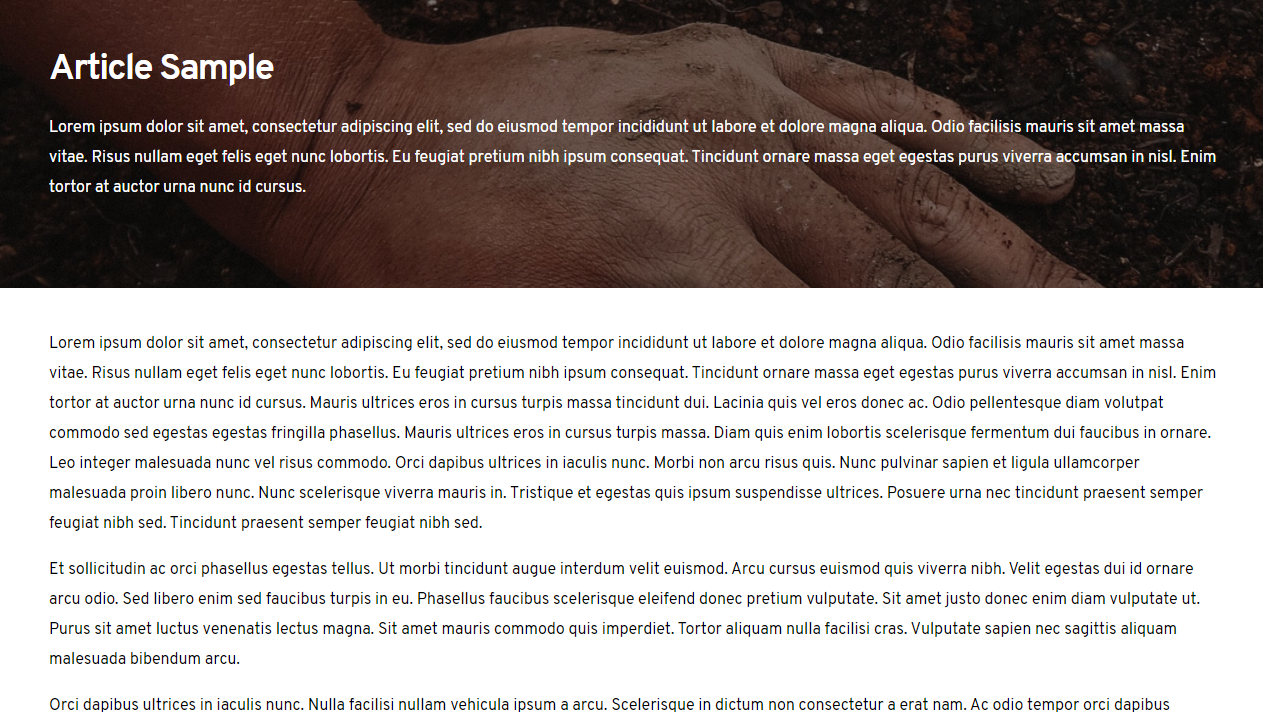
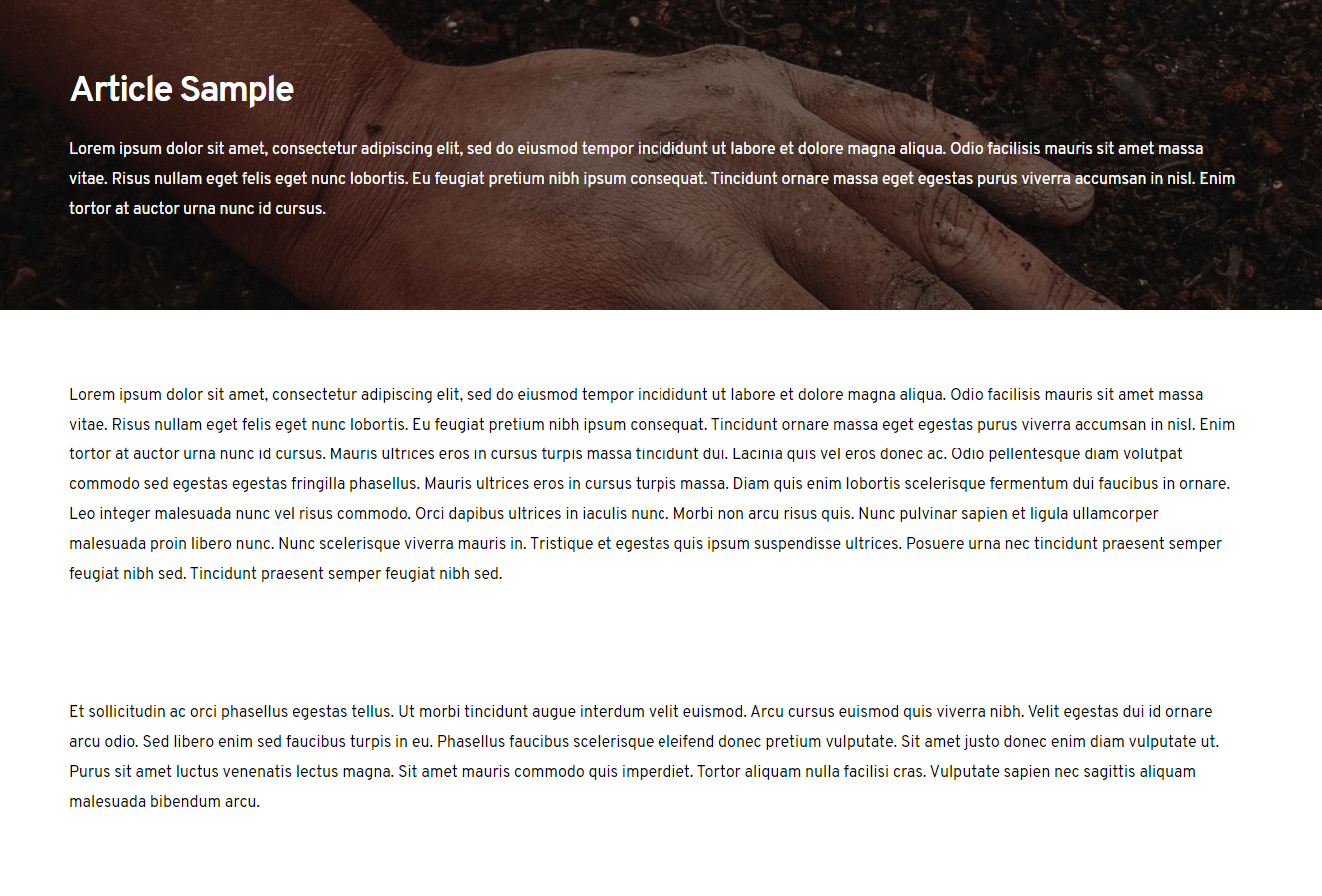 It is definitely related to the new WP version, 5.7 as this issue disappears as soon as I downgrade to 5.6.
 0
0 -

Hi Mathew!
I confirm it is a bug and I've forwarded this issue to our team in order to be fixed. As soon as I will receive more details on this fix - I will notify you.
Best regards!
Elena
0 -
Thank you for the feedback.
0 -

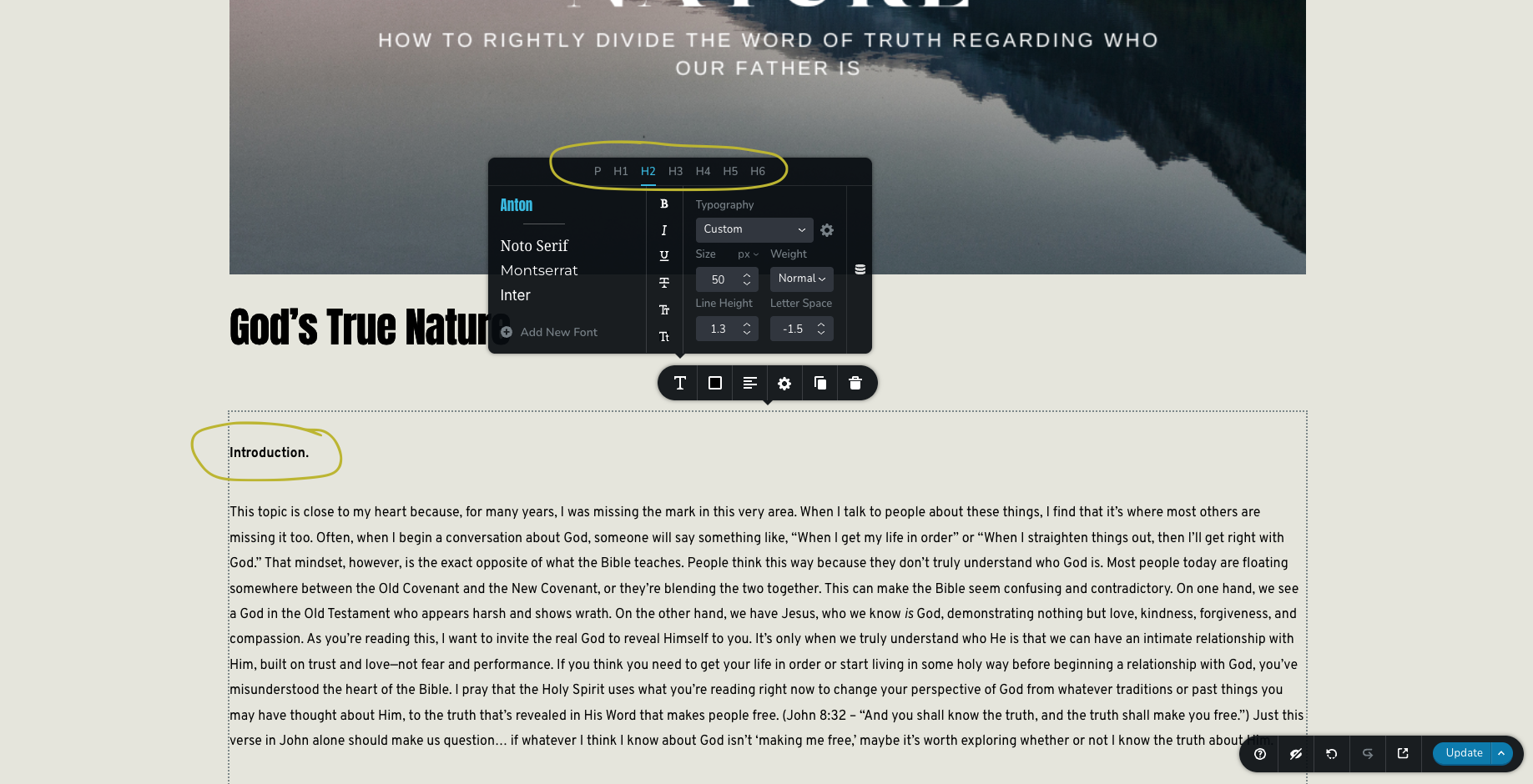
Ever have any luck with this? I'm having the same issue with huge gaps between paragraphs as well as not being able to get the headings to format differently than paragraphs on dynamic content being pulled in from posts. The option is displayed and shows as if it's editable, but makes no changes to the content displayed. Attached is a screenshot. Thanks!
 0
0 -

Hello Jordan,
The Content element can translate heading styles applied in Gutenberg to Brizy heading typographies. Have a look at https://brizy.online/how-to-style-a-console-table/ for an example. Kindly share the URL of your blog post so that we can take a look this issue.
0 -
Okay thats awesome news! Not sure why it’s not working in our instance then though. Here’s a link. Any of the other posts on this site can be viewed too, they’re all affected.
https://upperroomsgf.com/gods-true-nature/
Thanks!
0 -
Hello Jordan,
We would like to take a look at your WordPress Dashboard to troubleshoot this issue for you. Please add a new user to your WordPress Dashboard and send the following details to our email: communitysupport@brizy.io
- Support Forum link: https://support.brizy.io/hc/en-us/community/posts/360014938558
- WordPress Admin URL:
- Username
- Password
Please let us know in this forum when you send us the email.
0 -
Thank you for your help! I just sent the email with the requested WP login credentials.
0 -

Hi Jordan,
Thank you for the update.
Upon checking, this issue occurs when a heading is manually set to bold in the Gutenberg editor. When this happens, the heading style doesn’t apply properly. To resolve this, try turning off the bold setting in the font options for all your headers, save your changes, and then preview your site to see if this resolves the issue.
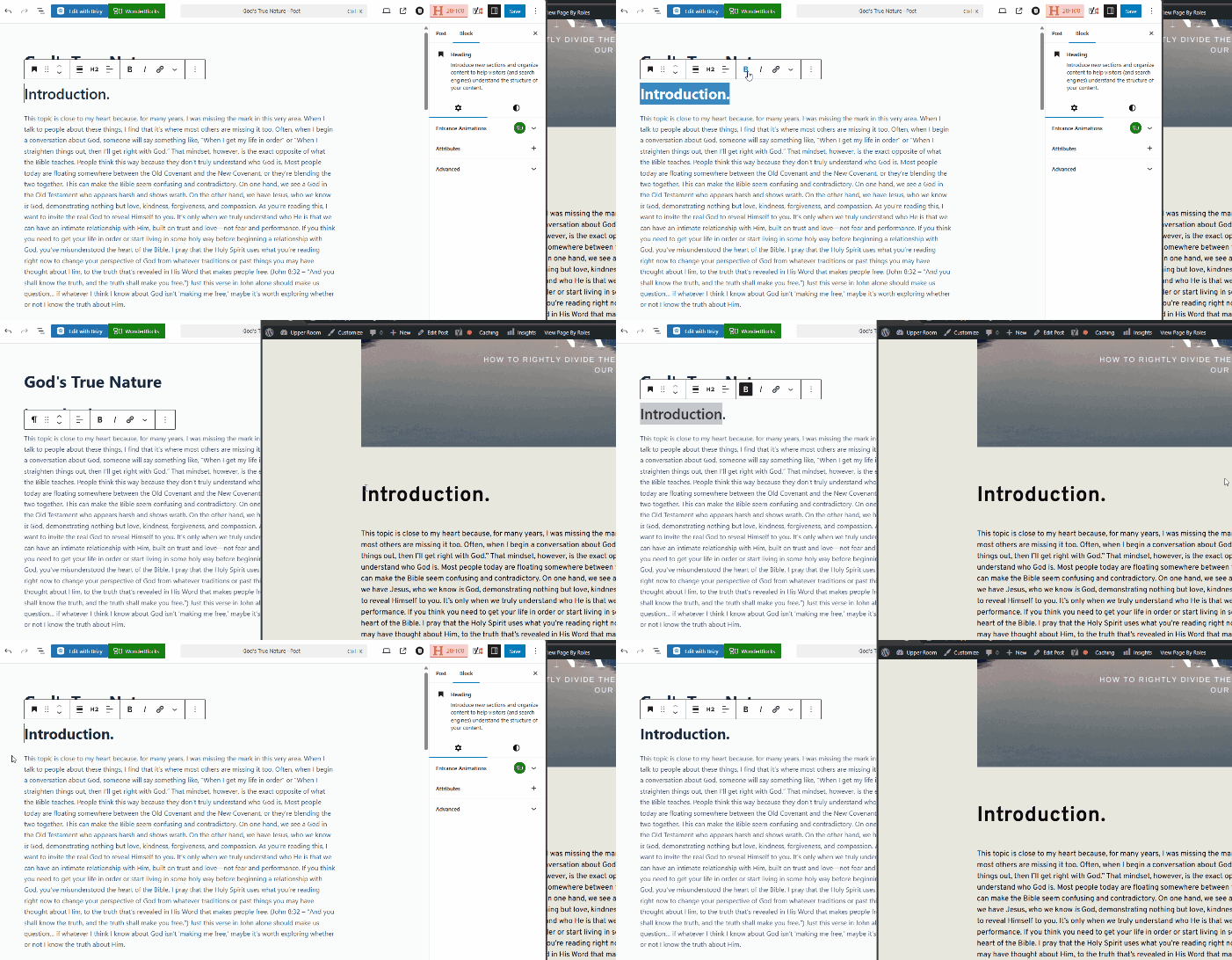
Please try this and let me know how it goes.
Best regards,
Ariel H.0
Please sign in to leave a comment.
Comments
11 comments