Another issue... Brizy and ACF

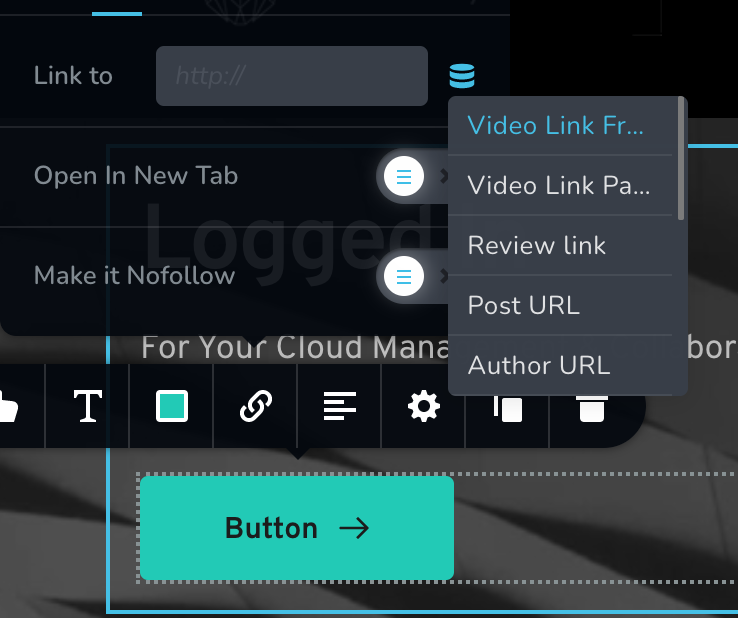
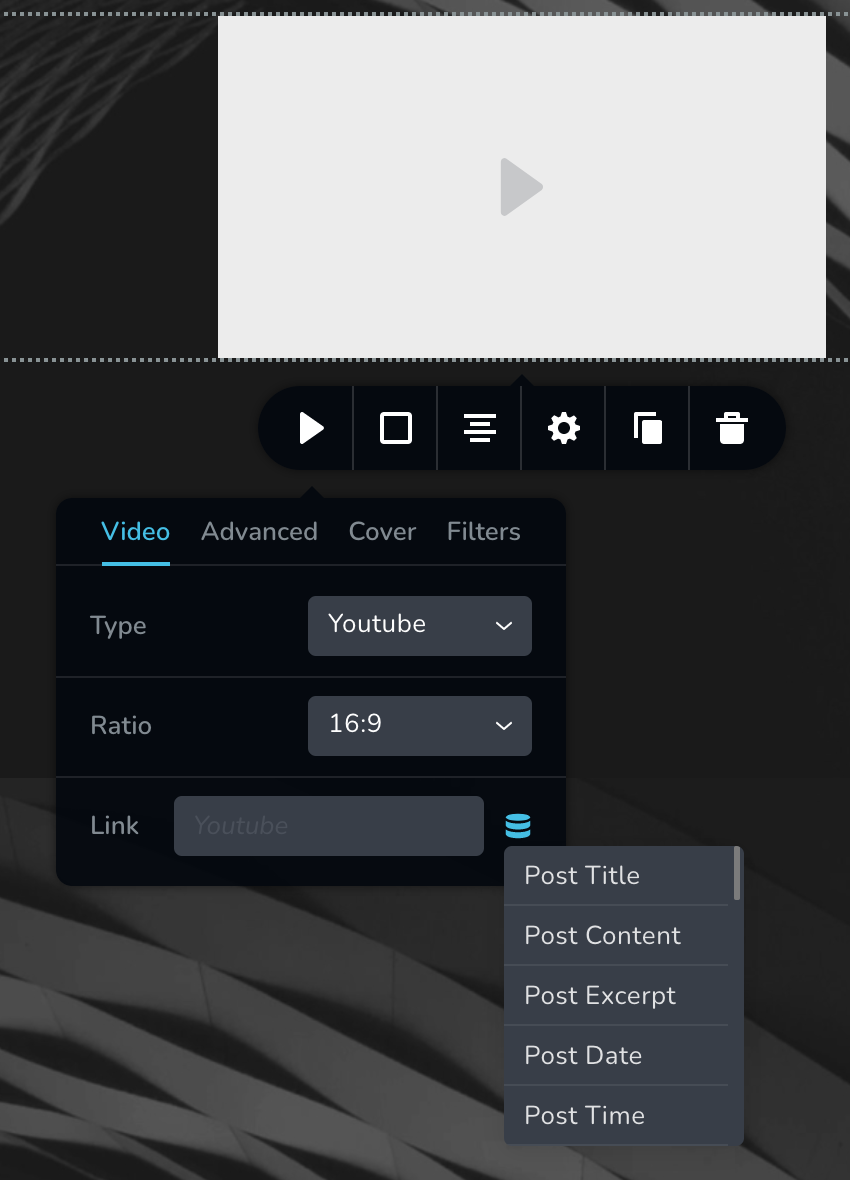
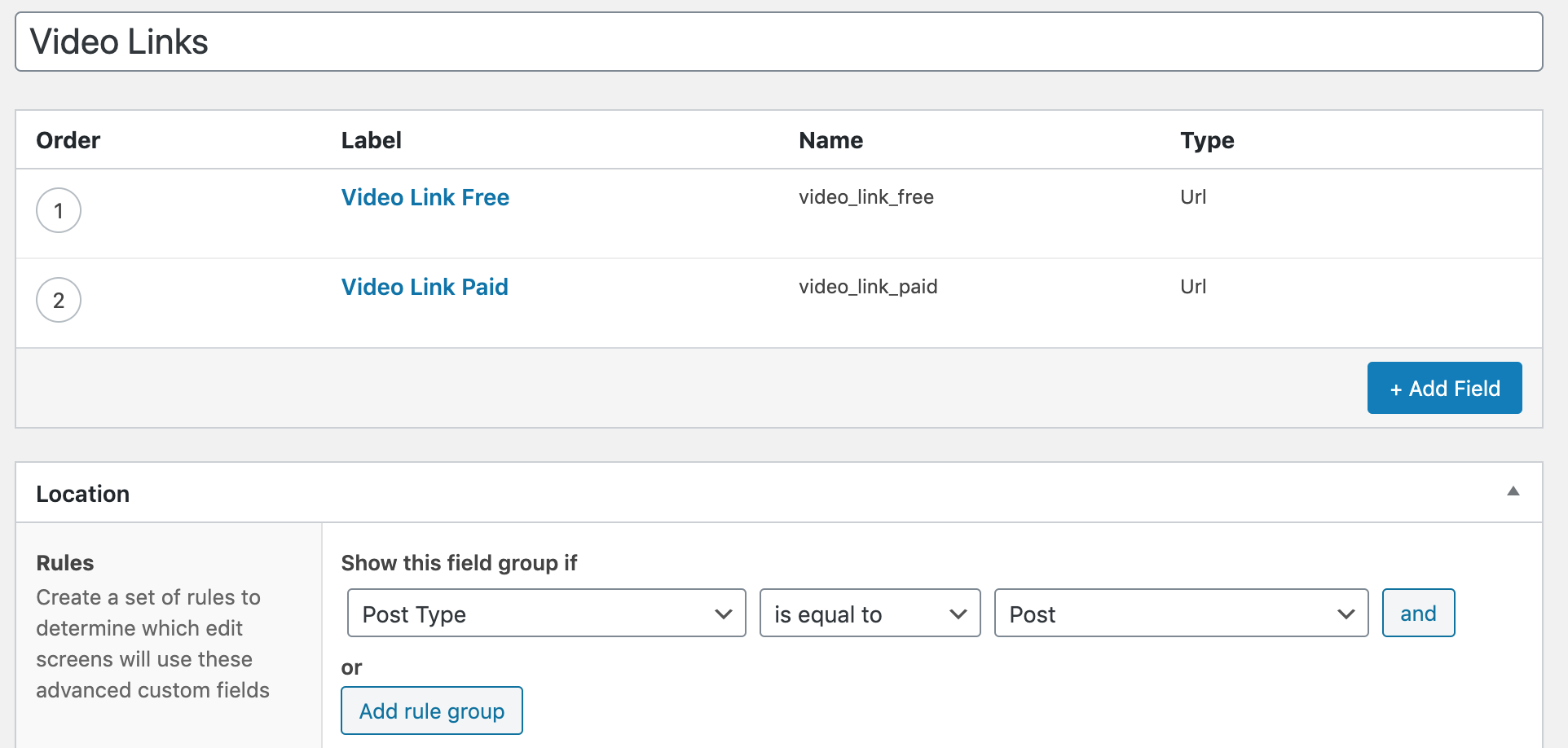
I set up ACF "Video Link Free" and "Video Link Pro" links via a field group as Dimi did during the Brizy Membership webinar he recently did... I was able to see the custom field group on the bottom of each post... however when I edit the template for my posts it only allows me to use the ACF links when selecting a "go to" link... when I use the video element the ACF links are not available...
Below are two screenshots illustrating what I'm referring to... what am I doing wrong?!
Below on the top screenshot you can see the ACF links are available when adding a link to a button on the posts template.... but the next screenshot down shows that the ACF links are not available when adding a link to the video element in the same posts template....
PLEASE HELP... As I mentioned before I'll pay a premium for help with the issues I'm having...
-

Hi,
Could you please check if you have the latest versions for Brizy Free 2.2.8 and Brizy Pro 2.2.5? The ACF integration is a Pro feature, therefore it is recommended to have installed the latest version of the Brizy Pro version.
Also, could you please send us some screenshots of how you set up the ACF "Video Link Free" and "Video Link Pro"? How did you create the template for these posts? What display condition did you set? Could you please send us the screenshot?
Thanks!
Best regards,
Sandra0 -
Hello, Sandra,
As my other response showed, both Brizy plugins are current
I've attached a screenshot that may or may not help... I created the links using types "url" - "link" - etc. and the same issue persisted...
As I illustrated in my OP above, the custom links are displayed in the regular links function... but they're not displaying on the video element... so I don't think the conditions are the issue... but I could easily be wrong...
I created the templates following Dimi's Membership webinar... for example, the template has two global headers, one displays when someone who is not logged in, and the other header is displayed to those who are logged in...
Please let me know what else can be done to remedy this issue... thank you! –Dan
 0
0 -
Hi,
If the block where is added the Video element is set up as global, could you please check what display condition have that block? Could you please unset the Global functionality?
Thanks!
Best regards,
Sandra0 -
Sandra,
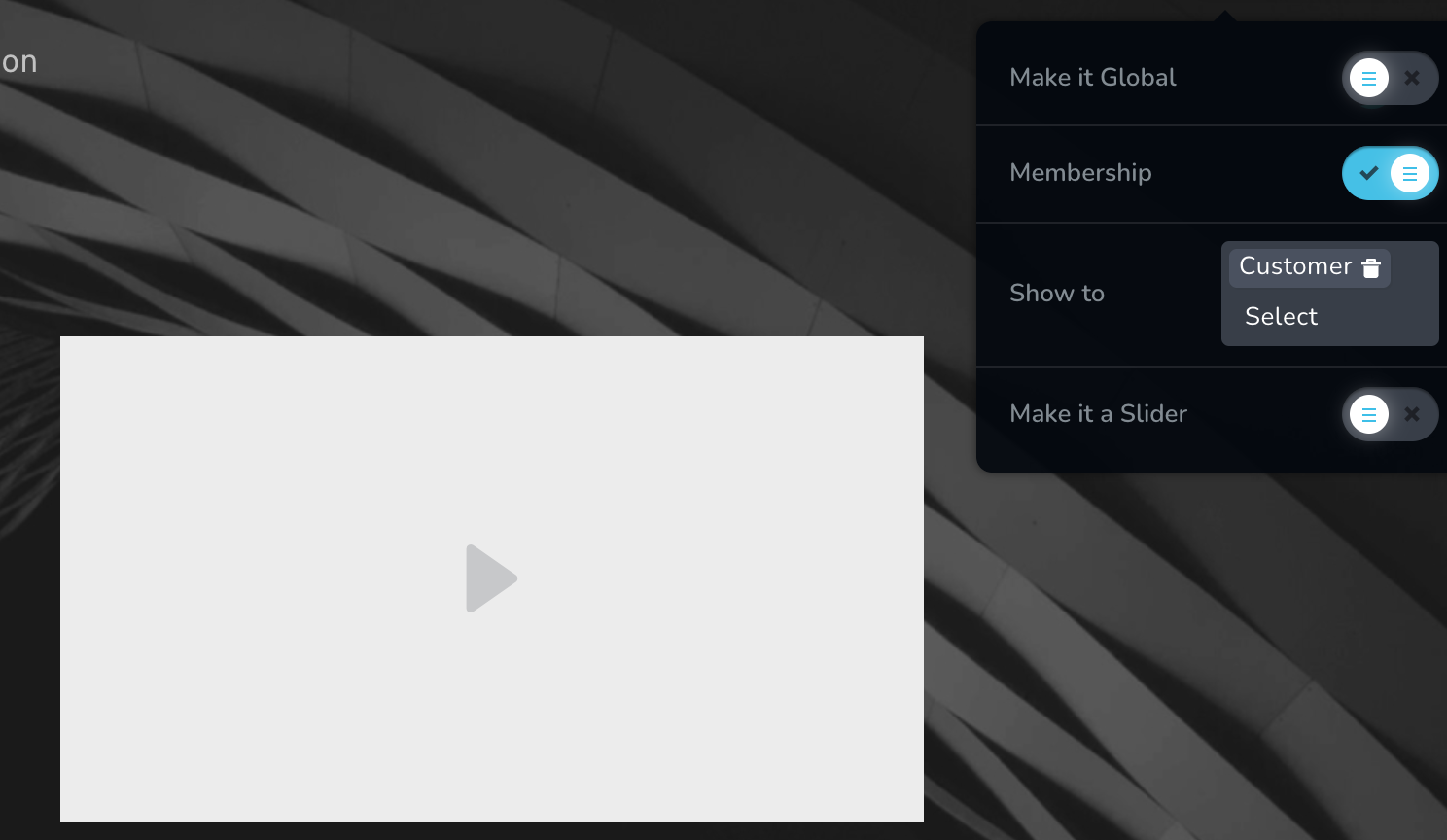
As the below screenshot shows, the block in question is not global, so there are no conditions. Please let me know how I can get Brizy to work for me... it's a great plugin and it's nice to have the lifetime account I bought... but for whatever reason it will not work on multiple fronts for me... it's a bit depressing because I'm going to have to look at a totally different solution because I can't afford to waste weeks at a time for the basic functionality to work properly... hopefully you have an escalated support option... as I mentioned, I'll pay to get faster help... I just need it to work very soon... please help...
Thank you,
Dan
 0
0 -
Hi,
In the previous post you created on a similar question (see here), I informed you about creating a private ticket for you. Could you please check it and send us the WP credentials to this site and we will check this inconvenience too.
Thanks!
Best regards,
Sandra0 -
Hello, Sandra,
I replied to your private ticket email with the admin login to my site....
Thank you,
Dan
0 -
Hi Dan,
Thank you for your reply and the WP credentials. We will check the inconvenience you found and will come back with a reply as soon as possible.
Thank you!
Best regards,
Sandra0 -
Sandra,
Great, thank you.
Dan
0 -
Hello,
Do you know when the below bug will be fixed? I just checked after the most recent updates (i.e. 2.2.10 and 2.2.7) and the bug is still there (you have to select the "text" type instead of the "URL" type for the links to show up on the video element. It'd be great if the correct ACF type showed up... Below is the response I received from Natalia on 03/12/21:
————————————
ACF Issue:
Here we have a bug. It seems that the Video element has incorrect dynamic fields; it should have the video dynamic fields, but it has text dynamic fields. Already sent to our team to fix this issue.
As a temporary solution, I just changed the ACF field type https://jmp.sh/LPIQh4b and in the Video element, I had the correct dynamic fields - https://jmp.sh/2lK2dCz
Let me know if you have any other questions,
Regards, Natalia————————————
Please let me know... thank you —Dan
0 -
Hi,
Unfortunately, at the moment, we didn't release the fix for the problem encountered with ACF but we are investigating it and the team are doing all the best to encounter and apply the right solution.
Thank you!
Best regards,
Sandra0 -

Hi every body, I have the same problem with Brizy pro 2.4.12 and ACF.
Have you find a solution ??0 -

Hi David,
I have replied to you here https://support.brizy.io/hc/en-us/community/posts/11494814500753
0
Please sign in to leave a comment.
Comments
12 comments