custom domain

Hi, I just created a couple of pages and to try how the custom domain worked, I added my own - which is being used for my main website. Curiously, Brizy recognized immediately the domain as I had already added the CNAME, which I hadn't!
When I saw that the page I had just created, pointed to my main website, I went to reverse the custom domain and set it at Brizy subdomain as it was initially.
Unfortunately I tried that already several times but it is still pointing to my own domain and I would very much like to revert it to Brizy's subdomain for the time being. thanks
-

Hi,
How did you add your custom domain to the Brizy Cloud project? Did you set the Cname and A record in the custom domain provider? If you add any record in the custom domain provider, I recommend checking it and delete the record that points to the Brizy Cloud site. Then delete the browser cache and check again he site.
If the problem still persists, please send us the URL of the Brizy Cloud project https://jmp.sh/NDj8G3w and the URL of the custom domain.
Thanks!
Best regards,
Sandra0 -
Hi Sandra, no the funny thing is that i didn't need to add the CNAME anywhere: as soon as I typed in my domain, Brizy seemed to have recognized it immediately
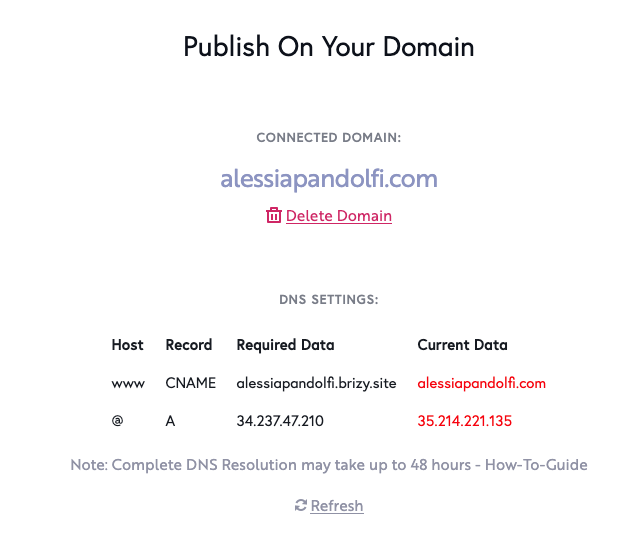
The screenshot below is from now, but that's how it was yesterday, as soon as I added my custom domain in Brizy.
0 -
Hi,
Thank you for the screenshot. When you add the custom domain and start to publish the project with this method, yes, by default you see the screen from your first image but this doesn't mean that already is done and the site is published on your custom domain. As you can see the DNS current data are marked with red, this means that they aren't configured. When you go to the custom domain provider and create and save the Cname and A record correctly, these DNS current data will be marked with green and this is the indicator that the publication was made successfully.
Now, you can't worry about this. It isn't a problem or inconvenience and all is fine. I checked the domain and it isn't directed to the Brizy Cloud project. See here.
Best regards,
Sandra0 -
Ooh I see :D
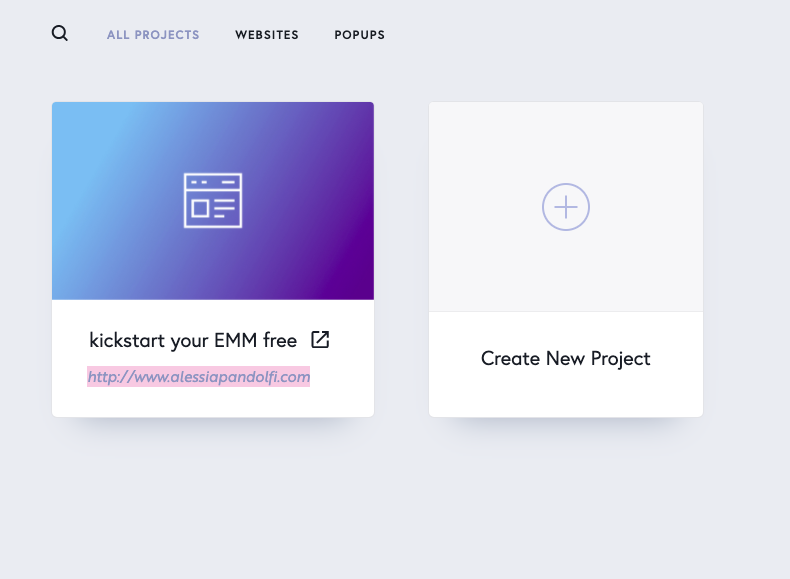
however now I don't really have a link to share the pages I have created: when I click to edit the project and I go to Asstes > Pages, i see the url snippets, but if I click on the pages, one goes to my homepage alessiapandolfi.com and the other to the thank you page on my site alessiapandolfi.com/thank-you
Do I need to create a new project to make sure I have a shareable working link? thank you for your help !
0 -
Hi,
Could you please publish the site with the Brizy subdomain and save these settings? After this check again these pages. Do you see the same inconveniences?
Best regards,
Sandra0 -
Hi Sandra, the site has already been published and I tried to revert to Brizy subdomain at least 10 times :/
You can see here: https://www.loom.com/share/3190f6aa3e244b3e86ab71d715dd9f9b
0 -
Thank you for the video. After you publish the project with the Brizy Subdomain method, could you please open the homepage and click on "Update"? After this, the project should be published with the new method.
Thanks!
Best regards,
Sandra0 -

I've had exactly the same issue for a few months and have never resolved it. I really need to release the custom domain so I can use the license for another site. Did you ever resolve this Alessia? Otherwise I think I'll need to export the html and delete the site. Hope that releases my custom domain license!
Thanks
0 -
Hi Tes Macpherson,
Yes, I notice that we have an open post on this request. One month ago, I send you a reply there but till today I didn't receive a reply from you. Could you please check this post and continue there the discussion. We almost finished it.
Thank you!
Best regards,
Sandra0 -
Thanks Sandra, I've replied now. I'm still having issues with it after having followed your instructions. Hope you can help me. Cheers.
0 -

My clients domain not showing within the google domain https://fivestarfreedomconsulting.com/
0 -

Hi Jackson,
Thank you for contacting us.
I just checked your website and everything is working well, please see here.
Best regards, Nelea.
0
Please sign in to leave a comment.
Comments
12 comments