Clickable popup not working

-

Hi Aaron,
Thank you for reaching out.
The reason you’re unable to fill out the form inside the popup is because the entire column appears to have a hyperlink applied to it. When a hyperlink is attached to the column container, it can prevent interaction with the form fields inside the popup.
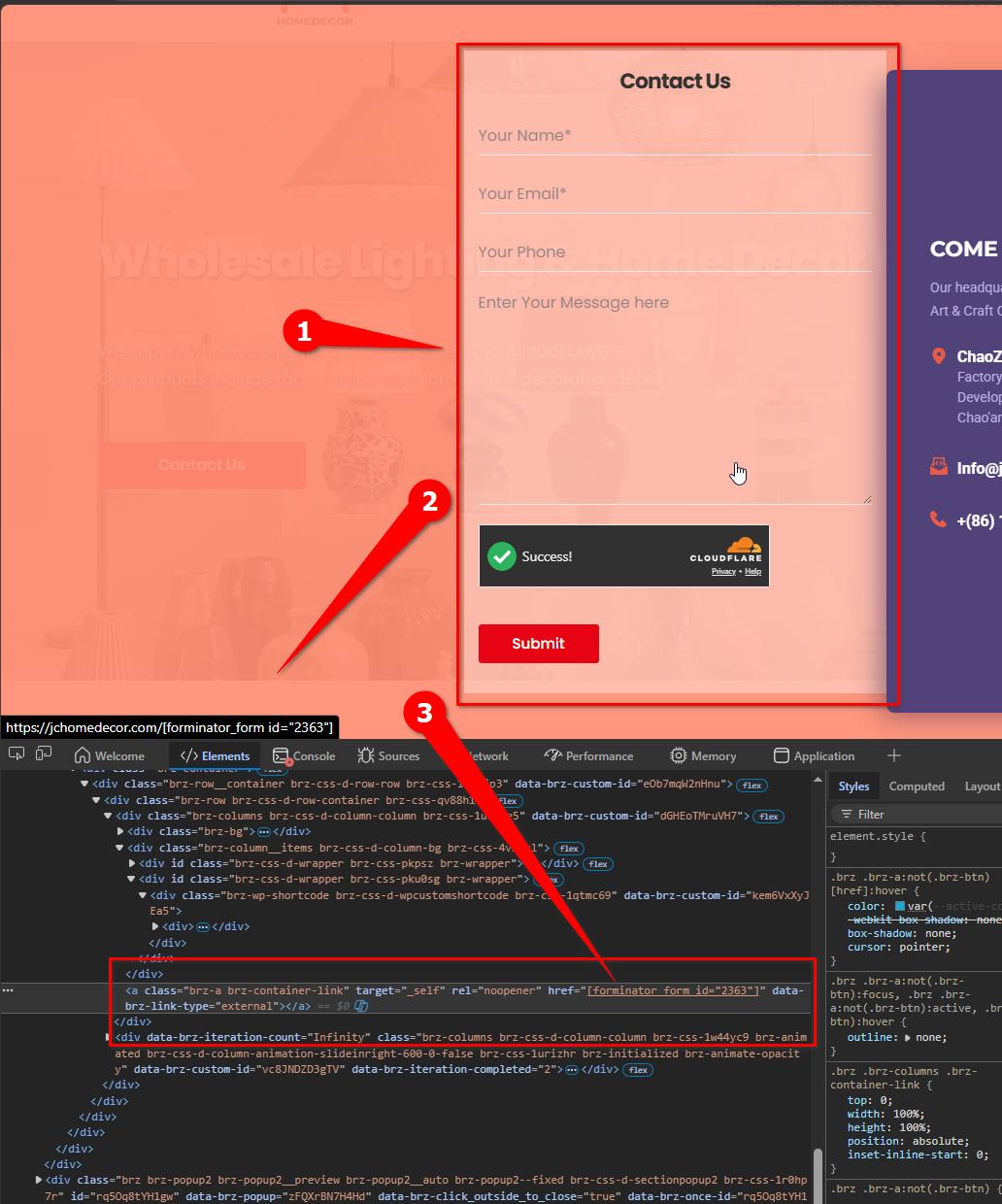
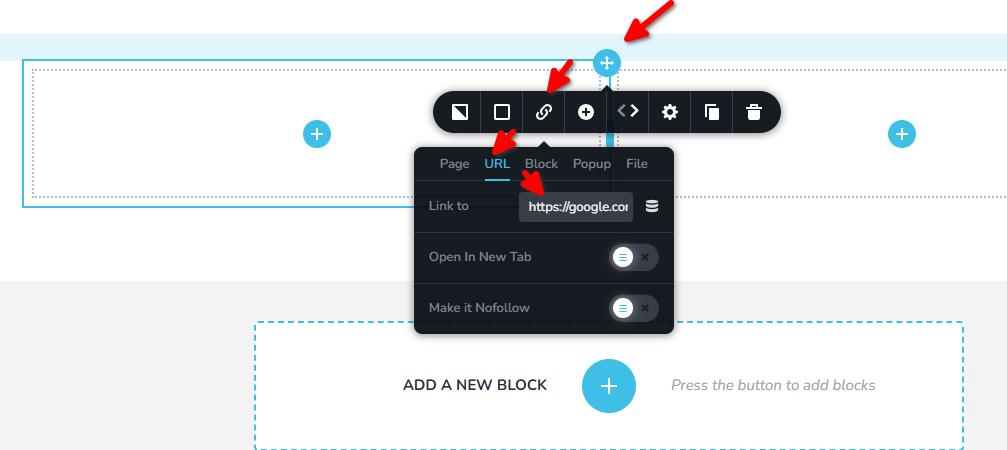
Could you please check the column container where the form is placed and see if a hyperlink was added there by mistake? To do this, select the column, go to URL, and check the "Link To" field. If there is a link added there, kindly remove it and test the form again.
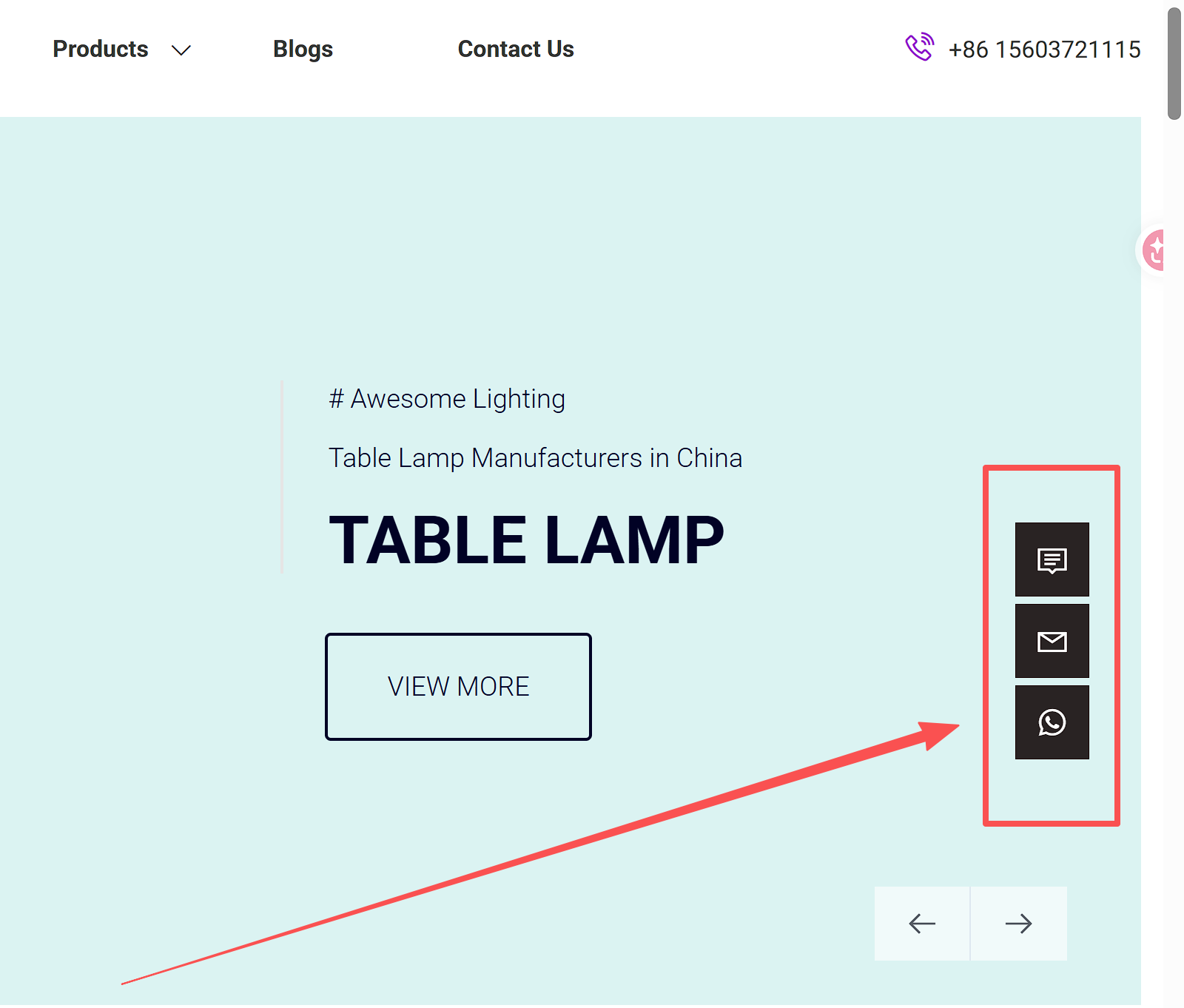
About the hidden form feature that stays fixed on the left side of the page, Brizy currently does not have a built-in feature for this. However, this may be possible using a third-party plugin or custom solution. You can check for third-party plugins that provide floating or sticky side forms for WordPress.
Here are some example plugins you can explore:
https://wordpress.org/plugins/mystickyelements
https://wordpress.org/plugins/buttonizer-multifunctional-button/
https://wordpress.org/plugins/chaty/If you have any further questions, please let us know.
Best regards,
Ariel H.0 -
Hello Ariel H
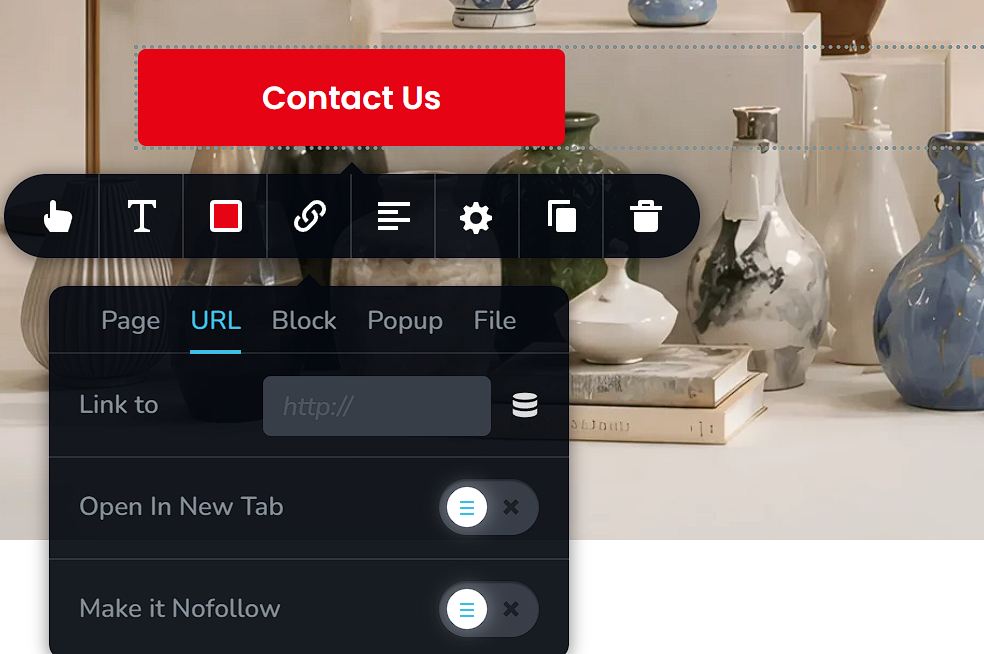
I've checked and didn't find any URLs. Please check again for me, thank you.
 0
0 -
Hi Aaron,
Could you please share temporary WP Admin access so we can take a closer look at the issue? You can add us as an Admin user in your WordPress dashboard and send the details to communitysupport@brizy.io:
Community post link: https://support.brizy.io/hc/en-us/community/posts/35695836558354
WordPress Admin URL:
Username:
Password:Best regards,
Ariel H.0 -
Hi Aaron,
Just following up on our previous email to check if you had a chance to review it. Please let us know when you’re ready to share the details so we can proceed and help you fix the issue.
Kind regards,
Ariel H.0
Please sign in to leave a comment.
Comments
4 comments