Links to categories in single post

I can't set up linked categories in a post. Same here. https://mathmakers.pl/dlaczego-indywidualna-nauka-matematyki-11-daje-lepsze-efekty-niz-nauka-w-grupie/
Categories are not links. Please help.
-

Hello Jacek,
In your blog post template, to display the categories dynamically, kindly make these selections in the Text element
- Select "Auto" in the first drop down list
- Select "Categories links" in the second drop down
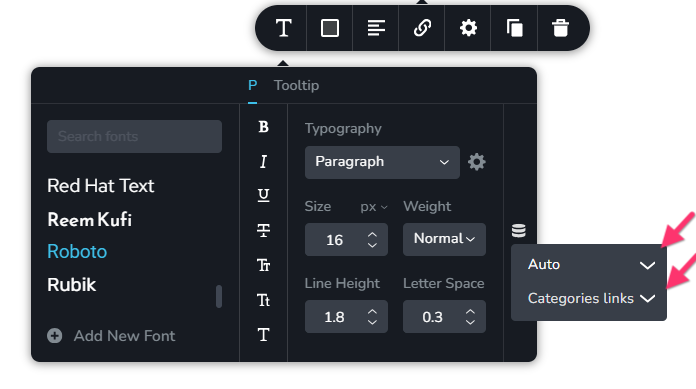
Now check if the category names link to its respctive category archive pages.0 -
I can't believe it. I was looking in the right place but I didn't see it. Is it possible to customize the color of the category links? The default is blue and I don't see an option to change it.
0 -
Brizy does not have a link color setting. Kindly check for global color settings in your theme. For instance, if you are using Blocksy theme, in your WordPress Dashboard under Appearance > Customize > Colors > you can change the normal and hover link colors.
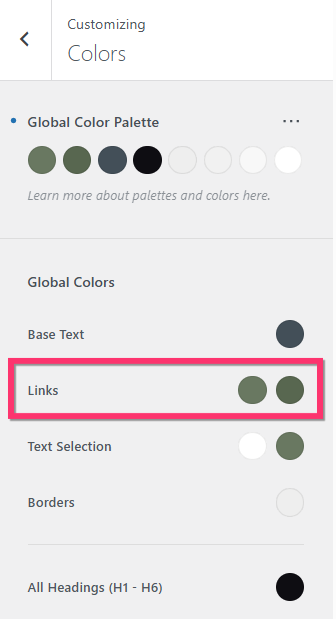 0
0 -
Love You!!
0 -
Dear George, Thanks for your help. While we're on the subject, check out the categories. Pagination: There are more tabs than posts. for example
https://mathmakers.pl/kategoria/nauka-matematyki-online/
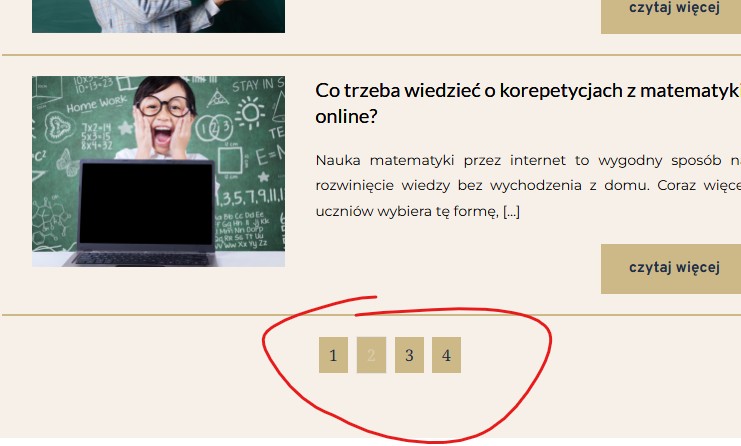
How do I set this up correctly?
0 -
Hello Jacek,
Please try this and check if it helps to resolve the issue
- In the Brizy Archive element which displays the blog posts, change the number of Rows and save you work by clicking on the "Update" button.
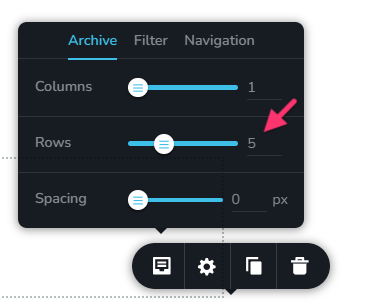
- Purge all cache and check if the issue gets resolved.
- If this helps, set the number of Rows to its desired value again
If this does not help, can we look at your WordPress dashboard to help you resolve this issue? Please add a new user to your WordPress Dashboard and send the following details to our email: communitysupport@brizy.io
- Support Forum reference: https://support.brizy.io/hc/en-us/community/posts/35570091643026
- WordPress Admin URL:
- Username
- Password
Your email must include a link to this thread's URL, otherwise we will be unable to locate your support ticket. Please notify us in this thread when you send us the email.
0 - In the Brizy Archive element which displays the blog posts, change the number of Rows and save you work by clicking on the "Update" button.
-
doesn,t work
i sent e-mial
0 -

Hi Jacek,
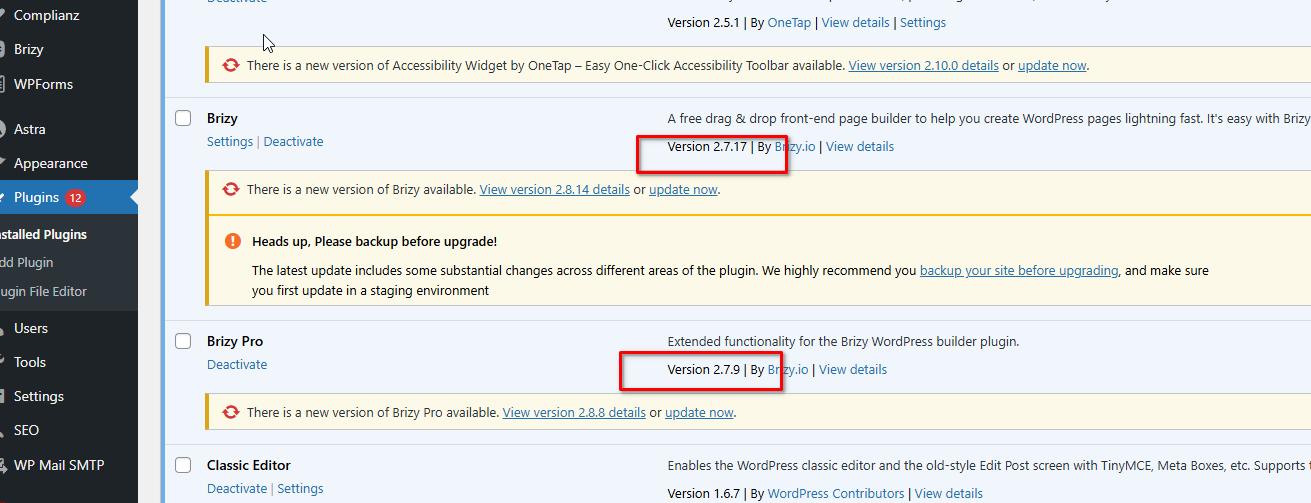
We’ve checked the issue on our end, and it appears that updating both Brizy and Brizy Pro to the latest versions resolved the problem.
 0
0 -
hehe, thank you.
0
Please sign in to leave a comment.
Comments
9 comments