errores con brizy builder en wordpress

-

Hello Belem,
To ensure PRO features are active in your WordPress instance, kindly
- Ensure you have compatible Brizy and Brizy Pro plugins. For instance, these Brizy versions are compatible.
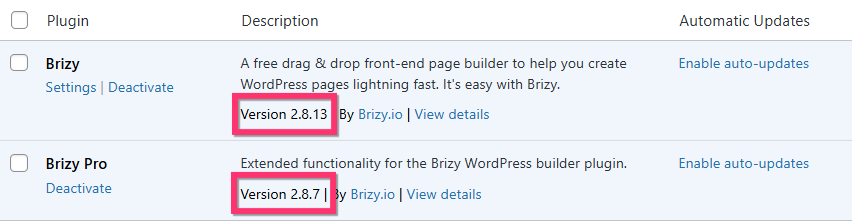
- Ensure you have added a Brizy Pro license key under Brizy > Settings > License tab following the procedure at Generate and Activate a Brizy Pro license for WordPress
If none of the above suggestions helped, we would like to take a look at your WordPress dashboard to help you resolve this issue. Please add a new user to your WordPress Dashboard and send the following details to our email: communitysupport@brizy.io
- Support Forum reference: https://support.brizy.io/hc/en-us/community/posts/35172193101714
- WordPress Admin URL:
- Username
- Password
Your email must include a link to this thread's URL, otherwise we will be unable to locate your support ticket. Please notify us in this thread when you send us the email.
0 - Ensure you have compatible Brizy and Brizy Pro plugins. For instance, these Brizy versions are compatible.
-
Ya acabo de mandar el email con los datos solicitados.
Muchas gracias
0 -

Hi Belem,
Thank you for your cooperation.
We’ve checked your WordPress dashboard, but we’re currently unable to identify the exact cause of the issue. It appears it might be related to caching; however, we’re also unable to save changes to the pages, which is limiting further testing on our end.
To investigate this further, could you please provide temporary access to your cPanel? This will allow us to review the server-side configuration and help us find what is causing the issue.
You can send the details securely to communitysupport@brizy.io and include the reference 35172193101714 in the subject line so we can easily locate your request.
Looking forward to your update.
0 -
Hi Belem,
Thank you for your cooperation.
Regarding the display issue, we were able to identify that it is caused by the WP-Optimize plugin. When the plugin is disabled, the Pro features appear correctly again. Otherwise, you may want to consider using an alternative caching plugin such as Autoptimize instead.

As for the issue with editing the pages, unfortunately this is not something we can resolve from our end. It appears to be related to the server environment. We recommend reaching out to your hosting provider so they can investigate further.
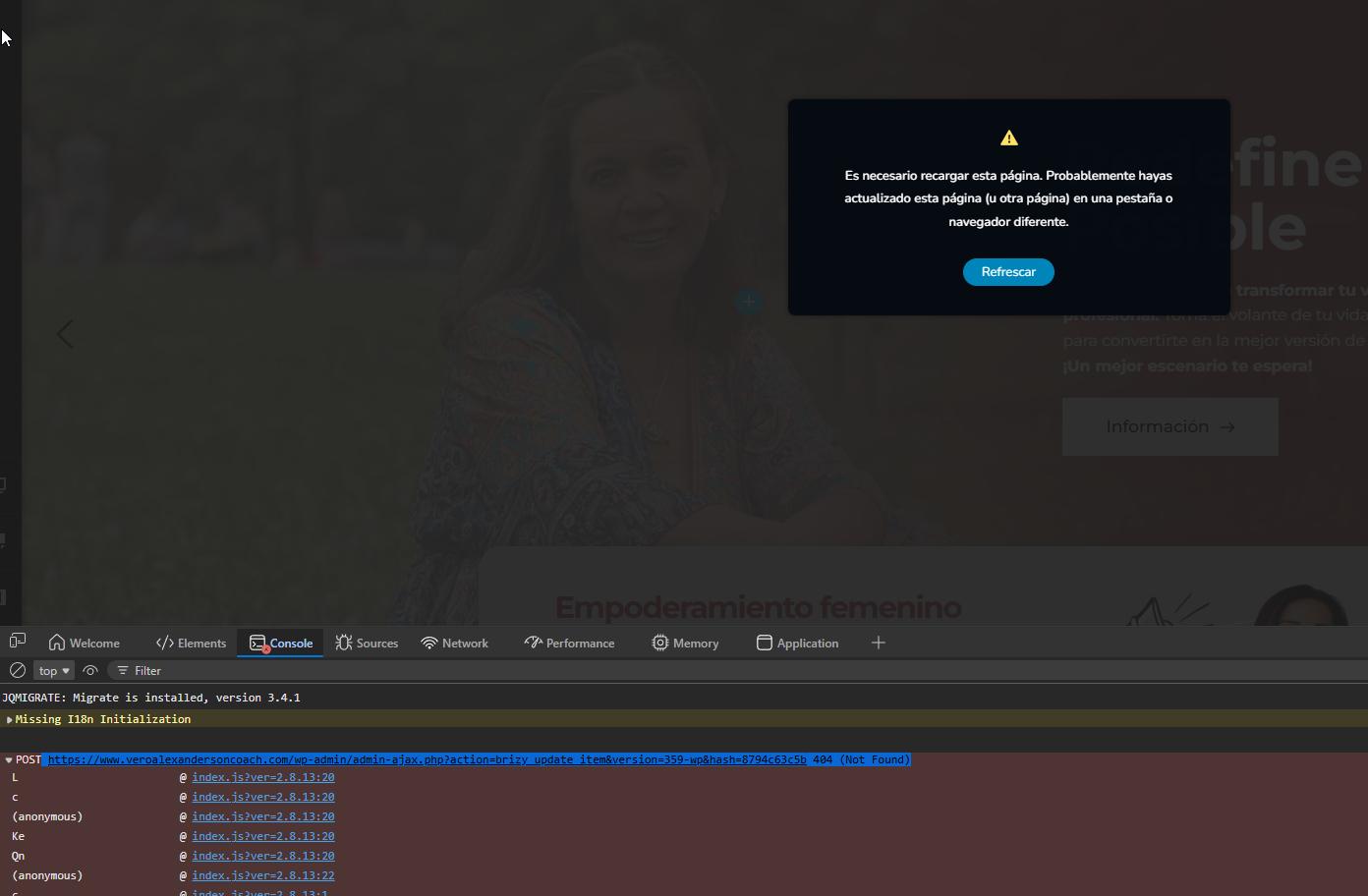
You can also share this guide with them for reference, as it covers common causes and fixes for this type of issue: https://support.brizy.io/hc/en-us/articles/22590197512210
If you have any questions or need further clarification, feel free to let us know.
0
Please sign in to leave a comment.
Comments
4 comments