Fehlermeldung

Hallo,
bei mir erscheint beim aufrufen eines neuen Blocks oder Layouts im Editor folgender Fehler:
URL: https://produkte-bewerben.com
- Fehler: „Beim Abrufen der Metadaten ist ein Fehler aufgetreten"
- REST-API funktioniert (
HTTP/2 200bestätigt) - Lizenz aktiviert
- Gleiche Brizy-Pro-Version wie andere funktionierende Domains
- PHP 8.2.30
- Fehler tritt bei neuen UND bestehenden Seiten auf
-

Hi,
Thank you for the detailed information.
Could you please try to replicate the issue with all other plugins temporarily disabled, leaving only Brizy and Brizy Pro active? This will help us check if there might be a conflict causing the problem.
Please try this and let us know how it goes.
Best regards,
Ariel H.0 -
Hi,
it doesn't work either when I deactivate all plugins except the two Brizy plugins
I am experiencing a critical issue on one of my WordPress installations (produkte-bewerben.com) where the editor is completely unusable.
Error message:
"This content is blocked. Please contact the site owner to fix the issue."This error appears in ALL three editors:
- Gutenberg (WordPress default editor)
- Brizy Page Builder
- Classic WordPress EditorDiagnosis already performed:
- All plugins deactivated (except Brizy) – error persists
- REST API is fully accessible (HTTP/2 200 confirmed via curl)
- WordPress Debug Log shows no PHP errors
- Database check: Administrator user has correct capabilities in wp_usermeta (a:1:{s:13:"administrator";b:1;})
- Database tables: all 81 tables use correct wp_ prefix, no corruption detected
- Accessing wp-admin/admin.php?page=brizy returns "You do not have sufficient permissions to access this page" – even though I am logged in as Administrator
- Hosting provider (All-Inkl.) confirmed no server-side restrictions
- Other domains on the same hosting account with identical Brizy Pro version work perfectlyKey observation:
The issue is isolated exclusively to produkte-bewerben.com. All other domains with the same Brizy Pro license and identical plugin configuration work without any problems.Brizy Pro license key: FRP******************2NW
Email: helmut.tietz@gmail.com
WordPress version: latest
PHP version: 8.2.30
Hosting: All-Inkl.comCould you please check if there is a known issue with Brizy on this specific domain configuration, or if there is a way to reset the Brizy database entries for this installation?
Thank you very much for your support.
0 -
Hi,
My apologies for the inconvenience.
To help us investigate this further, could you please provide temporary access to your WordPress admin dashboard? This will allow us to take a closer look at your setup and identify the cause of the issue.
Kindly send the following details to communitysupport@brizy.io:
Community Post: https://support.brizy.io/hc/en-us/community/posts/34929099715602
WordPress Admin URL:
Username:
Password:We’ll review it as soon as we receive the access.
Best regards,
Ariel H.0 -
Hi Ariel,
i have sent it
Best regards
Helmut0 -
Hi Helmut,
Thank you for your patience.
We’ve confirmed that the issue still occurs even when both Brizy and Brizy Pro are disabled, so it is not related to our plugins. It appears to be a WordPress configuration issue that is preventing permissions from working correctly.
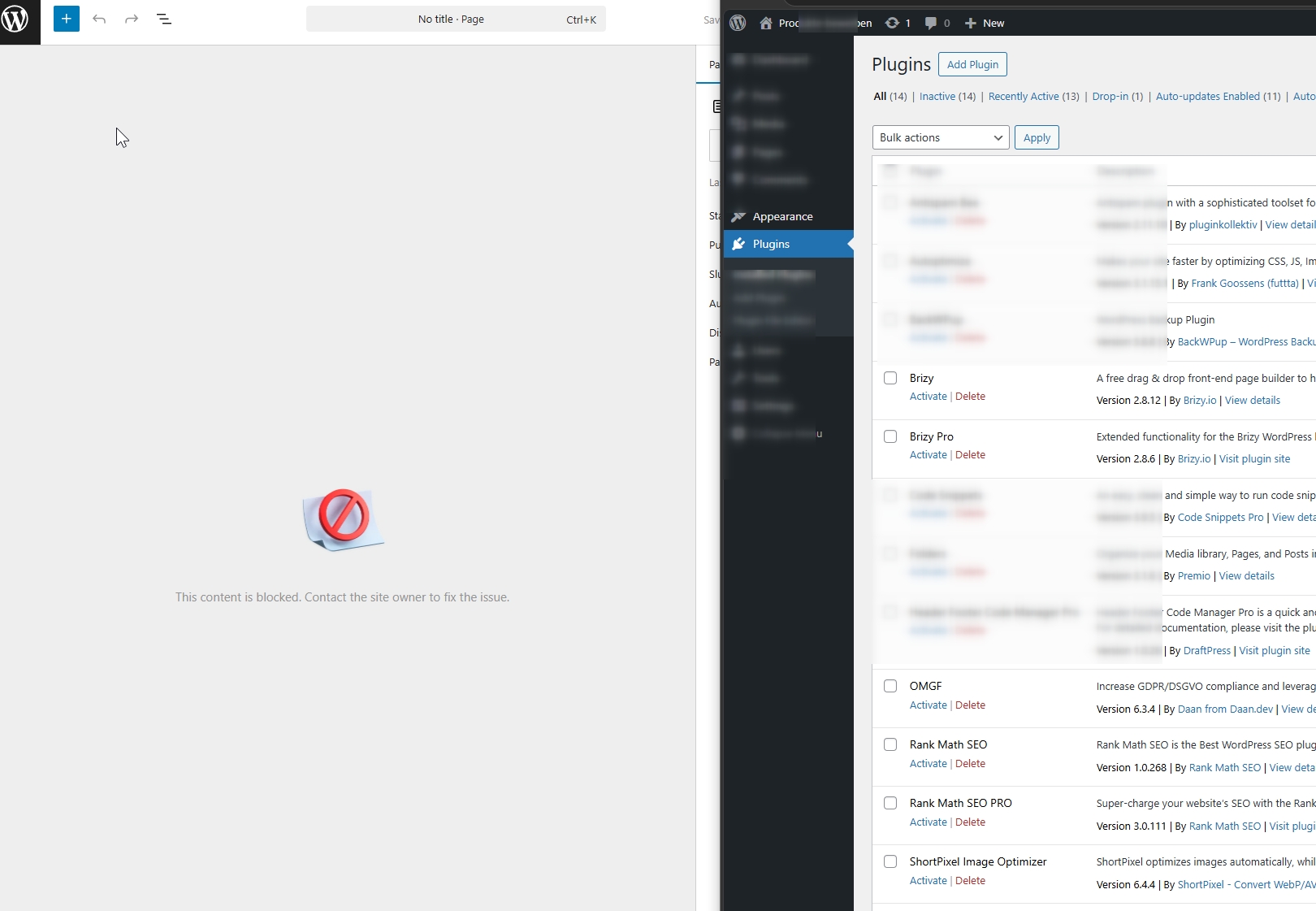
Please try the suggested fix in this guide:
https://codarab.com/fix-this-content-is-blocked-wordpress-error-using-htaccess-quick-tutorial/Otherwise, we recommend reaching out to your hosting provider so they can review your WordPress setup and help resolve the issue.
Please let us know if you need anything further.
Best regards,
Ariel H.0
Please sign in to leave a comment.
Comments
5 comments