Trouble setting up Server Sync

I've set up a hosting account on GreenGeeks, and want to install my Brizy Cloud site onto it and make sure it works before changing the old host DNS to GreenGeeks’.
I've downloaded the Brizy Project files, edited the htaccess file, and uploaded everything onto the root (/) of the new account. I had to edit the hosts file on my computer to access the files on the GreenGeeks site using the IP address. When I get there, I get a "404 Not Found - The resource requested could not be found on this server!" error.
How do we determine which resource it is not finding? I'm happy to share screenshots or FTP access.
Thanks
Doug Lufkin
-

Hello Doug,
You may have followed an incorrect process. After downloading the Brizy Project files and editing the htaccess file, you don't need to edit the host files in your computer. Instead download the FileZilla FTP app from https://filezilla-project.org/ and follow the procedure at How to use Filezilla FTP to Upload Transfer Files to any Website Server. You will need details like these from GreenGeeks to upload the files.
- FTP Host name
- Username
- Password
After uploading the files, you can point your domain name to your GreenGeeks DNS server to publish the website on your custom domain. If you need help with uploading the files, kidnly send the following details to our email communitysupport@brizy.io
- Support Forum reference: https://support.brizy.io/hc/en-us/community/posts/34872453000722
- brizy.site URL of your project:
- FTP Host:
- FTP Username
- FTP Password
- Port:
- Protocol: SSL/TLS
0 -
Hello Doug,
We have received your FTP credentials. The issue appears to be with the way server is configured. Please follow these steps
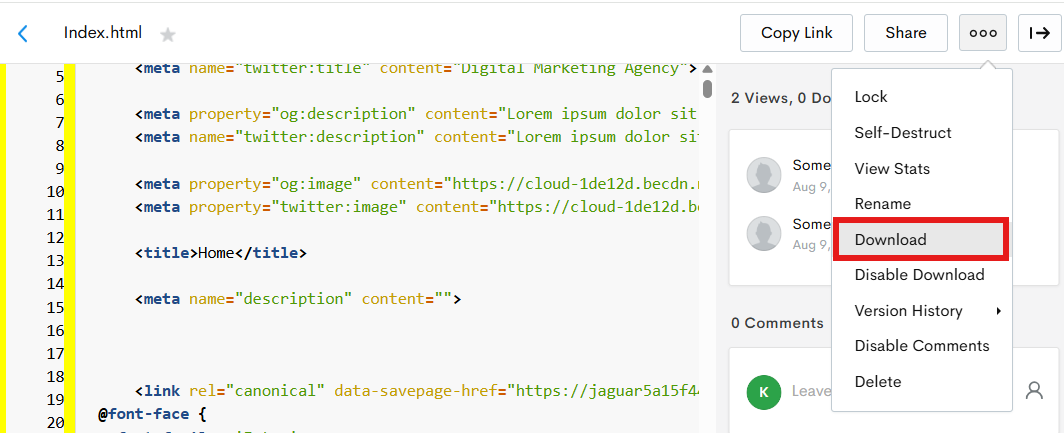
- Download the index.html file at https://jmp.sh/YgcMROvm by selecting the "Download" option towards the top right corner.
- Double click on the HTML file and confirm that you can see the page design and it looks like the design at https://jmp.sh/7BGSBE6G
- Send this file to GreenGeeks Support and ask them to upload it to the root directory of drprojects.org and check if the webpage is accessible on the server. Once the above webpage is accessible on your GreenGeeks account, please get back to us.
0 - Download the index.html file at https://jmp.sh/YgcMROvm by selecting the "Download" option towards the top right corner.
Please sign in to leave a comment.
Comments
2 comments