Mega menu links not clicking Again & Again

This is getting annoying seriously. This problem seemed to have been fixed in the previous patch updates but this has gone back to the same thing after the latest update. Seriously we can not work like this. These things would be minimal if you are running one website but then if you have multiple websites, it becomes tiresome and as well we can not have clients complaining week in week out about their website not functioning normally, that is setting grounds for termination of engagements.
Introduce beta testers to do the tests before deploying because as it looks, we are spending more time looking for support and asking what could have happened than using the real power of brizy. I have single handedly promoted the use brizy in the whole of East Africa and this keeps breaking my heart surely.
-

Hi Edgar,
My apologies for the frustration this has caused. I understand how difficult this can be, especially when managing multiple sites.
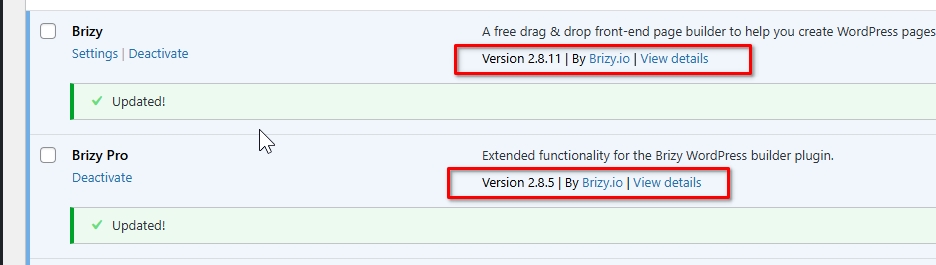
This issue has now been fixed in the latest update. Please update to the latest version.
Best regards,
Ariel H.0 -

Hi Ariel, same problem here. Updated to the latest version, but all global popups are broken. Hovering a button does show an URL, but it doesn't do anything when I click. In the past, altering something in the global popup and saving did the trick. This does not work any more. Any suggestions on how to fix this?
0 -
Hi B.J.,
Thank you for reaching out.
Could you please try temporarily disabling all third-party plugins and check if the issue can still be replicated? If the issue no longer occurs, kindly re-enable the plugins one at a time while testing the popup after each activation. This process should help identify if a specific plugin is causing the conflict.
If this made no difference, please share temporary WP Admin access so we can take a closer look at the issue. You can add us as an Admin user in your WordPress dashboard and send the details to communitysupport@brizy.io:
Community post link: https://support.brizy.io/hc/en-us/community/posts/34656798980114
WordPress Admin URL:
Username:
Password:Best regards,
Ariel H.0 -
Hi B.j.,
I just wanted to follow up regarding the temporary WordPress Admin access we requested so we can check the issue mentioned in your community post. Please let us know once you’ve added us as an Admin user and sent the details to communitysupport@brizy.io.
Best regards,
Ariel H.0
Please sign in to leave a comment.
Comments
4 comments