Wordpress - Site Broken (does not match Brizy editor)

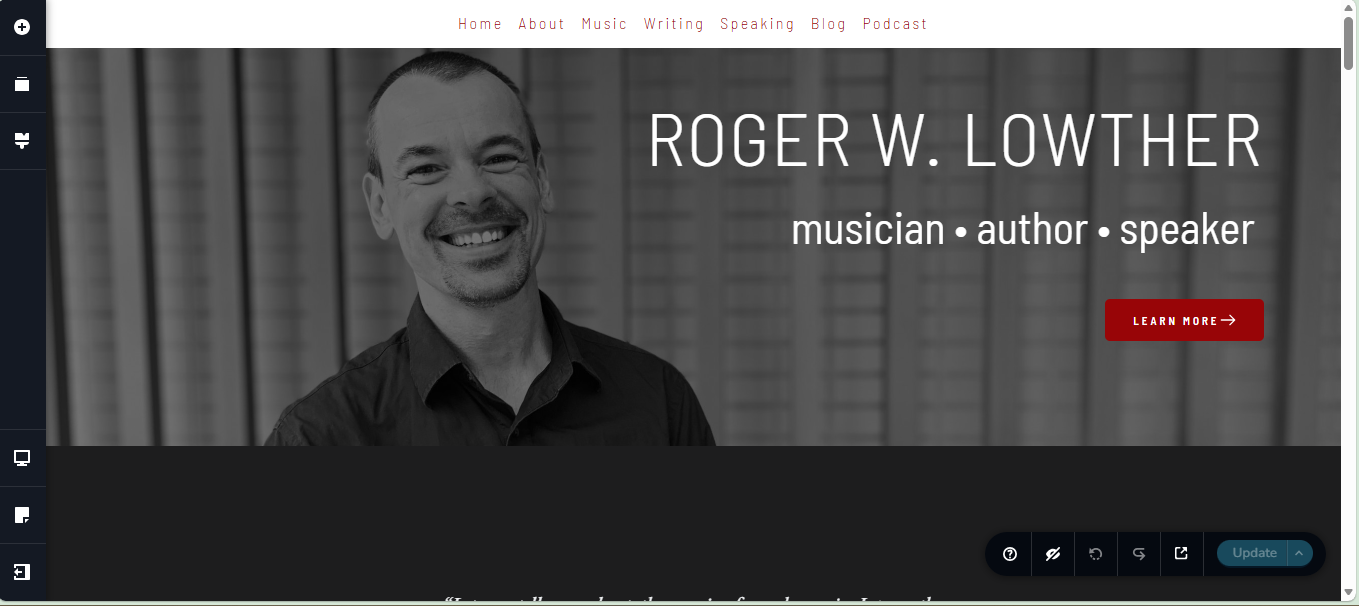
A website I manage has ceased functioning. I believe I've eliminated other reasonable possibilities, so I think the problem is with the Brizy plugin itself. Other websites I have on Brizy are not showing symptoms. I'm not sure how long it has been this way.
The site in question: Home - Roger W. Lowther
A screenshot of the homepage in the Brizy editor is below.
Site details:
- Brizy 2.8.10
- Brizy Pro 2.8.4
- Wordpress 6.9.4
Things I have tried:
- Updated the php version to 8.4.19 (previously running 7.something)
- Deactivated all plugins and reactivated one-by-one
- Rolled back the Brizy plugin to 2.8.8
- Deleted Brizy plugin and reinstalled Brizy 2.8.10
- Deleted Brizy (again) AND Brizy Pro, and reinstalled most recent versions of both
-

Hi Anna,
Could you please share temporary WP Admin access so we can take a closer look at the issue? You can add us as an Admin user in your WordPress dashboard and send the details to communitysupport@brizy.io:
Community post link: https://support.brizy.io/hc/en-us/community/posts/34610535612690
WordPress Admin URL:
Username:
Password:Best regards,
Ariel H.0 -
Hi Ariel,
I've sent the requested information. Thank you for your help!
Anna
0 -
Update:
While looking at one of my other sites, I noticed that a block was not in the right place, so I entered the Brizy editor. But upon updating, this site has now broken. Again, it looks fine within the editor. I've gone ahead and sent Wordpress admin information for this site as well.
0 -
Hi Anna,
The issue on the site has now been fixed.

Could you please check on your end and let me know if everything looks good or if you notice anything unusual?
Best regards,
Ariel H.0 -
Hi Ariel,
Yes! It looks fine on my end now. But with the second site crashing, I'm worried - am I doing something to cause this? Is there a way I can fix it myself?
Thank you!
Anna
0 -
Hi Anna,
It looks like the login details for teenadvisors.org are not working on our end.
Could you please double-check them and send the updated credentials again so we can proceed?
Best regards,
Ariel H.0 -
Hi Ariel,
Ah, I'm sorry - in my frazzled state I failed to click the last button to actually create the user. The credentials I sent should function now.
Anna
0 -
Hi Anna,
There are some missing CSS files in the recent update, and this is currently being fixed.
In case you encounter the issue again, you can manually upload the missing CSS on your site by following the steps in this screencast: https://youtu.be/UwV1MmpcssU
I’ve also attached the missing CSS files here. Please extract the zip file, and upload the CSS to the following directory as shown in the video:
/wp-content/plugins/brizy/public/editor-build/prod/editor/css/If you run into any issues while following the steps, feel free to reach out and I’ll be glad to help.
Best regards,
Ariel H.0 -
Hi Ariel,
Ahah - that makes sense. I should be able to handle that fix on my other sites, if needed.
It looks like teenadvisors.org is functioning well again. Thank you for your quick and effective support!
Anna
0 -
Hello,
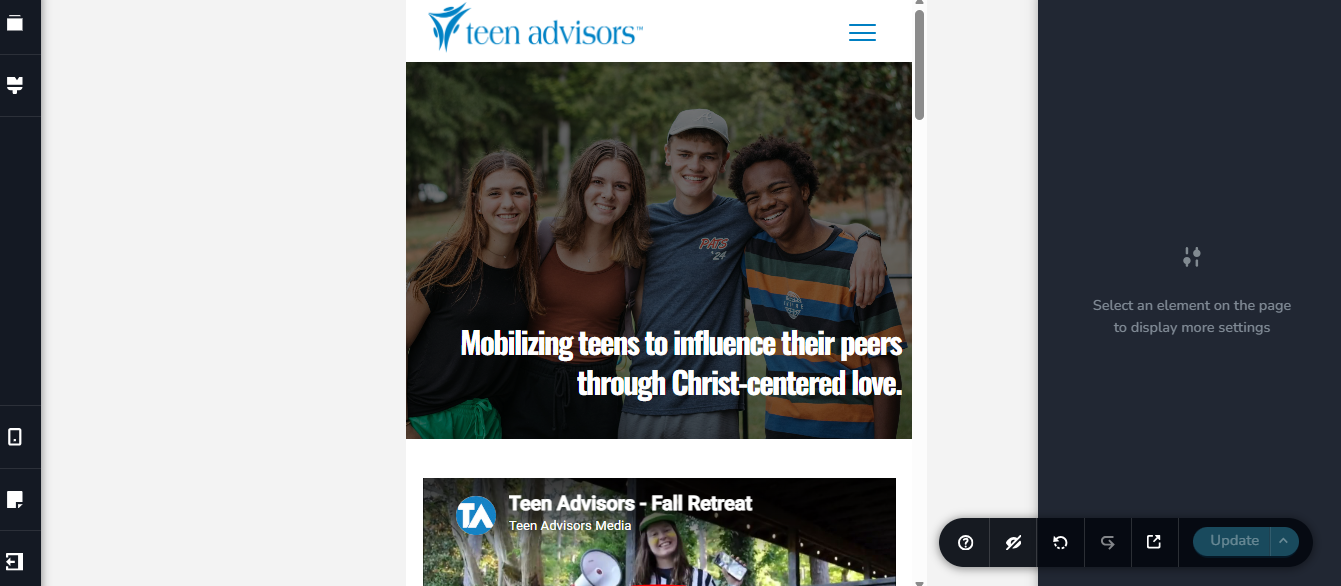
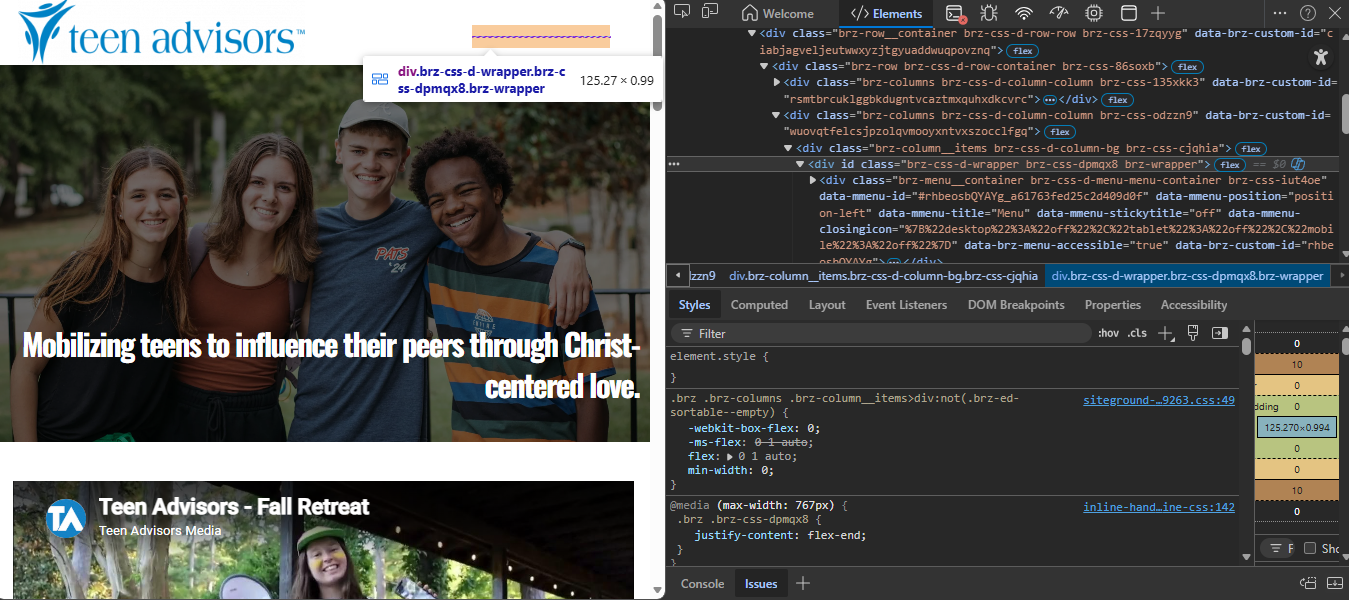
Turns out I'm still experiencing minor issues with teenadvisors.org. Strange things are going on with a menu implementation.
In the editor:
And on the live site (also appears this way on my mobile phone).
 0
0 -
Hi Anna,
It looks like you’re currently working on the page, so we’re unable to access it from our end.
Could you please try making a small edit to the header (for example, adding a bit of padding or margin), then hit Update and check if that helps? Re-saving the page forces it to recompile, which often resolves this type of issue.
Please let us know how it goes.
Best regards,
Ariel H.0 -
Hi Ariel,
Oh, sorry, I left the editor page open. I should now be out of your way.
I did try adding some padding just now - no change. I previously tried deleting and re-adding the menu element, as well.
Anna
0 -
Hi Anna,
Could you please check the page again and let us know if the issue is still occurring?
If it’s still happening on your end, kindly try adding a random parameter at the end of the URL (for example: https://www.teenadvisors.org/?nocache=1) and see if that makes any difference. Adding this parameter helps bypass any cached version of the page stored in the browser or on the server, forcing it to load a fresh version instead.
Looking forward to your update.
Best regards,
Ariel H.0 -
Hi Ariel,
The issue is still occurring on my end. On my mobile device (android 16; tried with Chrome, Firefox, and Brave, with and without parameters), and on my desktop in small windows (with and without parameters).
But, it is fixed in one particular situation - when I am logged into the wordpress admin.
Normally this would mean I need to flush my host's cache, but doing that is not fixing it in this case. It could still be a caching issue somewhere... Can you confirm if it's working on your end when not logged into the site?
Thank you,
Anna
0 -
Hi Anna,
We’ve checked this on our end and it appears that the issue is coming from the Speed Optimizer plugin. When it’s disabled, the page loads correctly,

Best regards,
Ariel H.0 -
Hi Ariel,
Ahah. That's unfortunate. That plugin is automatically installed on new Wordpress installations on Siteground, so you may eventually want to look into a workaround. It's not at all critical, though. I'll leave it deactivated for now and maybe it will work itself out after an update or two.
Thank you for doing the digging for me!
Anna
0 -
Hi Anna,
We’ve disabled the Combine CSS and JS option in the Speed Optimizer plugin, and it appears to be working correctly on our end. This setting can sometimes delay or override important scripts and styles required for the mobile menu.
Could you please check on your side and let us know if everything looks good?
Best regards,
Ariel H.0 -
Hi Ariel,
Oh, wonderful! I hadn't even remembered that setting existed. It looks okay now. Thank you so much!
Anna
0
Please sign in to leave a comment.
Comments
18 comments