Menu duplicated as text after update (Brizy 2.8.7 / Brizy Pro 2.8.3)

Hello Brizy Team,
after updating Brizy to version 2.8.7 and Brizy Pro to version 2.8.3, I experienced an issue with the menu on my client’s website.
The menu was displayed multiple times as plain text at the top of the page (see attached screenshot). The actual menu itself was set up correctly and worked as expected within both Brizy and WordPress.
Here are the details:
- Website: https://conlean.ch
- Issue: Menu items (Home, Mit ConLEAN arbeiten, Über ConLEAN, Kontakt) were duplicated and shown multiple times as text above the page content
- The menu structure is correctly configured in WordPress
- The header is created using Brizy
- The issue appeared immediately after the update
Important note:
I have rolled back to the previous versions of Brizy and Brizy Pro, and the issue disappeared. So it is currently not visible live anymore.
Could you please help me understand what caused this issue and whether it is a known bug in the current version?
If needed, I can update again temporarily or provide further details.
Thank you in advance!
Best regards,
Silke
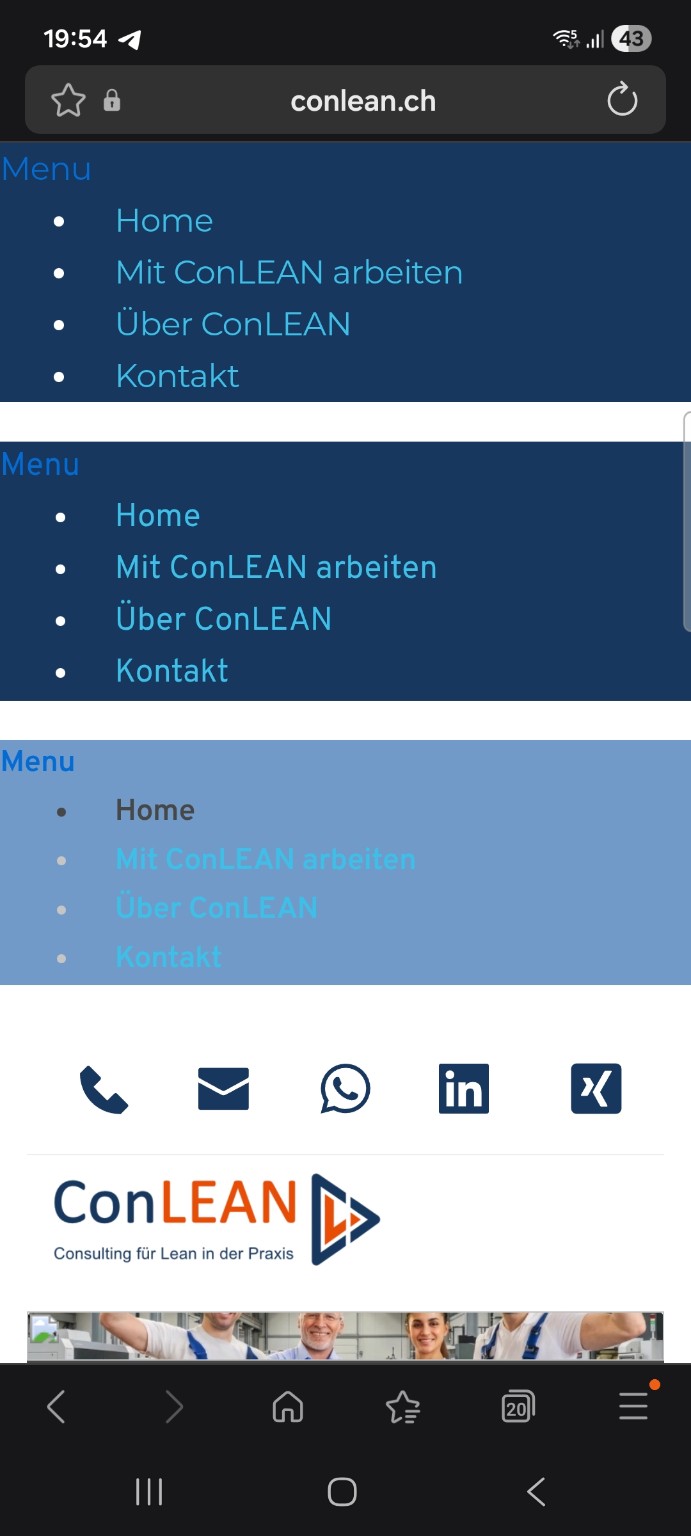
-

Hi Silke,
My apologies for the inconvenience.
Could you please share temporary WP Admin access so we can take a closer look at the issue? You can add us as an Admin user in your WordPress dashboard and send the details to communitysupport@brizy.io:
Community post link: https://support.brizy.io/hc/en-us/community/posts/34329669391762
WordPress Admin URL:
Username:
Password:Best regards,
Ariel H.0 -
Hi Silke,
I just wanted to follow up regarding the temporary WordPress Admin access we requested so we can check the issue mentioned in your community post. Please let us know once you’ve added us as an Admin user and sent the details to communitysupport@brizy.io.
Best regards,
Ariel H.0 -
Hi Silke,
Thank you for your patience. We’ve checked, and the issue is still occurring in the latest version.
For now, we recommend continuing to use the current version on your website until we have a proper fix in place. We’ll keep you updated as soon as there’s progress on this.
Please let us know if you have any questions in the meantime.
Best regards,
Ariel H.0 -
Hi Silke,
We’ve released Brizy 2.8.10 and Brizy Pro 2.8.4.
Could you please update to the latest versions and let us know if there’s any improvement or if the issue still persists?
We look forward to your feedback.
Best regards,
Ariel H.0 -
Hi Ariel,
unfortunately the issue still exists after updating Brizy and Brizy Pro to the current versions.Please see the attached images and the live website: https://www.conlean.ch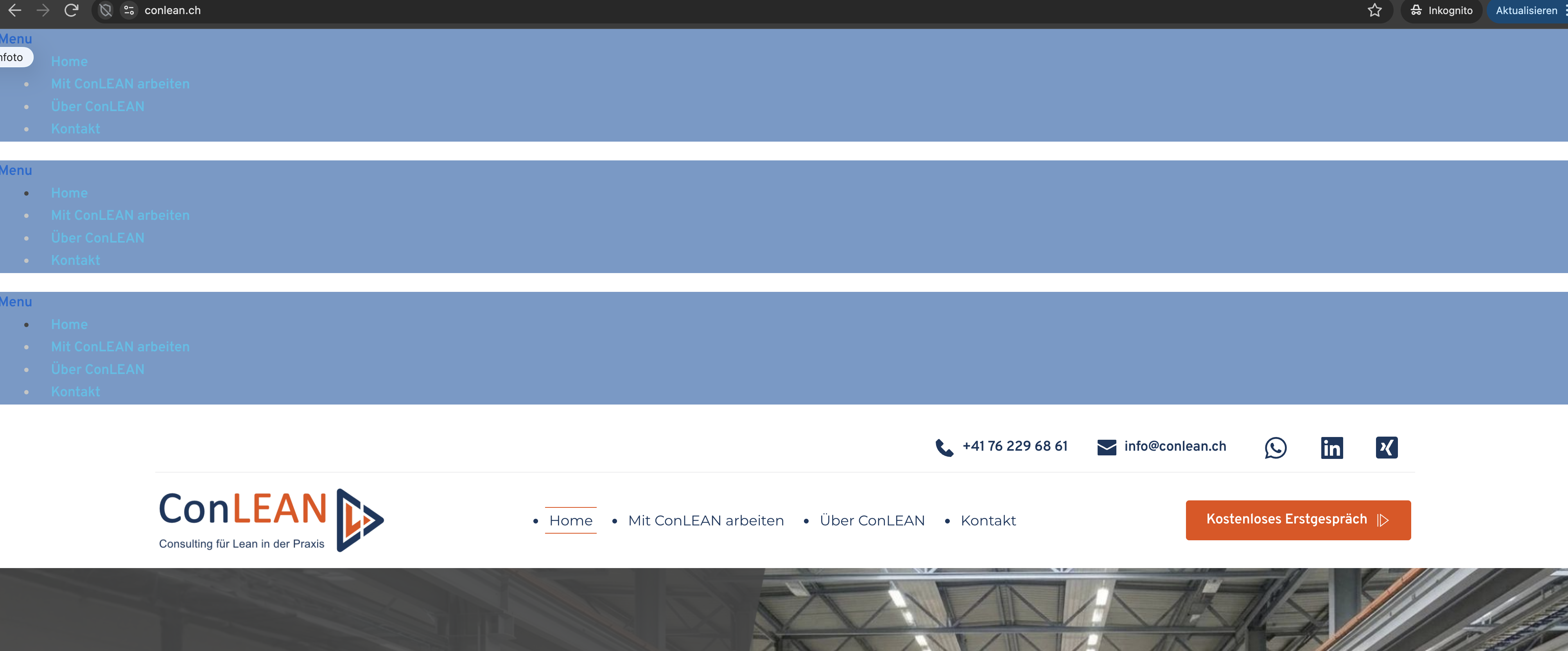
 Best regards,Silke
0 -
Hi Silke,
Thanks for the update.
We found that the issue was caused by a conflict with Autoptimize. Once it was disabled, everything started working correctly again.
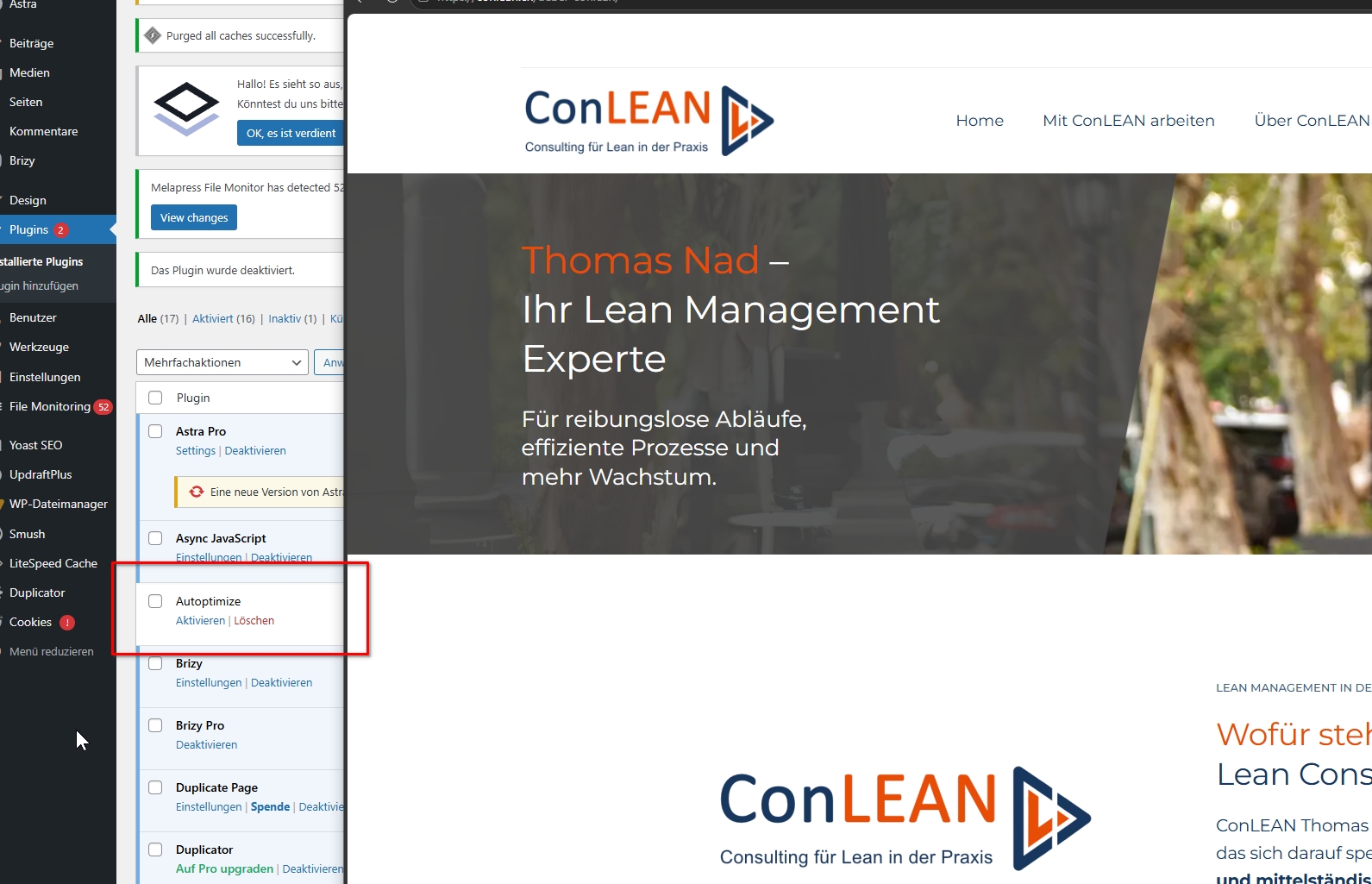
Since you already have LiteSpeed Cache installed, using Autoptimize alongside it can lead to conflicts like this. Both plugins perform similar optimization tasks (such as minifying and combining CSS/JS), and running them together can sometimes break functionality or cause unexpected behavior. We recommend keeping only one optimization plugin active.
Please let us know if everything looks good on your end or if you need any further help.
Best regards,
Ariel H.0 -
Hi Ariel,
thanks a lot for your fast support!
Everything looks good on my end too.
Best regards,
Silke0
Please sign in to leave a comment.
Comments
7 comments