Brizy Form Notifications Form {{Firstname*}} variable not working

Dear Support,
Without any adjustments being made to the form, one of my client's website form submission emails is now not recognising one of the form fields as the attached below.
This has happened in the past and I cannot recall the solution.
Has there been a Brizy update which may have caused this?
If you could advise,
Kind Regards,
Matt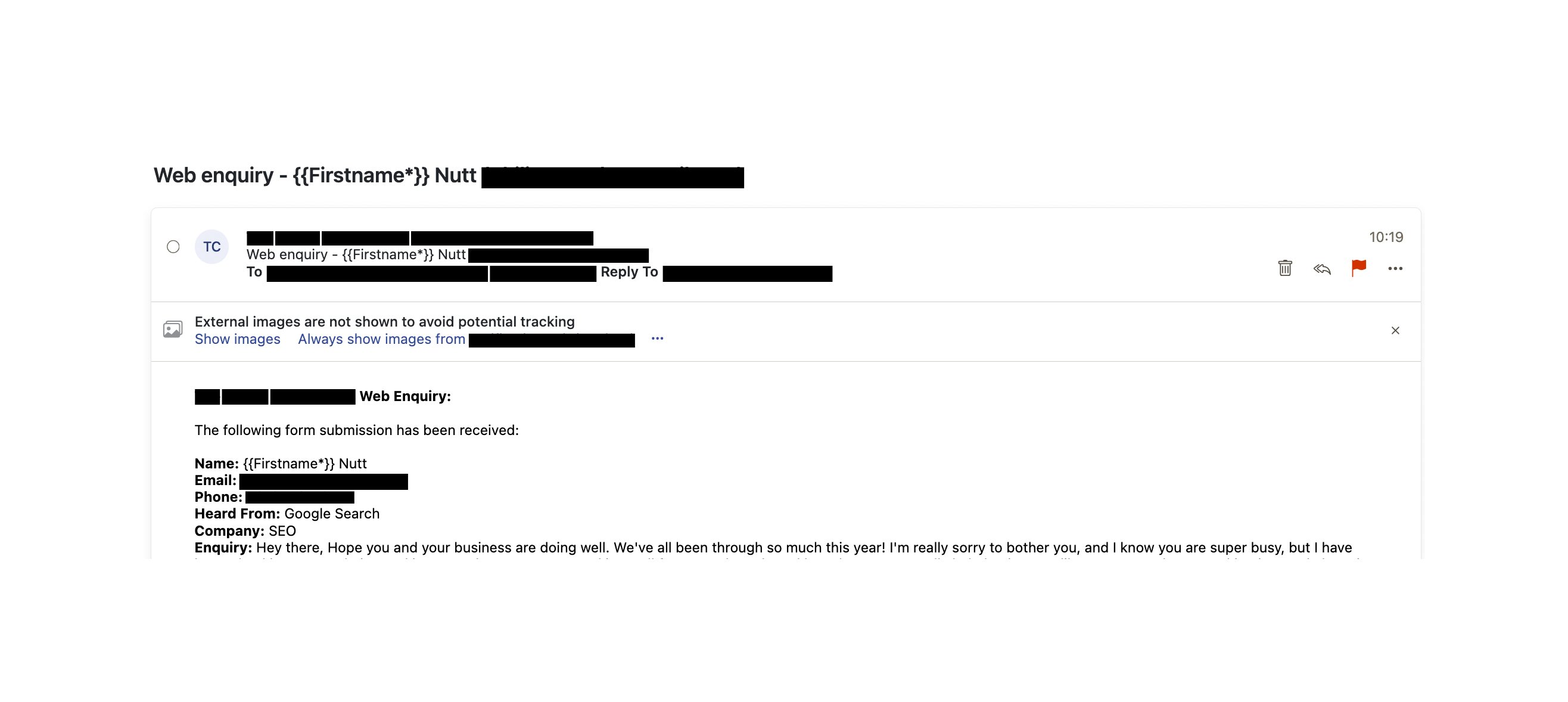
-

Hello Matt,
Please share with us the URL of the page where you are experiening the above issue. We will take a look
0 -
Hi KC George,
Thanks for getting back to me. Here is the URL of the page:
https://www.theradonconsultants.co.uk/contactKind Regards,
Matt0 -
Hello Matt,
I recompiled the block with the form by making a minor change before saving the page. Please check if the code {{Firstname*}} captures the first name correctly.
0 -
Hi KC George,
Unfortuntely the form has come through like this:
The Radon Consultants Web Enquiry:
The following form submission has been received:
Name: {{Firstname*}} Support
Email: brizy@support.com
Phone: +4488098098
Heard From: Google Business Page
Company: Brizy
Enquiry: Testing the form
It is strange all other fields seem to be correct.
Kind Regards,
Matt0 -
Hello Matt,
The email notification you have received above was before I fixed the problem. Please do another test and get back to us with your finding
0 -
Hi George,
Apologies for the previous oversight.I've submitted 3 tests and there seems to be evidence that is it now fixed but we may have email and integration issues.
Can you access the leads on 'The Radon Consultants' project in my account?
My account is in my business email info@digiful.io
The results of the 3 tested:Test 1) team@digiful.io test
- ✅ Leads area with correct first name
- ❌ No email notification
- ✅ Brevo integration
Test 2) mshudson@hotmail.co.uk test
- ✅ Leads area with correct first name
- ❌ No email notification
- ❌ No Brevo integration
Test 3) mattscotthudson@gmail.com test
- ✅ Leads area with correct first name
- ❌ No email notification
- ❌ No Brevo integration
As far as I'm aware this is not happening on any of my other projects which have the exact same setup with Brevo integration.Kind Regards,
Matt0 -
Hello Matt,
API calls to Brevo can be made only from webservers with authorized IP addresses added to your account. The IP authorizations for webservers do not work well with Brizy Cloud. To integrate a Brizy form with Brevo, you must deactivate IP blocking by selecting the "Deactivate blocking" option. You can read more about this under the heading "Authorize your webserver IP in Brevo" at https://support.brizy.io/hc/en-us/articles/360043865331
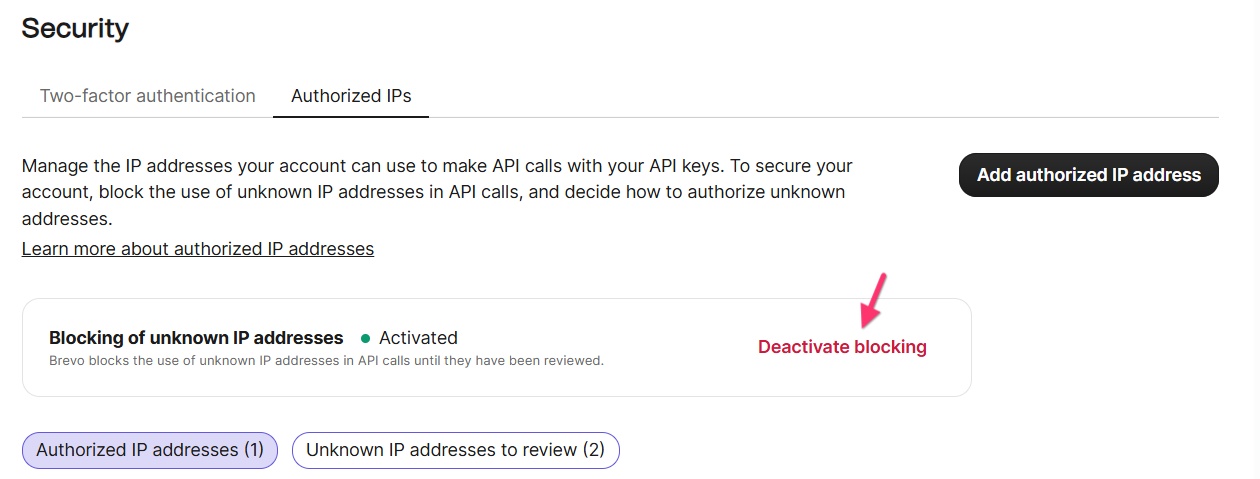
Can you please check if this option is deactivated in the client's Brevo account?
0 -
Hi George,
Yes this came up before and I deactivated it some time ago.
I'm concerned about the lack of Brizy notification emails - did you manage to check up on this?
Kind Regards,
Matt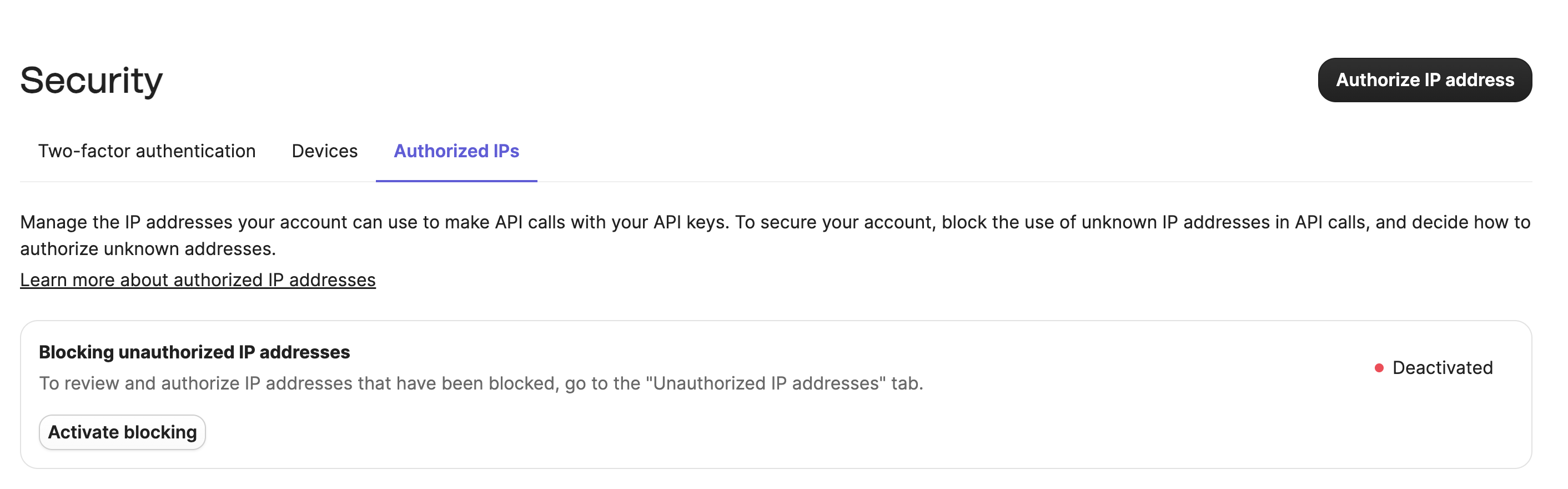 0
0 -
Hello Matt,
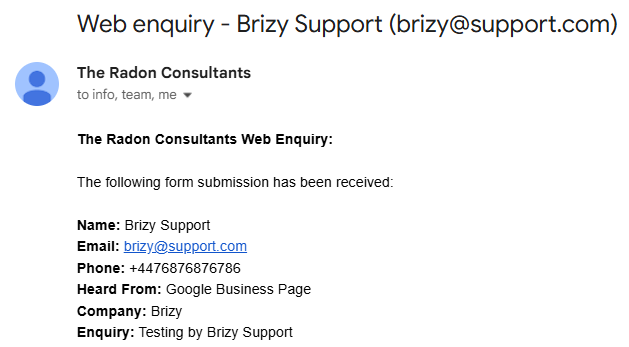
I did another test and the email notification appears working fine. Please check if you received this notification few minutes ago
 0
0 -
Hi George,
Some progress, I replaced , in the to field with ; and I got the email notifications.
Client has also confirmed the receive email notifications.
I think the page must have been changed though as I had to re-add the redirect in.
The final element to sort is the Brevo integration.
None of my test submissions were synced to Brevo and yet I've made no changes to the page code or Brevo. I did disconnect and reconnect and then try a submission with an email that wasn't in Brevo - no sync. Last successful Brizy form to Brevo creation was 11/03/2026, so I'm not sure what has happened since then.
IP Blocking is deactivated as previously stated.
Could you please see what you can find as this seems to be a recurring issue.
Many thanks,
Matt0 -
Hello Matt,
As you can see at https://jmp.sh/Iem3wsqU, Brizy Brevo integration can add contacts into one's Brevo's contact list.
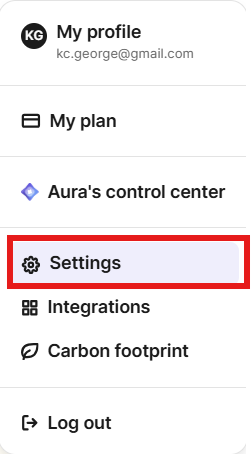
If you want us to take a look at your client's Brevo account, kindly request him/her to access his Brevo profile and select the "Settings" option and follow the procedure at https://help.brevo.com/hc/en-us/articles/360001096239 to add communitysupport@brizy.io as a user.
 0
0 -
Thanks for looking this George.
I can't add you as a user on the client's free Brevo account (only 1 seat).
Instead you can login with my partner account - you'll just need to choose 'The Radon Consultants':Here are the details, I've changed the password temporarily - please let me know when you are finished investigating:
.....
......
After you've noted the password please remove it from the post if possible.0 -
Hello Matt,
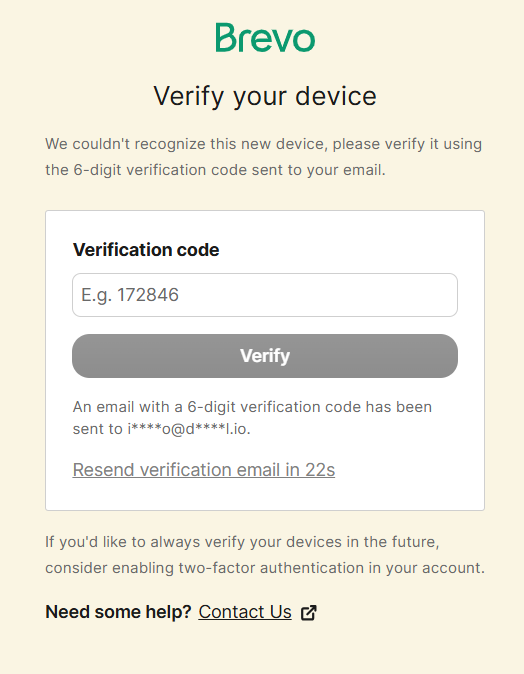
I am seeing this message when attempting to sign in
 0
0 -
Hello Matt,
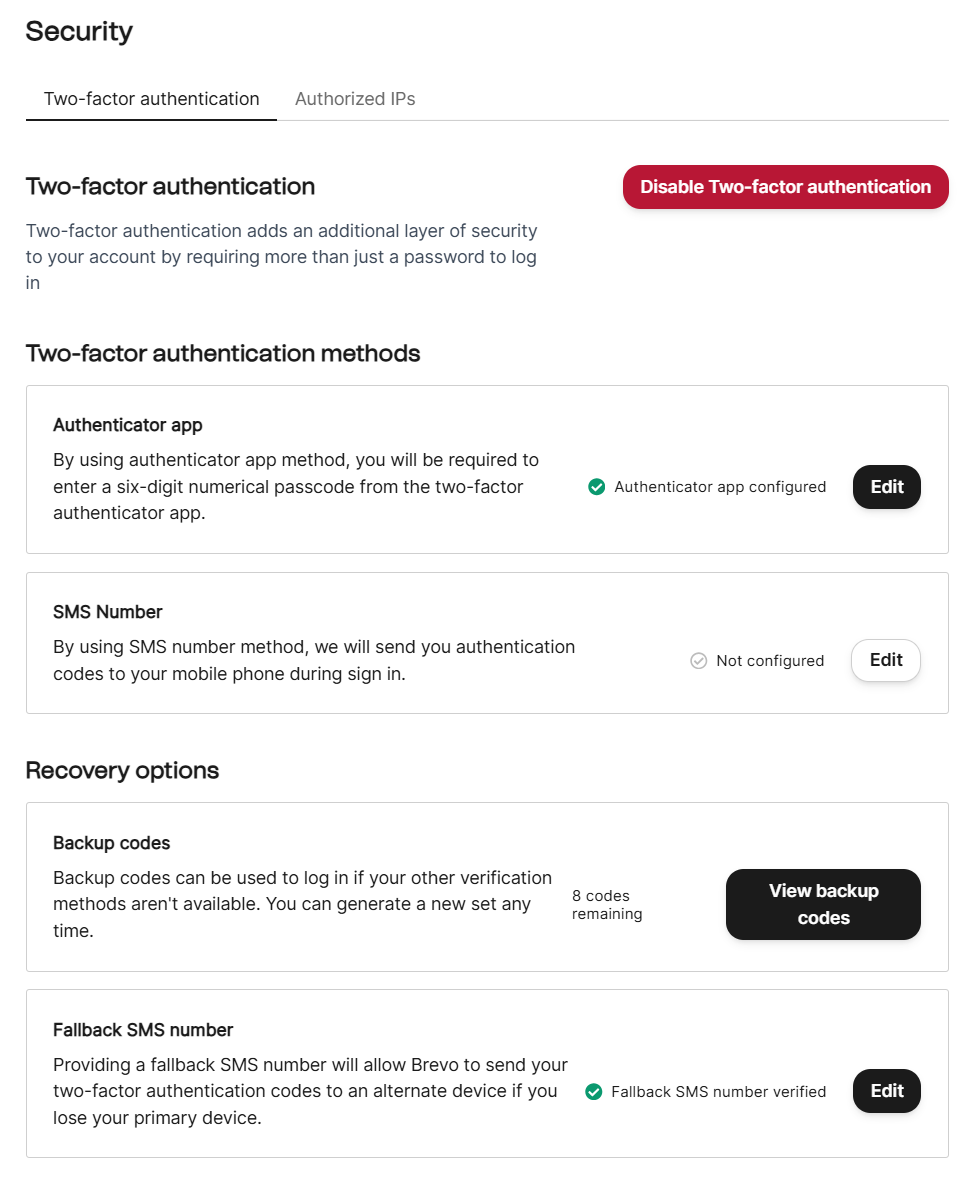
If you can setup two factor authentication for your account using the "Google Authenticator" app, I could possibly sign in using your account. Please also setup the "Fallback SMS Number"
 0
0 -
No worries, hopefully this code should work:
2569870 -
Hello Matt,
I'm seeing this error. If you sent us the verification code from your email, it wouldn't work because verification codes expire in a minute.
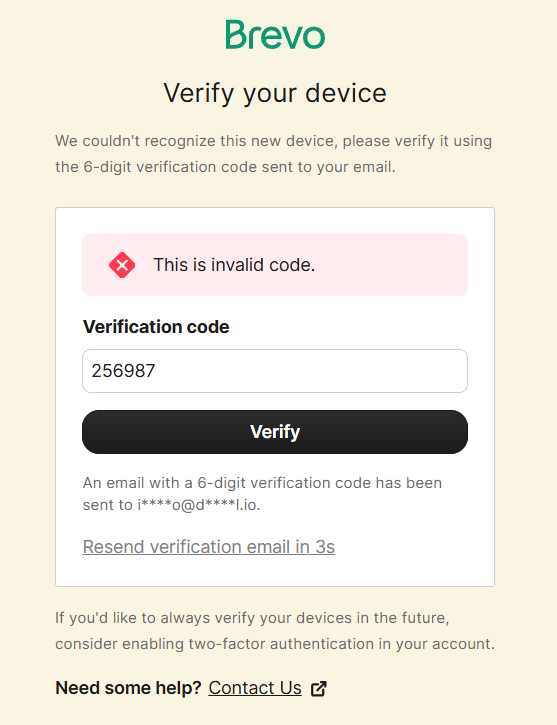
After enabling the two-factor authentication, if you send us one of the 8 "recovery codes" they allow you to download, I may be able to sign in.
0 -
Ok could you please try and use this recovery code and then I'll remove it from the message:
0 -
Hello Matt,
Thanks. I could gain access to your Brevo account. We will get back to you after doing some tests.
0 -
Hi KC George,
I've received an email from Brevo support, which I'll copy at the end of this message.
Inside my account you can also access another account I manage 'MDWC Cleaning' - this also features the Brizy and Brevo integration - the last contact added here was 17/04/26. As far as I'm aware this account is still working. I don't know if there has been some change to Brizy infrastructure that may have caused this integration to stop working.
Support message:AI Brevo agent (Brevo)
Apr 23, 2026, 16:28 GMT+2
Hi there,
Thanks for reaching out!
Since you're using a third-party form builder (Brizy Cloud) with our API, there are several potential causes for this issue.
Most Common Causes:
The API integration may have authentication issues - verify that your API key is still valid and properly configured in the Brizy Cloud form settings.[1]
Boolean attributes (like opt-in fields) might be formatted incorrectly in the API calls. Our API expects raw boolean values (true/false) rather than string values ("true"/"false").[2]
Troubleshooting Steps:
- Check your API key - Generate a new API key in your Brevo account and update it in your Brizy Cloud form configuration
- Verify the API endpoint - Ensure you're using the correct endpoint (POST /v3/contacts) with proper formatting
- Test with a simple contact - Try submitting the form with just basic information (name and email) to isolate any field-specific issues
Platform Status:
There could also be temporary platform issues affecting contact imports. You can check our status page at https://status.brevo.com/ for any ongoing issues.[3]
Since the form notifications are working but contacts aren't being added to your list, this points to an API communication issue rather than a form submission problem.
Does this help resolve the issue?
🤖 Geppetto | Customer Experience AI Agent
This response was generated by our AI agent to assist you quickly. Reply to this email to continue the conversation.
0 -
Hello Matt,
I added a support ticket in Brevo, hoping to get some support from them. Unfortunately, an AI Agent sent me a generic reply, which is not very useful.
Using your API key on my project, I was able to add a contact in Brevo. However, Brevo integration does not work on your project. I am asking my colleague to take a look today and we will get back later.
0 -
Thanks for your persistence with this.
I can see you've managed to add a contact and the email notification was triggered (which I receive a copy). don't know whether this was a manual Brevo add or a Brizy form add.0 -
Hello Matt,
I tested an API key generated from the client account at https://restaurant-1.brizy.site/contact and I could add a test contact in Brevo through this page. We still do not have success in adding a contact to Brevo from your contact page.
0 -
Hello Matt,
We did more tests today based on additional feedback from the AI Agent. If your form has just three form fields, the contacts get added to your Brevo list. For example, if you fill up the "Test Form" at the bottom of https://www.theradonconsultants.co.uk/contact-copy, the contact gets added to the Brevo list.
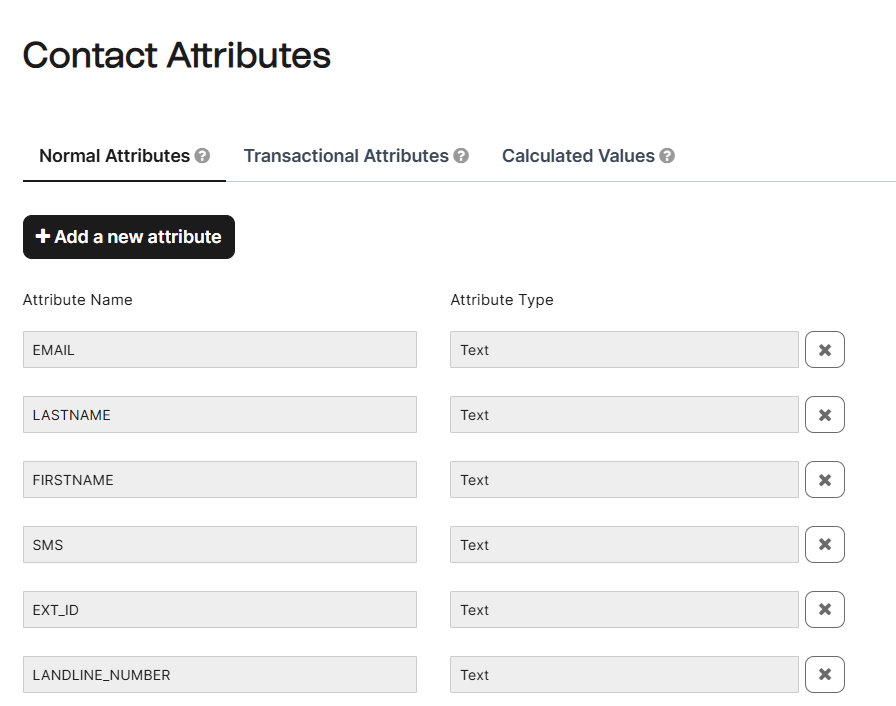
If your form has more than 3 fields, Brevo does not add the contact to its list.. All of your "Contact Attributes" in Brevo use the "Text" Attribute Type. The AI Agent indicated that "Values must match the exact attribute type". I changed all form fields to "Text", however this did not address the problem. Brevo inputs are necessary on how to configure the form fields so that they perfectly match the Brevo "Attribute Types".
 0
0 -
Hi KC George,
I appreciate you sticking with this.While I can see how you may draw the conclusion that this is linked to having more than 3 contact form fields - this idea is not consistent with what's been happening. Just yesterday on one of my other projects (you can access in my Brevo account) for MD Window Cleaning - someone filled in the Brizy form on that website which has more than 3 fields and the Brevo contact was added successfully.
I understand Brevo have made security changes which may have resulted in inconsistency with API key communication. I think to solve this, it needs to be escalated to an indepth look at how Brizy and Brevo are communicating (and not communicating). With IP Blocking off there should be no blockers.
On a side note, one request (which maybe can be logged again) which is related is to have more than just 'is the form field filled in' validation. I have requested this both here in the past and on the AppSumo page because it really globally effects how useful forms are - and certainly has a role to play with integrations. Allowing a reg-ex validation would open up all possibilities of needed validation (string only, integer only, phone number format) which would then be tackled pre-form submit and would thus eliminate the potential data mismatching which can happen. Would really appreciate it if this could be logged in on your roadmap backlog.
Kind Regards,Matt
0 -
Hello Matt,
If the form has just three form fields, the contacts get added to your Brevo list was an observation as part of my tests. It was not intended as a conclusion. Another observation: I tested the first form at https://www.theradonconsultants.co.uk/contact-copy a few times today, but the contact was added once and other times no contact was added.
Based on the inputs from the AI Agennt, contcts are not getting added due to a possible mismatch between the Brizy form data types and Brevo Contact attribute types. Even after matching the form field types and Brevo Contact attribute types exactly, the issue persists. I was saying that we will need assistance from Brevo human support to troubleshoot the issue further. I have requested the AI agent to connect us with a human agent to further investigate the issue. Let's wait for a reponse.
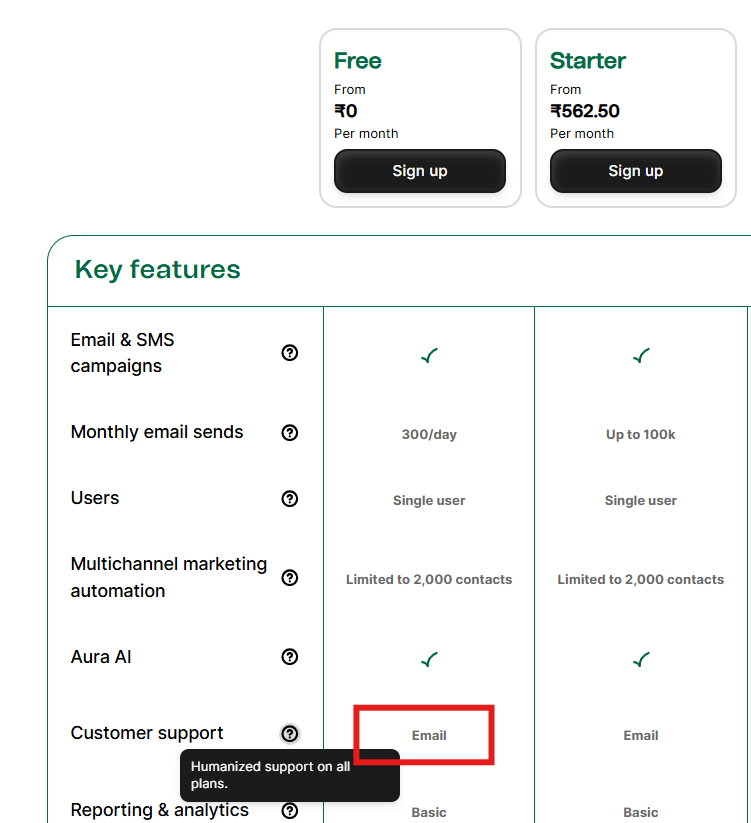
From what I understand from their website, even Brevo free users have access to human agent support through email.
 0
0 -
Hi KC George,
This email has come through from a Brevo rep:Your request "Adding contacts through API stopped working" (#5329896) has been updated. To give us some more details, please respond to this email.
Alice (Brevo)
Apr 27, 2026, 14:37 GMT+2
Hello Matt,
Thank you for your reply.
Thank you for confirming those checks, this helps us move to more targeted diagnostics.
Since the standard checks are ruled out, the most likely remaining culprits are:
1. Empty or null values in typed fields
This is the most common cause at this stage. If a user leaves an optional field blank, Brizy Cloud may still be sending it in the API payload as""(empty string) ornull. For date, number, boolean, or phone attribute types, Brevo rejects the entire API call rather than ignoring the empty value. Text attributes tolerate empty strings, but others do not.
- Quick fix: In Brizy Cloud's form settings, check whether optional fields can be configured to be omitted from the API call when left blank.
- Alternatively, make all non-text fields required on the form so they are never submitted empty.
Since the issue started about a month ago, please check in your Brevo account (Contacts → Settings → Contact attributes) whether any attribute was deleted, renamed, or had its type changed around that time. If the API sends a field that no longer exists in Brevo, it returns a 400 error and the whole contact is rejected.
3. To get the exact answer - check Brizy Cloud's API error log
The fastest path to resolution is the raw error response from Brevo. In Brizy Cloud's form integration panel, there should be a submission log or API response log. Could you share:
- The HTTP status code returned (e.g., 400, 401, 422)
- The error message body (e.g.,
"Invalid attribute: ..."or"attribute value not valid")
4. Binary field test (if no logs available)
Re-enable your additional fields one at a time, testing with a fresh email address each time. The first submission that fails will identify the exact offending field.
Once you share either the error message or the field that triggers the failure, we can resolve this immediately.
Kind regards,
Alice | Senior Customer Experience Representative0 -
Hello Matt,
I have replied to Alice. The “Phone” field in the form seems to conflict with Brevo. There are two forms at https://www.theradonconsultants.co.uk/contact-copy
- The first form with the “Phone” field cannot add contacts to the Brevo list.
- The second form without the “Phone” field, can add contacts to the Brevo list.
I have asked Alice's advice on how to configure the "Phone" field to make it work with Brevo.
0 -
Hello Matt,
Alice could add a contact to the Brevo list using the form at https://www.theradonconsultants.co.uk/contact-copy. I could also add a contact with a completely new set of test data. Please try adding a contact with a new email address and let us know if the form works.
0 -
Hello Matt,
Any update here? Could you confirm if the form at https://www.theradonconsultants.co.uk/contact-copy can add new contacts to the Brevo list? If it does, we can configure Email Notification in the form and replace the current Contact page with this. Please let us know.
0 -
Hi KC George,
Thank you for your diligence with this support request, I was away on a conference for 2 days so was unable to respond.
This morning I have tested https://www.theradonconsultants.co.uk/contact-copy and also https://www.theradonconsultants.co.uk/contact and here are my results.
For https://www.theradonconsultants.co.uk/contact-copy I tried these emails:
- ❌ mattscotthudson@gmail.com - no entry in Brevo contacts
- ❌ matthew.scott.hud@gmail.com - no entry in Brevo contacts
- ❌ m.hudson@tees.ac.uk - no entry in Brevo contacts
For https://www.theradonconsultants.co.uk/contact I tried the same emails:
- ❌ mattscotthudson@gmail.com - no entry in Brevo contacts
- ❌ matthew.scott.hud@gmail.com - no entry in Brevo contacts
- ❌ m.hudson@tees.ac.uk - no entry in Brevo contacts
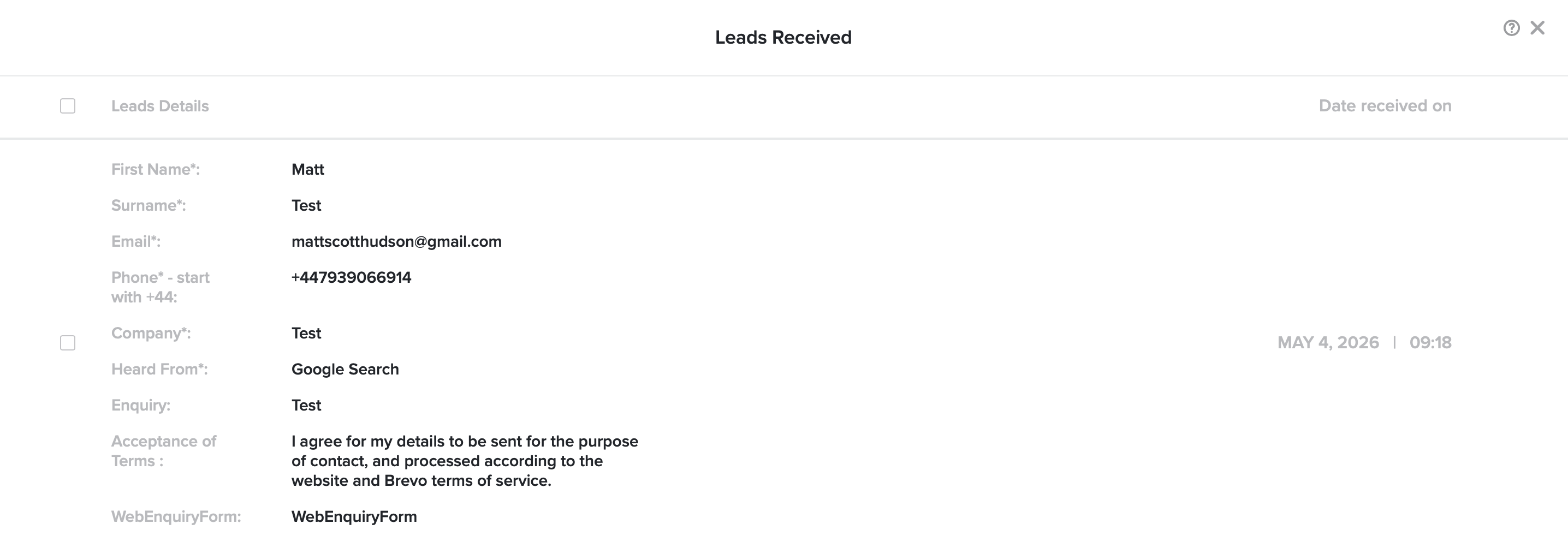
It seems neither form is adding to Brevo even though they were both strictly filled out with the correct phone number format.
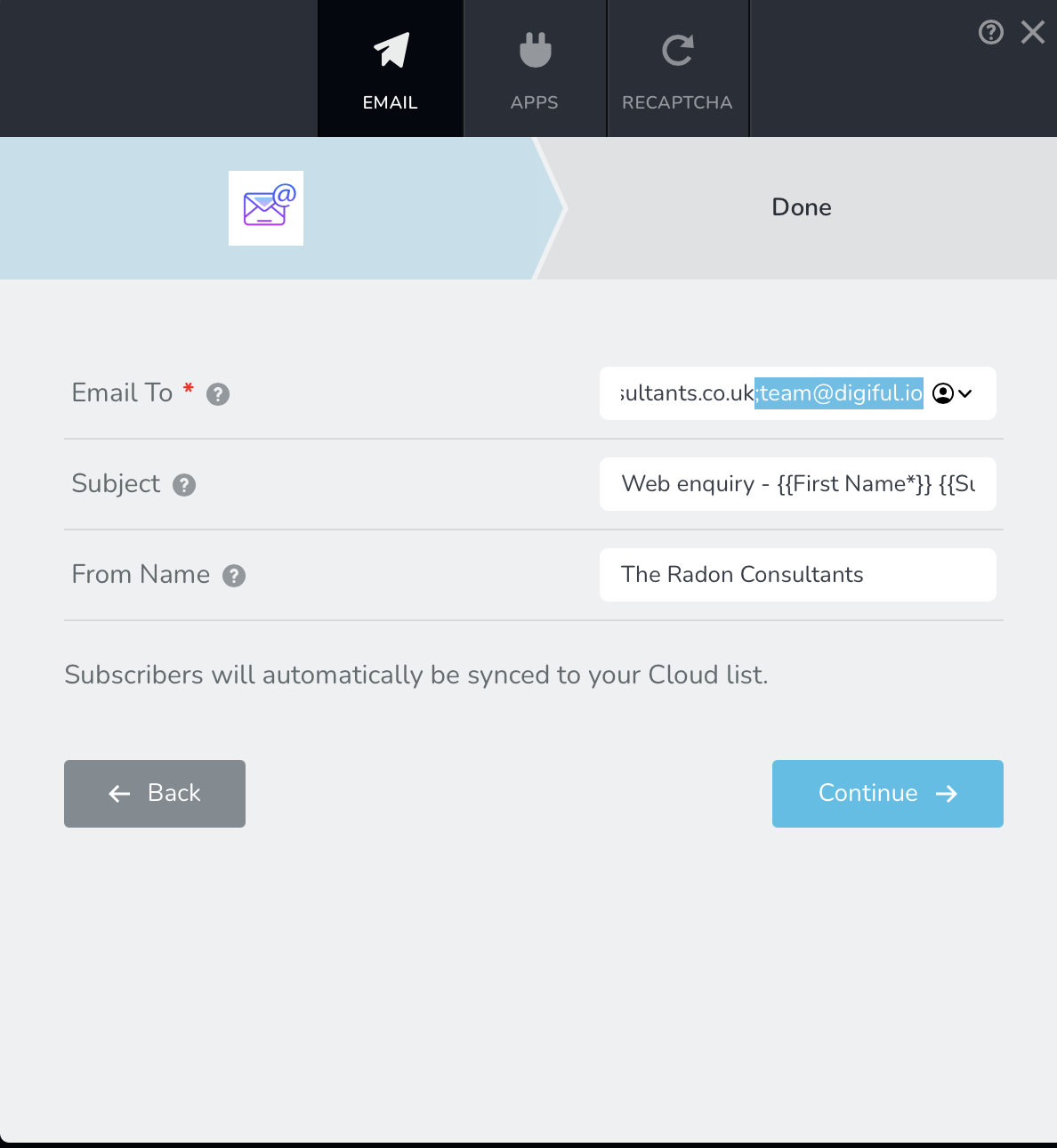
⚠️ Urgent issue: Notably no email notification to team@digiful.io as specified in the https://www.theradonconsultants.co.uk/contactTo: field on the form setup (see attached) - this needs to be looked at urgently as email form notifications are essential. It may be the case that info@theradonconsultants.co.uk is receiving emails but team@digiful.io is not - are you able to chack Brizy mail out records. I have checked spam folders and last month I was receiving these emails.
If you can't see the screenprint the To field has this value (copied and pasted):
info@theradonconsultants.co.uk;team@digiful.io
Interestingly I checked the Brevo active API key for The Radon Consultants account and it said:
**********iDLAgu
Brizy Form
Active
September 15, 2025 5:13 PM
Last used: May 2, 2026
Which means none of today's tests on either form activated it.
Ideally as mentioned earlier stricter data validation options on Brizy Forms is a complete answer to these issues.
In the meantime if the phone number is the issue - is there any way we can use the phone number field but change how the data is communicated to Brevo i.e the end format for this integration so it lands in Brevo as it needs to?Kind Regards,
Matt
 0
0
Please sign in to leave a comment.
Comments
35 comments